Everything for Back to School — and then someShop now

Skip to contentGo to Product Search
Main Content

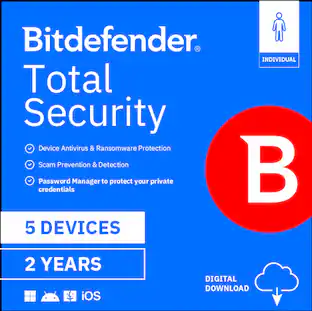
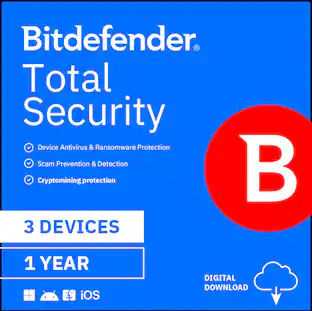
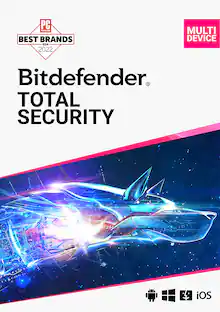
Bitdefender - Total Security Individual 5 device 1 year - Windows, Apple iOS, Mac OS, Android, Linux [Digital]

Model: TS24ZZCSN1205LEN
SKU: 6643522
Sold byBest Buy

Customers are saying

Customers are delighted by the overall performance of the product, which users find effective across different platforms. The user interface and installation process are also frequently praised for being intuitive and straightforward. However, some users have noted that the scanning speed is merely average and the included VPN service does not meet their expectations.

Generated by AI based on customer reviews.
Features
  • Best anti-malware protection in the industry, as proven by the last 10 years of independent test scores

  • Smart Call Blocking that filters spam, scams, and suspicious numbers in real time (Android Only) NEW

  • Fully featured password manager to keep your credentials safe

  • Standard VPN. 200 MB/day traffic for online privacy

  • Data Breach Detection to check if your credentials have been leaked (Android)

See all features
Specifications
  • Number of Users
    1
    Number of Devices
    5
    Number of Licenses
    1
    Operating System Compatibility
    Windows, Apple iOS, Mac OS, Android, Linux
    Software Format
    Digital
    Subscription Period
    1 Year
Sponsored

Reviews

Rating 4.4 out of 5 stars with 35 reviews

94% would recommend to a friend
Customers are sayingCustomers are delighted by the overall performance of the product, which users find effective across different platforms. The user interface and installation process are also frequently praised for being intuitive and straightforward. However, some users have noted that the scanning speed is merely average and the included VPN service does not meet their expectations.
This summary was generated by AI based on customer reviews.
  • Overall Performance (10)
  • User Interface (9)
  • Installation (5)
  • VPN Performance (10)
  • Scanning Speed (4)

Customer Images

The vast majority of our reviews come from verified purchases. Reviews from customers may include My Best Buy members, employees, and Tech Insider Network members (as tagged). Select reviewers may receive discounted products, promotional considerations or entries into drawings for honest, helpful reviews.

  • Rated 5 out of 5 stars

    Bitfender Total Security 1 Year

    Excellent internet computer security system. I highly recommend Bitfender Total Security‼️

    Posted by JUSTINAK

  • Rated 4 out of 5 stars

    Good Security Suite With Some Challenges

    For those who don't always read the full review... What I like... - Linux compatibility (one of the few major vendors) - Web-accessible central control center - Easy to add an remove devices from your account - Clean interface - Explanations of security concerns - Web search tool shows clear results And...not so much: - Setting up on a Mac is not intuitive - Very inconsistent user interfaces on Mac and Windows - VPN feature isn't even enough to test with - Password manager is better than nothing, but lacks tons of features For context, I am proficient with a lot of technology. I worked in the I.T. field in the mid-2000's, but a lot has changed and my knowledge is more limited to what I need now. That said, I have been working my way off Windows over to Mac and slowly to Linux. My most recent and last version of Windows is Windows 10, and I used the built-in antivirus and security features rather than a third-party app. Many Mac and Linux users don't even think abut security software, and it's understandable why: - Malware is more often written for Windows computers because of the larger audience - Malware for Windows often will not run on Mac and Linux So...security through obscurity. That tide is starting to shift though, and Mac and Linux are not immune to malware, so having a security suite is still a really good idea. I just haven't used one in a while so I wasn't familiar with the features. I regret that I was not able to install this onto my Linux laptop. I experience a hardware failure and have not had a chance to remedy it yet. However, I have a Macbook, 2 iPads, and a Windows computer that I tested this on. First, the installation process was easy on Windows, which is to be expected. If you know much about technology security and operating systems, you know why. For a less tech-savvy user, this is great, because everything is setup for you quickly and easily. A security software suite has to be deeply ingrained into your operating system to do its job, or it won't be able to see what's going on. The MacOS system is much more locked down than Windows, and in addition to taking longer, there were a LOT of settings changes and permissions that had to be granted. I do give Bitdefender credit for this, as it did a good job of explaining what needed to be done and not changing the screen until the permission was granted, so it was easy to follow along and make sure I wanted to grant the permission. Installing on the iPads was a bit different, as it's just an app from the AppStore. Download, sign into the app, and make a couple of settings changes if needed. There are multiple apps that you have to download - Mobile Security, Password Manager, and VPN. Each is a separate app. One feature I do like is the "central" hub. This is a web-based dashboard that lets you view the devices protected on your account, as well as their status, such as a feature not turned on. You can also easily disconnect a device from the account from here, which I tested. Getting a new device? Just click remove on the old device's profile and it will remotely sign out that old device and free up a license. The experience using the app was a little confusing for me, as there are a lot of features, and again, I have not used one of these products in a while. Bitdefender does a good job of breaking it down and explaining what the feature is and what actions you might need to take. I used the Vulnerability Scan feature on the Windows computer and it did a good job of explaining what each concern was and why. However, some of these are what was identified as a Browser Security issue, which each one making references to Internet Explorer. Again, I'm on Windows 10 and while Internet Explorer was still available in that operating system at launch, Microsoft removed it a long time ago. Yes, there are backend compatibility features deep within it, but someone using this Bitdefender application today that doesn't understand what I just said would wonder why there is a security issue with a browser that is not even on their computer. A big observation I made is how different the app is between Windows and Mac. There is a similar layout to the navigation on the app's dashboard, but the layout and feature set vary greatly between the two. Much of this has to do with what Bitdefender can and cannot do on the two different operating systems (it can do a LOT more on Windows), but if you use both, don't expect the same experience. Scans between the two systems varied a lot too. Overall, the scanning process feels really slow. On my M4 MacBook Pro (not a lightweight computer by any means), the progress meter got to the halfway mark and 30 minutes later had not moved, even though it was still scanning. It was actually faster on the Windows computer (under 30 minutes), which is running a decent Ryzen 7 processor. I should note that there is a lot more data on the Windows computer than the Mac. This suite also has some other features. It includes a VPN service. However, it's limited to 200MB per day, per device (I tested this and each device did have its own quota). However, 200MB isn't even enough to test the feature with, especially when using a computer (vs a mobile device like the iPad). I visited two retailors' websites and did two Google searches and I had blown through the quota. To get unlimited requires a separate subscription, so I cannot speak to how well this feature works. There is also a password manager. I set this up and manually entered one password into the account to check it out. It is very basic, in that it will store the URL, the username, the password, and there is a notes section. It can also store other data like credit card numbers. It contains a password generator and can alert you to password security concerns. For most people, this is more than sufficient, and if you are not already using one, it's worth trying this one out. Overall, Bitdefender's security suite is a good product and I recommend it, especially if you are NOT using Windows (which is built-in but not nearly as feature-rich). Yes, you should consider this if you are on Mac or Linux, as those operating systems are not immune and threats will only increase as the user base does. If you are managing multiple devices, especially for family members, the centralization feature is really nice to have to monitor device status along with adding and removing devices easily. Setup is a bit tricky on a Mac, so follow the steps closely but once it's setup, you are good to go.

    Posted by GirlsCanTechToo

  • Rated 5 out of 5 stars

    Reliable Antivirus

    After years of trying out several different antiviruses, I have settled with Bitdefender the past few years. The 2026 edition keeps its good reputation strong in my household. Unlike others, Bitdefender does not: • Barrage the computers with countless ads and unwanted pop-ups • Does not force a credit card on file to recharge when the subscription ends • Does not exponentially drain on the battery of my laptops What it does do: • It keeps the computer running and safe • It provides a streamlined easy to understand and use interface • Gives gentle recommendations • Provides 200MB VPN daily to protect sensitive data from exposure • Provides date breech detection of your email I have Bitfedender on both my PCs and Mac and it works great on both. On the PC it is more streamlined because everything is on one app, whereas on the Mac the VPN is a separate app. Also, the Mac version has less features, which is not a big deal to me because I worry more about the Windows’ vulnerabilities, but is worth noting. For the most part, I barely notice it is there as it just runs in the background, but on the PC laptop I use for remote work, it asks me constantly if I am using a home or work network and does not seem to record the setting. The VPN does run out pretty quickly at 200MB, it is good for a quick action on the web concerning a sensitive transaction, but within minutes will ask you to upgrade the plan. The app has several profiles depending on what you are doing online plus the option for it to toggle between them automatically. It also has a Safepay option, protection from video and audio hacks, anti-tracker, as well as crypto mining prevention. I was able to find this on the PC app only though. Overall, I am happy with this antivirus. I did not get this for the VPN, so that is an added bonus sneak peek in my opinion. I do wish some features were available for the Mac, but as stated, the PCs are my main concern. I highly recommend this over the competitors because this brand provides a service without gimmicks.

    Posted by Akire

  • Rated 4 out of 5 stars

    Handy Protection but still be mindful of its usage

    The Bitdefender Total Security includes a variety of functions, mainly in three categories: Protection, Privacy, Utilities. Under Protection, it includes: Antivirus, Advanced Threat Defense, Online Threat Prevention, Ransomware Remediation, Vulnerability Scan, Cryptomining Protection, Firewall, Antispam, Email Protection, Scam Protection. Under Privacy, it includes: Safepay, VPN, SecurePass, Ant-Tracker, Video and Audio Protection, Parental Control. Under Utilities, it includes: Profiles, File Shredder, Anti-Theft, and OnClick Optimizer. Now, the above list of coverage are read from Bitdefender website. However in the installed application can’t really notice what is covered or can see only less functionalities. Additionally, it seems I have to install multiple applications at least based on installation experience in Mac. I installed Bitdefender Antivirus for Mac, then for VPN it requires to install a second app Bitddefender VPN. From the application for Antivirus, can learn only following: 1. Dashboard: Quick Scan, System Scan, Total Security # of installed of total, Safe Files, Web Protection by browser Safari, Chrome, Firefox. 2. Protection: Antivirus, Web Protection, Anti-Ransomware. In each name includes functions for respective options. 3. Privacy: VPN (that open second Application after installation), Anti-Tracker. Now, how good it is doing all it claims I couldn’t verify technically, but form usage experience, for instance, if the VPN is enabled, then the content of new email doesn’t show after VPN is enablement. What I wish it were better: 1. Better or clarity of what includes as there seems discrepancies between the actual installation and functionaries vs what is stated in the website, or can’t tell exactly what is what the coverage. 2. It requires to install multiple applications. 3. The VPN is limited based on quantity of traffic. Hence can’t be reliable unless spend extra. 4. For the Anti-Tracker extension installation, it didn’t detect that the Microsoft Edge is installed or doesn’t support. It didn’t show the option except for Safari, Chrome and Firefox. 5. For Web-Protection, it has to be enabled by each browser type. However in order to enable, for instance for case of Safari, it allow the Bitdefender to read, alter and see sensitive information from webpage, including password, phone number and credit cards. So Bitdefender protect from other or bad intended parties, but feels it is being allowed for Bitdefender. A bit contradictory and not sure how much of the privacy is protected against Bitdefender press. In conclusion, it provides a number of handy tools and protection. It feels a bit confusing in term of details and description of what cover, and a bit of doubt on while it protect from bad actor how much actually Bitdefender might have access to private information; then having to install multiple apps makes the experience bit overwhelming.

    Posted by MigDigital

  • Rated 5 out of 5 stars

    Peace of mind protection

    I have been using Bitdefender for the past few weeks on both my macOS and Windows laptops, and so far I am very happy with the results. This is a very easy to install program which quickly sets up, downloads, and you are ready to go. One of the best features that I like about this, it is a multi-device program that covers up to 5 devices including the aforementioned Windows and Macs, but also Android and iOS. It is simple to use for a tech person like myself, and even for my dad as well. The home screen offers several clear options to choose from. The dashboard shows your current security status and allows you to run a variety of scans, including: Quick Scan and System Scan, a Vulnerability Scan that checks your online passwords, and a VPN and Safepay which enhances your online privacy. On the left of the hopme screen, you can further check your computer with additional features such as Privacy, Utilities Notifications and Settings. What is also a great feature, you can see the listing of your installed devices and check the status of each one at a glance. This is truly a install and forget program that runs quietly in the background, giving you peace of mind knowing all my installed devices are safe from potential threats. Overall, Bitdefender Total Security manages to provide great protection that is reliable for your devices. Highly recommend this.

    Posted by APFLORES413

Compare similar products

Bitdefender - Total Security Individual 5 device 1 year - Windows, Apple iOS, Mac OS, Android, Linux [Digital]
4.4(35)

Browsing, gaming, and streaming are much more fun when you don’t have to worry about your device’s security. Leave all your worries to us! Bitdefender Total Security combines dominant cybersecurity algorithms with exclusive technologies to provide the most advanced threat prevention, detection, and removal solution. All this without taking your device’s resources prisoner.

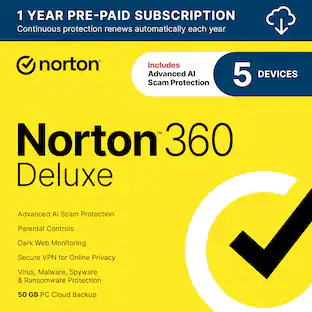
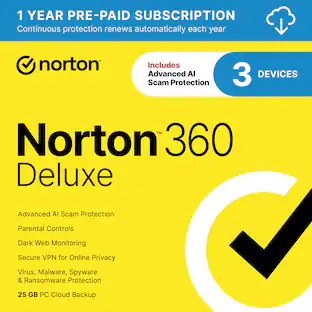
Norton - 360 Deluxe (5 Device) Antivirus Internet Security + Scam Protection + VPN + Dark Web Monitoring (1 Year Subscription) - Android, Apple iOS, Mac OS, Windows [Digital]

Norton 360 Deluxe for 5 devices is the all-in-one choice to help keep yourself and your loved ones safe from hidden scams, phishing, malware, and viruses, plus a VPN to help keep internet browsing private, as well as cloud backup for Windows PCs to keep your files safer, and parental controls. With our Advanced AI scam protection you can stop wondering if a message or email is suspicious.

Bitdefender - Total Security Individual 5 Device 2 Year - Windows, Apple iOS, Mac OS, Android, Linux [Digital]

Bitdefender's award-winning technologies provide the best level of protection from all types of online threats, including ransomware, without slowing down your Windows, macOS, iOS and Android devices. With Bitdefender Total Security, you don't have to worry about your security anymore! It gives you complete protection on all your devices, is easy to install and protects you automatically.

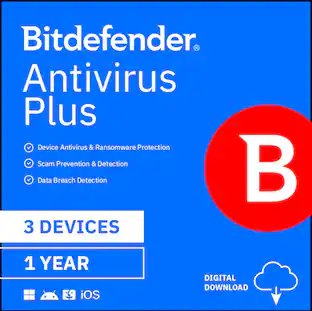
Bitdefender - Antivirus Plus (3-Device) (2-Year Subscription) - Windows
3.7(11)

Bitdefender Antivirus Plus delivers next-generation cybersecurity and performance. It protects your Windows PC against all types of online threats, and includes privacy tools, such as VPN and Safepay.

Pros for Bitdefender - Total Security Individual 5 device 1 year - Windows, Apple iOS, Mac OS, Android, Linux [Digital]
Overall Performance, User Interface, InstallationProtection, Ease of use, Price, Performance, VPNThere were no pros for this productOverall Performance
Cons for Bitdefender - Total Security Individual 5 device 1 year - Windows, Apple iOS, Mac OS, Android, Linux [Digital]
VPN Performance, Scanning SpeedDownload, Pop-ups, Automatic Renewal, NotificationsThere were no cons for this productThere were no cons for this product

Specs

Questions & Answers
  • Does this security software provide real-time protection?

    Yes, this security software provides real-time protection.

    This question and answer was generated by AI based on customer and product data.
  • Are there any mobile apps included with this software?

    Yes, there are mobile apps included with this software.

    This question and answer was generated by AI based on customer and product data.
  • What is the subscription period for this software?

    The subscription period for this software is 1 year.

    This question and answer was generated by AI based on customer and product data.
  • How much hard drive space is required for this software?

    This software requires 1 gigabytes of hard drive space.

    This question and answer was generated by AI based on customer and product data.
  • Does this software include parental controls?

    Yes, this software includes parental controls.

    This question and answer was generated by AI based on customer and product data.
Ask a question
No content
Sponsored

Get it for less

Get it for less