Bluesound - IR Remote Control - Black
Customers are saying
Customers are delighted by the IR Remote Control's ability to select streaming audio and adjust the volume. Users appreciate the convenience of using the remote to choose their preferred streaming channels.
Main Information
Simple, ergonomic design with streamlined and dedicated Player controls.
Product Use
Works right out of the box with built-in IR codes for Bluesound Players.
Remote Programming
Program up to 10 presets to listen to your favorite music with a single touch
Support
Supported on Bluesound Gen 2 and Gen 2i Players running BluOS 3.6.2 or later.
Remote Use
Use one remote for all your players, or dedicate one for each room.
- Remote Control TypeDedicated, Programmable
Reviews
Rating 4.9 out of 5 stars with 7 reviews
- Remote Control (3)
Customer Images
The vast majority of our reviews come from verified purchases. Reviews from customers may include My Best Buy members, employees, and Tech Insider Network members (as tagged). Select reviewers may receive discounted products, promotional considerations or entries into drawings for honest, helpful reviews.
Compare similar products

The Bluesound RC1 Remote Control works right out of the box, letting you enjoy one-touch control with Bluesound Players throughout the home, without any set-up or programming. From soundbars and wireless speakers to stereo components and wireless streaming amplifiers, the Bluesound RC1 has controls for just about everything. Lower the volume, select a preset and listen to your favorite playlist, or turn on your Bluesound sound system for movie night--all with a tap of the finger. With Bluesound dedicated IR controls built-in you can enjoy one-touch control right out of the box and easily take command of your all entertainment. The most basic controls, like volume and play/pause, are pre-programmed and laid out for easy navigation with the added ability to pre-program the music you listen to most with support for up to 10 presets. Simply point the RC1 Remote Control at any Bluesound wireless streamer, amplifier or speakers to start, and use the BluOS Controller app for phone, tablet and desktop to configure presets in minutes.

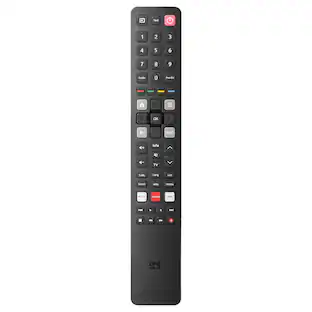
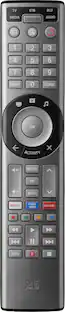
The One For All Smart Control 5 Remote Control is perfect for controlling up to 5 devices seamlessly: TV, Set Top Box, DVD/Blu-ray, Sound bar, Audio devices, and Media Streamers (Roku Ultra, Apple TV). Programming starts with downlowding the free OFA Advanced app on your Smartphone. Simply connect your Smartphone to the Smart Pro 5 Remote and follow the prompts to set up this remote customized to your devices. The APP guides you through a few easy steps to complete the setup of your remote. Use the learning feature to fully customize this remote with ease, by copying unique functions directly from your original remote to the Smart Pro 5. The three app shortcut keys give you instant access to Netflix, Amazon Prime, YouTube or any other online streaming app. The three smart activities, Watch TV, Watch Movie and Listen to Music offer seamless control of your Home Theater Syset with the push of a button!

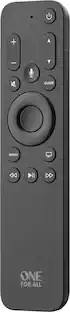
This One For All Apple TV Remote will elevate your viewing experience with intuitive control and effortless navigation. Control your Apple TV as well as Television and Audio devices, without the constraints of mode-switching. Enjoy the comfort of Siri Voice search, find and access all content across live TV and streaming apps easily with minimum effort. The remote also comes with backlit keys allowing you to easily find it in a low light environment, thanks to the built-in accelerometer which activates when motion is detected.

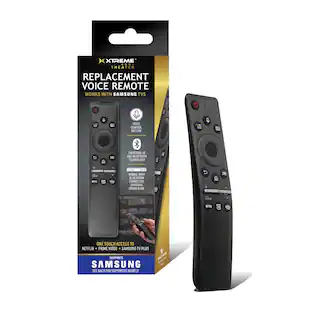
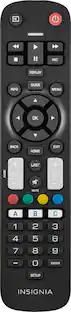
Losing or damaging the remote control to your TV is never ideal. Regain effortless control of your TV with the Insignia Fire TV Replacement Remote for Insignia-Toshiba-Pioneer. Maintain full voice control and all the benefits of your Fire TV by quickly and easily pairing this replacement remote. Compatible with existing Insignia, Toshiba Fire TV, and Pioneer Fire TV Televisions, this remote grants a comfortable feel and grip with a lightweight design. Bluetooth and infrared technology enable effective voice control. Remote requires two AAA batteries, which are not included. Never go through the headache of losing or damaging your TV remote again, simply replace it. Compatible Product(s): Toshiba Fire TV Televisions: 32LF221U19 32LF221U21 TF-32A710U21 43LF421U21 43LF421U19 43LF621U19 43LF621U21 43LF711U20 TF-43A810U21 49LF421U19 50LF621U19 50LF621U21 50LF711U20 TF-50A810U19 55LF621U19 55LF621U19 55LF711U20 55LF711U20 65LF711U20 Insignia Fire TV Televisions: NS-58DF620NA20 NS-55DF710NA21 NS-55DF710NA19 NS-50DF710NA19 NS-50DF711SE21 NS-50DF710NA21 NS-43DF710NA21 NS-43DF710NA19 NS-39DF510NA19 NS-39DF310NA21 NS-32DF310NA19 NS-24DF310NA19 NS-24DF311SE21 NS-24DF310NA21
| Pros for Bluesound - IR Remote Control - Black | |||
|---|---|---|---|
| Remote Control | Ease of Use, Overall Performance | Ease of Use, Overall Performance, Button Layout, Size, Backlight | Overall Performance, Ease of use, Remote, Compatibility, Connectivity |
| Cons for Bluesound - IR Remote Control - Black | |||
| There were no cons for this product— | There were no cons for this product— | Battery Life, Compatibility, Price | Battery Life, Button Layout |
Specs
Customers often buy these together
 $4,799.99The price was $5,299.99


More to consider

Elevate your entertainment Sponsored
 $419.99The price was $449.99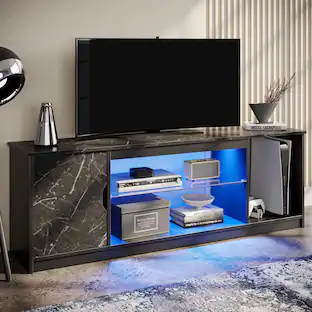
Bestier - Fits up to 65" TVs Gaming Entertainment Center with Adjustable Shelves for PS5 57"TV Stand
$99.99The price was $119.99 $144.99The price was $167.99
Discover related products
 60th Anniversary Deal$34.39The price was $37.90
 $13.99The price was $19.99