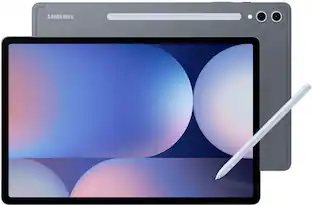
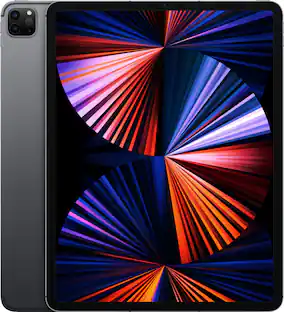
BOOX - Tab X C: Ultimate productivity on a 13.3" color E-Ink display. Fast, versatile, and easy on the eyes - Gray
About this product
The 13.3'' Kaleido 3 color ePaper display tablet for enhanced productivity and intentional living. The Tab X C seamlessly transitions between work and life, thanks to its advanced octa-core processor and 6GB of RAM. With BOOX Super Refresh Technology, it effortlessly manages complex tasks and provides smooth web browsing. The wide, colorful canvas delivers a comfortable viewing experience, free from the harsh glare of traditional screens. Its gentle, natural hues make browsing, reading, and multimedia tasks effortless and enjoyable. At its core, it is a productivity hub that provides solid performance for everyday tasks, reduces eyestrain, and minimizes distractions. With split-screen mode, you can easily view project plans while keeping an eye on progress updates, compare data sets side-by-side for thorough analysis, or review documents while jotting down notes.This multitasking capability promotes smooth workflow management, saving time and boosting efficiency. Cloud storage services like Onyx Cloud*, Google Drive, Dropbox, and OneDrive enable seamless access across devices. You can also easily transfer files between your Tab X C and other devices using BOOXDrop. Navigate your tasks effortlessly with a user-friendly home screen. The tablet-like interface lets you personalize widgets for quick access to important updates. How to Connect & Charge the InkSpire Stylus to the Tab X C? 1.Locate the designated charging spot on the side of the tablet. 2.Position the center of the InkSpire stylus over this designated spot. 3.This area on the side of your tablet is also for charging it. A notification showing the battery level will pop up at the top of your screen.
Highlights
Features
A tool as sharp as your ideas.
The Tab X C combines digital convenience and advanced tools in an ultra-slim 5.3 mm design. Its sleek, professional aesthetic seamlessly adapts to any work environment.
Spacious. Colorful. Easy on the eyes.
The wide, colorful canvas delivers a comfortable viewing experience, free from the harsh glare of traditional screens. Its gentle, natural hues make browsing, reading, and multimedia tasks effortless and enjoyable.
Responsive. Powerful.
The Tab X C seamlessly transitions between work and life, thanks to its advanced octa-core processor and 6GB of RAM. With BOOX Super Refresh Technology³, it effortlessly manages complex tasks and provides smooth web browsing.
It's a color ePaper tablet.
At its core, it is a productivity hub that provides solid performance for everyday tasks, reduces eyestrain, and minimizes distractions.
Smart Writing Tools
Easily develop ideas, review documents, or transform rough scribbles into refined shapes, highlights, and underlines with Smart Scribe tools. With a broad selection of templates, brushes, and layers, your workflow becomes smoother and more intuitive.
Specifications
- Screen Size13.3 inchesScreen Resolution3200 x 2400Processor Model2.8Ghz Octa-core + BSRTotal Storage Capacity128 gigabytesOperating SystemAndroid 13
Reviews
Rating 5 out of 5 stars with 2 reviews
Customer Images
The vast majority of our reviews come from verified purchases. Reviews from customers may include My Best Buy members, employees, and Tech Insider Network members (as tagged). Select reviewers may receive discounted products, promotional considerations or entries into drawings for honest, helpful reviews.





Compare similar products

The 13.3'' Kaleido 3 color ePaper display tablet for enhanced productivity and intentional living. The Tab X C seamlessly transitions between work and life, thanks to its advanced octa-core processor and 6GB of RAM. With BOOX Super Refresh Technology, it effortlessly manages complex tasks and provides smooth web browsing. The wide, colorful canvas delivers a comfortable viewing experience, free from the harsh glare of traditional screens. Its gentle, natural hues make browsing, reading, and multimedia tasks effortless and enjoyable. At its core, it is a productivity hub that provides solid performance for everyday tasks, reduces eyestrain, and minimizes distractions. With split-screen mode, you can easily view project plans while keeping an eye on progress updates, compare data sets side-by-side for thorough analysis, or review documents while jotting down notes.This multitasking capability promotes smooth workflow management, saving time and boosting efficiency. Cloud storage services like Onyx Cloud*, Google Drive, Dropbox, and OneDrive enable seamless access across devices. You can also easily transfer files between your Tab X C and other devices using BOOXDrop. Navigate your tasks effortlessly with a user-friendly home screen. The tablet-like interface lets you personalize widgets for quick access to important updates. How to Connect & Charge the InkSpire Stylus to the Tab X C? 1.Locate the designated charging spot on the side of the tablet. 2.Position the center of the InkSpire stylus over this designated spot. 3.This area on the side of your tablet is also for charging it. A notification showing the battery level will pop up at the top of your screen.
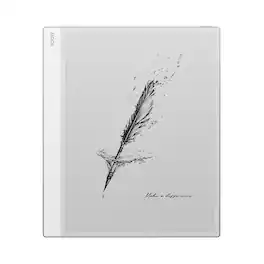
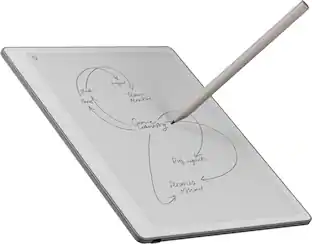
An A4-sized ePaper notebook designed for expansive thinking and clarity. The ultra-slim Note Max features a 13.3'' HD E Ink Carta 1300 screen, providing ample space for effortless thought development. Designed for academics, writers, and professionals to read, brainstorm, and organize with ease. The Note Max is thoughtfully crafted with the quiet, and sleek aesthetic complemented by the timeless elegance of the classic Note line at the back. Its clean, understated look enhances your workspace, while the paper-like display embodies simplicity and purity. Free from front light, where sunlit clarity dances across each page. With a stunning 300 PPI resolution, every word comes alive, inviting you to lose yourself in the text while enhancing your focus. Read and write as if you were actually on paper.

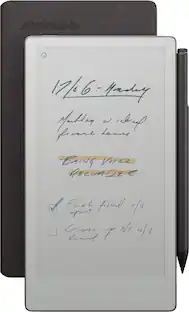
Meet the new 7" ePaper reader—Go Color 7 (Gen II). It's the ideal sidekick for commuters, outdoor enthusiasts, and anyone who craves immersive reading, spontaneous writing, and moments of relaxation on the go. At just 190 g and with a textured back, this sleek 7in eReader feels like a breeze in your palm. Whether you're commuting, unwinding at a café, or exploring the great outdoors, it seamlessly blends into your on-the-go lifestyle. Read comfortably in any lighting conditions with adjustable front lights. Switch to warm lights for restful nights, Dark Mode for tranquil reading, or turn off the front lights in bright sunshine. Stylus not included, sold separately.

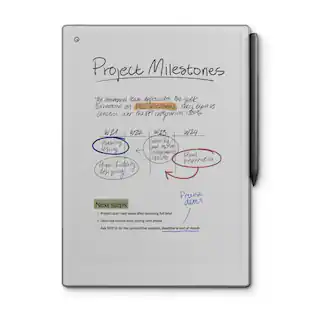
Bring paper into your digital workflow with reMarkable Paper Pro. Ultraslim and portable, but with a full-size 11.8” color display, adjustable reading light, and an unmatched paper-like writing experience.
| Pros for BOOX - Tab X C: Ultimate productivity on a 13.3" color E-Ink display. Fast, versatile, and easy on the eyes - Gray | |||
|---|---|---|---|
| There were no pros for this product— | There were no pros for this product— | There were no pros for this product— | Ease of use, Writing Experience, Battery Life, Overall Performance, Screen Size |
| Cons for BOOX - Tab X C: Ultimate productivity on a 13.3" color E-Ink display. Fast, versatile, and easy on the eyes - Gray | |||
| There were no cons for this product— | There were no cons for this product— | Color Quality | Price, PDF Support |
Specs
Customers often buy these together
Office Software


Stylus Pens
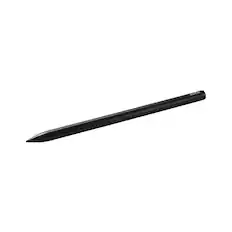
More recommended items
 Tablet eReader Cases and Sleeves
 Headphones
Customers ultimately bought

Explore tech essentials Sponsored






Discover related products
 $247.00The price was $275.00
 $12.99The price was $13.99









Keep exploring
 $119.98The price was $249.99
 $115.00The price was $129.99
 $799.99The price was $999.00
 $339.99The price was $479.99
 $434.99The price was $499.00