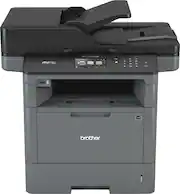
Rating 4.5 out of 5 stars with 84 reviews
4.5- Print Speed (39)
- Ease of use (15)
- Noise Level (3)
- Price (3)
- Paper Jam (3)
- Reliability (3)
Customer Images
The vast majority of our reviews come from verified purchases. Reviews from customers may include My Best Buy members, employees, and Tech Insider Network members (as tagged). Select reviewers may receive discounted products, promotional considerations or entries into drawings for honest, helpful reviews.
- Rated 5 out of 5 stars
Good economical B&W Laser Printer
Good economical B&W Laser Printer, purchased to replace a worn out MFC-L5850DW that lasted for many years and burned through tons of copy paper boxes. The MFC-L5900DW has Gigabit Ethernet, more memory and uses the same economical high yield toner cartridges.
Posted by TechJack
- Rated 5 out of 5 stars
Great machine at value price
This printer was a terrific investment at a low cost. The optional high volume toners make it an even better deal. It prints fast and both print/copy are quality. I have really enjoyed using the two sided print and copy feature, more savings by reducing paper use. I haven't had the opportunity to try the double sided scanning, but look forward to saving time on file and document management using that feature since much printing can now be done 2 sided. Lots of printing done in 1st month with no jams or problems. Some preprinted forms a couple of times had multiple forms pulled through at once. Otherwise, a perfect fit for our small office replacing an old printer and an old copier.
Posted by PatsFan
- Rated 4 out of 5 stars
Very nice printer
This printer is a one stop shop for your all in one equipment needs. Very good print quality and relatively easy to operate. Only complaint is that you have to open the rear door when printing a single voucher style check, otherwise it gets jammed.
Posted by sbslg
- Rated 5 out of 5 stars
Great Wireless Monochrome MFC Laser Printer
Price match + free delivery for store PU. Payment was reduced by a laptop trade-in. Used to have Cannon monochrome MFC and HP Pro inkjet color printers with problems. This one replaced a Brother MFC-6800 that I had since 2001. I am very happy with Brother’s printers’ durability. It is a fast double-sided and economical printer. It has a built-in wireless or wired Ethernet networking. It is easy to setup. Thanks BB.
Posted by Al305
- Rated 5 out of 5 stars
Repeat customer - a solid printer
We have 4 of these for our small business. Print quality is very good, and I don't recall ever getting a paper jam. I like the paper saving print on two sides function, and envelopes don't get crinkled the way they have in other printers I have used. Recently, we thought we'd have to replace one of our 5900's, because we were getting some poor quality prints. I decided to repurpose it at our home office (where good quality printing isn't critical), and after replacing the drum and toner quality was as good as new. Meanwhile, as I contemplated whether to get a newer model (this was introduced in 2016) model to replace it, I ended up just getting this one again - it's just a good workhorse.
Posted by GreenAcreswife