Rating 4.3 out of 5 stars with 163 reviews
4.3- Keyboard Quality (59)
- Battery Life (26)
- Ease of use (18)
- Key Travel (5)
- Price (4)
- Weight (8)
- Hinge (3)
Customer Images
The vast majority of our reviews come from verified purchases. Reviews from customers may include My Best Buy members, employees, and Tech Insider Network members (as tagged). Select reviewers may receive discounted products, promotional considerations or entries into drawings for honest, helpful reviews.
- Rated 5 out of 5 stars
Great keyboard but adds a lot of weight
I am always trying to find the right keyboard for my Surface. I got the official keyboard cover and I enjoyed typing on it, but it still feels flimsy as you type on it. I always heard great things with Brydge and was excited to get this. After a few weeks with this, here are my thoughts: Pros: -Feel: this is an amazing typing experience. The keys feel great as you type away. It also has good key travel for my smaller hands, but this actually feels like a true laptop experience. The touchpad is nice and responsive: -Protection: like all Brydge products, the keyboard attaches to the tablet/computer via two hinges that securely holds it and gives you the clamshell design. The hinges are nice and secure, I don’t fear it opening by accident or falling out. -Viewing angles: The hinges also give you good viewing angles and keeps it in that angle so you don’t have to use the Surface’s built in kickstand. Which also allows you to truly use the Surface on your lap without it feeling awkward. -other features: backlit keyboard, always a good thing. Long battery life (6 months with initial charge). Cons: -weight. At 1.46 lbs, this adds to the overall weight when you have the Surface attached. -temperature: the surface pro 7 already gets hot when I use it. Having the Keyboard which connects via BT makes it even hotter. This is not a knock off tue keyboard, but the overall experience can be an uncomfortable one. Overall, I really enjoy the Brydge Keyboard. I feel it works well, improves your trying experience. Highly recommend this keyboard.
Posted by APFLORES413
- Rated 4 out of 5 stars
A Better Keyboard
This is my second Brydge keyboard, my first I used with my Surface Pro G3, it was a huge step up from MS's no travel keyboard pad. My current Surface Pro G7, came bundled with a MS keyboard, so I'm going compare and contrast the MS keyboard with the Brydge 12.3 Pro+. Given my love for my first Brydge keyboard, I was anxious to try they new Brydge 12.3 Pro+. First weight, the new Bridge Pro+ is lighter than the original, but more than twice the weight of the MS keyboard, but this is not all bad the Brydge balance the Surface's weight so it can be positioned it at any angle, without using the kickstand. You can also use the Brydge detached from the surface (BT connection) so you can position the surface at greater distance (I do this frequently where the surface is about a foot from the keyboard - or in my lap), I can't do this with the MS keyboard, that has to be attached to Surface, and you can't balance it in your lap (too flimsy). As I said the brydge connects to the Surface via Bluetooth, but to save power the Brydge powers down after a few minutes of non-use. So when you start to use again the first keystroke is lost unless you remember to wake it up by pressing the shift, ctl or fn key first; I use other BT keyboards all the time so I'm accustomed to this, I also have learned to look for backlighting to be on before I start typing. So this a difference but not a big deal to me. Key travel/key size - a big win for Brydge, all the keys are slightly larger the the MS keyboard, and the key travel is a little longer, it just feels much more natural to type on the Brydge keyboard - no contest. Backlighting, I love backlighted keyboards, don't know how I got along without one. The Brydge backlight is almost twice as bright as the MS keyboard, and it stays on longer. It's also adjustable low, med, and bright. Charging, the new keyboard holds a charge about 3 times longer than their original (6mo vs 2mo); Both are plenty long, and when charging the keyboard you can still use it. The MS keyboard does not need charging, but that means their backlighting and keyboard draws power from the Surface. So with the Brydge your Surface will last longer on batteries. Trackpad, this is an area the MS keyboard has improved the most. The MS trackpad is very good, but the Brydge trackpad, is slightly larger, and even more accurate, 100% of trackpad is responsive, the edges of the MS trackpad, may or may not do what you would expect. Protection, the Brydge is made of aluminum, it much stronger than the "Fabric"/plastic MS keyboard. It also heavier, which may, be a negative to some. I'd also have to call the Brydge keyboard is "prettier" the construction is excellent, it match's the Surface's high quality appearance. The MS keyboard, still looks/feels like an afterthought. One ding (star) against the new Brydge 12.3 Pro+ keyboard with my MS Surface 7, it pulls off the hinges pretty easily. With my old Brydge I could lift the surface and the Brydge keyboard stay connected to the hinges. If I do the same with my new Brydge keyboard attached the Surface pulls out of the hinges. Their original had multiple silicone inserts for the different thickness of the different Generations of MS Surfaces. There is not that much difference between the G4-G7 but there is some, I wish the Surface did not separate as easily as it does. Overall the Brydge is a much better keyboard, in almost every way than the MS keyword. If I had to buy either a MS keyboard or a Brydge the cost/performance difference makes this an easy decision - Brydge wins. Except for staying connected to the surface, when lifting the screen, it's nearly perfect.
Posted by 3Tcubed
- Rated 5 out of 5 stars
Is it a tablet or is it a laptop!?!
I just purchased the surface pro 7 and the brydge keyboard and love them both….I can use my surface as a tablet when I want a tablet or use it aa a laptop….its the best of both worlds
Posted by EmJay78
- Rated 4 out of 5 stars
Good wireless keyboard.
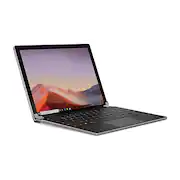
The Brydge 12.3 Pro+ wireless keyboard! It comes with a keyboard and a USB type C to C cable for charging. The keyboard has two slot in hinges where you can slot in your Surface Pro 4-7 to convert it into a laptop form factor. The slots are very firm and will hold your Surface Pro in place pretty well. Unless you intentionally remove your Surface Pro, it won't fall out. The hinges themselves are very stiff, so the position you angle the Surface Pro at will be pretty solid and not shift. Build quality of the keyboard is very good also. The keyboard itself is just a bit thinner than the Surface Pro and the solid construction of the keyboard materials make it look and feel like a very durable product. On performance, this keyboard seems be very laggy for me (related to track pad). Not sure if this is due to Bluetooth connectivity issues or if i got a defective track pad but it was very noticeable. It is most obvious when moving the mouse with the keyboard's track pad, the choppy animation and non-fluid tracking made it feel like i was on a 30 FPS screen. Putting my Surface Type Cover back on and using the track pad from there did not render the same issue (so i could only assume it is the Brydge keyboard causing this issue). The typing experience on the other hand is not too bad. The key travel is very satisfying and consistent throughout. It certainly does not feel as good as typing on the Surface Type Cover, but comes close enough. The only issue i have with typing is that the palm rejection of the track pad was not that great. I would find myself typing and the cursor moves to another spot in a document where i did not click. This issue really discouraged me from typing on the keyboard and defeats the purpose of even having it in the first place. The only workaround for this issue is if you have a USB or Bluetooth mouse that you are using and disable to Brydge keyboard's track pad or you just disable the Bridge keyboard's track pad and use the touch screen feature of the Surface Pro to move your cursor. Not doing so will really hinder any typing related activity you will need to perform. I typically use a USB mouse (Logitech G502 Hero) with my Surface Pro, so i was able to avoid this issue with the track pad but certainly wanted to point it out for anyone that may use the track pad only so they may be aware. Track pad issues aside, if you are looking for a way to convert your Surface Pro into a laptop, this keyboard cannot be recommended enough as there are work arounds for issues described above. However, if you are looking for a reliable and keyboard and you will not be using a separate mouse, i would certainly stick with the Surface Type Cover or other alternatives.
Posted by VangTfz
- Rated 2 out of 5 stars
It takes the surface out of your surface.
My review is from the standpoint of a long time Surface Pro 4 user. I’ve put a lot of miles on it. And I had real high hopes of this robust unit breathing a little bit more life into my beloved Surface. Unfortunately, it will not. I’ve used a type cover for my Surface since I’ve had it. I’ve become very accustomed to the removal and flipping of the cover so that I can walk around and write on the screen while doing field surveys. I’ve never once dropped it using it like this. I feel it’s really well balanced and there is plenty of grip on the cover and the back of the Surface. But this keyboard turns a Surface into something else I am not as familiar with. It essentially turns it into a heavy clamshell laptop. And I mean heavy. The construction of this keyboard is excellent. Down to the matching metal finish (that looks much newer and a bit less yellow than my Surface…) and the really nice arrangements of screws on the bottom. The feel, the quality, even the perfectly placed rubber feet are all spot on. I can’t say how much I like the ability to lean it on a wall and have nothing but rubber touching the floor or the wall. The keys feel and sound great. The battery life of this keyboard is unreal. 6 months??? Wow. There are a lot of great things going on here for sure. Then you start to see the drawbacks. Just getting a Surface into the clamps took a lot more energy than I expected. It was borderline uncomfortable to put that much pressure on the keyboard or my Surface. Even then I appreciated the idea that it was not going to be slipping out any time soon. Until I realized just how tight it actually was. When installed, the now laptop took a good bit of force to open up. So much so that it causes the screen to distort around the clamps. At one point my entire screen was flickering when adjusting the orientation. Once you make the connection via Bluetooth the keyboard is recognized after a few seconds of the Surface waking up. But it can sometimes take up to 10 seconds for it to connect. Which is clearly not what you would get if you had an actual laptop as it would be immediate. I also seem to keep having to dial down the mouse speed for the trackpad each time I connect it as well. Then there is the weight. Again, I’ve become highly accustomed to the weight and feel of my Surface with a type cover. But this keyboard installed on a Surface feels incredibly hefty. There is no way I can use my Surface in the same fashion as I did before. The hinges don’t allow you to fold it over completely. And removing and reinstalling it over and over is not the right move there either as it would just tear up the rubber in the clamps and potentially damage the screen. What this really needs is: A physical connection to the dock of the Surface rather than a Bluetooth connection, looser hinges to minimize screen flexing or may some sort of release on the clamps, and a significant weight reduction even at the expense of battery life if need be. Knock those out and this would easily be a 5* item.
Posted by Caladbolg