Cable Leader - USB-C to DisplayPort Cable, 4K 60Hz UHD HDR Video for Laptop, Tablet, Gaming Monitor, Workstation - Black
Reviews coming soon
About this product
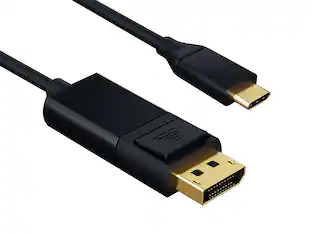
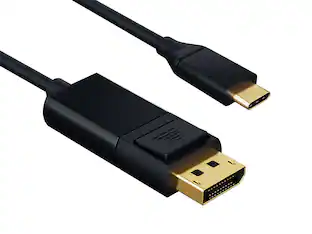
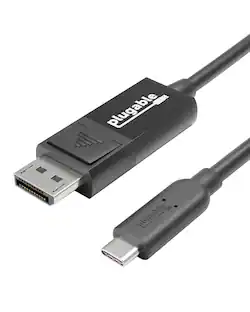
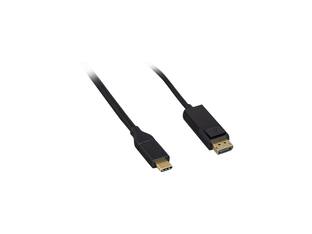
Need to drive a high-resolution gaming monitor, professional display, or workstation monitor from your USB-C MacBook, iPad Pro, or Surface? This Cable Leader USB-C to DisplayPort cable connects directly from a USB-C device with DisplayPort Alt Mode to any DisplayPort monitor at 4K @ 60Hz UHD with HDR — no hub, no adapter. Cleaner connection than HDMI for monitor use, with full DP audio support and color depth. Built with double-shielded conductors, gold-plated DP contacts, and fully molded strain relief. Compatible with MacBook Air / Pro, iPad Pro / Air (USB-C), Surface Pro, Galaxy with DeX, Pixel, Chromebook, Steam Deck, and any USB-C device supporting DisplayPort Alt Mode. Drives Dell UltraSharp, LG UltraFine, ASUS ProArt, BenQ professional monitors, and gaming displays. ⚠️ Important: not all USB-C ports support video — check your device specs. Best for: USB-C laptop to DisplayPort monitor at 4K. Not for: USB-C charging-only ports. RoHS compliant.
Cable Length
3'Features
Connect USB-C Laptop to Pro DisplayPort Monitor
Direct USB-C to DisplayPort connection — no USB-C hub, no adapter chain. Drive Dell UltraSharp, LG UltraFine, ASUS ProArt, BenQ pro monitors, and gaming displays from your MacBook, Surface, or iPad Pro at full 4K @ 60Hz with HDR.
4K @ 60Hz UHD HDR — Pro Color and Smooth Desktop
Supports DisplayPort Alt Mode at 4K @ 60Hz UHD with HDR for color-accurate work, smooth desktop scrolling, and gaming. DisplayPort connection delivers full color depth and audio where a direct DP connection is preferred for desktop monitors and workstations. Backward compatible with 1080p and 1440p displays.
Requires USB-C with DP Alt Mode — Not for All USB-C Ports
Works with MacBook, iPad Pro / Air (USB-C), Surface Pro, Galaxy with DeX, Pixel, Chromebook, Steam Deck. Quick check: MacBook to DisplayPort monitor — Yes. iPad Pro / Surface Pro to pro display — Yes. USB-C charging-only port (no Alt Mode) — No. 8K output — No, requires DisplayPort 1.4+ cable. Check your device specs for "DisplayPort Alt Mode" or "USB-C video out".
Reversible + Latching DP — Workstation Build
USB-C end plugs in either way. DisplayPort end has standard latching connector for secure monitor connection that won't slip out during desk movement. Built with double-shielded conductors, gold-plated contacts, and fully molded strain relief. Designed for daily workstation use.
Sample-Tested Production — Cable Leader Direct Support
Each cable is sample-tested during production for continuity, current rating, and data integrity. Manufactured to RoHS environmental standards (lead, mercury, and cadmium-free). If your cable arrives defective or stops working in normal use, Cable Leader handles replacement requests directly — no manufacturer redirects.
Specifications
- Cable Length3 feetConnector Type (End 1)USB-CGender (End 1)MaleConnector Type (End 2)DisplayPortGender (End 2)MaleMaximum Data Transfer Rate480 megabits per second
Reviews
This product doesn't have any reviews yet.
Compare similar products
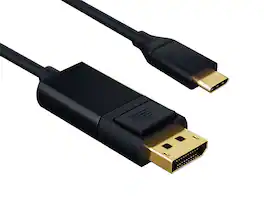
Need to drive a high-resolution gaming monitor, professional display, or workstation monitor from your USB-C MacBook, iPad Pro, or Surface? This Cable Leader USB-C to DisplayPort cable connects directly from a USB-C device with DisplayPort Alt Mode to any DisplayPort monitor at 4K @ 60Hz UHD with HDR — no hub, no adapter. Cleaner connection than HDMI for monitor use, with full DP audio support and color depth. Built with double-shielded conductors, gold-plated DP contacts, and fully molded strain relief. Compatible with MacBook Air / Pro, iPad Pro / Air (USB-C), Surface Pro, Galaxy with DeX, Pixel, Chromebook, Steam Deck, and any USB-C device supporting DisplayPort Alt Mode. Drives Dell UltraSharp, LG UltraFine, ASUS ProArt, BenQ professional monitors, and gaming displays. ⚠️ Important: not all USB-C ports support video — check your device specs. Best for: USB-C laptop to DisplayPort monitor at 4K. Not for: USB-C charging-only ports. RoHS compliant.
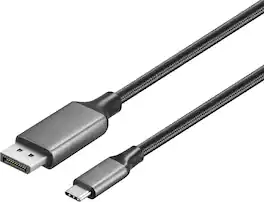
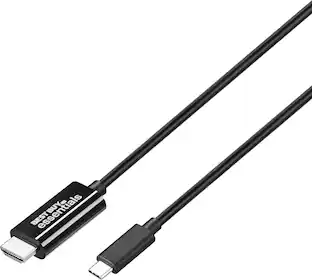
Improve your workstation by connecting your laptop to an external monitor with this Insignia 6 ft. USB-C to DisplayPort Cable. The cable supports 4K Ultra HD to prevent loss in quality when transferring between screens. It features a sleek braided cable jacket for protection, and the plug-and-play design makes setup a breeze.
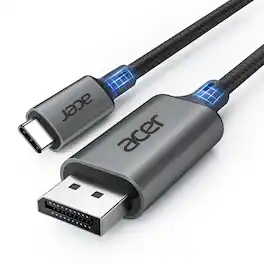
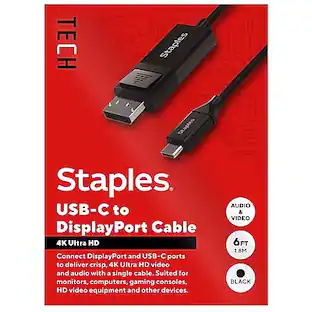
acer USB C to DisplayPort Cable 6.6 FT (4K@60HZ 2K@165Hz), Type-C to DisplayPort Cord (Sturdy Aluminum, Plug & Play) Thunderbolt 3/4/5 Compatible with MacBook Pro/Air, iPhone 16 Pro/Max, XPS, Surface
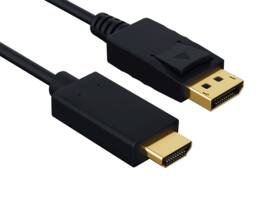
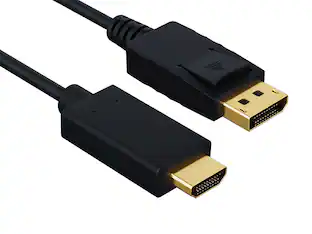
Got a DisplayPort 1.2 graphics card or laptop and a 4K HDMI TV, monitor, or projector? This DisplayPort to HDMI cable carries DP 1.2 video and audio directly to an HDMI display at up to 4K UHD 3840x2160 at 30Hz, with no separate adapter dongle in the line. Built with 28 AWG tinned copper conductors, foil-and-braid shielding to suppress GPU and PSU interference, and gold-plated DisplayPort and HDMI Type A contacts. The DP end has a mechanical latch that locks into the source port and stays put behind a tower. Compatible with NVIDIA GeForce, AMD Radeon graphics cards, Dell, HP, Lenovo desktops and laptops, Apple Mac Pro with DisplayPort, Sony, Samsung, LG 4K TVs and HDMI 4K monitors, BenQ and Epson 4K projectors. Best for: DP source to HDMI display at 4K@30Hz, 1440p@60Hz, or 1080p@60Hz with audio pass-through. Not for: HDMI-to-DP reverse direction, 4K@60Hz output (use a DP 1.4 or HDMI 2.0+ active adapter for that), or USB-C sources. RoHS compliant.
| Pros for Cable Leader - USB-C to DisplayPort Cable, 4K 60Hz UHD HDR Video for Laptop, Tablet, Gaming Monitor, Workstation - Black | |||
|---|---|---|---|
| There were no pros for this product— | Cable Length, Overall Performance, Functionality, Signal Stability, Refresh Rate | Cable Length, Build Quality | There were no pros for this product— |
Specs
Be the first to ask a question.
We’ll try to get your question answered within 24 hours by a Best Buy customer or brand representative.
Customers often buy these together
 $237.61The price was $283.22
Anker - 6-in-1 USB C Hub with 1Gbps Ethernet, USB C to 4K HDMI Multiport Adapter, 65W Power Delivery
$31.99The price was $39.99 $69.99The price was $159.99


More to consider

Explore tech essentials Sponsored
 Top Deal$44.99The price was $49.99