Rating 4.1 out of 5 stars with 728 reviews
4.1- Print Quality (159)
- Price (128)
- Ease of use (123)
- Wireless (75)
- Size (35)
- Noise Level (23)
Customer Images
The vast majority of our reviews come from verified purchases. Reviews from customers may include My Best Buy members, employees, and Tech Insider Network members (as tagged). Select reviewers may receive discounted products, promotional considerations or entries into drawings for honest, helpful reviews.
- Rated 3 out of 5 stars
An average printer
The connectivity is a little hard to set up specially when it comes to print from a phone or a tablet, however printing from a laptop was not problem following the cd set up was easy to print from there.
Posted by Javi
- Rated 4 out of 5 stars
so far so good
price was great. size perfect. attractive since it has to sit out. I am really enjoying the wireless aspect. Am concerned with size of ink cartridge and price to replace. Guess that explains the low cost of the printer. Have only used it on black ink so far but coverage seems good.
Posted by enrgyweaver
- Rated 5 out of 5 stars
Good entry level printer
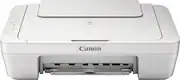
I was looking for a wireless color multi-purpose printer that was easy to use, easy to set up, and fairly compact. Our printing needs are fairly simple--an occasional email, directions from MapQuest/Google, or printing out a picture to share with others. Nothing fancy, and I don't think we print out more than 10-20 pages per month. It's a pretty low amount of printing. We also wanted the scan & copy feature as we have a separate 15yr old scanner that takes up to much room. I purchased this on a Best Buy Flash sale so I got it for less than $35 shipped. Although I would have preferred a printer with a slightly smaller footprint, this Canon definitely fits the bill for our use. We don't print a ton of documents, nor do we print out pictures to be mounted anywhere. To this point I have only printed out a few text documents and a couple pictures on stock 20lb paper so I cannot speak to the quality of how pictures would print on glossy paper. However, what did print out exceeded our expectations and was more than adequate for our use. Installation wise, I had this set up with our laptops and cell phones within 20 minutes, it was so easy to do. Overall this is a great printer, especially for what we paid for it.
Posted by Jonny
- Rated 3 out of 5 stars
it's ok
I bought this because I had a $20 gift card and two $5 certificates to blow. Was easy enough to set up if you know how wifi printers are generally setup in Win 8.1. Save yourself a headache and dont install the entire Canon software. Download the software, go through the setup process which will install the Canon 2900 series user registration. If it doesn't see your printer, click on next anyway. Then you get to the page to install software and drivers. Don't do it. Just go to "devices and printers" in control panel and you should see the Canon printer there. Printing on android was simple enough downloading the Canon print service app. Too bad you cant print in just black and white or draft mode in Android but I haven't seen many apps that do except Hammermill. I don't do Apple. Copying is as easy as pressing start. Scanning works well. My biggest gripe is that this unit doesn't have and auto document feeder. Believe me there will be times you will want it because who wants to stand there and feed documents one by one if you are scanning or copying multiple pages. But i guess you cant expect that for $25 . If you only print occasionally than I recommend it. You cant go wrong for the price. If you print often than I suggest spending another $20 and get one with an auto document feeder. I also dont care for the paper feeder. My Brother printer has the paper feeder inside the machine and looks much better. I'll use this until the ink runs out, Its about as cheap as the ink. But I'll probably go back to my Brother printer after that
Posted by Louis
- Rated 4 out of 5 stars
Nice printer for the price
Getting the printer to be recognized with a wireless connection from the installed software under Windows 10 was a bit of a hassle as the instructions are not very clear. But, once completed the printing and scanning have worked flawlessly. The printer is a bit noisey, but for $30 I can't complain.
Posted by Jake