Rating 4.4 out of 5 stars with 408 reviews
4.4- Print Quality (197)
- Ease of use (77)
- Setup (18)
- Size (9)
- Color (4)
- Paper Tray (5)
- Noise Level (3)
Customer Images
The vast majority of our reviews come from verified purchases. Reviews from customers may include My Best Buy members, employees, and Tech Insider Network members (as tagged). Select reviewers may receive discounted products, promotional considerations or entries into drawings for honest, helpful reviews.
- Rated 5 out of 5 stars
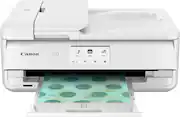
Canon TS9521C Printer - White
I've had almost all brands and sizes of printers and to be honest they all work well. But now, after using ink cartridges and laser printers I have decided on the newest Canon-PIXMA TS9521C All-In-One Printer and I couldn't have been any happier because it works quiet, clean and it has the ability to print photos, although I don't print too many pictures it is a welcome feature from a company who makes cameras so I bet they pay attention to details when they built printers. I like the fact that the footprint of this printer is the size I can live with and also the fact that is white. I'm so glad that Best Buy had this new printer available for purchase.
Posted by PapiLaz
- Rated 4 out of 5 stars
Gets the job done
Set up is pretty straightforward and guidebook is clear, as with all ink take your time to ensure proper install. As for the print, so far we are happy with the photo print quality. Loved that the printer came with a few sample pack photo cards, now some of the names didn't 100% match the media options on the screen so we went with the closet option. The amount of options to print is the reason we purchased this craft printer so I wish the options in the printer itself were a bit easier to identify. Overall good product for the affordable price.
Posted by GabrielleW
- Rated 5 out of 5 stars
Very satisfied
I absolutely love this printer. I originally purchased the tr8620 and was just not completely satisfied. I do a lot of crafting and print then cut on my Cricut maker3 and needed a printer to keep up with a wide range of sizes and materials. I’m so glad I trusted my instincts and went with this one. I do recommending tinkering with your printer settings if you do anything beyond the basics. It is a little large but hey, Pick your battles lol I rather it be a good printer and im Completely satisfied with this printer!
Posted by Shelbs
- Rated 4 out of 5 stars
Great For Crafters
This printer is pretty phenomenal for the price! Very easy to set up and use. It's extremely hard to find a printer that handles 12x12 paper. A must have for crafters and artists. The only downside... It goes through ink in seconds.
Posted by Shawna
- Rated 5 out of 5 stars
Would recommend
Easy setup. I connected to my laptop and our phones with no issues. Copies and scans great. I am happy with my purchase.
Posted by ColleenE