Rating 3.7 out of 5 stars with 86 reviews
3.7- Ease of use (25)
- Screen Time (9)
- App Functionality (5)
- Bedtime (4)
- Security (4)
- Setup (8)
- Subscription Cost (4)
- Compatibility (3)
Customer Images
The vast majority of our reviews come from verified purchases. Reviews from customers may include My Best Buy members, employees, and Tech Insider Network members (as tagged). Select reviewers may receive discounted products, promotional considerations or entries into drawings for honest, helpful reviews.
- Rated 4 out of 5 stars
Tech Control for the Non-Techie
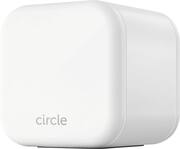
This review will cover two things: The Circle Home Plus (white cube-looking device) and the Premium Membership. ---SETUP--- The Circle Home Plus (CHP) is a white cube-looking device that connects to your router initially for setup via an included ethernet cable. During my setup, I struggled to get the device recognized by the CIRCLE app even though my phone was connected to the same network that the CHP was connected to. I closed and reopened the app 5 times and on the 5th try, it recognized the CHP. After it recognizes the network, you will see in the APP all connected devices to that network, whether it is by WiFi or by ethernet to your router. Afterwords, I strongly recommend that you switch all devices to the HOME profile, as everyone in my household lost internet use during setup until I switched all devices to HOME profile and set the filter level of HOME to NONE. From there, you can proceed to identify the devices that need their individual filters. ---FEATURES--- The key feature of the CHP are that it will allow you to control all devices connected to your home network from one phone remotely, can work connected to the router with an ethernet cable or via WiFi, and has a backup battery that will last up to 2 hours if people in your home disconnect it, whether intentionally or not. ---PERFORMANCE--- The performance of the CHP was great, other than the initial setup hiccup. After the first stages of setup, you can then connect it to your WiFi network and can change the location of the CHP to a place out of reach of children. Should prying fingers make their way to the CHP and disconnect it, the backup battery will kick in and your admin phone device will get a notification that the CHP has been disconnected, giving you up to 2 hours to reconnect it. I plugged it in and made my personal Xbox One X as a HOME device with no filter and was able to game online with no issues. I then restricted it by giving myself a bedtime restriction and it worked as it should, not allowing me to game while the device was on bedtime. Pausing of the internet worked great as well, as it allowed me to pause the internet on any device in my WiFi network. As new devices were coming into the home (say, your children haven’t arrived from school after you set up the CHP), your phone gets a notification that a new device has connected to the network, allowing you to open your app and apply the restrictions as needed. What really surprised me was that if your children decide to simply turn off the WiFi and use their own phone data, you can install the free CIRCLE app to their mobile device (Android or iPhone) and set their device as a child device. This will initiate a local VPN install to their device and that is what allows you to also control and filter what they do on the phone even if they are not on your home WiFi. The CIRCLE app gives you instructions on how to prevent your children from simply deleting the CIRCLE app. After you install their app, your admin profile will show you their device and you can activate additional features available only with the premium membership, such as showing you their location via GPS. ---PREMIUM MEMBERSHIP--- With the purchase of a Circle Home Plus, you will get a 1 year premium membership, which activates when you scan a QR code located on your device. It took me some digging up on their website to find out what the actual price of the membership is, but I found it. After the free year is over, you can continue the premium membership for 9.99 a month, as of the writing of this review. You won’t automatically get charged at the end of the year, as you need to add a credit card on the profile that you create in setup in order for that to happen. Once a child device has been added, it was easier to manage bedtime on a child phone, disable specific apps either completely or for a specific time, and allow you to restrict search engines for clean websites such as Google Safe Search or YouTube Restricted. ---EXPECTATIONS--- The product exceeds my expectations in terms of what it can do but there are some caveats. For starters, with a little know-how or YouTube video searches, one can figure out that most of these settings that the CHP can do, your router can too without the cost. Of course, if you are not tech savvy, the CHP will save you plenty of trouble and headaches of figuring out exactly how your router can do all of these things, because routers don’t exactly have the most user friendly menus. Additionally, I wish that Circle was more up-front of the pricing of the membership without having to dig too much. I’m sure that’s part of the marketing as to not dissuade potential customers from buying the product, but it should be noted that you don’t even need to buy the Circle Home Plus (white cube-like device) to use the mobile features. If all you want to do is monitor what your children are doing on their phones, you can simply pay the month to month fee of 9.99 without ever installing or buying the CHP. That service alone is definitely worth the price for peace of mind and security of your children’s browsing habits. ---VALUE--- The price for the Circle Home Plus in terms of value is great considering that if you pay full price for the Circle Home Plus device, you are essentially paying upfront for a full year and getting the CHP for 9.99 before tax. ---APPROVAL--- I highly recommend this product for people who want to monitor their children’s internet surfing habits, phone usage, and app access remotely from anywhere in the world. I would even recommend school superintendents and principals to look into getting something like this for their district, as I can see educators not having to worry about picking up cell-phones.
Posted by Trobadour
- Rated 1 out of 5 stars
Could Not Complete Setup
I tried for two days to setup this device and could never get it working. During my dozens of attempts, the app would lose connection to the Circle unit and enter a “No connection, try again” loop. I rebooted my Netgear R7000 router and everything connected to my router. I disconnected everything from my router via WiFi AND physical cable. I did a factory reset of my router. I power cycled the Circle a dozen times. I uninstalled and reinstalled the app a dozen times. Nothing I did had any impact, it was the same thing over and over again.. Setup your new Circle Connect to the Circle WiFi hootspot Tap continue Choose your home WiFi network Create a new account During my two dozen plus install attempts the Circle could stop working at any of the points above. Creating a new account was as far as I was able to get, as depicted by the attached screen shot. This product is a complete waste of money.
Posted by Garrick
- Rated 5 out of 5 stars
Outstanding Product for Parental Controls!
Circle Home Plus setup is quick and easy. It came with Circle Home Plus, Ethernet cable, USB cable and power adapter. I have downloaded the iOS app and completed the registration. I have followed step by step instructions in Cirlce app and configured everything. I have created profiles for myself and kids. Profiles can be configured as Adult, Teen and Child. After linking with router, it was showing all devices connected in the network. I have downloaded the app and configured in kids phones as well. VPN will be used to control the kids phone when they are outside of home network. It came with 1 year membership included for all premium features. It has option to connect with WiFi so that it can be controlled even if the network cable is disconnected. It has battery backup as well. Circle Home Plus have lot of features like Location, Devices, Usage, Filter, Bed Time, Time Limits, Off Time and History. It has option to pause internet to all devices based on the devices linked to each profile. I have configured the Time Limits for each activity like Chat & Forums, Videos etc. and it worked flawlessly. My teen kid is very much disappointed now due to the fact that he can use only 1 hour every day on Instagram and Facebook instead of 3 hours per day. It automatically disconnected the internet and he was not able to access the apps in his phone even in 4G LTE. It is really cool feature. I have configured Bed Time for all profiles so that it will shut off the internet for all devices between 10 PM to 6 AM. We are really impressed with Circle Home Plus and it is greatly reducing the amount of time we are in electronic devices. If you are looking for great product to control internet activities for your kids and yourself, Circle Home Plus is one of the best product available in the market.
Posted by Selva
- Rated 4 out of 5 stars
With some work and patience, it's great!
This review was for the Circle Home Plus being setup and managed from and Galaxy S8+. This had me stumped for a bit. It is not so plug and play and takes some understanding of what you are getting into and what it can do. Basic physical installation out of the box can be done in a matter of minutes. And in all fairness, it can be setup “relatively” quickly if you knew what you were doing. You’d have to have the right app for your phone, plug in the device to a spare Ethernet port on your router and power the device via the included 5v adapter or a spare USB power in the installation area. You have to register your device via the app and then follow the setup to walk you through the most basic things. You will need to add and test the devices you want to control. The circle will sniff the network and list the devices and for some devices a mac ID or "Android device" is about all the description your going to get. In lieu of specific match or if you knew how it works, you would only turn on the device when you are ready to add it and a Circle-App pop-up will tell you that "generic" device was added to the network. Another example of what is not so basic is if you have any problems with other devices on your network, there is a “router compatible” setting. Again, take the time and get through the nuisances. The Good: For me the Cirlce Home Plus came at a good time to a house with two pre-teen girls who love their tablet time. This is beyond the simple schedule in the router being able to just turn on or off their Wi-Fi on a schedule. Yes, there are monitoring apps and discussions and many pieces to the puzzle to try to keep ahead of your kids in this scary world of online dos and don’ts. As a parent, you just can’t simply rely on “Trust” or think they are your friend and will no go or do what you tell them. It is what it is. Basically, they can use a limited version of their YouTube and search web for their homework but they are now going through the circle service and it is blocking things like adult content, Mail, chat and a few specific programs. To me, this is money well spent. At least the first year is included and we’ll revisit this next year when the subscription comes do. If it is working like it is today, it will get continued. Again, I had frustrations getting familiar and then everything completely setup. Expect to be frustrated, take a break for a day or two and then get back at it. Some of the filters were not so straight forward and I had to have the girl’s tablets in front of me to test to make sure specific programs weren’t getting through. An example was Snap Chat. There wasn’t a button for it and I had to play with the filter buttons to find which one it was that was actually blocking it. Ultimately, I was able to and it just wasn’t straight forward as one would think. You’re paying for a service upfront. In that service you are expecting the company to be updating their filters of adult content and keep kids safe. With that said, there is no 100% anything, but this is pretty close. I would not recommend this to people who have never setup something like a basic router - type level of experience. I would recommend this to people who are basic to intermediate tech savvy and don’t mind getting App dirty. Or if you are just willing to do the work and grind it out to figure it all out, read online and make it work. You have to dive right in, figure it out, test it and actively set it up to see the results and enable it If you can do that then I think its well worth the price to protect our kids.
Posted by UncleRico
- Rated 4 out of 5 stars
Control wifi use in home
I couldn't give this 5 stars, but it might be more of 4.5 than 4 stars. I need more time with it. It's a great idea, good product, but I had a little difficulty with it. It's still very new, and I feel like it will continue to have updates to the software that will improve functionality, particularly with the app. I followed the steps to get started, going from the website to Google Play to install the app on my phone, then adding the app to two devices to start with, planning to add additional devices over time. It allows the main user to set up profiles and add devices to that profile. It could be one individual, or maybe apply to all of the kids, and a different profile for teens or adults. Devices connecting to the home network will be recognized by the Circle Home Plus, and it will identify them, but will leave them as unmanaged until they are designated in some other way, such as adding to a profile. There isn't much as far as instructions, but most devices these days just give you basic instructions, and expect you to visit the website or install an app to assist with the rest of setup and use. The Circle is the same way, and it requires the app on at least one device to get started. I had no problems adding the app to Android devices or the iPad, and they worked fine the first day. Part of setup includes plugging the Circle into the router via ethernet cable, but then the app has you set it up to connect using WiFi, so it's capable of using either source to connect. The second day, I was working on setting some limits, and paused two devices to see how that part works. Then the app crashed on my phone, and would not work even after clearing cache, or clearing data after that. I just would not work; I had to uninstall, and reinstall using mobile date, because the wifi wouldn't work either, not for the two devices that were paused, or other devices that I had not paused, like my phone. I had to go back in and set the app back up, unpause the devices, and then the internet worked for all devices again. This was a problem! I didn't realize it would prevent devices connected to the device from accessing the internet, even when not actually paused. I think that as they apply updates to the app, and work out some bugs, this is a great way to set limits for device usage, and even certain websites or apps, such as social media. Profiles can be set up for children, teens, adults or no restrictions at all. For adults, it can be a reminder of a preferred 'bedtime', and it can be used to reward kids by giving extra time. It allows the 'parent' to set a time for internet to end for a device, or for daily limits. These can easily be changed through the app, which worked fine again once reinstalled. In spite of the issue I had with the app, I would recommend this device. It was a nuisance for a short while, as I reinstalled the app. There were no issues with setup or with any of the hardware. It's still new, and I've only been using it a few days, so it will be an adjustment for our household. I really like the options it provides. If I continue to have other problems, I'll update the review, but for now I recommend the Circle Home Plus device.
Posted by MrAnubisKitty