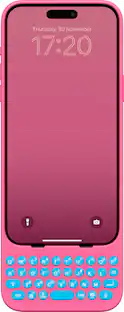
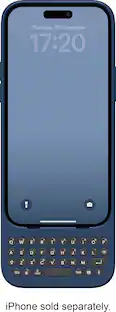
Clicks - Keyboard for Apple iPhone 15 Pro - BumbleBee
Customers are saying
Customers are delighted by the keyboard quality and the improved accuracy it provides. However, some customers have expressed concerns regarding the small size of the keys, which may affect usability. Additionally, a few customers have noted that the keyboard uses the phone's battery to operate, which may impact battery life.
Color
BumbleBeePrecision tuned buttons
The perfect balance of click, resistance, and feedback for fast, accurate typing.
Content First
Maximize your screen space for apps and content while you create with Clicks.
Make Your Statement
Type with speed and precision on a keyboard built for feel and performance.
Ultimate Control
Take action with access to iOS Shortcuts and voice input at the push of a button.
Easy On and Off
Add a compact, lightweight keyboard when needed, or leave it on all the time - you decide!
Unibody design
Fits snug and feels like a natural extension of your iPhone.
Backlight
Toggle on the keyboard backlight for typing at night or in the dark.
Pass through charging
Connect to iPhone with Lightning (iPhone 14, iPhone 14 Pro Max) or USB-C (iPhone 15, iPhone Pro, iPhone 15 Plus, iPhone 15 Pro Max)
Wireless charging
Supports wireless charging.
- Brand CompatibilityAppleModel CompatibilityApple iPhone 15 ProCase StyleKeyboardScreen ProtectorNoIntegrated StandNo
Reviews
Rating 2.8 out of 5 stars with 18 reviews
- Keyboard Quality (6)
- Accuracy (3)
- Size (8)
- Battery Life (5)
Customer Images
The vast majority of our reviews come from verified purchases. Reviews from customers may include My Best Buy members, employees, and Tech Insider Network members (as tagged). Select reviewers may receive discounted products, promotional considerations or entries into drawings for honest, helpful reviews.
Compare similar products
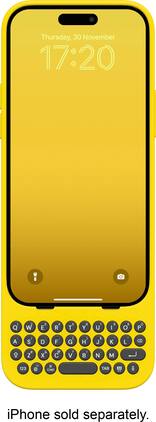
Clicks extends the power of your iPhone with a physical keyboard. Use Clicks to free up your screen for content, tackle tasks on the go and take full control of your iPhone with keyboard shortcuts. By moving the keyboard off the screen, Clicks helps you gain up to 50% more display to immerse yourself in chats, browsing, live streaming and more. Real keys make typing feel natural so you can write long notes, edit documents, or take action on ideas, without having to wait to get back to your laptop or tablet. Use Clicks to access powerful iOS keyboard shortcuts for the first time on iPhone - just like on a Mac or iPad. Some popular iOS shortcuts include: Press CMD + H to quickly navigate to your home screen; Use CMD + Space to launch Spotlight search; Scroll through web pages with space bar. Clicks connects directly to iPhone so there's no battery to charge or Bluetooth connection.

Clicks extends the power of your iPhone with a physical keyboard. Use Clicks to free up your screen for content, tackle tasks on the go and take full control of your iPhone with keyboard shortcuts. By moving the keyboard off the screen, Clicks helps you gain up to 50% more display to immerse yourself in chats, browsing, live streaming and more. Real keys make typing feel natural so you can write long notes, edit documents, or take action on ideas, without having to wait to get back to your laptop or tablet. Use Clicks to access powerful iOS keyboard shortcuts for the first time on iPhone - just like on a Mac or iPad. Some popular iOS shortcuts include: Press CMD + H to quickly navigate to your home screen; Use CMD + Space to launch Spotlight search; Scroll through web pages with space bar. Clicks connects directly to iPhone so there's no battery to charge or Bluetooth connection.

Clicks extends the power of your iPhone with a physical keyboard. Use Clicks to free up your screen for content, tackle tasks on the go and take full control of your iPhone with keyboard shortcuts. By moving the keyboard off the screen, Clicks helps you gain up to 50% more display to immerse yourself in chats, browsing, live streaming and more. Real keys make typing feel natural so you can write long notes, edit documents, or take action on ideas, without having to wait to get back to your laptop or tablet. Use Clicks to access powerful iOS keyboard shortcuts for the first time on iPhone - just like on a Mac or iPad. Some popular iOS shortcuts include: Press CMD + H to quickly navigate to your home screen; Use CMD + Space to launch Spotlight search; Scroll through web pages with space bar. Clicks connects directly to iPhone so there's no battery to charge or Bluetooth connection.
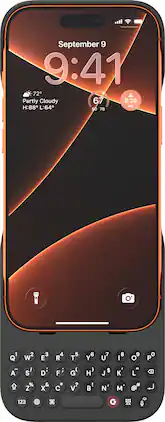
Type, message, and navigate with ease using the Clicks Keyboard Case for iPhone 17 Pro and Pro Max. This innovative case combines a slim protective shell with a built-in physical keyboard, giving you a faster, more accurate typing experience without covering your screen. Designed to fit your iPhone perfectly, it provides reliable protection from scratches and minor drops while maintaining a sleek, modern look. Ideal for messaging, emails, and productivity on the go, the Clicks Keyboard Case enhances your iPhone’s functionality while keeping it stylish and portable.
| Pros for Clicks - Keyboard for Apple iPhone 15 Pro - BumbleBee | |||
|---|---|---|---|
| Keyboard Quality, Accuracy | Keyboard Quality, Design | Keyboard Quality | There were no pros for this product— |
| Cons for Clicks - Keyboard for Apple iPhone 15 Pro - BumbleBee | |||
| Size, Battery Life | Size, Ease of use, Price | There were no cons for this product— | There were no cons for this product— |
Specs
Customers often buy these together
 $25.99The price was $29.99


Customers ultimately bought
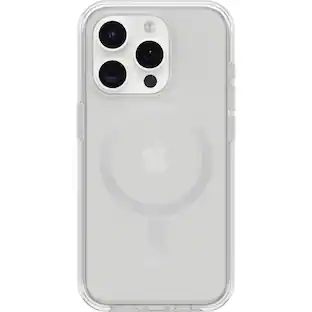 Clearance$44.99The price was $49.99
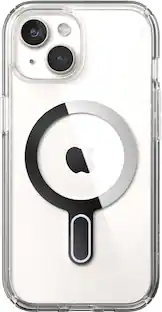 $14.99The price was $44.99
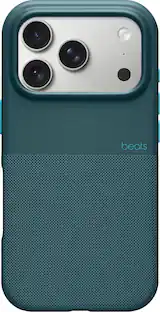 Clearance$53.99The price was $71.99
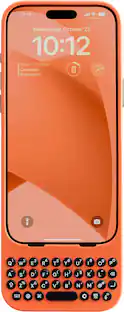
Stay connected in style Sponsored


Discover related products
 $12.99The price was $16.99