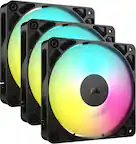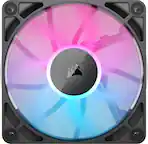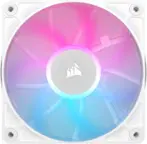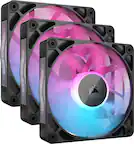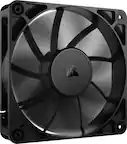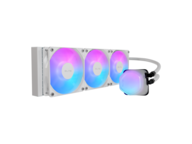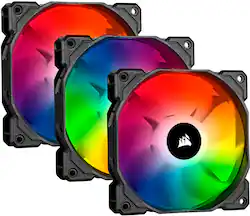
CORSAIR - iCUE SP120 RGB PRO 120mm System Cabinet Fan Kit with RGB Lighting - Black/White
- Key Specs
- Airflow Volume: 52 cubic feet per minute
- Cooling System: Air (A computer's CPU generates heat while operating and requires a cooling system to keep internal components functioning properly. Air cooling uses fans to draw in cool air and exhaust hot air, while liquid cooling uses coolant-filled tubes and water blocks to regulate internal temperature more efficiently.)
- Fan Size: 120 millimeters
- Fan Speed: 1400 revolutions per minute
- Number of Fans Included: 3
- Lighting Type: RGB
- Product Height: 1 millimeters (The out of box height of the item. Height is measured as the vertical distance from the bottom of the item to the top as it would be primarily used or placed.)
- Product Width: 4.7 millimeters (The out of box width of the item. Width is measured as the horizontal distance from one side of the item to the other as it would be primarily used or placed.)
- Processor Socket: Socket (Type of pin configuration that connects a CPU to a computer’s motherboard.)
- General
- Brand: CORSAIR
- Model Number: CO-9050094-WW
- Product Name: iCUE SP120 RGB PRO 120mm System Cabinet Fan Kit with RGB Lighting
- Color: Black/White
- Cooling
- Airflow Volume: 52 cubic feet per minute
- Cooling Fan Type: Case
- Cooling System: Air (A computer's CPU generates heat while operating and requires a cooling system to keep internal components functioning properly. Air cooling uses fans to draw in cool air and exhaust hot air, while liquid cooling uses coolant-filled tubes and water blocks to regulate internal temperature more efficiently.)
- Fan Size: 120 millimeters
- Fan Speed: 1400 revolutions per minute
- Number of Fans Included: 3
- Bearing Type: Hydraulic bearing
- Fan/Cooling System Connector: 3-pin fan connector (The configuration of the connector as it connects a computer component to a fan or cooling system.)
- Features
- Lighting Type: RGB
- Dimensions
- Product Height: 1 millimeters (The out of box height of the item. Height is measured as the vertical distance from the bottom of the item to the top as it would be primarily used or placed.)
- Product Width: 4.7 millimeters (The out of box width of the item. Width is measured as the horizontal distance from one side of the item to the other as it would be primarily used or placed.)
- Product Length: 4.7 millimeters (The out of box length of the item. Length is measured as the longest dimension of the item.)
- Product Weight: 16.82 ounces (The out of box weight of the item.)
- Compatibility
- Processor Socket: Socket (Type of pin configuration that connects a CPU to a computer’s motherboard.)
- Other
- UPC: 840006609254
Keep your PC cool with this Corsair iCUE SP120 triple fan kit. The 120mm fan blades deliver high airflow and static pressure to maintain optimal temperatures and are translucent to let light pass through. This Corsair iCUE SP120 triple fan kit features lighting and fan speed control of up to 1400 rpm for efficient cooling performance.
- Triple 120mm cooling fans: To transfer heat from components.
- Hydraulic bearing design: Ensures long-lasting operation.
- 52 cfm airflow volume: Ensures efficient cooling.
- 26dB noise level: Ensures quiet operation.
- 1400 rpm operating speed: For fast cooling.
- LED illumination: Adds a stylish look.
- Triple 120mm cooling fans: To transfer heat from components.
- Hydraulic bearing design: Ensures long-lasting operation.
- 52 cfm airflow volume: Ensures efficient cooling.
- 26dB noise level: Ensures quiet operation.
- 1400 rpm operating speed: For fast cooling.
- LED illumination: Adds a stylish look.
- Triple 120mm cooling fans: To transfer heat from components.
- Hydraulic bearing design: Ensures long-lasting operation.
- 52 cfm airflow volume: Ensures efficient cooling.
- 26dB noise level: Ensures quiet operation.
- 1400 rpm operating speed: For fast cooling.
- LED illumination: Adds a stylish look.
Whats Included
- CORSAIR iCUE SP120 RGB PRO 120mm System Cabinet Fan Kit with RGB Lighting
- CORSAIR iCUE SP120 RGB PRO 120mm System Cabinet Fan Kit with RGB Lighting
- CORSAIR iCUE SP120 RGB PRO 120mm System Cabinet Fan Kit with RGB Lighting
A: The lighting node core only does the lighting for up to 6 fans. The fans themselves are 3pin DC fans that plug into standard motherboards or other fan hubs. The RGB is a separate cable off the fan, so no splitting needed.
Q: Is the lighting node core included in the pack ?
A: Yes there is one included.
A: Just the speed of the fans. These are slower by just a tad bit than the next expensive ones but faster than normal fans. I switched out my stock fans that came with my case for these and saw better temps in my system by a long shot!
A: I have it hooked up to the commander pro that came with H150i AIO, works fine with one exception. The fans run at 1500 rpm and aren’t adjusted in iCue under performance. The AIO fans change RPM, but these don’t. Might try hooking up the supplied controller and see if they adjust rpm that way. Color works fine.
A: Hi dude, The Lighting Node Core only supports Corsair fans. If you'd like help with installation, please reach out to our support team: support.corsair.com -Brian
Q: Is this compatible with an ASUS ROG gaming desktop?
A: I have an ASUS - ROG STRIX Z490-E mother board with i9 processor, I have 6 of the 120 mm Corsair fans installed and they work just fine. I use the ICUE software to control all the RGB.
A: I'll answer my own question now that I have all the components. I had to add a Commander Pro to power all the fans. The Commander Pro was easy to coordinate within the iCue software.
Q: Does this come with a fan splitter for the 3 fans?
A: It comes with the lightning commander pro node that has supports to 6 corsair fans and has a port to connect another L.C.P. hopefully this helps you.