Rating 4.2 out of 5 stars with 118 reviews
4.2Top Mentions
- Print Quality (32)
- Overall Performance (24)
- Ease of Use (11)
- Size (3)
- Bed Design (3)
- Filament Feeding (3)
Customer Images
The vast majority of our reviews come from verified purchases. Reviews from customers may include My Best Buy members, employees, and Tech Insider Network members (as tagged). Select reviewers may receive discounted products, promotional considerations or entries into drawings for honest, helpful reviews.
- Rated 5 out of 5 stars
Great for begginers and larger projects
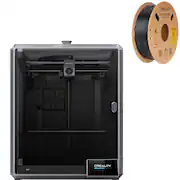
I’m was originally an ender 3 pro printer owner so this was a massive upgrade, I was thrilled to receive the newest version of the K1 Max 3D Printer. The updated model is easily identifiable by the blue K1 Max logo on the box – a sign you’ve got the latest and greatest. Early models had some issues with the extruder, The updated version also has a white plastic ring on top of extruder (previous models had a blue ring), The setup and instructions were clear, and I was up and printing in under an hour. The printer operates quietly and the creality print software is easy to use. It is possible to root this printer if you want to run Cura or other software but it requires tinkering and some features like the AI camera wont work properly. To be fair, early versions of this printer had too many bugs which is why many were rooting it. But now, the stock software works flawlessly with recent software update. The print quality is where the K1 Max really shine especially when you use creality hyper pla and print at 600 m/s (a spool of hyper pla comes with the printer) . So far i havent had a single failed print after using it for 1 month. Tip: dont forget to enter your model number to redeem a free year of Creality Cloud Premium, a community of users online, which is a great resource for beginners, troubleshooting and tips. The K1 Max 3D Printer strikes a perfect balance between ease of use, performance, and price. It’s an excellent choice for anyone interested in stepping into the world of 3D printing. Happy printing!
Posted by Mark
- Rated 5 out of 5 stars
An awesome and easy to operate machine!
So far an awesome printer- super easy setup and operation. HUGE upgrade from my Ender 3 S1 Pro- the 2024 model comes with an upgraded toolhead that looks like is the same as whats in the K1C. If your reading this it means your thinking about the Max- trust me, stop thinking and buy it. Its an awesome machine! BTW- it will run a Benchy in 15 minutes out of the box! Mine was missing the spare hotend- am currently waiting for a reply from Creality about this- attempted to chat with BestBuy customer service but they told me just to return it to the store-
Posted by TnTrucker
- Rated 5 out of 5 stars
Perfect prints right out of the box
Using HyperPLA, I have not needed to so anything to print amazing models. The phone app is convenient if you don’t have a computer, but cloud slicing can take a while unless you pay for their premium access. Using their free software on PC, it is incredibly simple and easy to print and monitor with the built-in camera. I levelled the bed once and have bypassed it since, and have had perfect adhesion without using any glues or treatments to the print bed.
Posted by TenderSausage
- Rated 5 out of 5 stars
Beautiful Machine! Use better filament though...
My first 2 weeks with this were an emotional roller-coaster. 3D printing tech has come a long ways, but it is still not user friendly to those lacking technical skills. This was my first 3D printer and I had nothing but issues for 2 weeks before I discovered the main problem. I had ripped apart the entire machine and replaced parts. This really helped me learn more about the machine though and grow confident in maintaining it. Turns out, the Creality Hyper PLA filament was the problem. Both the spool that came with the printer and the additional spools I purchased caused nothing but problems. After switching to some other brand filaments I purchased on amazon (and learning a better way to install and retract filament), the printer has been a BEAST! Works fantastic and I am very pleased with it. it takes time to understand the settings and play with the slicer software, but now I am very pleased. so if you have issues, don't be too quick to blame the printer. Also, use youtube as a resource for learning more about these machines. I learned a better way to retract filaments and install new filaments from a youtuber. The Creality training that you get out of he box could be better...
Posted by Summit14433
- Rated 4 out of 5 stars
K1 max
Runs well out of the box, did need some calibration for better quality prints. Should have came with harden nozzle for the price
Posted by SergioN