Rating 4.8 out of 5 stars with 30 reviews
4.8- Performance (10)
- Speed (9)
- Price (5)
- Storage Space (3)
Customer Images
The vast majority of our reviews come from verified purchases. Reviews from customers may include My Best Buy members, employees, and Tech Insider Network members (as tagged). Select reviewers may receive discounted products, promotional considerations or entries into drawings for honest, helpful reviews.
- Rated 5 out of 5 stars
Great Ssd
Does what you need it to do. One of the fastest ssds for gen 4 you can get. Got this to use until i get a refund from amazon to buy the Gen 5 T700 an it hasnt let me down an does what its supposed to. Have it in my 1st m 2 slot in the MSI Frozr heatsinks
Posted by xMatthewPx
- Rated 5 out of 5 stars
Crucial SSB
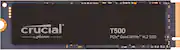
The Crucial T500 1TB NVMe SSD is an absolute game-changer! From the moment I installed it, I noticed a massive improvement in system responsiveness and load times. With blazing-fast PCIe Gen 4 x4 speeds, boot times are nearly instant, and large file transfers happen in seconds. The 3D TLC NAND ensures both speed and durability, making it a reliable choice for gaming, content creation, or just everyday computing. Installation was a breeze, and the drive was immediately recognized by my system. I also appreciate the sleek M.2 form factor—it fits perfectly without adding any bulk. Whether you're upgrading from a SATA SSD or a slower NVMe drive, the T500 delivers top-tier performance at a competitive price. Highly recommended for anyone looking to boost their PC’s speed and efficiency!
Posted by machaggis68
- Rated 5 out of 5 stars
It's a SOLID... solid state drive.
Got this to beef up the storage on my Asus laptop I just bought. So far it's fast, has a ton of space for games and was super easy to install. Crucial is a quality brand for all things digital storage.
Posted by Jerbear
- Rated 5 out of 5 stars
Great SSD, but needed W11 power management tweak
I love Crucial. This SSD is very fast and a great addition to my gaming laptop. After adding this to the system I saw that Windows 11 was crashing during/after sleep. I found this on the Crucial site and no more crashes: 'Make sure the “Link State Power Management®” under the “PCI Express” field is set to “Off” (Laptop users select battery and power adapter)
Posted by Zorro
- Rated 5 out of 5 stars
Worth The Price
This was worth every penny, installed it in my ASUS TUF Gaming Laptop and it runs so much better. Not braking the bank getting an upgrade on your gaming PC. I highly recommend it for quick and cheaper upgrade that will last and show it's performance.
Posted by DustinT