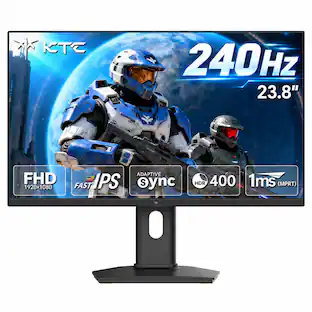
Dell - 27" IPS LED FHD Monitor - Black
About this product
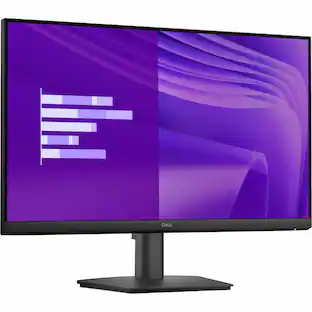
Maximize productivity with this 27-inch Dell monitor. The IPS technology lets you view content comfortably from many different angles, and the single USB-C cable eliminates clutter by conveniently transmitting power, data and media. The ultrathin bezel of this Dell monitor makes it easy to devote your attention to the content on your screen.
Screen Size
27"Highlights
Features
Full HD 1920 x 1080 resolution
High resolutions that deliver a good gaming or video experience without undue strain on your graphics card.
5 ms response time
Delivers solid performance for precise gaming and video work.
60 Hz refresh rate
Provides smooth video and good refresh rates for everyday use.
27" antiglare LED monitor
Efficient screen type uses LEDs to provide precise backlighting to pixels.
HDMI and DisplayPort inputs
Allow you to set up DVD players and other AV sources for a clear, high quality audio and video signal.
USB-C, 2 USB 3.0 and 2 USB 2.0 ports
Allow you to connect devices to the monitor, which then transfers the data to the computer.
178° horizontal and vertical viewing angles
Allow you to view the screen from a wide range of angles.
1,000:1 contrast ratio
Ensures images are crisp and clear with deep blacks and bright highlights.
300 cd/m² brightness
Produces bright images that can clearly be seen even in well-lit rooms.
ComfortView feature
Protects your eyes by minimizing harmful blue light.
ENERGY STAR certified
Designed to use less energy and meets strict energy efficiency guidelines set by the Environmental Protection Agency and U.S. Department of Energy.
Specifications
- Refresh Rate60HzMaximum Resolution1920 x 1080Response Time5 millisecondsPanel TypeIPSScreen Size27 inches
Reviews
Rating 4.8 out of 5 stars with 4 reviews
The vast majority of our reviews come from verified purchases. Reviews from customers may include My Best Buy members, employees, and Tech Insider Network members (as tagged). Select reviewers may receive discounted products, promotional considerations or entries into drawings for honest, helpful reviews.

- Samsung - 49" Odyssey OLED G9 (G93SD) Dual-QHD 240Hz 0.03ms G-Sync Compatible Curved Glare Free Gaming Monitor - SilverOur 365-day lowest price$999.99
Compare similar products
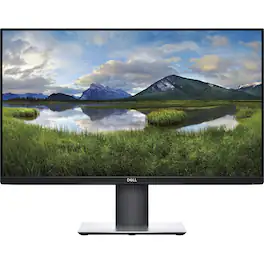
Maximize productivity with this 27-inch Dell monitor. The IPS technology lets you view content comfortably from many different angles, and the single USB-C cable eliminates clutter by conveniently transmitting power, data and media. The ultrathin bezel of this Dell monitor makes it easy to devote your attention to the content on your screen.

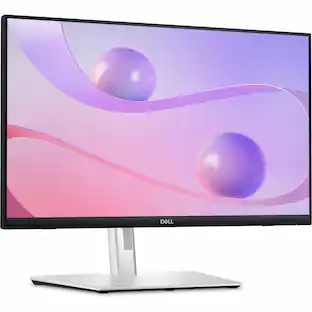
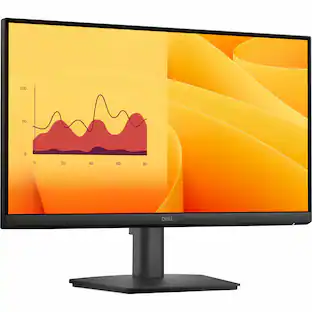
Touch monitor with superior connectivity with the Dell 24 Touch USB-C Hub Monitor. Experience productivity right at your fingertips with up to 10-point touch feature. Annotate documents with ease, and smoothly navigate with simple tap, swipe, slide and pinch movements that feel natural and intuitive. Be it hotdesking in the office or at home, you can streamline your workspace with these USB-C Hub monitors that wake and power your laptop with up to 90W, connect you to the Ethernet and a host of other devices, and are thoughtfully designed with a cable management system that reduces workspace clutter. Optimize eye comfort with ComfortView Plus, an always-on built-in low blue light screen that reduces potentially harmful blue light emissions without compromising color.

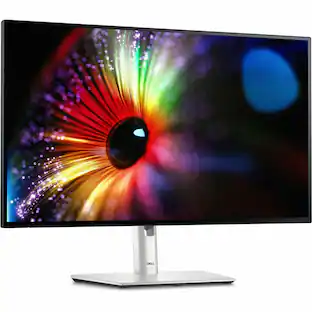
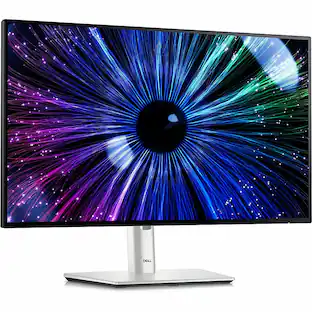
New level of visual comfort with the Dell UltraSharp 27 Monitor. Protect your eyes from harmful blue light emission without sacrificing color with improved ComfortView Plus that reduces harmful blue light to less than 35%. Combined with 120Hz refresh rate and ambient light sensing, it achieves 5 star certification from TUV Rheinland for all-day eye comfort. Experience deeper blacks with 2000:1 contrast ratio on an IPS Black panel. See vibrant colors with 98% DCI-P3, 98% Display P3, 100% sRGB and 100% BT.709 color space and easily calibrate your colors with Dell Color Management software. Stay connected with extensive connectivity options, including DP1.4, HDMI (HDCP 1.4)(Supports up to QHD 2560 x 1440 120Hz TMDS, VRR as per specified in HDMI2.1) and USB-C upstream ports. Connect to even more devices with additional 3 x USB-A and 1 x USB-C downstream ports. Quick access ports located at the bottom of the panel enable quick connection and charging of your accessories and mobile devices.
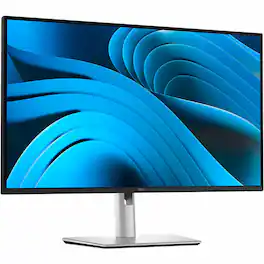
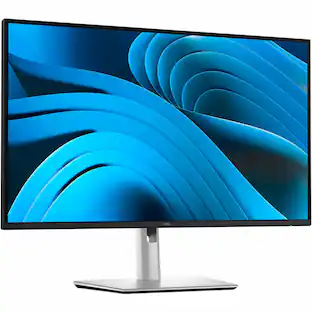
The Dell Pro Plus series monitors. Enhanced eye comfort display featuring a 100Hz refresh rate, improved ComfortView Plus technology, and vivid colors. With high resolution, consistent colors across wide angles, and improved contrast ratio, your work has never looked this good. A wide variety of ports ensures you can connect all your acccessories and create the perfect work setup to maximize your productivity.
| Pros for Dell - 27" IPS LED FHD Monitor - Black | |||
|---|---|---|---|
| There were no pros for this product— | There were no pros for this product— | Overall Performance | There were no pros for this product— |
Specs
Questions & Answers
Can this monitor be connected to a laptop if so how Can this monitor be wall mounted. Can this monitor be used for video production and editing, Can this monitor be used for live streaming video What does IPS, LED, FHD mean
Answered by YourDellTeamYou can connect this monitor to the laptop via HDMI or DP port. Yes, you can wall mount the monitor using any VESA compatible mounts. The Dell P2719HC monitor has an active matrix, thin film transistor (TFT), liquid crystal display (LCD), and LED backlight. The Dell P2719HC has a 68.6 cm (27.0-inch) viewable area display (measured diagonally),1920 x 1080 resolution with full-screen support for lower resolutions and a color gamut of 72% NTSC.

Is there a way to connect two of these monitors together and connect to a laptop with only one USB-C cable?
Answered by AndrewExtremely unlikely. The ports on your computer have to match up with the graphics card. 1 port typically means 1 display. If you wanted both monitors to have the exact same display, then yes you can probably get a splitter. However, if you wanted to extend your display, you would need to use different ports on your computer (meaning one monitor uses the HDMI port and the other uses the USB-C). This is also only based on if your graphics card can handle that many displays. It truly comes down to the build of your computer.
Can this monitor be used with a MacBook Pro?
Answered by CommunityAnswerYes, this monitor can be used with a Macbook Pro.
Is it VESA compliant?
Answered by CommunityAnswerYes, this monitor is compatible with VESA wall mount standard.
Is this a touch screen monitor?
Answered by tgijosh76No it is not
More to consider
 $292.49The price was $379.99
Explore related products Sponsored
 Our 365-day lowest price$89.99The price was $119.99

Discover related products
 $249.00The price was $275.00
 $12.99The price was $13.99
 $149.99The price was $169.99
 $429.00The price was $648.99










Keep exploring
 $269.99The price was $323.99