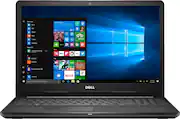
Rating 4.2 out of 5 stars with 1358 reviews
4.2- Price (226)
- Speed (108)
- Easy to use (58)
- Storage (33)
- Performance (23)
- Touchpad (21)
- Battery life (8)
- Windows 10 (8)
- Freezing (4)
Customer Images
The vast majority of our reviews come from verified purchases. Reviews from customers may include My Best Buy members, employees, and Tech Insider Network members (as tagged). Select reviewers may receive discounted products, promotional considerations or entries into drawings for honest, helpful reviews.
- Rated 5 out of 5 stars
This is great buy for this price
Optimal speed and the look and built of the Laptop is great
Posted by kumar
- Rated 5 out of 5 stars
Love this laptop!
I love this laptop! Out of the box and ready to go...only took a few minutes to set it up and personalize it. It's a Dell and like most other Dell products it works like it should and then some. I've had it over a month now and not a single complaint.
Posted by PhreakyPhillip
- Rated 5 out of 5 stars
Great price, great product!
I use this for work and it has stood up to my abuse well, including myriad insurance software programs all designed by the low bidder.
Posted by SuperDave
- Rated 5 out of 5 stars
Great computer for college students
I have really enjoyed my computer. Its lightweight easy to store and the price and salesman was awesome. Will definitely shop and buy more products.
Posted by Collegeworkout
- Rated 4 out of 5 stars
Complicated
This is a basic computer that is fast enough of email, shopping, work processing etc. I do not play games. I think that people over buy for their computer needs. Unless you are a gamer or for some reason require a lot of computer power, this computer works great. The first computer I got crashed a little while after owning it. The Dell diagnostic program said there was an error in the bio. Windows 10 had indicated there was a missing file that prohibited its function. However, the nice thing about dealing with a brick and mortar store is that it was cheerfully replaced as I stood at customer service. The next computer lost the internet connection. So I researched online and got a Microsoft video on how to fix the problem. Talk about complicated. I gave that up and tried a you tube video that looked home made. They said to go to Device Manager and disable the wifi device and turn the computer off and then back on and enable the device. So I decided to try not a restarting of the computer but turning it off and then back on. That resolved the issue. The computer does about two to three updates a day to catch up. Each time a restart is required, but this I have experienced before with new computers. It is a little annoying but do it to avoid problems. Best Buy is the best place to buy you computers.
Posted by Reviewer