Rating 4.1 out of 5 stars with 11 reviews
4.1- Display Quality (5)
Customer Images
The vast majority of our reviews come from verified purchases. Reviews from customers may include My Best Buy members, employees, and Tech Insider Network members (as tagged). Select reviewers may receive discounted products, promotional considerations or entries into drawings for honest, helpful reviews.
- Rated 5 out of 5 stars
Astonishing
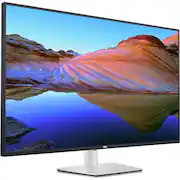
The monitor is aesthetically pleasing, with a sleek, minimalistic design and a perfect size for a regular at-home desk space. The performance, along with the vivid and crisp display, is nothing short of astonishing. I originally ordered the 43” monitor and found it somewhat lacking in definition and much too large. I returned it in hopes this 32” downsize would do. I rather like it, as it’s perfect for my needs. I highly recommend this product.
This review is from Dell - UltraSharp 42.5" IPS LCD 4K UHD 75Hz Monitor (USB, HDMI) - Silver
Posted by rmmr
- Rated 3 out of 5 stars
Nice, but too flawed for me.
I really wanted to like this monitor. However, it wasn't worth the price, and the built-in KVM is a pain, even with their software. tl;dr O.K., I'm a systems admin with over 35 years of experience on far too many platforms. I know my way around monitors. Sue to severe vision loss, I need a large screen to work off of. Currently, I'm using a 43" Samsung "smart" monitor that works decently well, but I hate the "smart" part, and would love more ports. Not to mention a way to get rid of my external KVM that I use to control three Macs and one Linux PC while I'm working. Generally, I like Dell monitors, and I already own a couple. So, I thought this would be a no-brainer, probably giving me a better image as well as clearing up some of the clutter on my desk. I wrestled it onto my monitor arm (WARNING: it's heavy, even without the base), and proceeded to connect the two newer Macs (an M2 Studio and M4 Mini) to it via DP, and and an older 2013 Mac Pro and the Linux PC via HDMI. I also connected all four machines to the USB-C ports and assigned them to the inputs in the KVM setup. I also connected my keyboard and mouse to the USB-A ports on the bottom of the monitor. I need to stop here and make a comment about the OSD and controlling it; the joystick is on the back of the right side of the monitor, and it's RIGHT NEXT TO the power button. You can probably guess that the placement led to some frustration. After it was all set up, I installed the Dell DDPM software on all the machines, and set up the KVM functions and some hot keys. That's when I discovered that the hot keys only work if the computer is on and the screen is unlocked. Otherwise, pressing them does nothing. Giving the monitor a reach around to get to the joystick and manually change inputs is just a pain. I do applaud Dell for having Mac and Linux software, but it's not very stable and tended to do odd things. It crashed the 2013 Mac Pro once, but I can't blame Dell. They state that you should be using a 2018 Mac or newer, and I'm sure they aren't keen on supporting a machine running OpenCore. So be it. In the end, it went back. I might've kept it and hooked it up to the HDMI KVM if the display was noticeably better than the Samsung (which cost half as much), but it isn't. Just to make sure, I put them side-by-side and had my spouse look at them with her very good vision. She agreed that the difference, if any, was minimal. So, at least in my case, it wasn't a good fit. The onboard KVM is really clumsy to use, the display quality is nice, but not significantly better than monitors costing less. And, it's really, really heavy. Oh, one more small nitpick: the VESA mounts are in a recessed area, and I had to use spacers to attach the VESA bracket from my monitor arm. Be warned on that one.
This review is from Dell - UltraSharp 42.5" IPS LCD 4K UHD 75Hz Monitor (USB, HDMI) - Silver
Posted by BasenjiBuddy
- Rated 5 out of 5 stars
Great monitor, too big for me
The monitor itself was great, but I had to return it because it was too big for what I needed.
This review is from Dell - UltraSharp 42.5" IPS LCD 4K UHD 75Hz Monitor (USB, HDMI) - Silver
Posted by MattGary
- Rated 2 out of 5 stars
Overpriced and Underperforming.
This monitor is NOT worth the money (I paid $881 for it). The product title/descriptor is very misleading. While the monitor is capable of running at 4K, and it is capable of refreshing at 75Hz, it cannot do both at the same time. I have tried HDMI 2.1 and DisplayPort 1.4 cables connected to machines capable of 4K @ 120 Hz, but the monitor will not run at 4K + 75Hz. The viewing angle is not great - the screen dims substantially if you look at the corners from the middle of the screen just a few feet away. I bought this monitor for programming, because it was supposed to have very clear text; however, it is quite blurry when used with MacOS. You cannot control the volume of the monitor speakers through MacOS via HDMI. It will work with Windows, however. Considering you can get a premium quality OLED that can run 4K + 120 Hz with no viewing angle issues for less than what this monitor costs, this is a very hard sell. It's not a terrible screen, but $900+ is way too much for this considering the other options that amount of money could get you. Would not recommend.
This review is from Dell - UltraSharp 42.5" IPS LCD 4K UHD 75Hz Monitor (USB, HDMI) - Silver
Posted by RevenantLoki
- Rated 5 out of 5 stars
Great display for work!
Fantastic for productivity. Crisp, clear text, ready to use. Great for use in conjunction with a MacBook Pro.
This review is from Dell - UltraSharp 42.5" IPS LCD 4K UHD 75Hz Monitor (USB, HDMI) - Silver
Posted by PaulF