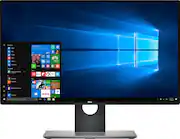
Rating 4.7 out of 5 stars with 197 reviews
4.7- Picture Quality (77)
- Bezel Size (13)
- Color (8)
- Stand (8)
- Adjustability (6)
- Screen Tearing (5)
- HDMI (4)
- Price (4)
- Gaming Performance (3)
- Power Switch (3)
Customer Images
The vast majority of our reviews come from verified purchases. Reviews from customers may include My Best Buy members, employees, and Tech Insider Network members (as tagged). Select reviewers may receive discounted products, promotional considerations or entries into drawings for honest, helpful reviews.
- Rated 5 out of 5 stars
Good for Gaming, EXCELLENT for Media!
This monitor is beautiful. It's the quality you expect from the Dell Ultra Sharp series. It's a bit of an in-betweener. Something of a do-everything monitor. Its, Not FHD or UHD, but QHD - It's not 1080, which would allow for lower cost and align with mainstream gaming a bit more. It's not 4k either, which would align more with media production or entertainment more. However, QHD bares considerably more detail than FHD, averts some of the pant-kicking price of 4k. IPS - IPS monitors are specifically known for their wider viewing angles and high color accuracy. These features make them a must have for content creators - photographers and videographers. However beautiful IPS monitors may be, they are slower (response time) and more expensive than the TN panels preferred by the gaming community. This creates a bit of a compromise for that use-case. This monitor is not completely useless for gaming, however. Sure, not ideal... and a dedicated gaming monitor with a 1ms response time, 60+Hz (144Hz) refresh rate and plenty good enough 1080p resolution WILL (almost always) be cheaper at this size or even a step up to 27". I have been playing console games on this monitor daily since my purchase and I have to say, the colors are beautiful, image quality is superb, refresh rate at 60Hz is plenty for most situation. I do get an occasional screen tear, but such is the world of gaming. For the casual gamer, photographer/videographer and do-everything PC user like myself. This is a phenomenal monitor. With many great features: Gaming is as good as expected. Not stellar, but more than passable, and dare I say... enjoyable! Photo/video editing is a major step up from a more affordable 1080p monitor. Color accuracy is beautiful and the sRGB color space is necessary. Convenience is through the roof - 4 total USB 3.0 data/charge ports, 1 HDMI, 2 DisplayPort, 1 Mini-DisplayPort for easy dual monitor setups. Plus Optical and the run of the mill 3.5mm Mic/Headphone jack. Vesa Mount capable for dual monitor or fancy folk. Or, the provided Dell mount/base is quite nice. Height adjustable - 8-10" I'd say... Tilt forward and back - more back than forward, and I'd say atleast 20-30 degrees... Its a considerable range compared to other monitors I've used. You can even rotate the monitor 90 degrees to a vertical position to make port access super simple. The base is very weighty and stable. I was super impressed by this. If you want an accurate rating of this monitor, look it up on NewEgg to see 1,400+ reviews and a 5 star (egg) rating.
Posted by RyanH
- Rated 5 out of 5 stars
Worth every penny.
Extremely crisp monitor. Can be used horizontally or vertically, but that's not what sets it apart. It has very narrow edges which let you stack or side-by-side several of these. And, the crispness is ultimate. Aesthetically first rate as well.
Posted by JohnBest
- Rated 5 out of 5 stars
Best monitor in this price range
Pros: This Dell Ultrasharp monitor deserves it names. The image quality is clear and sharp. The color is vivid and bright. I love the sturdy stand since it accommodates flexible screen positions. Cons: 1) It's hard to use the control buttons since they're quite small 2) The monitor comes with only DP-mDP cable and USB3. I expect DELL should give customers an HDMI cable since it's a more common connection interface.
Posted by luffy
- Rated 4 out of 5 stars
Almost perfect but... gaming
I had purchased the older version of this monitor (U2515H) for my programing work station. The colors were amazing. I bought the new version for home as a multi-purpose monitor. The colors are even more amazing. Gaming on my Xbox One S, this monitor is has low input lag, good refresh rate, and a good response time. It felt great to gaming with, BUT screen tearing WILL happen with any Xbox. I play Rainbow Six Siege and no matter what, I could NOT get the screen tearing to go away. Even with the new Xbox One X, every setting changed to all variations (monitor & xbox), and proper HDMI cables it wouldn't go away. If you don't game or don't mind screen tearing, GET THIS MONITOR. NOTE: Screen tearing may vary per video game and gaming device but I am making an educated guess that the monitor is the main issue here
Posted by ZachcyB
- Rated 2 out of 5 stars
Be Aware of Design Flaw
My feeling about this monitor is mixed. Overall it is a decent display. But Unfortunately there is a design flaw that I cannot get around and I have to return the unit. I use the monitor for daily productivity like web browsing and programming, plus some occasional gaming with my PS4 slim console. The monitor works great with Windows and Macbook Pro desktop: nice and sharp images and text, no issues at all. However any PS4 game has a “screen freeze“ issue (I’m using the term from John’s review). The symptom is that sometimes a frame appears significantly more slowly than others. It looks like a horizontal line is wiping over the screen quickly. I read the other reviews of this monitor and I think this is noted as “screen tearing” by some users. However I believe this is not regular screen tearing, and is a unique design flaw that is only with this particular model U2518D. I will simply name the issue “screen freeze” below. I did a few experiments: a) Screen freeze happens not only with gaming consoles, but also with PC. PS4: All PS4 titles have screen freeze. PS4 system UI’s like choosing games, system settings also have screen freeze (though less noticeable). PC: Running Nier Automata (I think is DX11) on Windows gaming laptop has screen freeze. However, Civilization VI from PC does not have screen freeze. So the issue depends on each game’s implementation. b) Screen freeze does not result from resolution upscaling from 1080p to 1440p. Nier Automata from PC has screen freeze in both 1080p and 1440p resolutions. c) Screen freeze is different from screen tearing. Running 3DMark Sky Drive benchmark do not have screen freeze. It does have screen tearing. Turning on V-Sync on 3DMark can remove screen tearing but not screen freeze. Note that PS4 has adaptive V-Sync, which does not help either. d) Screen freeze is unique to U2518D. I have two other Dell models U2717D and U2415. They do not have screen freeze with PS4. U2717D is 16:9, QHD, but 27 inch. U2415 is 1080p, 24 inch, 16:10 that needs some upscaling from 1080p to 1920 x 1200. So I see that screen freeze is only with this particular model U2518D. Based on the observations above, I think screen freeze has something to do with the 60Hz refresh rate (as some other reviewers here have guessed). The monitor appears to be losing frames and games are a little less smooth than usual. My hypothesis is once in a while, the monitor sees that it needs to catch up and that’s when the screen freezes to jump to the latest frame. Unfortunately, I don’t have a GPU that allows me to lock the frame rate so I can’t do much testing here. However as the model is claimed to be 60Hz, I don’t think as a user it is my job to figure out how to use it with a frame rate lock magic for native 60Hz output like PS4. On the positive side, this monitor is reasonably priced especially on a deal. It has brilliant colors and is excellent for daily production. The 25-inch size has outstanding DPI for 1440p, and naked eyes can see the difference from even a 27-inch 1440p. The monitor also handles 1080p to 1440p upscaling well. With the default settings, the upscaling result appears a little softened and vague. But there is a fix: Go to settings -> display -> sharpness and change the sharpness to 60 from the default 50. This does magic that sharpens everything and mitigates the softening. At least my eyes can no longer tell a difference with 60 sharpness (note that increasing sharpness further above 60 has little impact). You can use this magic on a Dell U2717D too. Bottom line: Great monitor for daily work. But don’t use it with a gaming console.
Posted by Konew