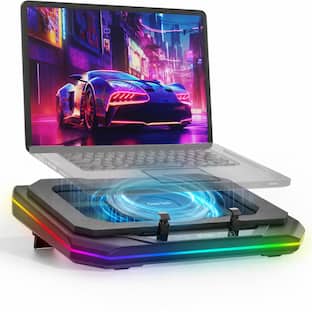
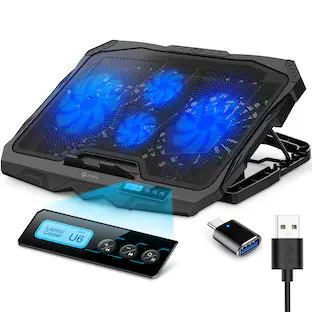
ENHANCE - Laptop Cooling Stand - 1 x 1264 RPM Fan & 4 x 2630 RPM Fans - 3 Adjustable Height Settings - Up to 17" - Blue
Customers are saying
Customers regard this cooling pad as highly effective at lowering computer temperatures, with many users also appreciating its sturdy build quality and adjustable height settings. While the lighting is frequently praised for its aesthetic appeal, some users have expressed concerns regarding the durability of the included USB cords and the reliability of the additional ports. Overall, the product is valued for its performance and design, though some minor improvements to connectivity components could enhance the user experience.
Color
BlueFeatures
ENHANCE your Game
It's Cool. That's a phrase often said, but when we're talking about laptop gaming performance, "It's cool" is a goal we all hope to achieve. The GX-C1 laptop cooling stand helps achieve that goal while maintaining a sleek aesthetic and providing a flow of cool air to help mitigate thermal buildup and serve as a portable stand when used in bed or on the couch. So kick back, relax, and game on. Because with ENHANCE, It's Cool. Fits up to
Powerful Cooling
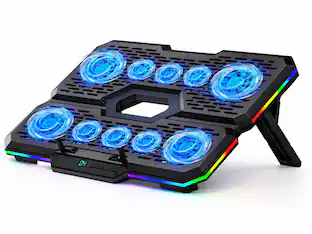
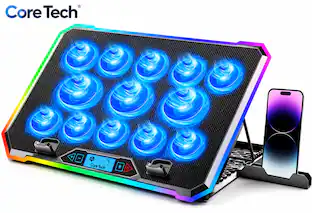
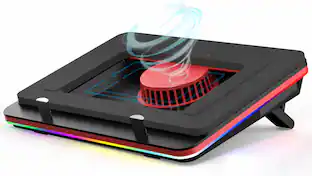
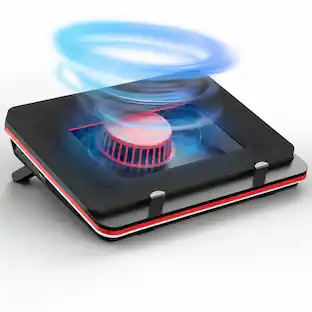
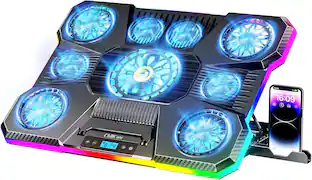
Equipped with 5 ultra-quiet fans including one large 5.5-in fan at 1,264 RPM and four smaller 2.7-in fans at 2,630 RPM for maximum cooling
Customizable Settings
Adjustable wheel controls fan speed and LED brightness to match your cooling and lighting needs
Secure Grip
Front bumpers flip up to hold your laptop securely in place during use
Specifications
- Number Of Fans5Number of USB Port(s)2Maximum Laptop Size17 inches
Reviews
Rating 4.3 out of 5 stars with 358 reviews
- Cooling Performance (180)
- Noise Level (65)
- Lighting (19)
- Build Quality (13)
- Adjustability (12)
- Port Quality (12)
- Size (5)
- Connectivity (3)
- Cord Quality (3)
Customer Images
The vast majority of our reviews come from verified purchases. Reviews from customers may include My Best Buy members, employees, and Tech Insider Network members (as tagged). Select reviewers may receive discounted products, promotional considerations or entries into drawings for honest, helpful reviews.
Compare similar products

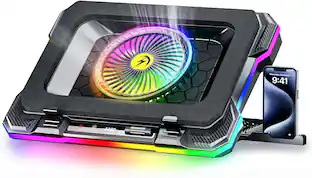
ENHANCE GX-C1 Laptop Cooling Stand Premium Cooling LED Fans Designed to minimize the overheating that can occur with laptop computers, the GX-C1 comes equipped with 5 ultra-quiet LED fans that produce an alluring red light and provide superior airflow while maintaining a noise-free environment. The scroll wheel allows you to tune the power of the LED lights and fans. Turn them way up or keep them at a lower power to whatever fits your needs. Comfortable Ergonomic Design The lightweight and versatile design lets you use the cooling stand in a stationary position or take it with you wherever you go. Its metal mesh surface helps increase airflow while pulling away excess heat from the bottom of your laptop. The 3 adjustable height settings provide you with multiple typing and viewing positions. Lay back on your bed and type on an incline or sit upright on your desk and type all while remaining comfortable. Built-in front bumpers help secure your laptop in place and prevent unwanted sliding. Dual USB Ports The laptop cooling pad is powered by the USB port on your computer. It also comes equipped with an extra USB port so you can connect other devices for data transfer capabilities. Compatible with Laptops: Apple Macbook , Pro , Air / Acer / Alienware / Aorus / ASUS / CyberpowerPC / Dell / Digital Storm / HP / Microsoft / MSI / Origin / Toshiba And more Laptops

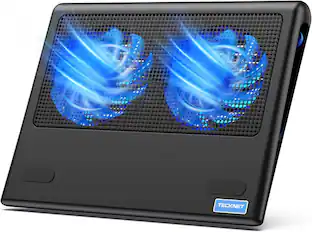
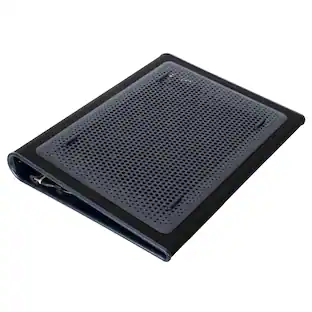
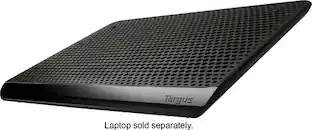
The 17” Dual Fan Chill Mat™ provides a comfortable and ergonomic work surface to keep you and your laptop cool. The chill mat rests on your lap and disperses heat, using dual fans to provide ventilation which can be obstructed if the laptop is used on a pillow or comforter. Simply plug the USB connector into the laptop to activate cooling. The ergonomic tilt makes typing easy, while the soft neoprene material provides cushioned comfort on your lap. The open design allows fans to run quietly and stimulates constant airflow. Four rubber stops on the face of the chill mat prevents the laptop from slipping and makes using your laptop an enjoyable experience.

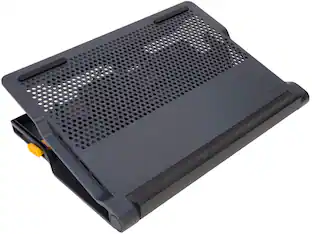
Turn your laptop into a workstation with the 17" Chill Mat + with 4-port Hub. The Chill Mat+ combines a chill mat with all the important things you need when working at a desk. Dual fans keep your laptop cool while a 4-port hub allows you to connect all your peripherals. The adjustable height allows you to use it as a laptop stand. Use it flat, or at the highest setting (4”) with an external keyboard for better ergonomics. The Chill Mat+ with 4-Port Hub is the ideal solution for owners looking to get the most out of their laptop.

Stay cool when things heat up with the Razer Laptop Cooling Pad – a smart stand that dynamically controls fan speeds based on your laptop’s temperature. Featuring an airtight pressure chamber, customizable fan curves, and a 3-port USB A hub for maximum connectivity, give your laptop the boost it needs for better performance.
| Pros for ENHANCE - Laptop Cooling Stand - 1 x 1264 RPM Fan & 4 x 2630 RPM Fans - 3 Adjustable Height Settings - Up to 17" - Blue | |||
|---|---|---|---|
| Cooling Performance, Noise Level, Build Quality, Lighting, Adjustability | Cooling Performance, Noise Level, Build Quality, Ergonomics, Compatibility | Noise Level, Cooling, USB Ports, Overall Performance, Ease of use | Cooling Performance, Build Quality, RGB Lighting, USB Hub |
| Cons for ENHANCE - Laptop Cooling Stand - 1 x 1264 RPM Fan & 4 x 2630 RPM Fans - 3 Adjustable Height Settings - Up to 17" - Blue | |||
| Size, Port Quality, Connectivity, Cord Quality | There were no cons for this product— | Price | Size, Noise Level, Compatibility, Portability |
Specs
Customers often buy these together
 $33.29The price was $39.75



Customers ultimately bought
 $24.90The price was $31.99
Explore tech essentials Sponsored
 $111.00The price was $119.99
Discover related products
 $12.99The price was $13.99








Keep exploring
- $24.90The price was $31.99