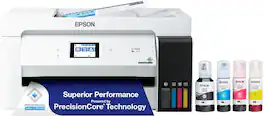
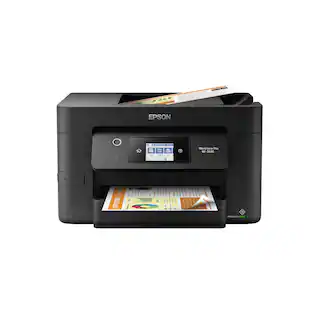
Epson - EcoTank Pro ET-16600 Wireless All-In-One Inkjet Printer - White
About this product
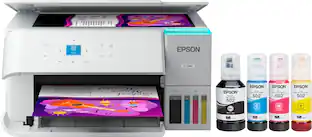
Produce crisp, vibrant prints in black and white and color with this Epson EcoTank all-in-one wireless printer. The PrecisionCore Heat-Free technology offers high-volume print-shop quality prints, while the 550-sheet paper capacity and black print speed of up to 25 ISO ppm ensure high printing productivity. This Epson EcoTank all-in-one wireless printer boasts cartridge-free printing to save energy.
Up to 4800 x 2400 dpi (dots per inch) color resolution
High resolution for producing incredible quality and detail in documents and photos.
Apple® AirPrint enabled
You can use it for Apple iPad® and iPhone® printing.
Page yield
A set of replacement bottles includes enough ink to print up to 7,500 pages in black and up to 6,000 pages in color.
Wireless and mobile printing capability
Connect this printer to your home or office network with built-in Ethernet or wireless LAN. You can also print from your mobile device with the free Epson iPrint mobile App or Apple® AirPrint.
Be sure you have the right cartridge
Enter your printer's model number into Ink and Toner Finder to find compatible cartridges.
Ideal for home or small business use
This inkjet printer offers excellent print quality for photos and documents and accepts a variety of paper types and sizes.
Affordable wide-format printing
Create flyers, brochures and more in a wide range of sizes.
Prints up to 25 ISO ppm* in black and up to 12 ISO ppm* in color
Generates documents quickly.
USB port for simple connectivity
The high-speed USB port offers a standard connection to your PC or a simple way to plug in and print from a USB drive, camera, or any other device.
Large paper trays for your high-volume printing
Reload less often with two 250-sheet input cassettes and a 50-sheet rear feed.
4.3" color touch-screen display
Easily input commands for printing, copying, and scanning directly from the printer.
Tablet and smartphone printing
Epson Connect enables simple wireless printing from most smartphones, tablets and more.
Apple, the Apple logo, iPod, iPad and Apple AirPrint are trademarks of Apple Computer, Inc., registered in the U.S. and other countries.
* Print speeds vary with use. See manufacturer for the information on print speeds.
- NetworkingWired, WirelessENERGY STAR CertifiedYesPrinter TypeAll In OneISO Color Print Speed12 pages per minuteISO Mono Print Speed25 pages per minuteTouch ScreenYes
Reviews
Rating 4.8 out of 5 stars with 50 reviews
Customer Images
The vast majority of our reviews come from verified purchases. Reviews from customers may include My Best Buy members, employees, and Tech Insider Network members (as tagged). Select reviewers may receive discounted products, promotional considerations or entries into drawings for honest, helpful reviews.

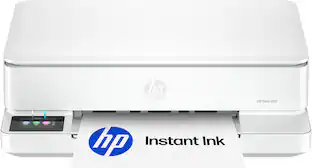
- HP - Envy 6165 Wireless AI-Enabled All-in-One Inkjet Printer with 6 months of Instant Ink - White$79.99The price was $159.99
- HP - Envy Photo 7975 Wireless AI-Enabled All-in-One Inkjet Printer w/ 3 Months of Instant Ink - White$159.89The price was $239.89
Compare similar products
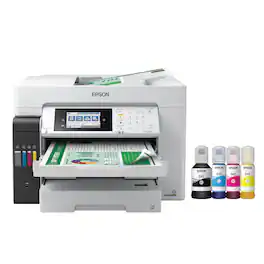
Produce crisp, vibrant prints in black and white and color with this Epson EcoTank all-in-one wireless printer. The PrecisionCore Heat-Free technology offers high-volume print-shop quality prints, while the 550-sheet paper capacity and black print speed of up to 25 ISO ppm ensure high printing productivity. This Epson EcoTank all-in-one wireless printer boasts cartridge-free printing to save energy.

Employ high-quality printing with this Epson EcoTank Pro all-in-one printer. The 550-sheet paper tray capacity handles a large volume of work without interruption, while Wi-Fi, Ethernet and Bluetooth connectivity lets you print from various devices. This Epson EcoTank Pro all-in-one printer has a 4.3-inch touch screen for easy menu navigation, and the print speed of up to 25 ISO ppm produces documents quickly.
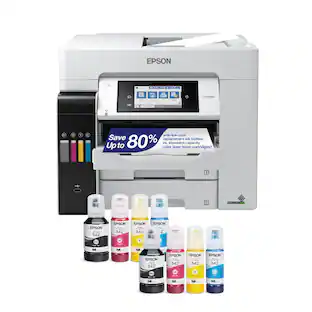
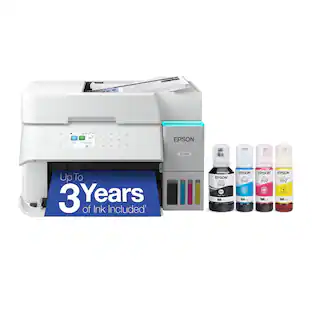
The EcoTank ET-15000 wireless all-in-one offers Cartridge-Free Printing with easy-to-fill supersized ink tanks. Save up to 90 percent on ink with low-cost replacement bottles (1). This all-in-one delivers vibrant prints up to 13" x 19" (through rear-feed tray) and scans up to 8.5" x 14" (via the ADF). Print for up to 2 years with each included or replacement ink bottle set (2) — each replacement set includes enough ink to print up to 7,500 pages (3). That’s equivalent to about 80 individual cartridges (4). And, there’s zero cartridge waste. The ET-15000 features a 250-sheet front tray paper capacity and rear specialty-paper feed, plus a 2.7" color touchscreen and hands-free voice-activated printing (5).

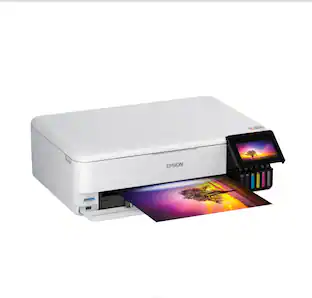
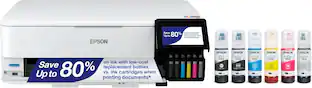
The EcoTank Photo ET-8550 wireless all-in-one prints lab-quality, wide-format color photos, graphics and everyday documents — all at an incredible value. Epson’s cartridge-free, 6-color Claria ET Premium Ink system delivers vibrant colors and sharp text for all your creative projects. With low-cost replacement ink bottles, print 4" x 6" photos for about 4 cents each compared to 40 cents with cartridges (1). Print everything from borderless 13" x 19" photos to customized CDs/DVDs. You can even print on cardstock and other media up to 1.3 mm thick. For added convenience, each set of bottles lets you print for up to 2 years (2). Plus, save up to 80 percent with replacement ink bottles vs. ink cartridges (3) — that’s about $2,000 on each set (3). The EcoTank Photo lets you do it all with affordable in-house printing.
| Pros for Epson - EcoTank Pro ET-16600 Wireless All-In-One Inkjet Printer - White | |||
|---|---|---|---|
| There were no pros for this product— | Print Quality, Ease of use, Overall Performance, Setup, Noise Level | Print Quality, Ease of use, Overall Performance, Setup | Print Quality, Overall Performance, Ease of use, Setup |
| Cons for Epson - EcoTank Pro ET-16600 Wireless All-In-One Inkjet Printer - White | |||
| There were no cons for this product— | Connectivity, Price | Connectivity, Noise Level, Paper Jam, Size | Paper Jam, Price, Noise Level |
Specs
Will it print and scan standard 11x17?
Answered by EpsonHello Scott. Yes, the ET-16600 can print on paper sizes up to 13" x 19". Additionally, you can also scan documents up to 11" x 17" in size. Regards, Kevin - The Epson Team.

Can this printer hold large rolls of paper rather than just individual sheets?
Answered by EpsonHi Lori, No, the EcoTank Pro ET- 16600 is not designed to print on roll paper. Regards, Mark - The Epson Team.
Can I use sublimation ink without having to use a syringe to refill? Epson -Eco Tank 16600
Answered by EpsonHello. The Epson ET-16600 is not designed for dye-sublimation printing nor the use of non-genuine Epson Ink Cartridges. Using sublimation Ink in this printer can affect warranty coverage and create print head and ink-system issues. Regards, Kevin - The Epson Team.
Can paper size 13x19 be added to one of the trays and if so, how?
Answered by EpsonHi Shy, You can load 50 sheets of plain paper or 20 sheets of photo paper into the rear feed tray of the EcoTank Pro ET-16600. Regards, Dylan - The Epson Team.
How do I connect this printer to my computer?
This printer can be connected to your computer using the high-speed USB port.
This question and answer was generated by AI based on customer and product data.
Customers often buy these together
Copy and Multipurpose Paper


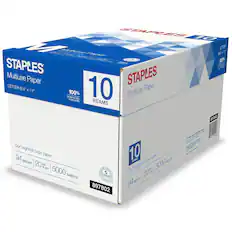
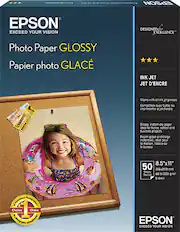
Photo Paper
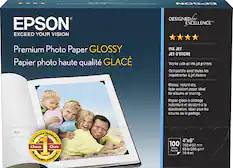
Epson - Premium Glossy Photo Paper - White
$9.89The price was $19.79
More to consider
 $749.99The price was $849.99
 $199.99The price was $329.99

Explore tech essentials Sponsored
 Top Deal$269.99The price was $329.99
 Top Deal$199.99The price was $239.99
 Top Deal$169.99The price was $189.99
 $79.99The price was $159.99


Discover related products
 $1,599.99The price was $1,799.99
 $12.99The price was $13.99
 $143.99The price was $144.99
 $239.00The price was $275.00
 $30.99The price was $32.99







Keep exploring
 $3,378.90The price was $3,678.90