Rating 4.6 out of 5 stars with 85 reviews
4.6- Picture Quality (54)
- Setup Ease (17)
- Brightness (11)
- Noise Level (7)
- Input Lag (3)
Customer Images
The vast majority of our reviews come from verified purchases. Reviews from customers may include My Best Buy members, employees, and Tech Insider Network members (as tagged). Select reviewers may receive discounted products, promotional considerations or entries into drawings for honest, helpful reviews.
- Rated 5 out of 5 stars
Projector
So far so good it just got set up and the picture is amazing so yes right know it’s great. I did notice it throws a lot of heat so hopefully it’s normal. It is big and heavy but I like it also it does not have to be a dark room you can still see picture with lights on and sun shinning in.
Posted by LisaB
- Rated 5 out of 5 stars
Projector
We had multiple projectors and this by far is the best we’ve had. Great picture and sound and love we can use outside during daylight
Posted by CharnettieB
- Rated 5 out of 5 stars
Epson ls650
Great projector, its a bit noise when the brightness is high , I adjusted to medium and its quiet, I boutght sony blu-ray player becouse epson doesn't have netflex . Overall is the best choise for home theater, also ls 800 is more expensive but I really like ls 650.
Posted by Alex
- Rated 4 out of 5 stars
Sharp picture with better contrast
Pros Bright picture even with ambient light Good colors out of the box on cinema Sharp picture HDR10 Support Built in Android TV, not a cheap dongle Processor for Android TV seems quick Chromecast support Sensor turns off light if blocked to prevent eye damage Good speakers after adjustment eARC support Fast startup Quiet for normal brightness Long laser life based on maximum brightness No rainbow effect Low latency 60Hz refresh for casual gaming Simple setup Remote doesn’t have advertising buttons Cons Not true 4K (1080P with pixel shift) Dynamic mode creates overly cold tones Cinema mode drops brightness noticeably Brightness slider doesn’t seem to change much Fan emits high pitch sound at higher speeds While setup is easy it is still manual Built in Android TV is out of date Requires more distance from wall than others in its class Adjusting focus can trigger screen to turn off Speaker EQ boomy on default setting Needs special screen to fully utilize Only basic settings The Epson EH-LS650B is a more affordable version of the EH-LS800. It loses 400 lumens, 30 inches of screen size, and a slightly slower response time for a more slightly lower price. Not all is lower end, as it gains eARC support and the ability to automatically switch to an active HMDI port versus always starting to Android TV. Included in the box is the projector, remote, and power cord. The remote is simplified with buttons intended to navigate Android TV and a few configuration buttons. The remote has two separate setup buttons. One for Android TV settings and one for projector settings. The primary buttons don’t light up but are made of a plastic that glows in the dark. You’ll need to supply your own HDMI cable. Setup Setup is manual but straightforward. Ideally, you place the projector at the correct distance and height for your screen. It does have a software keystone adjustment that can also be slightly assisted via the app, but adjustments are very limited and more so withing the app. It would be nice if it had a fully automatic setup as many new projectors do. Like keystone, focus and height are adjusted manually. Unlike keystone, there is an electronic option. Height is adjusted by turning the front feet and focus is via a focus lever behind a door on the right side. The placement of the focus lever on the right side is slightly awkward as you can easily trigger the eye safety sensor adjusting focus as it its on the top right near the focus lever. You have the option to place the projector either in front or back of the screen. Both options are for placing below and it is not intended to be ceiling mounted. Once hardware setup is complete, the rest is quick. Android TV boots up quickly and it only takes a few steps to setup. Whatever processor they are using for Android TV seems reasonably quick as the interface doesn’t lag like some devices. Unlike some projectors, the Android TV is integrated instead of offered through a separate low powered dongle. If you don’t want to use the integrated setup, you can plug your favorite TV box into one of the other HDMI ports and the projector will auto switch to that port on startup bypassing the integrated Android TV. With eARC you can also install multiple devices that you can switch between with your AV receiver. Speakers Ideally with a projector giving you a big screen you want to have big sound to match. However, for a basic or portable setup the projector’s integrated speakers do quite well. Out of the box the sound from the speakers is on the boomy side with the bass overpowering dialog. Thankfully you can fix this by turning off a setting called Bass Extension. There is also a dialog boost function to further improve speech. The nice part is if you need to use the integrated speakers, they are also in front instead of behind like a traditional long throw projector. Picture Quality First, if you didn’t already know, this projector is technically 1080P. It creates the effect of 4K with what is called pixel shifting. Some say this effect produces a less sharp image than true 4K but the design means it is impossible for it to create a rainbow effect. Standard laser projectors often create a rainbow effect which can make those sensitive to the effect feel sick. In testing the overall result was very sharp once the focus was properly adjusted and of course there was no rainbow effect which seems like a worthwhile tradeoff. While it has support for HDR10, it does not have support for Dolby Vision. Overall, this might not be a significant issue as HDR on the LS650 is subtle. This is in part because of contrast. Laser projectors have far better contrast than traditional projectors, but they still aren’t at the level of OLED screens. Traditional LCD projectors products slightly gray whites on an ambient light rejecting screen. This projector was able to product extremely bright whites without any issue. In fact, it could reproduce blueish whites where it would make you question of the screen was gray. Dark areas exhibited no light bleed from light areas and edges were sharp. As far as how dark the blacks would get depended more on the ambient light in the room and how well the screen could reject it. That said, even with a basic ALR screen the blacks were a good dark gray versus more of the light to medium gray with a traditional projector. By default, the projector is set to dynamic which produces whites with a blueish tone and oversaturated colors. Snow appears a blueish white. Some colors would glow and lose all texture such as red or neon. Skin tones looked cold and pale. If you like overly punchy colors this might work fine. If you like a more natural look then the Cinema mode is far better as it produces a more accurate picture. You do sacrifice somewhere near 1000 lumens of brightness to get that more color accurate picture, but it is worth it. If you want more than the basic adjustments for color, you are out of luck. The LS650 is designed to keep things simple so you get basic tone and sharpness adjustments but not much else. Thankfully the Cinema mode is reasonably good to where most people would be satisfied with that simple change. It’s worth noting that there are now QLED TV’s at 98 inches in the same class as the LS650 that have deep blacks, bright colors, true 4K, and 120Hz refresh rates. For the LS650 to compete with them you need to have a good ALR screen. While the QLED wins out on contrast, the projector wins out on no reflections. The gap is closing between the two technologies quickly. The LS650 still doesn’t approach the contrast of an OLED screen, but projectors don’t create a mirror for lights in the room. The other advantage the LS650 has over an OLED screen is it can go up to a 120” in size. OLED screens over 100” haven’t hit the regular consumer market currently. If you have a way to get it further from the wall, the LS650 can go larger. This is where the compromise comes in to make the LS650 a more affordable version of the LS800. At the same distance from the wall that the LS650 creates a 120” screen, its big brother creates a 150” screen. Performance The LS650 is rated to handle up to 60Hz at 4K. This should mean at least casual gaming is possible. The response time seems to vary from different sources, but most seem to agree it is somewhere in the middle of the 20ms range. That said, at 60Hz fast paced FPS games aren’t going to be very enjoyable. Trying a classic like Halo Reach on Firefight was a little too much. Motion felt delayed and uncomfortable to play for long periods. After some digging it was discovered that for gameplay you should change the Image Processing to Fast instead of Fine. That said, it is evident the LS650 wasn’t intended for serious gameplay but more for casual family gaming and for that purpose it works quite well. If you love to play RPG, strategy games, or casual action games this could be a great option with so much screen real estate to see everything clearly. Noise and Heat The LS650 is rated as having a maximum of 36db which should mean it is inaudible from normal listening difference. While this might be true from an absolute volume, this might be more noticeable if you still have good hearing. This is because, while the volume isn’t high there is a high-pitched tone that is very noticeable from a distance. The fan emits a high-pitched bearing sound you can easily hear. Thankfully this only happens above approximately 70% brightness and there is little noticeable change in brightness from 60% to 100%. This means you can leave it set to about 60% and things stay nice and quiet. A surprising benefit of a laser projector is less heat. At a brightness that would cause a traditional bulb projector to turn into a small space heater, the LS650 uses less power and puts out far less heat with the exhaust fan barely warm. Final Thoughts While the traditional TVs are becoming larger and more competitive with projectors, projectors still hold some advantages. If you prefer the largest screen, low glare and reflections, and prefer not to hang a slab of glass on your wall then a projector is a good choice. First, if you don’t care about eARC or booting straight to the integrated Android TV or want a bigger screen then the big brother LS800 might be your choice. If a screen of 120” or smaller is what you are looking for with eARC support that boot straight to your preferred source and want to save some money, then the Epson EpiqVision EH-LS650 is a solid option.
Posted by CraigB
- Rated 5 out of 5 stars
Theater Quality Viewing at Home
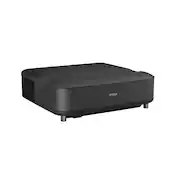
The EpiqVision LS650 is my first short-throw laser projector from Epson, though I’ve had one of their 1080p LED Home Cinema projectors for a while now. The LS650 projector has a fairly large footprint in comparison at 18.5”W x 16”L x 5.5”H but was lighter than expected at only 16.5 lbs. It needs to be placed 1-16 inches away from your screen in order to project image diagonals of 60-120 inches which will appear 4-12 inches above the top of the projector accordingly. With a short-throw projector you won’t have to install a ceiling mount, and its proximity to your screen means folks getting up to walk around won’t cast shadows on it. However, you also don’t have the option to place the projector at the back of the room, and you’ll need to make sure your entertainment console is wide enough or moved away from the wall to accommodate it (26-32 inch total depth). This projector outputs 4K PRO-UHD by using three 1080p LCD chips with pixel shifting, and while the machine is capable of receiving and processing a 4K signal, it only delivers half the resolution of true 4K to your screen (~4 million pixels vs. 8 million); however, the difference between these resolutions to the eye at typical viewing distances is hardly noticeable. It is a noticeable improvement over the 1080p resolution we were used to, and the images produced were bright and clear with barely visible pixels at 120”. The laser light source has a rated lifespan of 20,000 hours at full power and can achieve a max brightness of 3600 ISO lumens, bright enough to view with some ambient light, but somewhat washed out in full sun or with ceiling lights on. You’ll get better daytime viewing if projecting onto an ambient light rejecting screen. Just note that above about 75% brightness the cooling fan can be quite loud, emitting a high-pitched whir. The fan noise is much quieter and is easily drowned out at 50% brightness which is still plenty bright at night. There is a replaceable air filter that ejects on the right-hand-side for easy maintenance. Setting up the projector is simple. After placing the projector below the center of your screen, plug it in and turn it on using the remote. If the surface the projector sits on it not level, you can correct the image tilt by adjusting the height of the two front feet. A manual focus lever is hidden behind a removable cover on the right-hand side and sliding it up or down will bring the image into focus; no electronic or automatic focus is available. We project without a screen right onto the wall which is painted a flat green, however, the colors still look very natural. There are four customizable preset picture modes for different content and viewing conditions: Vivid, Cinema, Dynamic, and Natural. The first time you turn it on, you’ll need to pair the projector and remote control. If the image is skewed, its shape can be squared using the remote to adjust the corner positions. Warping due to waves or curves in your wall or screen can be corrected manually or with the Epson Setting Assistant mobile app. Simply take a photo of a calibration image with your phone’s camera and the app will automatically straighten out and flatten the image, which worked perfectly for me. Note that these adjustments can produce “over splash” where you have a skewed light border around your projected image. The LS650 has built-in Android TV OS which starts up by default. To use integrated streaming services and apps, connect it to your WiFi (2.4 or 5 GHz) and log into a Google account. I was able to add most of the streaming services from the Google Play Store including live TV apps right on the projector, like Disney+ and Hulu, but with the notable exception of Netflix. Unfortunately, that means I have to use a separate streaming device for that app plugged into one of the HDMI inputs, and it’s an extra step for me to switch inputs. I was able to cast my screen from various devices connected to the same WiFi network like my phone, tablet, and laptop, thanks to built-in Chromecast. Google’s voice assistant is available too, though you’ll have to manually trigger the AI with the remote’s mic button since the projector doesn’t respond to a wake word. You can link other Google Home devices to the projector to control it via voice as well. The projector has integrated Yamaha 2.1 channel front-facing speakers (two 5W drivers and 10W subwoofer) that can fill a medium-sized room easily. They have decent sound quality with balanced and well-rounded bass response. You can also output sound to an external speaker or sound system using the Optical output, Bluetooth, or eARC/ARC device plugged into HDMI 2. I connected my soundbar via HDMI for CEC, Dolby Atmos, and DTS surround sound support, and was able to control its volume using the projector’s included remote. When powered off both devices shutdown simultaneously. I like that the projector can pair with wireless Bluetooth headphones for private listening, or conversely, enable "Bluetooth speaker mode" and used as a wireless speaker or receiver. If you experience audio lag, you can compensate the output latency up to 200 ms in 10ms increments. Other I/O located at the rear are 2 USB-A inputs, 1 USB-A 2Amp output for power/charging, and a mini-USB service port. This projector doesn’t have an Ethernet port so can’t be wired to your network but does have a Kensington lock slot on the left-hand side. One cool safety feature of the projector is that is has a motion detector located to the right of the lens that senses movement in front of the laser and will dim, then shutdown, the light beams to prevent accidental shining in your eyes. This happens nearly instantly, though can be triggered accidentally if you wander too close to the sides of the screen. Just note that your media will continue to play while the lasers are off; when the sensor no longer detects movement, it will turn them back on automatically. While the image produced looked sharp and smooth across the entire screen, occasionally I noticed compression artifacts like blocks or fuzzy halos around fast-moving objects, especially when watching 4K native content. This effect can be mitigated somewhat by adjusting picture settings like frame interpolation, noise reduction, and super-resolution or improving your wireless connection speed and strength. Other than that, the image quality was very good with a high contrast ratio of 2.5 million to 1 and 10-bit color depth for realistic and vivid colors, which I found especially satisfying when watching nature documentaries. For gaming, the projector is pretty good with an input lag of only 20ms making it fairly responsive to controller movements, but note that the screen refresh rate is capped at 60Hz. One thing I would have liked would be a backlit or glow-in-the-dark keys on the remote, as pressing the correct buttons in the dark was tricky. The Android TV interface sometimes gets bogged down and feels a bit sluggish, however, is easy to navigate. There 13 GB of internal storage space for you to install apps and games, and you can add additional storage using USB storage. Overall, the EpiqVision LS650 projector delivers a very satisfying and enjoyable cinematic viewing experience complete with respectable audio performance as a standalone unit. When paired with a surround sound system, you can achieve an immersive movie theater-like experience at home whether you’re watching films, streaming live TV, or playing video games.
Posted by ReviewedByPhil