Rating 4.5 out of 5 stars with 654 reviews
4.5- Scan Quality (313)
- Ease of use (171)
- Resolution (28)
- Price (19)
- Performance (14)
- Software (21)
- Size (12)
- Slide Capacity (4)
- Noise Level (3)
Customer Images
The vast majority of our reviews come from verified purchases. Reviews from customers may include My Best Buy members, employees, and Tech Insider Network members (as tagged). Select reviewers may receive discounted products, promotional considerations or entries into drawings for honest, helpful reviews.
- Rated 5 out of 5 stars
Great for scanning negatives
The set up went well up to turning it on. (no manual on the scanner at all) After you set up you are pretty much on your own. So off to You-Tube on how to set up for scanning the different negatives. Read many helpful comments. Then it is just trial and error. It is a shame that there is no manual. Going to the help area did help some that is on line but you-tube was the best. As for the scanning - it is amazing. Had old negatives from 1921 - couldn't ask for them to be any better. Scanning takes time - set up - then had to crop the finished picture. That is no problem for me. I also am pleased with scanning documents for editing - no trouble there as well. The scanning time is still quicker than my old HP scanner and printer. I am very, very please.
Posted by Delighted
- Rated 5 out of 5 stars
Great scanner!!!
If you're looking to revive old negatives and slides without breaking the bank, this scanner is for you. I do recommend using editing software as you will be able to see and correct any flaws. I purchased Adobe Photoshop Elements 14 from Best Buy this week and it is perfect!!!
Posted by Clem
- Rated 4 out of 5 stars
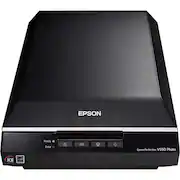
Epson V550 Scanner
I needed a scanner that is reliable,consistent, and easy to operate, which was also a concern. I chose the Epson V550 after doing research on several brands, and, yes, the reviews were very helpful. I bought this scanner, because of high reviews, Good price, and Epson makes good products for photographers. (ie. I own an Epson Artisan 1430 printer) and they make them to last. I opened the box, read the start-up guide and was scanning negatives in 15 minutes. This scanner also does 35mm,120 film, both negatives and slides. It will also produce image to image, and you can make the files small, or large files depending on your final output. I would recommend this scanner to any photographer who shot film and slides for years, then went ditigal, and would like to include his film works into his current portfolio. I am very happy with this Epson V550 scanner.
Posted by photoart10
- Rated 4 out of 5 stars
Great for scanning film!
I was searching for a scanner that would efficiently scan my 35mm film so I wouldn't have to pay the lab to do it. This scanner does a great job, however my only wish is that the 35mm template was full sized and not only half the scanner, I would be able to scan twice the amount of film at a time but it works great. I also received the scanner with a large hole in the box and it definitely looked like it had been dropped, I'm not sure if that is how it was sent or if it happened in transit. Overall a great scanner, from what I read it does basically the same as the v600 for a bit less!
Posted by Jacob
- Rated 5 out of 5 stars
works with old album photos.
I can print 4 to 8 pics at a time, depending on size of print, and saves each one as a new print. Saves a lot of time. Am in the process of digitizing photo that i took before i got my first digital camera. Some prints have faded, but the scan comes out true to the print and with the new scan, i can work on enhancing colors and cab show pics on computer, tv, or any other media that accepts usb imput.
Posted by thomaskelleher