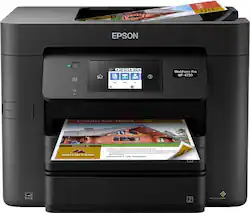
Customers enjoy the high-quality prints and ease of use offered by the WorkForce Pro WF-4730 Wireless All-In-One Inkjet Printer. Many appreciate the convenient features like the multiple paper trays, wireless printing, and responsive touchscreen. While some find the printer larger than expected, positive feedback outweighs negative comments regarding reliability. The printer's price point also receives favorable mentions.
After owning sever different HP printers it was time for a new one. We saw this one in the sale ad and thought why not. This printer is so good. With HP we always had to “help” feed the paper just so it would go in the feed and print. With this Epson, it has worked like a charm all on its own. While printing it is quite, unlike the HP witch was always noisy. The copies from email, internet or a copy of a copy is always clear, legible and clean. If you really want a great printer, I would recommend the Epson Workforce Pro.
Posted by silvercat62
I bought this after comparing the image printout color and quality with other ink jets and a color HP laser. The HP laser was a great printer but the picture print was not good enough for the kids school homework. It was easy to setup, does decent scanning and printing. Mine has issues pulling multiple pieces of paper when printing. Some of the time the one that gets printed on is the "front" page and there is a blank behind it. Other times it prints half on one sheet and then the "front page" is halfway down so the top is printed on the "back" page and the bottom is at the top of the "front" page. This thing guzzles ink! The first time my cartridges were getting low I replaced the one that ran out. After changing cartridge #1 and the printer doing the things it does when you put in a new cartridge another one was empty. So I put in new cartridge #2 and it did its thing. Now a 3rd cartridge was empty and the first one I replace is down 10%. I replace #3 and it does its thing and empties cartridge #4. Now 1 is down 20%, 2 is down 10% and 3 is full. I replace cartridge #4 (the last one) and after it finishes cartridge #4 is full, #3 is 60%,#2 is a bit over 50% and cartridge #1 is 50%. (see image, you can guess what one I replaced last) The initial cartridge plus changing them had printed 299 pages (138 of those color) and 3 of the 4 new cartridges are significantly lower than 80% with no printing at all. The new cartridges I bought were Epson brand 802 and were the only new cartridges ever in the printer. I always use Epson ink for the theoretical quality and consistency. Reading other notes on the net the printer uses chip technology to reject 3rd party ink you might be inclined to use since the branded "pricey" cartridges perform so poorly. When the black ran out I did before and after of the ink display to see the loss for swapping the black cartridge (no printing at all between the 2 shots below)- note the loss of color ink after replacing the black.
Posted by Shelby
It worked OK for just under a year. Print speed good. Print quality good. Scan good. Did not use Fax feature. Printer failed during print of a three-copy, two page Open Office document. with the following on the printer message screen: Printer Error Turn on the printer again. See your documentation for more details. 031008 Now every time I send a job to the printer, I get the message, I restart, and I get it again. Firmware and drivers up to date as of 7/1/2018
Posted by Fred
The vast majority of our reviews come from verified purchases. Reviews from customers may include My Best Buy members, employees, and Tech Insider Network members (as tagged). Select reviewers may receive discounted products, promotional considerations or entries into drawings for honest, helpful reviews.