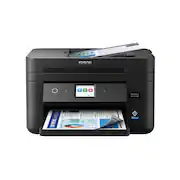
Rating 4.1 out of 5 stars with 108 reviews
4.1- Print Quality (45)
- Ease of use (19)
- Size (11)
- Overall Performance (8)
- Price (6)
Customer Images
The vast majority of our reviews come from verified purchases. Reviews from customers may include My Best Buy members, employees, and Tech Insider Network members (as tagged). Select reviewers may receive discounted products, promotional considerations or entries into drawings for honest, helpful reviews.
- Rated 3 out of 5 stars
ink lasts a month.
return window is insanely short. printer was delivered on march 25th & the date to return by was april 9th. that’s not even enough time to really test out all of its features, so I guess I’m keeping it or reselling it. from what I actually did get to do, which was print, again, I got the printer march 25th & here it is may 2nd & I’m already out of ink. I shouldn’t have to purchase ink every month or every other month. I try not to be harsh on reviews so I really don’t know if I would recommend this printer or not— this is my first time purchasing a printer.
Posted by Nikeva
- Rated 4 out of 5 stars
Workforce WF-2960
Just got it installed so I don't have much of an opinion but I liked my older epson all in one better and don't like that tiny touch screen on this machine, guess I'll get used to it
Posted by Mimi
- Rated 4 out of 5 stars
Affordable Printer For Medium Volume Printing
Overall, for the price range this printer falls into, this is a great buy for anyone who has a moderate level of printing. It's loaded with features, produces high-quality text and photo prints, and does so rather quickly. Scanning takes a little work to set up, but once you do, the scanner combined with the Epson software makes it easy enough to digitalize a lot of documents. TLDR VERSION A great printer for the price. PROS: - Compact size, not terribly heavy - Decent size paper tray - Fast printing speeds - Touch screen allows you to perform scanning and maintenance features right from the printer - While numerous, accompanying apps are powerful and relatively easy to use, especially once configured. - Reasonable ink consumption, and 4 separate ink cartridges (why do printer makers still make combined-color cartridges anymore?????) CONS: - Scanning is a bit slow, and scanning feeder does not duplex. - Touchscreen display is a little too small to make it easy to use, could have easily been much wider. - Numerous accompanying apps mean a lot of confusion until you figure out which ones you need and for what purpose. REVIEW I've both owned and set up a lot of printers over the past few years from different brands. I'm comfortable with technology and had to troubleshoot printers for family members, and have had to "settle" for whatever was available on the shelf during COVID when printers were in such high demand they were hard to find anywhere. I've noticed some very gradual improvements in both the setup and usage of these devices, and my opinions of the brands have waivered quite a bit. For overall use, I have found Epson, a brand I avoided decades ago, to be the most capable when it comes to software. Epson has a lot of software accompanying the full-package installations, and each app seems to have a different purpose. Personally, I think it would be better to combine these apps into one or two, but that can make the app a little confusing, so I understand why Epson made the decision to keep them all separated. Some apps are for printing and scanning functions (which you would use regularly), others are for creative purposes (photos and craft projects), and others are utilities (network troubleshooting, maintenance). For someone who is overwhelmed by this, it's helpful that you can put the apps you need for daily usage on the Taskbar or Dock (Windows and Mac, respectively) and let the others get lost until you need them. SETUP The Epson WF-2960 printer can be setup and used with any combination of computers and mobile devices. I chose to set up the printer with my iPhone. You will need to download the Epson Smart Panel app from your device's app store - they provide a QR code to lead you to the right app (and you should use this because at least for me, the first app that appeared when I just search the iOS app store was NOT the app I needed). From there, the app functions very similar to your text messaging app. You see a conversation between you and the app, and the app will ask you questions, or give you instructions on what to do next, and then give you a chance to respond. I think this is a friendly way to handle this process, especially for someone who is not very comfortable setting up a printer. I did get a little confused as the process went on, as sometimes the printer was asking me if I wanted to do something at the same time the app was, and I wasn't sure if one would affect the other, but it didn't. I timed the process, and including preparing the ink cartridges, it took me about 12 minutes to set it up. Then I was immediately notified of a firmware update (the internal software on the printer). I let that run and it took about 5 minutes. DO NOT interrupt this process! It will look like it is not doing anything because there is no animation on the screen, but it IS working. It will restart once complete. PRINTING Once the printing gets going, the printing speeds are rather quick. I have another printer, and that one prints a little faster, but it's barely noticeable. I printed 4 photos in 3.50 x 5.00 size (4 to a page), and on regular paper, it only took about 10 seconds. I printed 2 pages (front and back) of text, and it took just under 10 seconds, most of that being the process of pulling the paper back in to print on the back (yes, this printer duplex-prints). The text was very clear, no "fuzzies" or any artifacts that I could see. The colors in the photos were very true to the original pictures. I honestly could not say that anything looked washed out or over saturated. I did not print the photos with any "photo" settings, meaning I just sent them to the printer and let the printer handle those settings, if it did anything at all. I appreciated that the paper was not saturated or dark colors appearing to bleed through. I don't know, but I would imagine this reduces ink usage. Speaking of ink usage, I certainly hope that this printer is efficient, because the ink cartridges are tiny! I know that the cartridges that come with a new printer are below the capacity of a new box of ink cartridges, but so far I'm pleased. After setting up the printer, printing pages to calibrate print-head alignment, printing a test page (x2, one for 2 different computers), then printing a couple of pages of text and the 4 photos, the ink levels had barely moved. Scanning is a bit noisy. There is a quiet mode that can be turned on in the settings, and while it helps, it slows the printing speed a bit. This may or may not be worth the tradeoff depending on your situation. SCANNING Scanning is where many all-in-one printers fail in my opinion. On the plus side, this printer has a document feeder, allowing it to scan a stack of pages. Unfortunately, this document feeder does NOT scan both sides simultaneously, a feature that most all-in-one printers seem to lack, and I don't know why. The scanner is rather slow as well. If you are scanning a stack of say, 10 sheets, expect it to take a few minutes. I do like the way the Epson Scan Smart app helps this issue. You have the option to scan directly to PDF or JPG, just like most scanners have always had. However, you can scan to this app as well, and it actually acts as a "holding" place until you are ready to finalize the scan and send it to wherever you want. This means that while it doesn't duplex scan, you can scan one side, then scan the other, and then click and drag to rearrange the page order before you save it. I still knock my review of any all-in-one that cannot duplex scan, but this is at least a feasible workaround. Once scanned into the Epson Scan Smart app, you can save the document, send it to a new email as an attachment, or send it to a cloud storage location (requires configuration first). One feature I like about Epson scanners, whether independent or part of an all-in-one printer, is that you can initiate a scan from the device, and send it to the computer, or to cloud storage. The Epson Connect service allows you to connect your cloud accounts (OneDrive, Google Drive, Dropbox, etc) to your Epson Connect account, and then scan directly from the device to one of these accounts, and even select a folder in that account to put the document. This worked as expected with this printer. The only problem I ran into and could not overcome was the ability to select which computer I wanted to scan to when scanning directly to the computer. I set this up on a Windows 10 PC and a Macbook Pro. When I selected the option to scan to the computer, I had to "Search again" a couple of times, and the Windows computer finally appeared, but I could never get my Macbook Pro to appear in this list, even though I have the correct software installed on both computers and the app was even open, confirming that it had a connection to the printer/scanner. The only way I could scan to my Mac was to put the document in the feeder or on the glass, and then initiate the scan from the Smart Scan app on the Mac. That is a bit of a problem if the Mac and the printer are not close to each other, such as in different rooms or floors in the house. OTHER PRINTING Of course, you can easily print to this printer (and scan as well) using a mobile device. The Epson Smart Panel app used to set up the printer can also help you print a variety of documents from your device. I have more than one Epson printer in my home, and one annoyance I had with this app is how difficult it was just to switch between each of those printers. You actually have to go through the app as though you are configure the printer for the first time, and then select a printer on your network, just to switch devices. This is not a user-friendly design. However, when I try to print a document, such as from the Notes app on my iOS device, both printers appear as options and I was easily able to print to my WF-2960 without involving any other app. APPS Again, there are a lot of apps that come with the installation when installing the full package onto your computer (PC or Mac). The Epson Scan Smart is the main one you will need if you use the scanner. Go to the Settings button on the top right to set up your scanning configuration before you start scanning, and this will make the app very useful to you. Being able to preview, delete pages, add additional scanned pages, and rearrange them before saving the document makes this app really useful. Overall, highly recommended printer!
Posted by GirlsCanTechToo
- Rated 1 out of 5 stars
Do not buy!
Every time the printer does a system update, the current ink cartridges show an error and are useless. I am now buying new ink cartridges for the third time even though the ones I have are almost full. I have spent hours trying to troubkeshoot the issue. That is my one and only issue with the printer. I love everything else about it, so it is really disappointing to have this issue!
Posted by KMPo
- Rated 4 out of 5 stars
Good Printer with some dissapointments!
The Epson Workforce WF-2960 printer is a good high-quality printer with fax and a document feeder for making multiple copies with ease. It has two apps available for set up or you can manually set it up with the touch screen display. I had no issues with Epson I-Print however I had ongoing issues with the Epson Smart Panel app. Even though I had the printer set up in the I Print app and it showed up for set up in the Epson Smart panel app it would not acknowledge that it recognized the printer even though I could see it on my phone screen in the app. This was very annoying and I went around in circles trying to get it connected to no avail. Then after ignoring it for an hour or more suddenly it was working. I did have it wired to a Cat 5e cable to a mesh satellite of the best brand available so I do not see what the issue was. What a real pain in the rear but now that it is working and did a software update it seems to be working fine. I do not like the small ink cartridges that come with this printer. With all of the eco tank and other large capacity ink printers available, I do not appreciate the apparent continuous ink scam with them constantly making it harder to use after-market ink with software implementations. The quality of prints is good and it has all of the features you could ask for but come on. Why can’t we have a large ink capacity with high-quality prints and a document feeder. Not only that I can not even find any ink for this printer because it is so new and it clearly states the ink cartridges that come with it are not fully filled as a normal ink cartridge would be. I love the printer but hate the continuous ink money games. I have a lot of other printers so we will see how this pans out in the long run. Time will tell if it turns out to be worth it to me and my family. Hopefully, I will not get price gauged to much when ink is available or I will go with whatever solution makes the most sense. If I knew how much I could get ink for and they would offer XL tanks for the colors besides black we could be good to go. Hopefully, it will work out because otherwise, I like the footprint the print quality and the full set of features! Since I do not know when the ink will be available or how much it will cost to print a wide range of things I can not recommend it yet!
Posted by Androidaholic