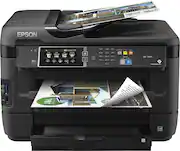
Rating 4.5 out of 5 stars with 708 reviews
4.5- Print Quality (332)
- Ease of use (106)
- Price (23)
- Paper Trays (19)
- Scanning (17)
- Size (29)
- Noise Level (6)
- Reliability (5)
- Weight (4)
Customer Images
The vast majority of our reviews come from verified purchases. Reviews from customers may include My Best Buy members, employees, and Tech Insider Network members (as tagged). Select reviewers may receive discounted products, promotional considerations or entries into drawings for honest, helpful reviews.
- Rated 5 out of 5 stars
Nice Printer
I really like this printer. The large scale scanner is great with high resolution. I enjoy being able to print on 11 x 17 paper with clean prints.
Posted by friarstuck
- Rated 5 out of 5 stars
Excellent All-in-one
This all in one prints excellent pictures and documents, the eprint feature is awesome too.
Posted by JimK
- Rated 5 out of 5 stars
Great printer
Excellent product I coul have not make a better buy
Posted by Rollie
- Rated 4 out of 5 stars
Good machine, Great color
Positives: Price, got this on a match price guarantee. Saved over $100.00. Color, Been using a laser printer for several years, and started to print photos, and the color on this machine is one of the best I tested. Options, has several printing options including 11x17 printing, prints from several media, wireless printing, and easy to use on screen menu. Negatives: Ink runs out faster than imagined, I do print photos, but even with that I was not entirely satisfied with the ink production. Longer than usual to warm up and start printing. Noisy. Overall I would recommend this for a very small office where one a few people print or for personal use where someone wants a high quality print.
Posted by redsoxbill
- Rated 4 out of 5 stars
Super printer - Kind of over my head.A lot to lear
AWESOME, piece of equipment!! Alot to learn. I got it because I need to scan big items. And it works PERFECT!! I have not learned how to scan small stuff. It's way over my head. If you are A wiz on computer stuff. This is for you. Copies come out GOOD. If you try to do pictures on A laser-jet printer, I've found out you will run out of ink. So this is A great printer for documents and for scanning. EASY set up. If I can do it anybody can do it. So, take your picture to walgreens or some where.
Posted by Wildman