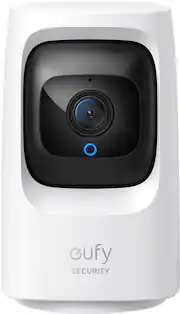
Rating 4.4 out of 5 stars with 523 reviews
4.4- Camera Quality (197)
- Ease of use (99)
- Night Vision (28)
- Pan and Tilt (22)
- Price (21)
- Motion Detection (21)
- Connectivity (10)
- Noise (3)
Customer Images
The vast majority of our reviews come from verified purchases. Reviews from customers may include My Best Buy members, employees, and Tech Insider Network members (as tagged). Select reviewers may receive discounted products, promotional considerations or entries into drawings for honest, helpful reviews.
- Rated 5 out of 5 stars
Works out of the box and works great with NAS
I purchased 3 of these cameras for myself and 1 for my in-laws. They are excellent cameras for the price. I no longer wish to pay big corporations a monthly fee for the privilege of them getting a good look at my home and family's lives. There are no monthly fees here (unless you opt into the cloud storage option). The only down side of owning a camera like this, if the perpetrator steals the camera, you lose the SD card with all the video footage on it. To fix this you can either purchase the home hub, purchase a NAS (if your savvy with computers/networks), or screw the device to the ceiling making it very difficult for the person to steal the camera. Pros: - Works great with Synology NAS (DS 920+) - Instructions in the app are very clear - Device has privacy mode that allows you to set the angle and rotation of the camera to look when enabled - Privacy mode can be scheduled - Push notifications are very fast - Image is clear and the follow feature is mostly very effective - Has the option to flip the image so you can screw it to the ceiling Cons: - On complex networks, it took a couple of tries to get it to connect - Follow/tracking moving person feature mostly works, but sometimes get stuck looking the wrong direction Hints: - Make sure you are connecting only to 2.5GHz WiFi - Micro SD card is inserted under camera (rotate lens up) - To set a schedule, select "Security" tab in the app, then select your camera, then select "Schedule". Wasn't obvious to me at first - If you connect this with a NAS you will wind up getting 2x notifications (one from Eufy and another from the NAS), so you'll probably want to disable notifications on one or the other
Posted by Brent
- Rated 5 out of 5 stars
Big bang for the buck
No problems so far. Works as intended. So many features, so customizable yet so simple to use. App is simple- i learned to use it in 2 min however, there is so much more this cam can do.Absolutely great cam for the price. I am very happy with it.
Posted by Jermz
- Rated 5 out of 5 stars
Low cost pan tilt tracking indoor camera
I have around 40 cameras of many brands and models. I have about 10 of this particular model. They are all working well in tracking moving things, good images, good manual control. Not so good at telling the difference between humans and pets but i have not worked on submitting images for training the AI software. Remote access and control have been working well using both Starlink from SpaceX on the east coast and fiber access on the west coast. The alerts have quite a bit of delay even when on the local wifi. This applies to all devices bu EUFY. Local storage without needing paid subscription it a definite plus. Locally processed AI without subscription is also important.
Posted by GilbertA
- Rated 5 out of 5 stars
Great Camera
Fantastic indoor camera. Highly recommend. Clear picture. Super easy to pan and tilt. I use it for my dogs. The speak function is extremely helpful when they are being naughty!! 10/10
Posted by Customer
- Rated 5 out of 5 stars
I’m liking eufy cameras
Great little camera for checking in on my fur babies. This is my third camera from eufy. Great pic and love the fact that I can rotate, tilt and turn on privacy mode and it automagically turns to the wall. Also got it for $49 which is a great price.
Posted by Kimmie