Explore the latest Back to School techShop now

Skip to contentGo to Product Search
Main Content

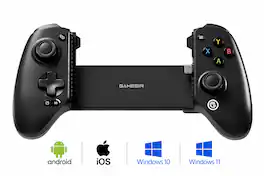
GameSir - G8 SE Multi-Platform Wireless Game Controller iOS, Android, PC - Black

Model: GameSir-G8 SE Black
SKU: 6675169
Sold byBest Buy

Customers are saying

Customers have good things to say about the build quality, noting that the plastic and rubber textures feel durable. Users also appreciate the ergonomic design, which fits comfortably in the hand, and the satisfying tactile travel of the buttons. Additionally, the device is praised for its seamless connectivity, with many finding the setup process to be simple and intuitive.

Generated by AI based on customer reviews.
Features
  • Plug-and-Play

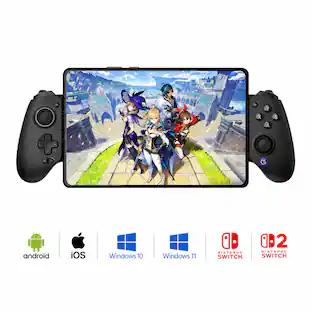
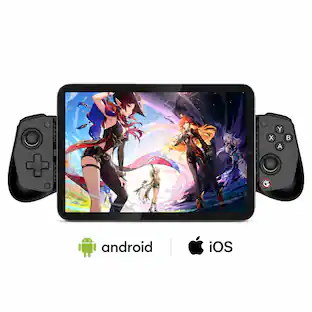
    Enjoy instant wired connectivity with the GameSir™ movable USB-C port. Supports devices 92-172 mm in length and features optimized camera compatibility, accommodating even devices with large camera modules. Compatible with iOS, Android, and PC.

  • The Anti Stick-Drift Solution: GameSir™ Hall Effect Sticks

    Equipped with GameSir™ Hall Effect sticks, the G8 SE ensures pinpoint accuracy with 360° seamless control. Using non-contact magnetic technology, these sticks are highly responsive and immune to wear and tear, providing an ultra lifespan of up to 5 million cycles and allowing gamers to elevate their gameplay across various titles.

  • Precision-Tuned Hall Effect Analog Triggers

    GameSir’s precision-tuned Hall Effect analog triggers provide unparalleled smoothness and responsiveness. Additionally, gamers can activate hair trigger mode by pressing M+LT/RT. Whether you need precise linear control or instant response, it gives you the competitive edge.

  • Cushioned and Durable Membrane Buttons

    Featuring cushioned membrane ABXY buttons and D-pad with a lifespan of up to 2 million presses, delivering comfortable feedback and long-lasting durability.

  • Two Remappble Back Buttons

    The two easily accessible back buttons support single-button remapping, adding more control options to your gaming.

  • Dual Motors in the Grips for Realistic Feedback

    Equipped with dual motors in the grips, the G8 SE delivers both strong and subtle vibrations, enhancing tactile feedback for a more immersive gaming experience. Gamers can feel the precise feedback of crashes, gunshots, and bumps, enhancing the realism of your gameplay.

  • Turbo Function for Enhanced Gameplay

    The G8 SE features a Turbo function with customizable buttons, including A/B/X/Y/LB/RB/LT/RT. This allows gamers to tailor Turbo settings for different games, enabling faster and more efficient gameplay by automating repeated button presses.

  • Pass-Through Charging for Uninterrupted Gameplay

    Supports pass-through charging, allowing gamers to play while charging their device for uninterrupted gaming, even during extended sessions.

  • Software Customization Support

    By downloading the GameSir app, gamers can perform firmware upgrades, adjust stick and trigger dead zone, customize vibration intensity, test buttons, and more. Some features can also be accessed through on-the-fly button combinations, ensuring seamless adjustments during gameplay.

See all features
Specifications
  • Wireless
    No
    Compatible Platform(s)
    iOS, Android, Windows
Sponsored

Reviews

Rating 4.6 out of 5 stars with 27 reviews

89% would recommend to a friend
Customers are sayingCustomers have good things to say about the build quality, noting that the plastic and rubber textures feel durable. Users also appreciate the ergonomic design, which fits comfortably in the hand, and the satisfying tactile travel of the buttons. Additionally, the device is praised for its seamless connectivity, with many finding the setup process to be simple and intuitive.
This summary was generated by AI based on customer reviews.
  • Build Quality (7)
  • Ergonomics (4)
  • Button Tactility (3)
  • Connectivity (3)

Customer Images

The vast majority of our reviews come from verified purchases. Reviews from customers may include My Best Buy members, employees, and Tech Insider Network members (as tagged). Select reviewers may receive discounted products, promotional considerations or entries into drawings for honest, helpful reviews.

  • Rated 5 out of 5 stars

    Great phone controller!

    The Gamesir G8 SE is a pretty solid smart phone controller. I immediately threw my iphone 16 plus into this clamp trap controller with ease. The first problem I had was getting it to be read by my phone correctly, easily done by a simple 2 button hold press [view & menu] (switching the green light to red for xbox/ios) onced switched to red light; I was able to log into to my xbox ultimate plan and start playing. From the point of opening the package to playing a game of Forza was about 5 minutes in setup and launch time (probably waited longer for Forza to load then it took to get everything to the point of launching a cloud game). Pros Fits multiple style phones, sizes Includes adapters to fit other devices more snug C port is slightly movable which makes quickly connecting device easier Compatible with Android, iOS & Windows Features Anti Stick-Drift Gamesir Hall Effect Sticks (has rumble [dual motor] type vibration) Remappable back buttons 3.5mm jack Works with Gamepass ultimate cloud play Pass through charging Works with Gamesir app (adjust stick / trigger dead zones, and other settings) Cons Nothing that I could find, honestly, it is a well made xbox clone controller for a phone it does what it needs to do and does it well. Overall, this controller is decent, would be great for road trips and trips in general, paired up with xbox gamepass ultimate a good internet connection and your set to go. Honestly it was a quick setup, I was up and going alot quicker than i had anticipated. No immediate firmware/software updates to deal with out of the box, just plug in and get to it. Would highly recommend!

    Posted by Hindean

  • Rated 3 out of 5 stars

    At the time of this writing, it's only half-baked

    I grew up in the 80's and 90's when video games and the controllers were simple. Today, I play a lot of these same exact games with the modern conveniences we have, including better hardware, bright and clear screens, and save states. I also enjoy a lot of the modern Indie titles. There are a ton of devices to use for this, but the one device I always have on me is my smartphone, and touchscreen controls just don't cut it. I have amassed quite a collection of controllers, but this is the first high-quality, connect-directly-to-my-cellphone model I've had, so I was excited to try out this GameSir controller that actually works with iPhones (since modern iPhones finally have USB-C ports) PROS - CONTROLLER ITSELF ------------------------------------ Out of the package, the controller feels very high quality. The handles are solid, with no give from a tight squeeze. The back side of the handles is highly textured, so even if your hands get sweaty, it should not slip. The Hall-effect sticks have an excellent range of motion and are decently sized. The d-pad is also nicely sized and it passes the "Contra test" (if you know, you know). The ABXY buttons are in the Xbox style layout, and I will say they are rather "clicky". Definitely not as quiet as some handhelds I have used from Retroid and Anbernic, but I like the travel on them. The triggers are also Hall-effect, but they lack a bit of travel, so if you are coming from an Xbox controller, or some of the modern Android handhelds, this may take a little adjustment. Overall, this controller, as a controller, is very good. CONS - CONTROLLER ITSELF ------------------------------------ However, I ran into a few problems. First, I really like the way the USB-C insert is on a pivot, meaning you can tilt it outward a bit to help you connect it to the phone, and then extend the handles to grip the phone. Unfortunately, like most of these controllers, the USB-C insert is not long enough to make contact inside the phone when I have a case on it (I have an iPhone 17). I tend to drop my phone a lot and not having a case on it is not an option, but I have to remove it to use this controller. Since having a case on a smartphone is so common, I don't understand why the manufacturers of these controllers don't make some accommodation for this. Out of the package, I also had a few other issues. These may be resolved by the time you read this, but it's worth checking first. One issue is that while an instruction manual is included, it's in the tiniest print imaginable, and again, as I played video games in the 80's and 90's, my aging eyes required a magnifying glass to read it. This was necessary because the manual is nowhere to be found online, including GameSir's website. Of course, not being able to find a manual meant that I had to dig out that magnifying glass to figure out how to make it work with iOS. I'll save you the trouble of trying to read it and then figure out which button is which on the device - the two small buttons on the top of the controller are by default Start and Select. Hold both of them down together for a couple of seconds once you attached your iPhone. The GameSir button on the bottom right will go from a green light to a red light. That's what you need to work with iOS. Unfortunately, that setting isn't sticky, so you'll have to do that every time you connect it. CONS - APP FOR CONTROLLER --------------------------------------- The other issue is that this controller is supposed to be compatible with the GameSir app. There is even a page in that teeny tiny instruction manual that states this and provides a QR code to get to it (which is also so tiny that my phone couldn't read it, so I just went to the App Store). This controller is not available as one of the options in the app. There is a G8+, but not a G8 SE. If that is important to you, I would advise downloading the app and checking it before purchasing, as it hopefully will be at a later date. I'm disappointed because it would give me a better idea of what I can do with this controller. OTHER THOUGHTS ------------------------ On the plus side, this device can also be connected via a USB-C cable, so I can connect it to my iPhone, and likewise, my iPad with that cable. That does give it some more use scenarios although defeats the purpose. You can also connect the controller to a Windows PC using this method, per the instruction manual. FOOD FOR THOUGHT --------------------------- If you want to use a controller like this for retro gaming, or even Android gaming, using an old Android phone or even a prepaid device that you purchase for only this purpose is a fantastic way of building a handheld for yourself that is not attached to your actual phone (meaning no notifications, disruptions from phone calls, or draining your phone battery. This is an excellent controller on the hardware side, especially with the Hall-effect sticks and triggers. If the controller does later on end up in the GameSir app, this is a much more affordable way of building your own portable handheld. Even if you do want to use your regular smartphone, it's still an excellent device and I would recommend it.

    Posted by GirlsCanTechToo

  • Rated 5 out of 5 stars

    Great for on the go gaming

    Ive been gaming with the GameSir G8 SE Multi-Platform wireless game controller for a few days now (that name is a tongue twister). Anywho, I'd like to share my thoughts. My first impressions out of the box were that it felt quite premium. Almost like an Xbox Series X controller. If you own an xbox then you know what I mean. The grips are just large enough for my hands, the triggers have a nice tactile feel and response. The a b x y buttons are also nice and responsive. Similar to that console controller. I like it because some third party controllers tend to have squishy buttons, not sure why but the buttons on this controller are great. The D-Pad is nice as well. GameSir has included Hall effect sticks in this controller.. they are supposed to eliminate the potential of them ever getting stick drift. Time will tell, but for now I like these joysticks. They are also very responsive and bounce back nicely when releasing them. The controller has a USB C port on the bottom of the controller for pass through charing, a nice touch. So you can charge your phone or not worry about draining the battery while you play your favorite game. It also has a 3.5mm headphone jack on the control for connecting headphones. Very nice as well. This controller does not have a built in battery, so no need to ever charge it. It powers with the USB C port of your phone when connected. Personally I think it is convenient. No need to ever charge this thing. My only complaint about this controller is that it is easy to pinch your finger with the controller when removing the phone from it. So be careful when removing the phone and try to keep the edges of your hand and fingers away from the part that collapses when the controller retracts back to its original position. It has pinched my hand twice already lol. It didn't break skin, but it was a little painful. I could see this potentially hurting a child's hand if not used properly. The pinch point is on the left side of the controller so keep that in mind. My other complaint is that I am low key worried that my usb c port will get damaged with this controller because of the added stress onto the port from the controller clamping down on the phone. The USB C plug does kind of swivel a bit, probably to prevent USB Port damage, but it is still a little worrisome. That being said, overall I really like this controller. It is plug and play and will automatically connect to your phone and play compatible games. It is compatible with both iOS and Android even thought the box only says android on it. BUT your iPhone will have to have a usb C port as this controller is plugged via usb C. The controller also has vibration motors but not too many games support that function. All in All, I really like this controller. I do tend to like playing games on Apple Arcade as many of them support controllers and this is perfect for that. You can also play emulators with it if you are into that. Would I recommend this controller? Sure! Perhaps not for young children though, id be worried about them hurting their small hands by pinching them with this controller.

    Posted by Ponskippa

  • Rated 5 out of 5 stars

    Must have Mobile companion

    The GameSir G8 SE is the perfect travel companion. I bring this mobile controller with me when I travel daily. I didn't realize that I would like the controller as much as I do. I thought I would only bring the controller with me on long flights, but I've had with me at work and around the house. I have an XBOX ultimate game pass subscription that allows me to play games in the cloud. I have a fairly large Android phone with a harden case. After swapping out the silicon pads on controller for the slimmer pads, it made all the difference. The USB-C port is adjustable also, which makes things easier when mounting devices. I love the features of having USB-C connectivity versus wireless in this particular model. Since I play mostly cloud based games that introduces minimal latency, the wired connection is the best choice to have while gaming. I downloaded the GameSir app and was able to check out all the features and settings. Pass-through charging is probably one of the best features outside of being about to use the controller with multiple devices. Being able to charge my phone and play games made this controller top tier. My only gripe with the controller is that I would have liked the Pass-through USB-C port to be Display-port capable. This would have allowed me to use my display glasses while charging and playing games. After reviewing the booklet, I noticed that the controller has Windows compatibility. I didn’t think it would be possible since the controller is geared towards the mobile setups. To my surprise, I was able to change the mode and connected the controller to the USB-C port to my gaming pc. All the games I threw at worked well. This controller will serve as a backup in case my primary controllers suddenly start to malfunction. I love the Xbox style design with customizable buttons and triggers. The comfort and feel of the buttons, paired with hall effect sticks make this one of must haves of the year so far. If you are a gamer and want something reliable and lightweight, this controller even has a 3.5mm headphone jack. Something that phones have been without for several years. This controller has been a perfect addition to my tech bag and recommend giving this controller a serious look.

    Posted by kriserikka

  • Rated 5 out of 5 stars

    Read the manual iPhone users - it's not broken!

    I wanna start off by saying, it's not quite "Plug & Play" as it says. I have a Galaxy S26+ for work and a iPhone 15 Pro for personal use. It works with both of those devices (as well as Windows) but I thought I had a defective unit at first because I didn't realize there's a "Platform Mode Switch" procedure by holding the 'start and select' buttons or Menu and Option buttons. Green is PC, Red is iOS, and then there's light blue and dark blue for Android. I didn't know this at first and was extremely disappointed with the controller. But once I got that figured out, I ended up loving this controller. I play a lot of games on my phone from Google Play Pass, and Apple Arcade, but I also do streaming either from GeForce Now or PS Remote Play. So a controller is needed. I unfortunately can't get it to work with my PS5 through either phone since it's forcing me to use a PS5 controller for that, but for everything else it works great! It's not all sunshine and roses though, it desperately needs a firmware update. First of all, I primarily use my iPhone for gaming as well as my Samsung Tablet for gaming on Android. My work phone is mostly used for work. The problem is this is primarily geared for Android phone users more so than iOS. The main reason I say that is because the light will always turn green on my iPhone rather than staying red. On my work phone, it recognizing it right away and it's pretty much plug and play! I wish it was more Plug and Play for iOS. Another sore spot, but very minor is the A button is a little too close to the right thumbstick. I sometimes accidentally nudge it. Lastly, I love the pass through charging, as well as how every button on my phones are reachable, and how I can use the controller on my Android tablet using just a USB cord which makes it very versatile, it's also how you use it on PC. Overall though, it's a good device. I like it. Ergnomics, and the fact it works with a lot of platforms.

    Posted by GamingBusinessGuy

Compare similar products

GameSir - G8 SE Multi-Platform Wireless Game Controller iOS, Android, PC - Black
4.6(27)

Introducing the GameSir G8 SE, a lightweight addition to the G8 series that maintains the high standards gamers expect. With a low-latency wired connection and GameSir’s anti stick-drift Hall Effect sticks, the G8 SE delivers precise, reliable control. Lightweight in design yet uncompromising in quality, it’s the ideal choice for seamless mobile gaming.
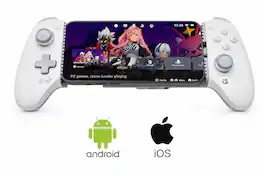
GameSir - G8 Plus Officially MFi Certified Phone Controller for iPhone 15/16/17/iPad Mini & Android - USB-C - 2 Pro Back Buttons - Gray
4.5(56)

Upgrade your mobile gaming setup with the GameSir G8 Plus MFi Type-C Mobile Controller — the official Apple-certified controller built to deliver true console-level performance on your iPhone, iPad, and Android devices. Designed for gamers who demand precision, speed, and comfort, this controller replaces unreliable Bluetooth connections with a stable, low-latency Type-C wired link, giving you instant response time in every match. Featuring Hall Effect joysticks and analog triggers, the G8 Plus offers drift-free accuracy and long-lasting durability, making it perfect for competitive shooters, racing titles, RPGs, and cloud-gaming platforms. Two remappable back buttons let you trigger advanced moves faster, while the ergonomic, textured grip ensures all-day comfort during intense gaming sessions. The adjustable stretch design securely fits most smartphones and compact tablets (125–215 mm), and pass-through charging keeps your device powered while you play — so the action never has to stop. With customizable faceplates and interchangeable thumbsticks, you can tailor the controller to your personal style and gameplay preferences. If you’re tired of touchscreen controls and want a premium, console-style experience on mobile, the GameSir G8 Plus MFi is the perfect upgrade.
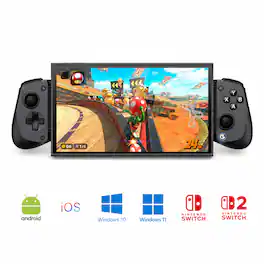
GameSir - G8 Plus Bluetooth Mobile Game Controller Nintendo Switch/Switch 2, iOS, Android, Tablets, Hall Effect Joysticks/Triggers - Black

The GameSir G8 Galileo is a premium mobile gaming controller designed for Android and iPhone 15 series devices, offering a console-grade experience with its ergonomic full-size grips and high-performance features. It includes Hall Effect sensing sticks and precision-tuned analog triggers for accurate, drift-free control. The controller's extendable bridge accommodates most phones, even with slim cases, and its interchangeable magnetic faceplates allow for personalized aesthetics. Additional features include two mappable back buttons for customizable in-game actions and a 3.5mm audio jack for direct headset connectivity. Compatible with PS Remote Play, Android, and G-Touch modes, the GameSir G8 Galileo delivers a versatile and immersive gaming experience.

GameSir - X5s Wireless Bluetooth Mobile/Nintendo Switch 1, 2 Game Controller, Hall Effect Sticks & Triggers, Tri-Mode Connectivity - Gray
4.4(62)

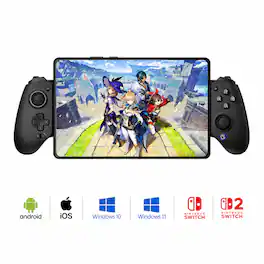
Meet the X5s. While keeping the same lightweight design as the X5 Lite, the X5s takes things further with tri-mode connectivity, making it compatible with a broader range of devices, including Switch, Switch 2, Android, iOS, and PC. To deliver a more immersive Switch gaming experience, it adds native motion control via a 6-axis gyroscope, along with dual linear rumble motors in the grips for responsive HD vibration. Whenever, wherever, and whatever, the X5s is always ready to game with you.
Pros for GameSir - G8 SE Multi-Platform Wireless Game Controller iOS, Android, PC - Black
Build Quality, Ergonomics, Connectivity, Button TactilityBuild Quality, Ergonomics, Connectivity, Compatibility, Charging PerformanceOverall Performance, Ergonomics, Connectivity, Compatibility, Button QualityOverall Performance, Connectivity, Compatibility, Portability, Battery Life
Cons for GameSir - G8 SE Multi-Platform Wireless Game Controller iOS, Android, PC - Black
There were no cons for this productThere were no cons for this productInput LagThere were no cons for this product

Specs

Questions & Answers
  • Which platforms are compatible with this controller?

    This controller is compatible with iOS, Android, and PC platforms.

    This question and answer was generated by AI based on customer and product data.
  • Does the controller provide vibration feedback?

    Yes, the controller is equipped with dual motors in the grips that deliver both strong and subtle vibrations for a more immersive experience.

    This question and answer was generated by AI based on customer and product data.
  • What is the Turbo function used for?

    The Turbo function allows gamers to automate repeated button presses for different games, enabling faster and more efficient gameplay.

    This question and answer was generated by AI based on customer and product data.
  • Can I customize the buttons on this controller?

    Yes, you can customize buttons by downloading the app to perform firmware upgrades, adjust dead zones, and test buttons, or by using on-the-fly button combinations.

    This question and answer was generated by AI based on customer and product data.
  • Are there remappable buttons on the back of the controller?

    Yes, the controller features two easily accessible back buttons that support single-button remapping for additional control options.

    This question and answer was generated by AI based on customer and product data.
Ask a question
No content

Customers often buy these together

Sponsored

Finance Options

My Best Buy® Credit Card
Buy Now, Pay Later

Finance Options

My Best Buy® Credit Card
Buy Now, Pay Later