Customers are enthusiastic about the device's impressive camera quality and its excellent battery life. Users also frequently highlight the smooth performance and rapid processor speed that keep applications running efficiently. Additionally, the setup process and biometric authentication features are praised for being both easy to configure and highly reliable.
Generated by AI based on customer reviews.
Color:
Obsidian
Features
Designed for Gemini Intelligence. Less tapping, more living
Get personal, supercharged help with everyday tasks. Easily find info, take action, and brainstorm ideas.¹ Pixel handles the busywork so you can focus on what matters to you.
Magic Capture catches the moment while you live it
With one tap, Google Pixel captures a video and photos, then automatically edits and curates a high-quality collection that’s ready to share.
A brilliant, tough screen
The 3,000-nit Actua display gives you better readability outdoors.² And the tough Corning® Gorilla® Glass Victus® ³ protects your screen from everyday scratches.
Get ridiculously close
Keep your photos crisp and clear from a distance with an upgraded 30x Super Zoom.
Power to do more, securely
The new Google Tensor G6 chip delivers snappy performance across your Pixel, while the Titan M3 security chip helps protect your Pixel with post-quantum cryptography.
30+hour battery life. Up to 25% faster wireless charging
With upgraded wireless charging, your Google Pixel 11 can charge up to 25% faster than before.⁴ And it’s effortless with Pixelsnap magnetic compatibility built right in.⁵
Crafted to stand out
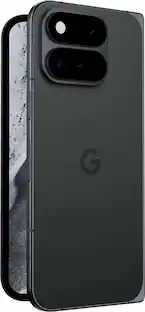
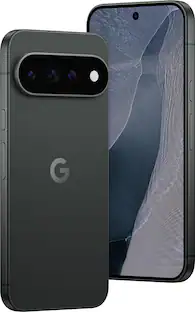
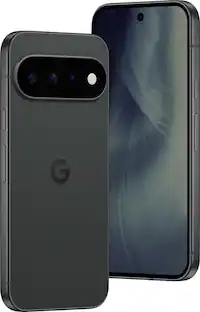
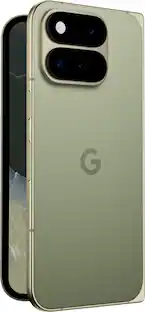
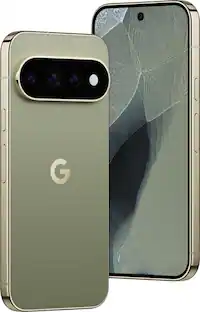
Google Pixel 11 is expertly crafted to stand out. The bold silhouette houses our slimmest camera bar yet in its class with a smooth satin back.⁶ It’s intentionally built to stay strong for years.
Brilliant photos, dusk to dawn
Night Sight takes crisp, clear photos, portraits, and panos in low-light settings like concerts and cityscapes – even the Milky Way with astrophotography.
Setup begins before your phone arrives
Get a head start by uploading your data to the cloud while you wait for your phone to be delivered.⁷ So your new Google Pixel is ready the moment you unbox it.
Unique Best Buy Link: https://pixel.google.com/head-start?rd=k9m2
Customers are sayingCustomers are enthusiastic about the device's impressive camera quality and its excellent battery life. Users also frequently highlight the smooth performance and rapid processor speed that keep applications running efficiently. Additionally, the setup process and biometric authentication features are praised for being both easy to configure and highly reliable.
This summary was generated by AI based on customer reviews.
Camera Quality (33)
Battery Life (24)
Performance (18)
Processor Speed (6)
Biometric Authentication (5)
Customer Images
The vast majority of our reviews come from verified purchases. Reviews from customers may include My Best Buy members, employees, and Tech Insider Network members (as tagged). Select reviewers may receive discounted products, promotional considerations or entries into drawings for honest, helpful reviews.
Rated 5 out of 5 stars
ANOTHER EXCELLENT PIXEL PHONE!
The Pixel 11 is a very good smartphone!
The Pixel 11 closely resembles the Pixel 10 in many ways but adds several hardware and software upgrades. I am migrating from a Pixel 8a, and in my instance the change is very significant, and the Pixel 11 is a nice upgrade from my older phone.
The Pixel 11 is Google’s latest Pixel model, released in four variants: Pixel 11, Pixel 11 Pro and Pixel 11 Pro XL and Pixel 11 Pro Fold.
The Pixel 11 is my fourth Pixel phone. I have been using Pixel phones since 2019 when I obtained a Pixel 4XL. I subsequently added a Pixel 6 and Pixel 8a.
I have the Pixel 11 base model with 256 GB of storage and 12 GB RAM, in Obsidian (black).
My experience using Pixel phones has been good overall. My Pixel phones have been good smartphones with excellent cameras. I believe that it is advantageous to have phones which run “pure”, unadulterated Android, and which receive the latest software updates much sooner than other phones.
The Pixel 11 will receive seven (7) years of Android OS updates and seven years of feature drop updates and security updates from Google. My Pixel 6, which my wife has been using since I got my Pixel 8a, is the last of my five (5) year supported phones, with end-of-support rapidly approaching in October 2026.
The Pixel 11 has some improvements over the Pixel 10, but it is disadvantaged compared to the Pixel 11 Pro and Pro XL versions.
The Pixel 11 has a 6.3” Actua Display, 1088 x 2424 OLED at 422 PPI, rated at 2000 nits HDR and 3000 nits peak brightness, covered with Gorilla Glass Victus 2. The Pro has a Super Actua display, 1280 x 2856 LTPO OLED at 495 PPI, rated at 2400 nits HDR and 3600 nits peak. The Pro XL expands to a 6.8” screen, 1344 x 2992 LTPO OLED at 486 PPI. Although the Pixel 11 screen brightness is the same as the Pixel 10, and the 2,000,000:1 contrast ratio is the same, I am migrating from a Pixel 8a and I am immediately appreciative of the significant improvement over the Pixel 8a with its older 1400 nit HDR and 2000 nit peak screen that has only 1,000,000:1 contrast ratio. The screen improvement from the Pixel 8a is very significant.
I am enjoying that this screen is bright and clear. The display is smooth without any lags. I use Pixel’s “Smooth Display” feature which automatically increases the refresh rate from 60 Hz to 120 Hz for some content, at the expense of some additional battery drain. The touchscreen is sensitive and responsive in most cases, and the sensitivity can be increased with the “Adaptive Touch”, “Increased Sensitivity” and “Optimize for Screen Protector” settings.
While the Pixel 10 started at 128 GB of storage, all Pixel 11 models start with a base level of 256 GB with 12 GB RAM, with 512 GB / 16 GB RAM and 1 TB / 16 GB RAM versions available.
The Pixel 11 and Pro have the same dimensions of 6” x 2.8” x 0.3”. The Pixel 11 weighs 6.9 oz and the Pro is barely heavier at 7.2 oz. The Pro XL grows to 6.4” and 8 oz.
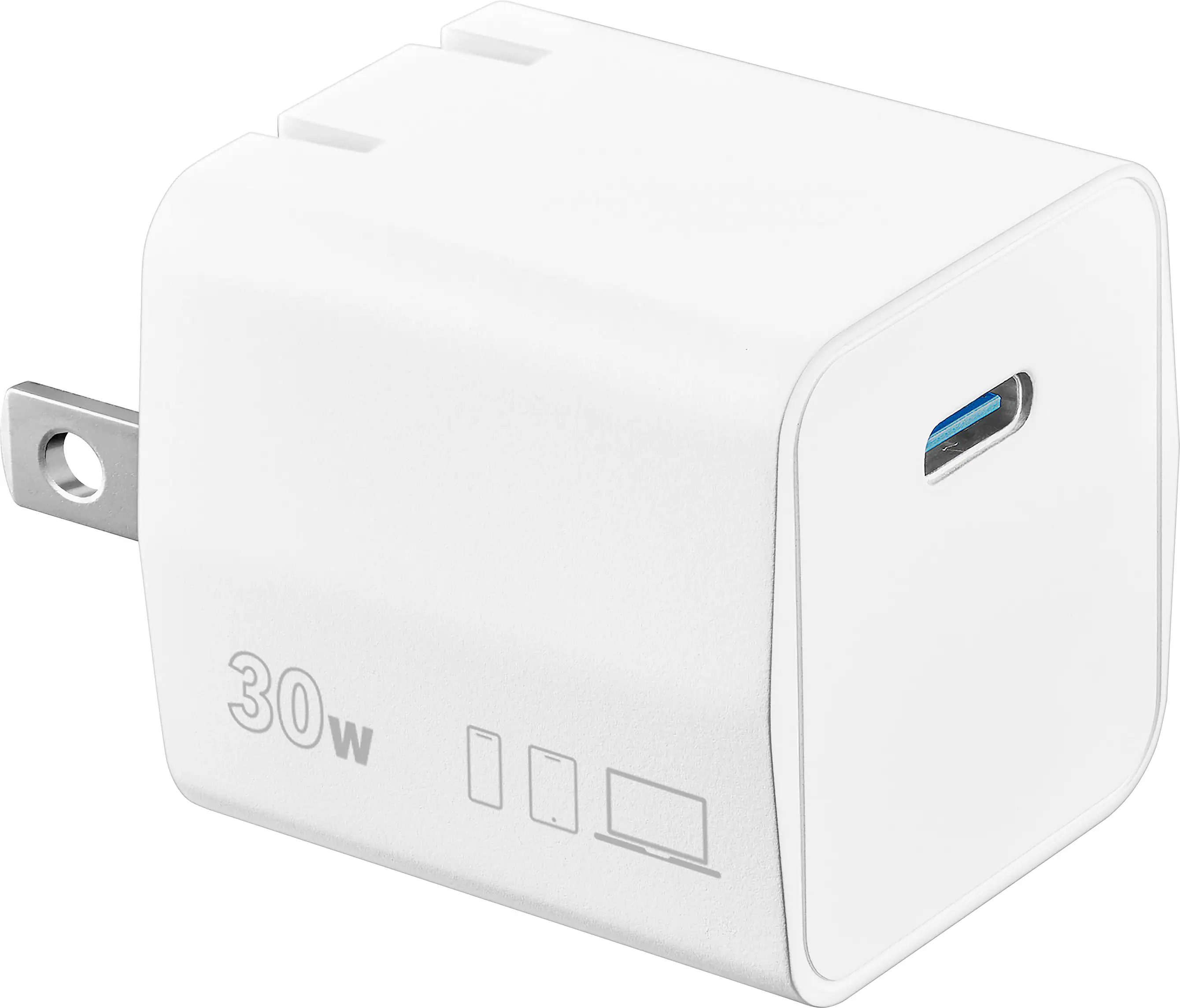
The Pixel 11 battery was slightly increased to 4985 mAh from the Pixel 10s 4970 mAh (although the Pixel 10a has a larger 5100 mAh battery), but my Pixel 8a only has a 4492 mAh battery, which currently has over two years of use and hundreds of charging cycles. I am still charging my Pixel 11 daily to ensure that I will get a full day of use from it, however the phone has at least 10%-20% more residual battery capacity than my Pixel 8a did when placed on the charger. Even with my level of use, it is apparent that I could generally get more than 24 hours between charges, but I do not like to run low on power at unpredictable and inconvenient times, so I prefer to charge daily at a convenient time and ensure that I will not be hunting for a charging opportunity when away from home. Google says that the Pixel 11 will fast charge up to 55% in about 30 minutes using a 30 W charger, and wireless Pixelsnap charging at up to 25W is supported. No charger is included with any of the Pixel phones (since the Pixel 5a model).
The major change for the Pixel 11 over the previous Pixel 10 is the new Google Tensor G6 processor and Titan M3 security chip, as well as a new modem. The Pixel 10 had the G5 and M2 chips, with a Samsung Exynos modem. Apparently, the Pixel 11 has a MediaTek MTK-t900 modem. However, although the new modem is capable of Dual-SIM Dual-Active (DSDA) which allows having an active call on one SIM while the other SIM is running data, the modem is being limited by Google to the same Dual-SIM Dual Standby (DSDS) functionality of the older Pixel phones, wherein both SIMs remain active only while in standby mode, but when one SIM is in active use, the other SIM is deactivated.
The new Tensor G6 processor is represented as being much faster than its predecessor, with a 50% faster Tensor Processing Unit and upgraded Image Signal Processor to significantly improve photography and video performance, particularly with the powerful software based photography and video enhancements. I have found my Pixel 11 sometime gets palpably warm during use. Even low intensity tasks such as scrolling and reading the newsfeed and reading emails results in the phone warming quickly and perceptibly with the internal sensors frequently showing 102.6°.
The Pixel 11 has an aluminum frame and glass back. The build of the phone has the premium appearance and solid feel that is typical of Pixel phones. The newer style rear camera bump-out with rounded corners only protrudes about 1.5 mm (approximately 1/16”) on the base Pixel 11 but is thicker on the Pro and Pro XL models. The camera bump is loaded with cameras and sensors, but the Pro and Pro XL get more and better technology in the bump-out. The bump is where I found a minor manufacturing defect on my Pixel 11 that surprisingly passed the QC inspection. Between the Main Camera and the Ultrawide Camera the small hole for the internal microphone was not drilled cleanly and a bit of plastic remained attached (which scraped off).
Google phones are often praised for their excellent cameras and photography capabilities. The Pixel 11 cameras have some improvements over the Pixel 10. The Main Rear camera is still a 48 MP Quad PD camera with f/1.7 aperture, but the sensor size has increased from 1/2” to 1/1.56” to admit more light. The Ultrawide camera remains a 13 MP f/2.2 lens and the 5x Optical Zoom Telephoto remains 10.8 MP Dual PD f/3.1, but the “super zoom” has increased to 30x (the 11 Pro adds Pro Zoom up to 120x). The Front camera remains a 10.5 MP Dual PD f/2.2 auto focus selfie camera. The video specifications remain the same with 4K and 1080p at 24/30/60 FPS with 20x digital zoom.
The Pixel 11 retains WiFi 6e while the Pro models retain WiFi 7 capability. All Pixel 11 models retain IP68 ingress protection for dust and water resistance.
I have always liked the Face Unlock feature on my Pixel phones and the Pixel 11 continues to have almost instantaneous facial recognition and unlocking. However, I have noticed that my Pixel 11 requires better lighting than my Pixel 8a for Face Unlock to operate. I have never had great performance with the optical, under-screen fingerprint sensor on my Pixel 8a, but the ultrasonic sensor on the Pixel 11 performs even worse. Even with the “Optimize for screen protector” setting enabled, the ultrasonic sensor evidently really does not like my screen protector and only rarely will recognize my fingerprints. This is more problematic with some financial apps that limit biometric login to fingerprint only, rather than allowing facial recognition.
The excellent quality of Pixel phone cameras has always been important to me. The Pixel 11 is very well equipped for excellent smartphone photography and videos. In addition to having very good camera specifications, the Pixel 11 is packed with powerful AI camera features.
The Pixel 11 shares the lengthy list of outstanding and powerful AI camera features of the Pixel 10 and has added some new features. Magic Capture produces video and photos from the same event. The new Camera Looks feature provides an assortment of image customization settings which operate when the image is captured, rather than editing the tonal characteristics later. For videos, the new Creator Suite provides some useful and helpful tools for producing better videos and even includes Teleprompter for vlogging. The 11 Pro models get even more new video features including Pro Stable Video and Night Sight Video.
The Pixel 11 benefits from the expanding and evolving Google Gemini AI. The new Rambler function cleans up dictation including adding appropriate punctuation and rewriting speech into a polished written message.
Setting up the Pixel 11 was easy and straightforward. The wireless migration of apps, accounts, photos and settings from my old phone worked well and saved considerable time and effort.
The Pixel 11 is very easy to like. It is a great, user-friendly smartphone with excellent call quality and audio quality. The still photography and video quality are excellent.
I believe that the Pixel 11 is excellent overall. Its specifications are very good, and the hardware is very nice, including a great, bright and responsive display. The AI features continue to expand and mature. I am really enjoying the Pixel 11!
Posted by Curmudgeon1
Rated 5 out of 5 stars
Fast, Smooth, UI, Great Battery Life, Great Camera
The Google Pixel 11 is a powerful smartphone loaded with great features, amazing cameras, and updates for 7 years!
Design
The Pixel 11 is covered in glass, front and back. It does look slick, and amazing. I found it a little too smooth and it actually slid off my night stand. Thankfully it didn't break and now I have a case and screen protector. They use very strong glass, but I still recommend a case and a screen protector. I had no problem finding some great options even though this phone is new. The right side has a power button and a volume rocker. There is a slit at the top of the phone, just above the screen, where the earpiece speaker is. There are two speaker output holes on the bottom. There's a mic on the top edge, one on the back with the cameras, and a third mic somewhere, maybe in one of the speaker output holes in the bottom. There are three cameras and a flash on the back. The cameras are in a bump that goes most of the way across the top, back, of the phone. I love this design because I can set it on a desk and use the screen without it rocking back and forth. It has a USB C port on the bottom in the middle. There's no 1/8" stereo/headphone jack. This has the Google Tensor G6 CPU, all new and much enhanced for better speed and battery life than the Tensor G5. It has 12 GB of RAM and 256 GB of storage. It also has PixelSnap which is MagSafe compatible and QuickShare is not AirDrop compatible!
Interface
I'm a fan of Android 17! This is the smoothest Android experience I've seen. Everything feel fast and smooth. I'm not saying my other phones were slow or I thought they gave a bad experience - I actually really liked my previous phones. This does feel smoother though, just all the time. I don't like having the Google app load on the page when you swipe right from the main/home/left Desktop page. I was glad to find that's easy to turn off in the "Home settings". Just tap and hold on the Desktop and choose "Home settings". There you can turn off "Swipe to access Google app". You can also turn off "At a Glance", which shows the date, weather, and then some summary info, like stop prices, at the end of the day. If you don't want that to take the top row on your home screen, go into "Home settings" and into the settings gear next to "At a Glance" and turn off "Use At a Glance" and "Show on home screen" separately, then all of it goes away. A new feature I'm really liking is called Bubbles. You can tap and hold on most apps, I like it for messaging apps, and choose "Bubble". It will open that app in a window anchored by it's icon as a bubble around the side of the screen. You can move it where you want and see it over other apps. You can have a number of apps set as Bubbles. They stick together and you can move them around the screen. When you tap the Bubble, all app Bubble you have line up at the top and you can select the one you want, switching between them with one touch. It also works great with the Calculator, which could be very helpful for me sometimes. Also, the Quick Access Panel (swipe down from the top) is much better than I'm used to. Tiles are different sizes depending on what they're for, so space is used more efficiently. Swipe down again and you will see two rows at a time instead of one. Swipe right, keep swiping if you need to, to see the rest. When you edit the Quick Access panel, the tiles are grouped by category. Again, I'm not sure this is new in Android 17 but it's an improvement over what I'm used to. Overall, I really like the interface. I wish they gave the option to swipe right, so I could wrap around from the first screen to the last without going through the others. I have five screens with widgets and apps. Maybe Android 18 will do that! But I do love Android 17 anyway!
Display
This screen is crazy bright at 3,000 nits! It's bright enough that I have no problem using it in the bright sunlight; I actually was today. I'm pretty sure it's the brightest smartphone screen I've seen. Besides the brightness, it's supports up to 120Hz, which is a high refresh rate for a phone, and it's OLED, which means it has an extremely high contrast ratio (this is a very good thing) so it supports HDR with ease. What all that means is you get, bright, rich, life-like colors. Pictures look great and video plays well. I haven't noticed ghosting or anything like that. The screen is lit very evenly. Also, because it's OLED and every pixel provides it's own light, you can save power on your phone but using a dark theme, for instance. Black should use no power and darker colors should use less power than brighter colors. The downside with OLED is that they tend to burn in. OLED has been improving so it should be less of a problem than it used to be, but only time will tell how this display does - and it also depends on what's on your screen, in the exact same position, and for how long. Don't get me wrong, this is an incredible looking high-end display!
Switching to the Pixel 11
This was the best phone switching experience I ever had. The Pixel 11 gave me a QR code on the screen. I scanned that with my old phone and followed the instructions. Before I knew it, I was transferring service to my eSIM on the Pixel 11 (my old phone had a regular, non-eSIM, SIM) and copying data from my old phone to the new phone. It copied everything over, contact, files from the file system, pictures, you name it, and some settings too. I was up and running with the phone functions working and many/most apps installed in under an hour! I couldn't believe it! Since then, it's been great. Most apps I still need to login or do some individual app setup, but they're installed and almost ready to go! App compatibility has been excellent. I had one game I played that the graphics didn't display correctly. Most of the screen just showed up as black. Things like that are to be expected with a brand new CPU/GPU on a brand new phone. Some games will need to be re-compiled to be compatible, not the developers fault or Google's, just part of the process. I'm happy to report the other 4 or 5 games I tried ran without issue.
Speed
It's hard to know what makes what fast, but between having 12 GB of RAM, the new Tensor G6 Processor, and fast UFS 4 storage - this phone seems to run everything fast! I don't exactly know how it compares to other phones, but Google concentrated on improving what people actually do on their phones and it seems they did a great job. My last phone was still running Android 13. This phone has Android 17 which just came out in June. One change made in Android 17 has to do with cleaning up memory at times when it doesn't impact performance, maybe that helped eliminate jerkiness, I'm not sure, but everything seems butter smooth now. Apps launch quickly. The phone boots fast. It takes pictures fast. Everything just feels fast as I use it. If you look at other processors and benchmarks, this will not be at the top, but those don't always speak to real world use. This phone is just fast and smooth all the time. It's designed to do what's needed and do it well.
Battery Life
Ok, this totally depends on what you're doing with the phone, but I got 48 hours of battery life out of it, starting at 100%, and finishing (charging again) at 22%. I could have gone longer but I'm thrilled with that stat. I wasn't trying to not use it either. I was still installing apps, testing things, playing music and video, reading, all kinds of stuff...and I use a light mode, not a dark theme. They made a few significant changes. The Tensor G6 is faster than the previous one, so it finishes tasks faster, saving battery power. It may also be a smaller die size than the G5, which would save power/reduce heat output, but that's not clear. The other major thing they did is the replaced the modem. The new modem uses less power than the old one and also should provide a better connection. Whatever they did, I'm very happy with the battery life!!! There's a mode where it only charges to 80% so the cells in the battery will last longer over time. I turned that on.
Cameras
I can't talk about this phone without mentioning the cameras. The front camera is excellent! It even has two modes, 1x and 0.7x (slightly zoomed out), which is great for group selfies! The back cameras just blow me away though. They provide 1x, 2x, and 5x optical zoom (it's sort of but not really optical zoom because that's not from one lens. There are two that provide that.) The third lens is a wide angle 120 degree lens. Please see my included pictures showing standard, 2x, and 5x. Then there's up to 30x digital zoom that actually looks very good! I have a picture of that too. Low light shots are equally as impressive. The distant and low light shots really come out great, not looking blurry or blocky, respectively. Did I mention the camera is fast!? It is really fast! My understanding is that most/all of the images are produced by taking 3 every time you try to take one, comparing data across the three, and using AI. The results are incredible.
Summary
I think Google made some excellent design decisions that produced an excellent phone. From it laying evenly on a table so you can use it without it wobbling to changing that modem to a better, more power efficient one, to the new Bubble mode for apps and all the other changes around and in between, the Pixel 11 was an upgrade I'm glad I made! I was going to list more features, there are many more, especially related to Gemini, but I ran out of room. If you need a new phone, or want a better phone experience, and haven't looked at the new Pixel 11 series of smartphones, you should check them out!
I will be sharing my experience coming from the Pixel 9 Pro phone with my day to day usage of this new Pixel 11 phone. I like to do a lot of research on devices before getting them, and this one seemed to be an incremental update to last years model, like most phone companies have been doing lately. And even though most of the updates appear to be minimal, there are a few meaningful and not so obvious ones that make a big difference for me in my 2 year leap.
This years model came with some trade-off’s with RAMaggedon being a major factor. Higher cost, less RAM, but double the base storage…which has been the controversial part. Starting with the positives, Pixel phones always carry a premium feel in your hand. So much that I wish I didn’t have to have a case on it, this year is no exception. Its lighter than my other model while still having the same screen size. It also has better durability, a bright screen, and solid battery life. I like the Pixelsnap/Magsafe option built into it since my 9 Pro didn’t have this, I still use Magsafe cases so it doesn’t make a big difference for me, but its nice that’s the standard now. Coming from a Tensor G4 processor to a G6 has been refreshing! The G4 works great still and I’ve always been impressed with how fluid using the phone feels, just quick responses and interactions all around. This newer G6 is even better somehow! I’m not exactly sure how to describe it, but its snappier and more responsive…not a huge notice, but from basic day to day activities it feels like its got the edge on my old G4. I’m also happy about the new Titan M3 security chip as security has always been a big concern of mine, and seeing how this is one of the top security chips in the mobile industry, it provides me with peace of mind. I see many stories about confiscated or compromised phones, and all of a sudden your data belongs to a government or a malicious actor. I’ve always taken pride in Pixel phones for being at the forefront of security while minimizing bloatware.
The phone setup was smooth and quick, I copied everything from my old Android phone wirelessly and it was basically replicated 1:1. There’s also an option to copy an iPhone, which I did not need to use. There is no physical SIM card in the US versions of this phone, which is a bit disappointing for me, but can be a bonus because its actually more secure this way since your SIM can’t be hijacked or taken. My first week of usage, the battery life has been impressive…another bonus for the G6 processor being more efficient (uses less power and is faster). While I’m not actively on my phone with the screen on for more than 2-4 hours per day, I still use it in the background for music and listening to videos with my headphones, and its been hard to put a dent in the battery. I know I probably use my phone less than the average person, but I have only needed to charge every other day so far with my usage. The downside is the fast charging does not seem to be as fast as it states. When I use the included charging cable, with a high speed charger, I’m only getting 15-20 Watts of wired charging speed, averaging close to half what it’s quoting I should get. Here is my charging speed in a time test:
Went from 35% battery life to 72% in 30 minutes, then to 88% with an additional 15 minutes. Not bad, but not great.
The camera is one of the few better upgrades that I’ve seen with this model. While I am disappointed that the 2 year newer Pixel 11 camera doesn’t fully outperform the 9 Pro camera in all areas, its still a solid camera with a 30x zoom. I’ve attached a few photos for reference, as you can see the zoom works quite well when zooming in on the mailbox photo, AI does a nice job of cleaning it up. I took the photos from the same position, and the zoom photo was 30x max. Also the low-light picture has improved, my 9 Pro has the Night Sight mode but the Pixel 11 activates it automatically. Night Sight does take longer to process photos, but the quality of dark pictures is much better on the 11 when activated on both phones. Without Night Sight on the 9 Pro its terrible. You can see my attached photo of the bourbon bottles in a dark room from both phones using Night Sight. The text and color is much better on the Pixel 11.
There is also circle to search option for the camera and photos which I’m new to but find really useful. I can activate the circle to search feature in camera and in photos, and basically just circle any item in view and it will generate a Gemini/Google response about it. I’m also new to finding out about double-pressing the power button opens the camera, and very fast to open!
Some of the downsides of this phone include gaming, from what I’ve seen this processor is not built or properly supported at running games…be it drivers, other software compatibility, or just the hardware isn’t designed for it. I don’t really ever game on my phone so its not a big deal for me, but from what I’ve seen it falls short on gaming. I’m also a bit disappointed in the less RAM, even though day to day usage is great, I do like to add local AI models (small ones) to run on the phone and those require RAM. With 4GB less than the previous models, I’ll have less room for running that.
Overall, coming from the 9 Pro I think it’s a great phone and upgrade. If you’re coming from a Pixel 10 phone, you are probably better off waiting another year or two, or see if the prices come down any. I’m personally very happy with the switch, and while its not a drastic change, its enough subtle changes that makes the phone much more enjoyable to use. I’m hoping some software updates can improve the charging speeds and help with the gaming functions for others, but its still a high quality phone.
The Google Pixel phone series offers the latest and most pure Android experience, and the Pixel 11 might be the best one to date. There’s also a Pro, Pro XL, and Pro Fold variant if you want something bigger or with more features. But with 256GB of memory and 12 GB of RAM, the base model should be more than enough for most people’s needs. Especially if you have the Google AI Pro subscription which really helps open up some of the AI assistant features. And I feel like that’s the biggest difference in this iteration of the Pixel versus older models and even other Android phones. AI options are seemingly woven throughout the fabric of the operating system, but are also optional so you can choose how involved you want it to be.
Would you like a hands free voice assistant that can book restaurant reservations on OpenTable for you? This can do it. How about a live translation of a foreign language spoken in a video or in-person? This can do that too. It even offers personal health coaching, fitness tracking, and integrates well with health apps that sync to Google Fit. I wasn’t sure how I felt about it at first, but I’ve come to really look forward to reading my sleep and activity analysis every morning. And if you really want to embrace having an AI assistant, you can turn all of the features on and it’ll even recommend places that might be of interest to you as you pass them by. Which kind of sounds like the advertising in Minority Report, but I also do want to hear about places I’d genuinely be interested in if I’m nearby. The key is how relative the recommendation is and that’s going to be based on how much you let it learn about you. You’ll also need a Google AI Pro subscription to really take it to the next level (and it is next level), but you also don’t need to do any of that either. The Pixel 11 is excellent as a regular smartphone with a really good camera.
The camera has always been a standout feature of the Pixel series and thankfully that continues. Featuring 3 lenses (wide, ultrawide, telephoto 5x optical) in the rear and 1 selfie lens in the front, there’s a good set of range options to choose from and it’s notable that the zoom goes up to 30x digitally. The real magic happens in the software though as it does an excellent job cleaning up noise and operating in low light conditions. There’s also a neat feature called Magic Capture that basically becomes your photographer and editor while all you have to do is hold the button down and point the camera at what you want to photograph/record. Great for a party and community events. Or anytime really. It uses AI to create images and clips of what you recorded and even touches them up if you want it to. It’s honestly pretty fun to record things and see what it creates out of it. One super helpful feature I also really like is the stability button. It adds extra stabilization for photos and videos in case your hands are shaky or you’re zoomed in really close, and it works! I hope other phones and even cameras copy this feature because it’s that helpful.
One more cool feature is being able to point the camera at something and circling what’s on screen to let AI identify what it is and any info about it. It’s a lot like using Google Lens, but built into the camera app. The results have been pretty good so far, but I really want to test it on identifying fish. I love fishing, but am horrible at telling them apart. But if I can point the camera at a fish and it tells me what it is and the current state regs on it, I would be on cloud 9.
There’s a lot to like about the Pixel 11 and it’s an excellent phone no matter how much you embrace the AI assistant features. It might have the snappiest fingerprint sensor I’ve experienced on a phone and migrating from another Android phone is a pretty simple affair. Battery life is a solid 30+ hours and hard screen protectors go on smoothly from edge to edge. If there’s anything I don’t like it’s the glass back and not because there’s anything wrong with it. It just looks too nice and I like things I can toss around without worrying about it. But I guess that’s what a case is for and thankfully there are already plenty of options.
Should you get the Pixel 11? If you’re team Android, it’s one of the best options out there.
PROS
- Snappy UI
- Hands free OpenTable reservations
- Magic Camera
- Bright, glare free screen
- Clear and sharp display
- Excellent fit and finish
- Loads of optional Google AI features
- AI Assistant apps are actually helpful
- Screen fingerprint sensor instantly
- Easy migration from Samsung
- Automatic touchscreen adaptation (no screen protector setting to change)
- Glass screen protectors go on smoothly
- Google apps integration
- Good all around size
- Wireless charging
- Speakers reasonably loud
CONS
- Glass on both sides makes me scared to drop it
- Camera lens distortion noticeable with subject up close
- Google AI Pro subscription recommended for best experience
- Speaker sound quality sloppy at loud volumes
Posted by BIGASN
Rated 5 out of 5 stars
Pixel 11 cutting edge tech intuitive & easy to use
Wow, probably because I was so get used to my old Samsung Galaxy 32 (I know, I know way too old) but this phone has an amazing Battery Life, I was using it for 2 days in a row and still has charge available when I finally decided to charge it, and the Battery saver feature was off!
It does not support the Wireless charging transfer (known as Battery share) as it had in my very first google pixel phone years ago, but you can use reverse wired charging through the usb-c cable.
The Exterior is elegant, glass front and back, the one I got is obsidian color. As soon as I started the setup process, while my old Samsung was close, it asked me to transfer my data, which surprised me a lot, I though it was a feature only for Google phones. I had to do some tweaks here and there, but I finally was able to transfer my data and apps. As the previous model, this Pixel 11 doesn’t have physical sim anymore.
Once I finished the setup, the integration with my Pixel watch and pixel tablet was smooth, because of my single google account on all of them, so my calendars, app, contacts, etc, all share the same credentials across the devices.
There are a lot of amazing features in this phone that I don’t know where to start. Besides the surprising Battery Life, the Display is so pleasant to watch, videos, pictures, emails, even my kindle books can be easy read outdoors, a 6.3in oled display with 1080x2424, which for the screen size is more than enough to appreciate the excellent resolution video. The screen is Gorilla Glass Victus 2, and I have to say that for the last 12 years that I have owned Cell phones with Gorilla Glass I have never had a broken Screen. Then we have the brand new Google tensor G6 chip, which definitely improves web browsing, apps performance, and editing audio and videos.
256GB Mem, full speed Qi2.2 magnetic wireless charging up to 25wand. A 48 megapixel main camera sensor improve by far light sensitivity with a 5x telephoto lens with a larger sensor that captures more light and supports a new 5x portrait mode, I will dare to say that all this improvements on the Hardware stand out for outdoor content creators like instagramers, tiktokers, youtubers or travelers. In addition to this the pixel 11 there is a new software features that would ideal for this kind of activities.
One of them is called Rambler, just release on the 11 series. This is a Gemini-powered dictation feature, that is a native feature built into Gboard, so it is not just an app like other brands have, and integrates perfectly to use on all the apps you have installed. Not only capture what you are saying but also “clean it up”, so it rewrites and format what you are saying in proper English. The tool also allows to mix and match other languages.
Another great feature is “Magic Capture, that is an AI camera mode that what it does is while recording a video, saving frames for photos, capture the moments that matters the most. Gemini analyzes the footage on the fly, deciding and keeping which are the best images. It also has the improved “Night Sight” feature, which is Google super dark light camera mode, that makes the camera 50% more light sensitive, making wonderful photos in very dark environments.
Creator Suite, another incredible tool, that you can find inside the video settings, where you can set your mic/audio levels, speech enhancement for outdoors or live recording so you can have the best speech possible footage, social media gridlines, to help you the best frame shots for any social media platform you are performing, all native with the camera app.
The Gemini AI definitely plays a huge part in the performance of the phone and all its features. For me, HW has nothing to envy to other renowned brands, or it is even better, and talking about the sw, for example, Rambler, there is nothing right now in the market that can be compare to this, on integration, effectiveness and simplicity. Everything is intuitive and easy to use on the fly.
Technology is constantly improving, evolving, and it can be exhausting, but Google is one step ahead with the Google Pixel 11, making it easier for us to embrace these changes
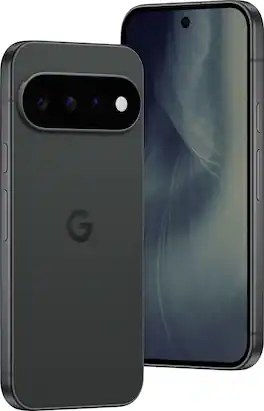
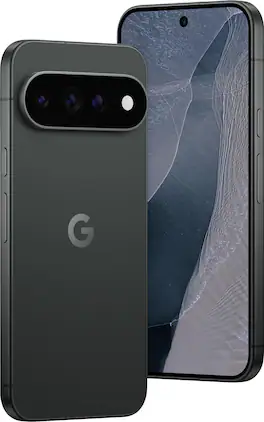
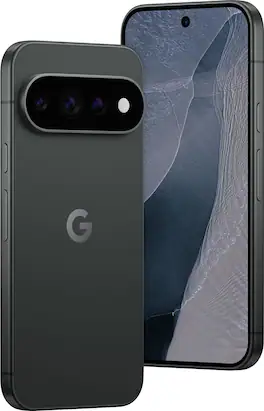
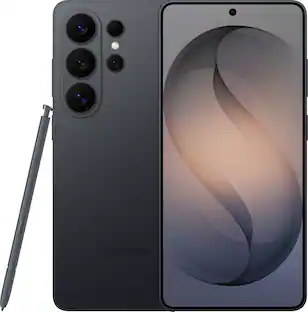
Google Pixel 11. Iconic design meets an evolution of the award-winning Pixel Camera. Gemini Intelligence effortlessly manages details so you can stay perfectly present.¹
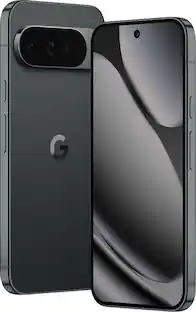
Attention-grabbing design meets an evolution of the award-winning Pixel Camera. On Google Pixel 11 Pro, Gemini Intelligence manages details so you can live the moment.¹
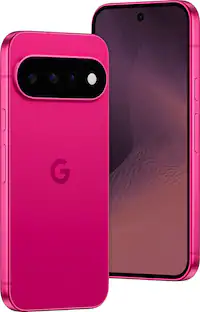
Attention-grabbing design meets an evolution of the award-winning Pixel Camera. On Google Pixel 11 Pro, Gemini Intelligence manages details so you can live the moment.¹
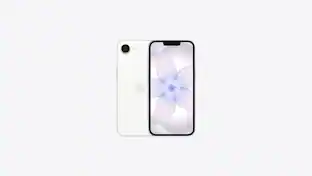
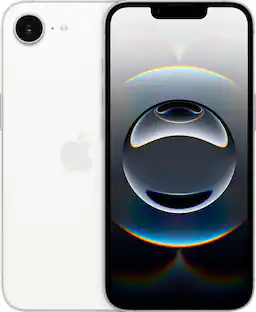
iPhone 16e is built for Apple Intelligence and powered by the A18 chip. Shoot super-high-resolution photos with the 48MP Fusion camera. And with supersized battery life, you have more time to text, browse, and more.
Pros for Google - Pixel 11 256GB (Unlocked) - Obsidian
Camera Quality, Battery Life, Performance, Processor Speed, Biometric Authentication
Camera Quality, Battery Life, Performance, Processor Speed, Design
Camera Quality, Performance, Battery Life, Processor Speed, Biometric Authentication
Camera Quality, Battery Life, Overall Performance, Ease of Use, Size
Cons for Google - Pixel 11 256GB (Unlocked) - Obsidian
There were no cons for this product—
There were no cons for this product—
Heat Dissipation
Heat Dissipation
Specs
Questions & Answers
Can I trade in an older pixel towards the purchase of a new unlocked pixel 11?
Yes! If you trade in now they are giving you extra credit for it!
Answered by SHersh
I just purchased phone and got approved for a Best Buy card but I don’t have it yet how will I be able to buy phone
Do I have to pay for the full price of this phone? And what about this trade-in of my Google pixel is practically brand new. About no even a year old yet. How does that work with the financing and stuff?




 SIM Cards
 Power Adapters and Chargers
 Cables and Adapters
 $499.99The price was $550.00