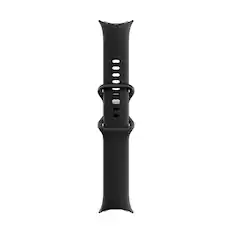
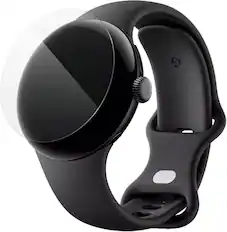
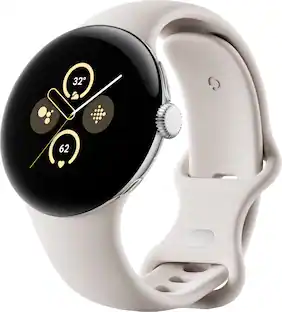
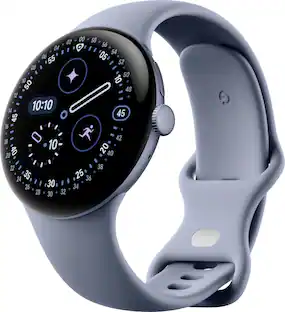
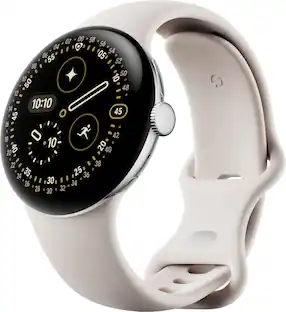
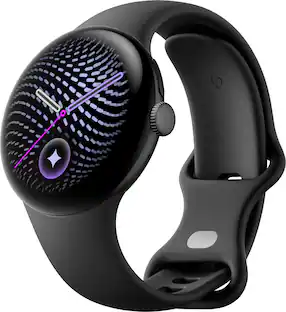
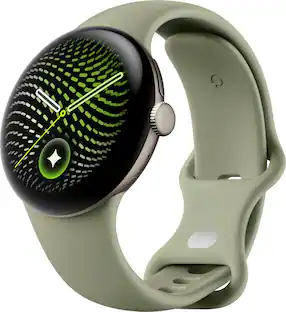
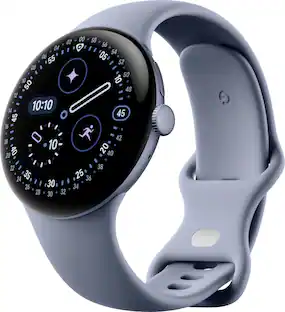
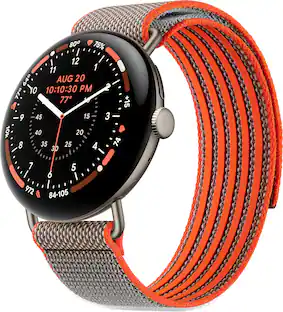
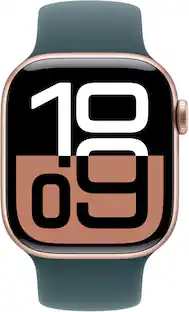
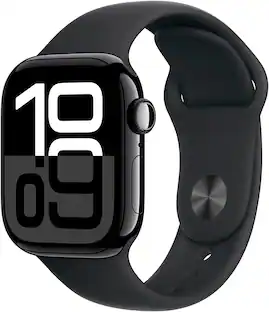
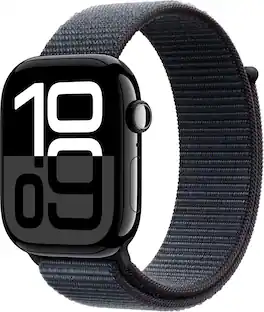
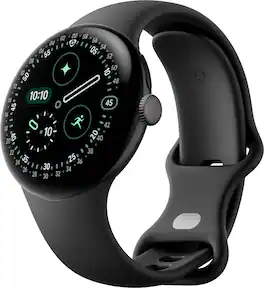
Meet the Pixel Watch 4, an exceptional smartwatch engineered by Google with precision craftsmanship. It’s built to last, from a first-of-its-kind Actua 360 domed display to Google’s longest battery life and fastest charging yet.¹ ² ³ ⁴ And it packs helpful AI, powerful health and fitness tools,² and safety features to give you peace of mind.⁵
A: Oh yeah, it is seamless
Q: Is this compatible with the Samsung S24 Ultra?
A: I have had trouble adding my Gmail with the my Samsung
A: I haven't because I have a Google pro phone and they connect and share perfectly with wi-fi
Q: Is this watch compatible with an iPhone?
A: Hi there, Lfmn. Unfortunately, the Pixel Watch 4 isn’t compatible with any iOS devices. Here's a link with more details: https://support.google.com/googlepixelwatch/answer/12652073
Q: Can I add it to my Verizon plan?
A: Yes
Q: Does this have ecg monitoring?
A: Yes
Q: Does it gave fall detection
A: I can add it
Q: Does it track blood pressure
A: I believe you can add it through fit bit

Meet the Pixel Watch 4, an exceptional smartwatch engineered by Google with precision craftsmanship. It’s built to last, from a first-of-its-kind Actua 360 domed display to Google’s longest battery life and fastest charging yet.¹ ² ³ ⁴ And it packs helpful AI, powerful health and fitness tools,² and safety features to give you peace of mind.⁵

Your favorite new health and wellness companion is here — Galaxy Watch7. Enhanced with Galaxy AI,¹ this Watch has everything you need to keep you moving toward your health goals. Wake up on the right side of the bed every morning with an Energy Score1 that helps you understand your well-being better. Hit your morning workout while staying in touch with your world — make calls from your Watch and quickly respond to texts on the go with Suggested Replies.² Then hone in on your heart health during your workout with improved Heart Rate Tracking,³ and improve each day with personalized Wellness Tips⁴ viewable right on your Galaxy smartphone.⁵ Plus, stay in the zone by streaming your favorite playlist or podcast from your Watch to your Galaxy Buds.⁶ Your ultimate fitness partner is now on your wrist — Galaxy Watch7.

Meet the Pixel Watch 4, an exceptional smartwatch engineered by Google with precision craftsmanship. It’s built to last, from a first-of-its-kind Actua 360 domed display to Google’s longest battery life and fastest charging yet.¹ ² ³ ⁴ And it packs helpful AI, powerful health and fitness tools,² and safety features to give you peace of mind.⁵
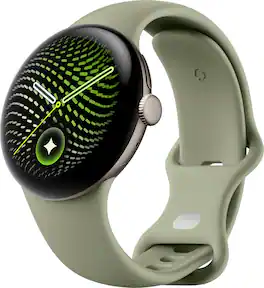
Meet the Pixel Watch 4, an exceptional smartwatch engineered by Google with precision craftsmanship. It’s built to last, from a first-of-its-kind Actua 360 domed display to Google’s longest battery life and fastest charging yet.¹ ² ³ ⁴ And it packs helpful AI, powerful health and fitness tools,² and safety features to give you peace of mind.⁵
| Pros for Google - Pixel Watch 4 (41mm) - Wi-Fi - Polished Silver Case - Porcelain Band - (2025) | |||
|---|---|---|---|
| There were no pros for this product— | |||
| Cons for Google - Pixel Watch 4 (41mm) - Wi-Fi - Polished Silver Case - Porcelain Band - (2025) | |||
| There were no cons for this product— | There were no cons for this product— | There were no cons for this product— |
Customers praise the Pixel Watch 4 (41mm) - Wi-Fi for its overall performance, with users describing it as an awesome watch. The quick charging feature is also appreciated, with users finding it very useful. There were no negative comments about the product.
The vast majority of our reviews come from verified purchases. Reviews from customers may include My Best Buy members, employees, and Tech Insider Network members (as tagged). Select reviewers may receive discounted products, promotional considerations or entries into drawings for honest, helpful reviews.
Purchased the Pixel 4 Watch for my wife and she says that the Pixel 4 watch is a good upgrade from an android watch that she had for several years. That watches operating system was no longer being supported. The pixel watch includes numerous features in addition to the phone, email, and messages applications. Being able to speak commands and other hands free features make this watch very easy to use. The pixel 4 watch was an excellent purchase.
Posted by DaleP
_____ *Pros: -Bright and crispy screen with slim bezels and silky-smooth glass. -Clickity and responsive crown. -Light and comfortable to wear all day. -Excellent battery life on and off the wrist with quick recharging speed. -Wear OS 6.0 is snappy with fast app launch times and smooth animations. -The side button above the crown opens the Recents menu, which is very useful. -The speaker is decently loud and clear. -Tracks health metrics and exercises very well. -5ATM waterproof and IP68 rating. -Supports emergency satellite communication. -Very comfortable wristband. -Robust app store. -Comes with 6 months of Fitbit Premium membership. _____ *Neutral: -No VO2 max data measurement. -No body composition measurement. -Installing the wristband was finicky and frustrating. _____ *Cons: -No charging brick included, just a charging cable. -$9.99/month for workout suggestions and information that the competition makes available for free I’ve been a long-time wearer of smartwatches from the South Korean camp, and I never felt a desire to try a smartwatch from a different brand until I saw the Google Pixel Watch 4. Compared to the latest offering from Samsung, the more stylish and modern look of the Watch 4 caught my attention. Upon seeing, feeling, and wearing the Watch 4 for the first time, I knew I made a good choice. The domed, curved Actua 360 AMOLED display is striking, bright, and very stylish, and I appreciate the slim bezels all around. The watch has a minimalist look but it projects premium vibes. The glass is silky smooth, and it’s highly responsive to my taps and swipes. The crown rotates smoothly and predictably, and it also offers a satisfying clickity feel and sound. The side button located above the crown launches the Recent Apps function, and I found myself using it quite often to quickly jump between apps. Thanks to the Snapdragon W5 Gen 2 processor with a Cortex-M55 co-processor, 2GB of RAM, and 32GB of storage, the Pixel Watch 4 is snappy and responsive. Apps launch quickly, and the transition animations don’t lag or have annoying janks. When compared to my previous daily driver – the Galaxy Watch 4 Classic – the Pixel Watch 4 is faster turning the screen on and off, have smoother animations, and launch apps and voice-activated functions way faster and with more accuracy, especially when it comes to using the “Hey Google” or Google Gemini voice interactions. The speaker is decently loud, and although it’s not an ideal way of carrying a long conversation due to privacy and volume reasons, it’s good enough for short and quick chats. Fortunately, the watch is also very comfortable to wear all day long. It’s relatively light, and the soft silicone watch band wraps around my wrist without causing wrist strain or pain, even when I’m typing away at work for eight hours long. I initially thought I would hate the silicone band and was planning on ordering a fabric band. To my pleasant surprise, it’s very well-made annd comfortable. I still might get a blue fabric band though just to switch things up once in a while. 😊 My main exercises are resistance training, running, and cycling, and I was quite satisfied with the accuracy of the sensors that tracked my heart rate, pace, calories burned, and form analysis. I also appreciated the more accurate and reliable location tracking made possible by the dual-frequency GPS built into the watch. Compared to the competition, I was disappointed to see that the Pixel Watch 4 was missing two functions I was used to having – VO2 max analysis and body composition measurement. Although I know they aren’t known to be highly accurate in a smartwatch, having those measurements are still useful and nice because it enables one to keep track of historical trends and get a sense of fitness progress and development. Hopefully Google will include those functions in the future. When it comes to the software and ecosystem side of things, Google has done a pretty good job setting them up. Wear OS 6 is snappy and performant, and the app store offers a huge library of useful apps, both free and paid. The default watch faces are fun, stylish, and useful, and the Google Pixel Watch app offers a myriad of options to set up and customize the Watch 4 to your liking via a well-organized and intuitively laid out app design. Besides looking good on the wrist, being fast and responsive, and having a strong ecosystem for apps, the Pixel Watch 4 is fortunately a battery life champ. Even with the Always-On display function activated, the battery got me through two days of usage. The charger recharges the watch very quickly, and its side mount design means you can lay the watch down on its side and be able to easily see the time and other information. The 5ATM waterproof and IP68 dust and water resistance ratings are no longer novelties but it’s always nice to have them than not so no complaints there. All in all, I think the Pixel Watch 4 is a fantastic smartwatch worthy of being strapped onto everyone’s wrists. It’s stylish and premium looking, it’s light and comfortable, the performance and battery life are great, the health fitness sensors and tracking are reliable and accurate, and the app ecosystem is robust and diverse. It’s not THE perfect smartwatch for me yet (due to some missing fitness functions), but the Pixel Watch 4 still has several strong and compelling traits that elevate it to a top-tier level, making it an easy recommendation to friends and family. I give it 4.5 Stars.
This review is from Google - Pixel Watch 4 (41mm) - Wi-Fi - Matte Black Case - Obsidian Band - (2025)
Posted by optimummind
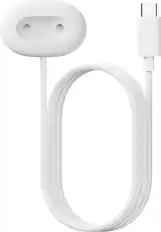
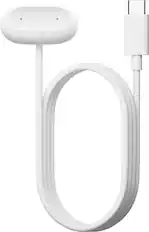
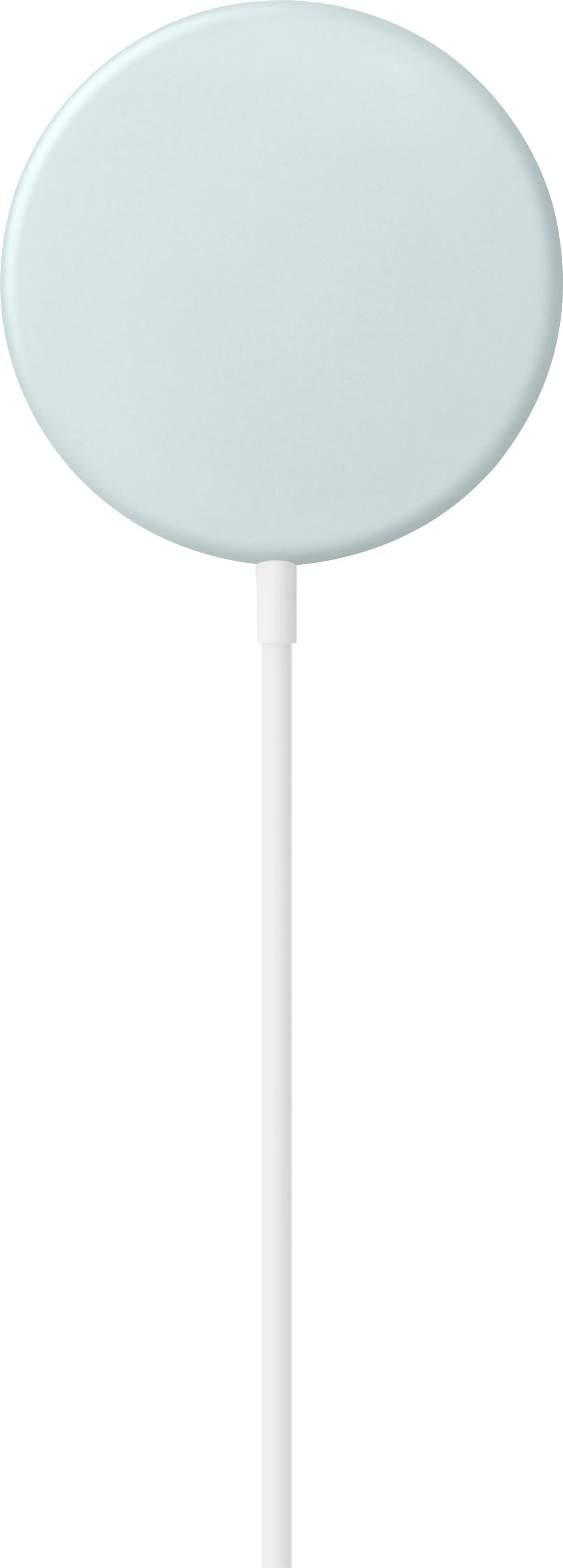
Here is a watch that does everything you could ever want in a watch, except it’s missing time travel. Every feature is well thought out and works excellently. Screen: The screen is crystal clear and curves around the sides of the watch. The screen can be set to be always on which I prefer and even in this setting, it uses up very little battery. You can change the watch face to your liking with many choices available. The default face shows you about the most information at the same time. Now while the screen is very clear and bright, even in the sun, along the edges if there is small text, it is hard to read so I don’t think having the screen curve around the edges is very helpful or buying you anything. Battery: The watch takes around 35 minutes to charge. With the display always on, I can get around two days of battery life which is great. There is a small charging base that magnetically holds the watch sideways while it is charging. No aligning necessary like my previous watch which I always struggled to align the charger, it just works. While charging, it will display the current battery charge level and how many minutes are left to charge it, which is fairly accurate. Connection to Phone: There is a Google Watch app that you will need to install on your phone to connect the watch to your phone. The connection is very reliable, and I’ve had no problems with it. It was also easy to set up. If you step away from your phone, when you return, it will connect immediately. Notifications: When you get a notification on your phone, you will get a quick vibrate on the watch and will briefly show you who it is from and the subject. If you scroll to the notifications area you will get a list of emails you have received recently and if you click on one, it will display all the text in the email. Sorry, no pictures. I do find the vibration to be very short and therefore sometimes I miss it, except I hear the notification on my phone if it is nearby. I wish the vibration were a lot longer. You also can clear all the notifications on the watch and phone. There are also other watch specific notifications that you will see in this area. Now, I have found that if I have the phone set to silent, the watch will no longer notify you. There are various settings around syncing the notifications between the watch and phone, but I have tried every setting and can’t get it to work. This is unfortunate since I would like to silence my phone in the office and still know when I get a new email. As a result of this, I can’t silence my phone, which is frustrating. I wish I could find settings that would solve this but couldn’t. But maybe some combination of the settings will fix this. Features: If you scroll up on the watch face, there are a ton of buttons you can press to do various things. • Settings: A ton of settings to control the watch. • Displays the battery remaining and allow you to put it into battery saver mode. • Ring and notifications on and off. • Bedtime mode: turns off screen and notifications. Only alarms stay on. • Do not disturb: Silences all notifications except from certain people and apps. • Theater mode: silences everything and turns off screen. • Airplane mode • Flashlight. Turn the entire screen bright white. I was spectacle about this, but it works. • Set brightness • Water disable: Now this is a very important feature. I used to wear it in the shower and the water that hit it would activate the touch screen. As a result, I stopped wearing it in the shower until I discovered this. It would disable the screen while you are taking a shower or in the water and pressing the crown re-enables the touch screen. • Google pay: You can set up a credit or debit card on you Google account and this allows you to pay using the watch on the store’s card reader, like paying with your phone. • Google home: Allows you to control smart devices around your home. • Ring phone: Rings your phone from your watch, I assume to help you find it if it gets lost. Various other controls: When scrolling to the left/right. • Start an activity • Display weather • Current steps and goal • Average sleep hours and time • Heart rate • Contact someone configured on your watch • Safety check • Gemini • Calendar and events coming up • Maps for where you are, your work, your home and other locations, and how long it will take you to get there and the distance. Google Watch App: The Watch App allows you to change a ton of settings beyond the settings that you can set on the watch itself. You can change settings for: • Notifications o Mute notifications from your phone o Hide silent notifications o Allow new app notifications o Mute phone calls o Mute notifications on phone o Smart replies • Google account o Accounts o Backup by Google One o Digital assistant o Google wallet • Fitbit o Sync • Play Store for downloading apps to your watch, including watch faces • Watch preferences o General o Display o Gestures o Modes o Security o Wrist preferences • Safety and emergency (haven’t had a chance to use this yet so I can’t say how good it works, but that is a good thing. o Emergency sharing o Safety check o Emergency SOS o Car crash detection o Loss of pulse detection o Fall detection o Emergency contacts o Medical ID • System o Find Hub o Calendar sync o Transfer watch • Accessibility o Magnification o TalkBack o TalkBack shortcut o Font size You can also select your watch face and see how much battery you have left Activities: There are a ton, and I mean a ton of various activities to choose from. If you can do it, it is there. I’ve heard it is over 40, and I believe it. I’ve only tried a few and I can say they are all very accurate. It is supposed to automatically detect your activity and start tracking it, but I found this doesn’t work so well so I manually start the correct one when I start that activity. Fitbit App: You can (and should) install the Fitbit App to use with your watch. It will continuously sync with your watch for various statistics, and body properties. This is the best way to keep track of your activities. It keeps track of: • Steps today (very accurate, watched count increase as I walked) • Miles today • Calories today • Sleep duration (very accurate) • Daily readiness • Cario load • Running distance for the week • Exercise days • Hourly activity • Floors (very accurate, counted to compare) • Average heart for today (very accurate compared to another device) • Stress and mindfulness • Stress management for today It can also view previous day’s statistics. If you get the premium subscription, you can get coaching. I didn’t get premium so I can’t comment on it. You can also see your goals and badges you have earned. As I can see, most of the readings seem very accurate. Maps: The maps is a great app that keeps a list of various places you want to store, such as home or work, and will display them on a small map. With that, it will tell you how far away that place is from your current location and how long it will take you to get there. If you give it a category, such as restaurant as an example, it will find nearby places and give you info like your stored places. This can be useful, although you can get the same info, plus more, from your phone’s map app. Gemini: Press the Gemini button on the watch face and ask your question with its built-in microphone. The watch will respond with the answer in its built-in speaker. It works the same way as Gemini on your laptop or phone. After speaking to it, it heard me accurately 90% of the time. It can also control and read from apps on your watch or phone. I was also able to control YouTube on my phone from my watch. This Gemini feature works well and is so cool. Conclusion: Here is a watch that does a ton of things and does them all well. Because of all the features it packs in, there is a learning curve on how to use it. If you’re very active or you’re someone that just takes a stroll and wants to easily see their notification, which is my favorite part, and you have an Android phone, this is a must buy. I can’t really think of anything that needs improvement.
This review is from Google - Pixel Watch 4 (41mm) - Wi-Fi - Matte Black Case - Obsidian Band - (2025)
Posted by Dalton