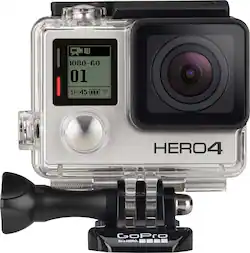
GoPro HERO4 Silver Action Camera: Capture footage of your adventures in stunning 4K video with the GoPro 4. GoPro's wearable, mountable design with touch-screen controls makes it easy to capture the action from your unique first-person perspective. Plus built-in Wi-Fi and Bluetooth allow you to operate the camera controls and share your videos and still shots.

Q: what is the differance between the Go pro 4 black or Silver
A: The black offers a higher res mode with no touch screen and is more expensive. The silver has touch screen menu system. From what I found and was told by GOPRO support, a PROFESSIONAL would desire the black, but a home user, general all around user should just go silver. There are some very helpful youtube videos by some real pros! Bottom line, unless you are a pro video person making movies, you will be much happier with the silver.
Q: do any of the go pro hero models have a zoom feature?
A: No they have differnt modes but no zoom but when you upload them on you computer or tablet u can zoom and crop and edit photos and the clarity even of something far away zoomed in is amazing
Q: Which model is best for snorkeling,and what mount is easiest to take photo while under water?
A: I have the GoPro 4 and just used it for snorkeling. I would suggest any camera that meets your needs making sure you also have the WATERPROOF case...that's the important part. As for mount, I used the FloatPro. It's a wrist strap so you don't need to hold the camera (I didn't want to have to hold the stick) all the time.
Q: How easy is it to playback on TV
A: Couple answers: 1- Copy files to computer. you can remove the SD card if you have a card reader on your laptop you can install and drag it off there. 2-Copy files to computer. You can plug the camera into the laptop and it acts like another drive that you can drag and drop. 3-Use the GoPro free software which will recognized your connected GoPro and ask if you want to import into the editing tools (which allow you to watch). Very simple. 4- If you want to just watch your video on the TV direct from the camera, you will need to buy a micro HDMI to standard HDMI cable which they sell at Best Buy. #4 will require that your TV has an open HDMI port to use. Older TV's often dont have them and will require more adapters to make work.
A: a 65mb card will hold a couple of minutes of video. I guess you meant a 64GB card and yes, depending on settings it can hold several hours. if you use it for documentation purposes only, a lower quality setting might be all you need, in favor of really long recording times
A: Designed in the United States (San Mateo, CA); manufactured in China.
Q: Does this come with the waterproof housing ?
A: Yes, this comes with the Standard 131' (40m) waterproof housing as well a Skeleton backdoor and a touch backdoor. The Standard Backdoor makes the housing waterproof to 131’ (40m). The Touch Backdoor (waterproof) lets you use the Touch Display and provides waterproof protection to 10’ (3m). However, touch functions do not work underwater. The Skeleton Backdoor (non-waterproof) provides better sound quality by allowing more sound to reach the camera’s microphone.
Q: Does it have editing software?
A: The camera itself does not have editing software but if you go on gopro's website you can download their editing software for free and it's fairly easy to use as long as you know how to find music files and video files on a computer.