60th Anniversary SaleEnds Sunday. Exclusions, terms and conditions apply.Shop now

Skip to contentGo to Product Search
Main Content

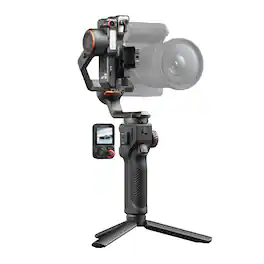
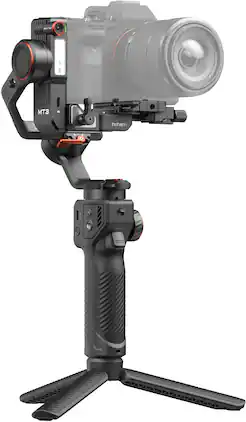
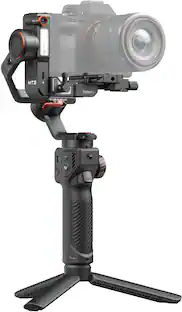
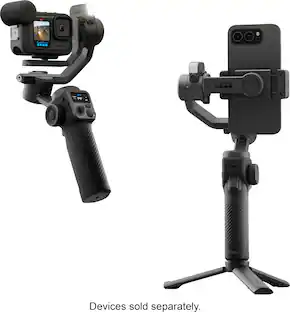
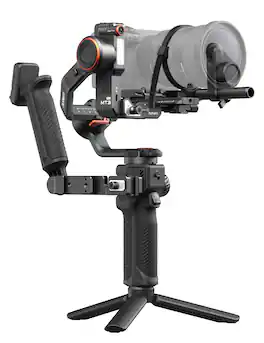
Hohem - iSteady MT3 Pro Phone & Camera Gimbal Stabilizer w/ AI Tracking, Detachable Remote for Cameras up to 5.5lbs - Black

Model: HCG-MT3P
SKU: 6669538
Sold byBest Buy

Customers are saying

Customers often highlight the impressive AI tracking, solid build quality, and effective three-axis stabilization as standout features of this gimbal. Users also frequently praise the convenience of the removable remote control, the long-lasting battery life, and the useful integrated fill light. While the device offers a strong payload capacity, some users noted that the initial balancing process can be slightly challenging. Overall, the product is well-regarded for its performance and versatile feature set.

Generated by AI based on customer reviews.
Features
  • AI Tracking for Humans, Pets, Vehicles and Any Subject

    Al Tracking ensures your subiect stays securely in the frame throughout the shot, Whether you're capturing travel, events, weddings, automotive scenes, or live streams, the iSteady MT3 Pro significantly enhances shot execution eficiency for photographers.

  • Detachable Touchscreen Remote with Live Feed Monitoring

    Detachable design enables full control from different angles and distances. The remote can be attached to the bi-directional twist handle or held in hand, allowing better control and monitoring when filming from both low and high positions. Featuring a 1.4" touchscreen and a low-latency Bluetooth connection up to 10 m (32.8 ft), you can preview and control the shutter all on your own.

  • 2.5 kg (5.51 lbs) Robust Payload for the Majority of Cameras and Lenses

    iSteady 10 .0 Stabilization delivers 40% more motor strength for smooth camera movements, even if it's in greater payload, long focal length filming (such as 70mm on a 24-70mm F2.8 lens), pairing with microphones, camera cage, fill lights and other accessories.

  • 2nd-Gen Fast Vertical Switch

    Quick switch to vertical shooting in just 4 steps, never miss a shot in YouTube Shorts, TikTok and Instagram.

  • Teflon™ Coating

    Lower friction for smoother balancing

  • Custom Follow Speed for Each Axis

    Adjust follow speed from 1 to 100 for each axis. And with the new Smooth Follow and Tight Follow modes, you can master both regular parallel tracking and fast orbit shots.

  • Arca Swiss Mount

    Work seamlessly with most cages and L-brackets without extra adapters.

  • Fine-Tuning Knob

    Move the camera forward and backward with millimeter-level precision.

See all features
Specifications
  • Maximum Weight Capacity
    5.51 pounds
    Compatible Devices
    Smartphone, Action Camera, DSLR Camera, Mirrorless Camera
    Auto Tracking Features
    Face, Object recognition, Pan/Tilt/Zoom, Body
Sponsored

Reviews

Rating 4.9 out of 5 stars with 37 reviews

5 star rating. 33 reviews4 star rating. 4 reviews
100% would recommend to a friend
Customers are sayingCustomers often highlight the impressive AI tracking, solid build quality, and effective three-axis stabilization as standout features of this gimbal. Users also frequently praise the convenience of the removable remote control, the long-lasting battery life, and the useful integrated fill light. While the device offers a strong payload capacity, some users noted that the initial balancing process can be slightly challenging. Overall, the product is well-regarded for its performance and versatile feature set.
This summary was generated by AI based on customer reviews.
  • AI Tracking (20)
  • Build Quality (19)
  • Stabilization (15)
  • Remote Control (12)
  • Battery Life (8)
  • Balance (3)

Customer Images

The vast majority of our reviews come from verified purchases. Reviews from customers may include My Best Buy members, employees, and Tech Insider Network members (as tagged). Select reviewers may receive discounted products, promotional considerations or entries into drawings for honest, helpful reviews.

  • Rated 5 out of 5 stars

    Excellent Features and Superb Design

    It may be difficult to talk about all of the impressive features of this gimbal. But I'll do my best to hit on the highlights. First, it's great to have a competitive gimbal with such great build quality and features that you can't find elsewhere. From a very high-level feature set, this gimbal definitely ticks all the boxes. First, the AI tracking is an excellent and time-saving feature. The fact that it's built in, and not an add-on just makes it even better. The removable remote is such a great idea too. Depending on the situation that I'm shooting in, other gimbals that I have used, the controls are sometimes difficult to reach or see. Being able to move this is such a great idea. It also makes and solo video projects much easier too. Leveraging the AI tracking with gestures or controlling framing with the remote while you're in place for filming. The payload rating for this gimbal is also very impressive for its size. I mounted my Canon R10 with a couple of different lenses without issue. I also was able to mount a Nikon ZR without any issues either. Both of those are fairly lightweight cameras, but the gimbal gave me confidence that it could handle others with ease. Another standout feature is the ease of which that you can switch from horizontal to vertical shooting. You don't have to make crazy adjustments, or swap brackets, you just unlock the bracket the camera is mounted to and rotate it. It's so easy and takes just seconds. It seems Hohem have thoroughly thought through the design of this gimbal. -- Setup This was similar to other gimbals that I have used, but it's pretty easy to set your balance. I really like the knob for fine-tuning your balance on the main mounting plate. I do wish that all the adjustment areas had something similar to this, as that would make it even easier. I used the included USB cable to connect my camera to the gimbal too. This worked without issue as well. I also connected to the Hohem Joy app as well. I didn't have any trouble during my setup at all. I was able to shoot photos and videos using the gimbal control without trouble. I do think maybe a sound confirmation from the gimbal of when you're recording might be useful, if that was possible. Since with my Canon, if I couldn't see the screen of the camera, I wasn't entirely sure recording had started. -- Performance and Tracking I was thoroughly impressed when actually using the gimbal itself. The motors and everything are completely silent, controls are excellent, and include fine-tuning for motor speed. The AI tracking worked very well. The gesture controls to start tracking me, or anyone else that I asked to make the gesture worked every time. No matter if that was framing, or to start/stop tracking. It worked even from about 15-20 feet away. I also initiated the tracking using the remote, which is extremely useful. I only had a little trouble with tracking an object when there was little light. I also really liked the controls on the gimbal. I am going to try and get the add-on motor for focus control, as well as the bi-directional handle. Mounting the controls on that bi-directional handle seems extremely useful too. After some fairly heavy sessions, I still had plenty of battery to shoot everything I was after. Having the added bonus of the gimbal charging my camera was an added peace of mind. I was almost always using the AI tracking, and I was getting easily 12+ hours out of the battery, so I believe Hohem's claims of 20 hours, if I wasn't using the AI tracking. I also really like that fill light. It is a nice little touch that shows Hohem was trying to make sure that every little piece of the gimbal was adding value and useful features. I currently have the control knob on the side set to control the brightness of the fill light. But I will likely change that to the focus control when I add the focus motor. Overall, I can't recommend this gimbal enough. It's a great, competitive option to other gimbals on the market, and has features that you won't find elsewhere. Pros: TONS of useful and well-thought out features, great tracking and stabilization, detachable remote is a huge benefit, excellent battery life Cons: I do wish the fine-tuning knobs were included for more adjustment points, it would be cool if there was a quick way to lock/unlock all axis

    Posted by dustinw

  • Rated 4 out of 5 stars

    Mid Tier Versatility

    As a photographer and videographer for decades, I am in tune with the technological progress in this field. Having the correct tools to save time in the field is always at the forefront of my mind and why I am always paying attention to any gear related releases and advances to the camera industry in general. The three axis gimbal has been on the market for just over a decade and the advances have been notable in that time period. Throughout my photo and video career, I have used a wide variety of three-axis gimbals, from basic smartphone gimbals, to professional models that can carry a much heavier payload. These tools have and continue to be essential in providing the smooth level of stability that my professional work requires. The Hohem (a company I had previously never heard of) iSteady MT3 Pro gimbal introduced a few new options that intrigued me, so I decided to test it out and see if my work could benefit from these new features. This gimbal is marketed as a versatile 4 in 1 gimbal that can handle a payload of up to 5.5 pounds, while also supporting smaller mirrorless point and shoot cameras, action cameras, and even smart phones with the included attachments. I have personally tried all four scenarios and while it can easily carry my FX3 and 16-25mm lens, I am now only utilizing this gimbal mostly for action camera b-roll shots. *** PROS *** The first features that grabbed my attention were both the AI tracking with the built in front facing tracking camera and the detachable remote. The live tracking image is displayed on the detachable remote when the AI toggle switch is turned on, making it very easy to select who, or what you would like to track, and it works wonderfully. Even better is the fact that the remote is detachable and lets users work the gimbal hands free. This is great in a lot of scenarios, adds even more stability to panning/tilt shots, and gives users a live view of the scene from the remote itself. The AI tracking camera also gives users the freedom to work solo and track themselves. This can come in very handy if you are a solo content creator, or would simply like to set the camera and gimbal somewhere as you move about a room, or on a stage, etc. Another feature that is really cool, is the fact that there is a built-in CCT / RGB fill light that can be turned on or off. This light is adjustable to match interior tungsten lighting, or it can be switched to RGB colored variations if preferred. The light intensity can be adjusted by the touchscreen, or you can set the brightness with the customizable side wheel. While the light isn’t extremely bright, it is a welcome addition for low light scenarios, or to quickly achieve better close focus, and a feature I am glad Hohem has included. The side wheel can be set to various settings in the custom menu, including the built-in light brightness, panning, tilt, and even focus pulls, if you purchase the available accessory pack, and own a camera/lens that supports it. Of course, every axis is fully customizable from the remote, letting users fine tune the performance and speed of each axis individually to fit your style of filming. The build quality seems great so far. The whole system seems sturdy and well made. The design is made of both rugged aluminum and hard plastics to keep the weight down. Hohem has a companion App for the gimbal that gives users the ability to adjust all settings from your phone, but honestly, the touchscreen is bright, sharp, clear, and has everything you need to adjust your settings quickly without the need to use your phone at all. While I appreciate that the attachment plate for mirrorless cameras and action cameras can quickly be attached in both portrait and landscape modes, I have a few problems with it. Which leads me to… *** CONS *** The attachment quick release plate is set and does not allow the camera to slide back and forth on the plate itself. The entire plate slides back and forth on the track and since the camera is mounted in only one spot on the plate, I had a hard time getting my Canon Powershot to balance correctly. I needed the plate to slide a bit further back with this camera to achieve the perfect balance. While this camera is well under the 5.5 pound weight limit and the gimbal has no problem flying this camera even at non optimal balance, the gimbal would perform even better and the battery would be more efficient if the balance was correct. If you plan on using this gimbal for a detachable lens mirrorless system, the included lens support bracket may end up in a spot on the lens that won’t work. In other words, it may end up right where the focus wheel is. See my review photo showing this issue. This package does not include a zippered hard case, and at the time of writing this review, I have not seen any available on their website. As a field user, it is imperative to me to have a case for my gear and this gimbal is no different. While I do own cases that could technically work, I would very much appreciate a zippered hard case be included with this Pro gimbal. The case should also have its own cutout sections inside to house the kit properly, instead of tossing it into a compartment and having all of the parts banging around inside. *** IN CONCLUSION *** With a few updates to the camera plate, and by adding a carry case to the MT3 Pro package, this would be a great gimbal for everyday users. It is a versatile 4 in 1 camera gimbal that tracks subjects well, is priced appropriately, and has some features that punch above its weight class. I will be eagerly watching the Hohem brand evolve leading into the future.

    Posted by MrShinyCadillackness

  • Rated 5 out of 5 stars

    it Hohem pro 3

    It’s ahead of his time I love using it. It makes it more easier for me to find solo shots for myself in motion shots without being in the scene.

  • Rated 5 out of 5 stars

    Great for solo filmmakers

    This thing is wicked. The Hohem iSteady MT3 Pro gimbal isn’t perfect, but adding Ai tracking to a camera gimbal with feet makes it like a mini camera sentry, which is pretty cool in my book. It’s an excellent use for Ai tech and seems very much like an extension of the newer focus systems in cameras nowadays (think automatic eye detection, auto tracking, etc..). Aside from Ai tracking, it’s also loaded with other features like a built-in CCT/RGB light, a touch screen remote control with joystick, a threaded extension port, and attachable feet that fold into a handle. It works well as a gimbal too! It balances well and keeps shots fluid. It feels a bit heavier than I thought it would, but it also feels rugged and if it’s truly a professional piece of camera equipment it should be able to handle some abuse. It’s rated to handle 5.5lbs of gear and had no trouble handling a Nikon Z6 with a 105mm lens. However, I couldn’t get the remote to control the focus which is apparently something it can do, as well as control the zoom. I’ll admit it could be user error though, because there’s a bit of a learning curve to figure out all of the features. Thankfully, Hohem’s website has excellent short video tutorials to help walk you through everything because it does seem a bit daunting at first. F EATURES With power comes responsibility, and in this case a bunch of controls to learn. Hohem couldn’t just stop at Ai tracking, they added a built-in CCT/RGB light, trigger, dial, and a touch screen remote control joystick. Again, I highly recommend the Hohem tutorial videos which makes learning how to use things a breeze. The remote control joystick is second nature though. There’s a tiny bit of lag in the joystick response time, but nothing crazy. It’s more noticeable with the record button, but that also seems to vary on the platform. On the Sony A6100 it was maybe an 1/8th of a second, but more like half a second on the Nikon Z6 III. Gimbals are about video though, so it’s not an issue unless you need to start recording within fractions of a second. I also wish the remote screen had a recording indicator, because when using the remote I can’t tell if the camera is recording or not without checking the camera itself. That said, it’s still better than any gimbal that doesn’t have a remote. And a touch screen one at that! But why? Because… AI I like the Ai tracking best when the gimbal is in “sentry” mode. Just open the handle legs, activate tracking with the remote or a gesture and it automatically detects the subject to follow. How fast and smoothly it tracks are adjustable, but there’s a limit to what it can keep up with. Sports are a no go, but it works great for interviews, moderate movement, and selfie recordings. I thought using Ai while manually holding the gimbal would help track the subject better, but I couldn’t get that to work well. I think recalibrating the gimbal screen to the camera framing would fix it though. OVERALL Are you in the market for a gimbal and should you buy this one? If the answer is yes to the first question, then it’s an absolute yes for the second. It’s especially great for solo filmmakers recording themselves as it allows them to expand their “stage” while the Ai tracks them and keeps them in perspective. PROS - Well built - Smooth and steady - Loads of adjustment options - Ai subject tracking - Great for recording solo - Built-in CCT and RGB light - Remote control with touch screen and joystick - Foot converts to tripod legs - Feels like a camera sentry - Lots of features - Reasonably long battery life - Handles 5.5lbs of equipment - Threaded attachment point - Auto calibration - Online tutorial videos are extremely helpful - Gesture control works reasonably well - Comes with phone and GoPro mount - Comes with cables CONS - Shooting button lag - Tiny remote screen to box focus - Remote doesn’t show if the camera is recording when doing video - Hard to align camera lens with gimbal camera for tracking - Could not get the remote control the focus on Nikon Z6 - Learning curve - A little heavy

    Posted by BIGASN

  • Rated 5 out of 5 stars

    Great tool with lots of capabilities!

    Short version: The Hohem iSteady MT3 Pro is an impressive setup that will help any amateur photographer/videographer/vlogger. It should be a beefy enough to work for plenty of professionals as well. I won’t claim to know that for sure, and certainly the setup I’m using is not as heavy or complex as what a pro might be using. That said, the build quality of the main device, the motors, and the included features should be a good match for many situations. I cannot guarantee it will hold up to the heaviest, longest lenses or that the battery life will hold out on a location shoot. However, I think the capabilities of this setup are numerous, the expand-ability of it (with accessories like the mini motor for automated optical zoom or the extra handle for more flexibility) would make the device even more useful. That said, the features that it does include: the fill light, onboard monitoring, tracking, and in the pro setup, the removable remote, make this a huge step up for anyone looking to professionalize their video work and add new capabilities, especially for solo operators. With that said, it seems to me that the price point of the pro set is very reasonable for the components it includes, and the removable remote is fantastic. The tracking really does work, as do the gesture features. Please do note that I was asked to complete this review quickly; I admit that I have not explored every feature nor can I say for sure that every operation will work perfectly. Note: Most of my testing used a mirrorless APS-C camera on the mount; that said, I also have tested it with my cell phone and used the app on my phone to control the gimbal. Details: Out of the box, the gimbal needs some setup. It’s intuitive up to a point, and the quick start guide helps, but I needed to use the tutorials online—for which there are qr codes included in the box and in the quick start guide. I eventually also found the pdf of the manual, which is very good to have on hand. The tutorials are nice because they make it easy to see what buttons to press or how to orient the gimbal, etc. but the manual gives you a cheat sheet for key operations without having to scroll back or pause or try to see something tiny on a screen. I later realized that the Hohem Joy app does put the tutorials at your fingertips. That said, the app is probably more necessary for the MT3 rather than the MT3 Pro because the MT3 Pro remote does a lot of the other features that the app allows—like give the user a virtual joystick for remote operation of the gimbal. Setup takes some time—whatever camera is being used needs to be balanced before operation. This takes some time. Each camera needs to be balanced, but Hohem has done a good job making the interfaces for the cameras easy to work with, though the job is a little touchy. Once it is setup, the gimbal will also calibrate when turned on. The fun then finally begins. The gimbal itself is hefty without being difficult to manage. The hand included basically also works as a tabletop tripod. This means that the setup is great for motion—creating sweeping shots, following sports, pov follows—but it also works for “talking head” videos and vlogging for solo creators. The versatility comes from two key features: first, the tracking feature on the gimbal. The MT3 uses an included camera that sits on the main rig and sends a live image to the remote/handle. It’s through this image that the operator can turn on tracking. The Pro setup can recognize people, animals, and objects (the MT3 can, I believe, only pickup people). The operator can select the subject for tracking through different controls, depending on comfort. Tapping the touchscreen on the remote, using the trigger on the gimbal handle, or using the buttons on the remote can all work. But, human subjects can also use hand signals to start the tracking, which actually works and is really pretty cool. I dislike a lot of things called “ai,” and I’m not really sure how this particular application is “ai,” but it works. The setup also includes a fill light, which can be set to different brightness and temperature. This feature can save a lot of headache and extra setup. Second, the remote is the other great feature. It pops out of the handle, and it allows the operator to control the gimbal and see the tracking screen easily. It’s not necessary to use your phone as a monitor (though, the phone adapter can be mounted on the side of the handle and used as an additional screen/monitor/capture device), but moreover, the remote allows an easy assessment of the tracking, to reset the gimbal, and to start and stop recording or take still shots on the connected camera. You can also control the fill light (which is an awesome plus on this gimbal as well) from the remote or from the side wheel on the main handle. The remote is the main way to adjust all the features of the gimbal, from calibration to setting the mode, to setting up special scenarios, like time lapse shooting, panorama shots, grid shots, and to set movement path follow shots. Finally, the remote allows solo operators to set up self-recording with excellent control. The gimbal also features a sidewheel and a trigger in the handle. The wheel can be set to control a variety of different features depending on operator preference. The trigger can be used to start and stop the tracking feature. I had a few glitches using this setup. The gimbal got confused a few times when it lost track of its tracking subject and the camera ended up incorrectly oriented, but clearing the tracking before resetting the gimbal seems to work. The remote also had trouble going from being connected to the joy app/phone camera and then back to my APS-C camera. But, turning the handle off and on ultimately got everything sorted out. Balancing the camera can be a pain, and then changing the focal length or forgetting the take the lens cap off during balancing can throw everything off. I think these are pretty minor complaints ultimately, and that user error is part of the problem. I look forward to experimenting with this gimbal and trying to make some creative work.

    Posted by CrazyDogPeople

Compare similar products

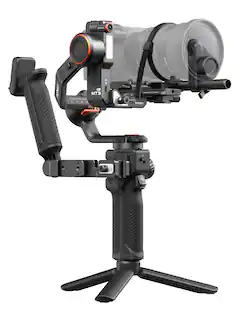
Hohem - iSteady MT3 Pro Phone & Camera Gimbal Stabilizer w/ AI Tracking, Detachable Remote for Cameras up to 5.5lbs - Black
4.9(37)

Hohem iSteady MT3 Pro is the most advanced AI camera stabilizer. It tracks humans, pets, vehicles and any subject you want, and it comes with a detachable remote for more flexible control. From camera mounting, balancing, to switching to vertical shooting, everything is quick and easy. The kit version includes the Spot Mini Motor and twist handle for professional, efficient filming.
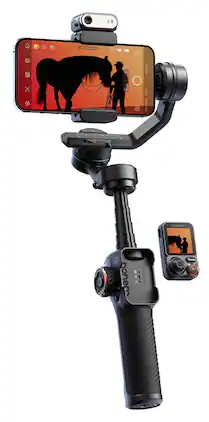
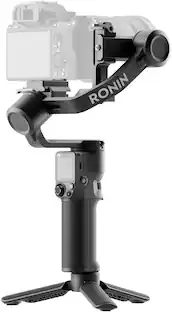
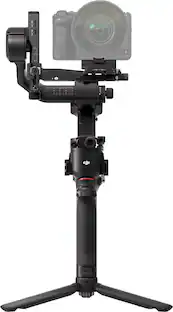
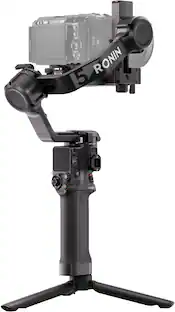
DJI - RS 3 Mini 3-Axis Gimbal Stabilizer - Black

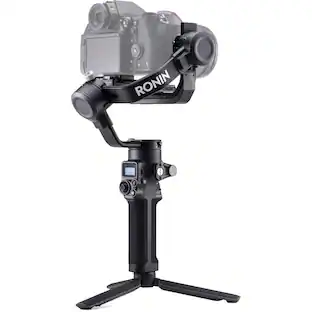
The first-ever Mini version in the RS series, the DJI RS 3 Mini is a small, lightweight handheld stabilizer with a powerful payload capacity. It supports mainstream mirrorless camera and lens combinations and inherits the excellent stabilization performance of the RS 3 series. With DJI RS 3 Mini, unleash your shooting potential and achieve effortless professional creation.

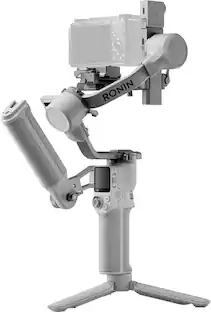
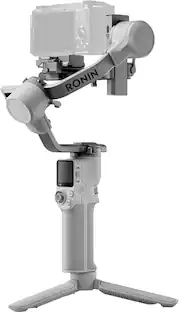
DJI - RS 4 Mini Combo 3-Axis Gimbal Stabilizer - Gray

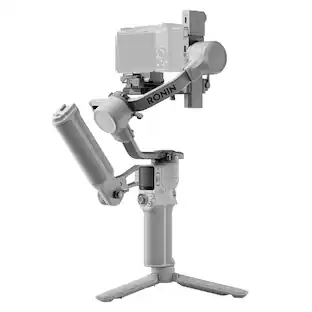
Introducing DJI RS 4 Mini, the all-new compact and lightweight gimbal for content creators. Featuring automated axis locks, intelligent tracking and composition, Teflon enhanced balancing, and 3rd-gen native vertical shooting, it empowers content creators and independent commercial videographers to roll with it in a more efficient and seamless filming experience.

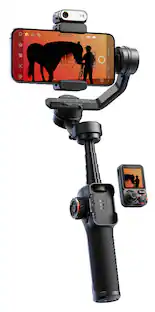
Hohem - iSteady M7 3-Axis Gimbal Stabilizer for Smartphone w/ AI Tracking, Remote Control, Extendable Pole, & Magnetic RGB Light - Black
4.6(87)

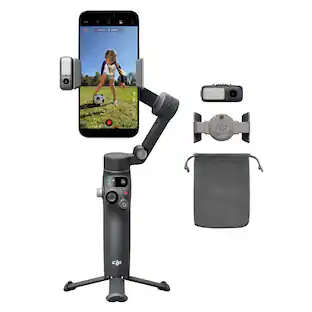
The iSteady M7 brings mobile filmmaking to new heights through innovations. Featuring an upgraded on-device AI tracker, it seamlessly tracks any subject, from person to object, with your phone's native camera. With an innovative detachable touchscreen remote, it enables real-time preview and tracking target selection from a distance, making solo filmmaking easier than ever!
Pros for Hohem - iSteady MT3 Pro Phone & Camera Gimbal Stabilizer w/ AI Tracking, Detachable Remote for Cameras up to 5.5lbs - Black
AI Tracking, Build Quality, Stabilization, Remote Control, Battery LifeOverall Performance, Stabilization, Battery Life, Ease of use, WeightOverall Performance, Stabilization, Battery Life, Ease of Use, SizeBuild Quality, AI Tracking, Stabilization, Remote Control, Battery Life
Cons for Hohem - iSteady MT3 Pro Phone & Camera Gimbal Stabilizer w/ AI Tracking, Detachable Remote for Cameras up to 5.5lbs - Black
BalanceThere were no cons for this productThere were no cons for this productTracking Performance, Learning Curve

Specs

Questions & Answers
  • Can I use an app with this camera gimbal?

    Yes, this camera gimbal is app compatible.

    This question and answer was generated by AI based on customer and product data.
  • What is the maximum weight capacity for cameras used with this stabilizer?

    The maximum weight capacity for cameras used with this stabilizer is 5.51 pounds.

    This question and answer was generated by AI based on customer and product data.
  • How long does it take to fully charge the battery of this gimbal?

    It takes 3.5 hours to fully charge the battery of this gimbal.

    This question and answer was generated by AI based on customer and product data.
  • Does the camera stabilizer use bluetooth for wireless connectivity?

    Yes, the camera stabilizer uses bluetooth for wireless connectivity.

    This question and answer was generated by AI based on customer and product data.
  • Can the camera be moved forward and backward with this gimbal?

    Yes, the camera can be moved forward and backward with millimeter-level precision using the fine-tuning knob.

    This question and answer was generated by AI based on customer and product data.
Ask a question
No content
Sponsored

Finance Options

My Best Buy® Credit Card
Choose a benefit:Or
Buy Now, Pay Later
Lease to own

Finance Options

My Best Buy® Credit Card
Choose a benefit:Or
Buy Now, Pay Later
Lease to own