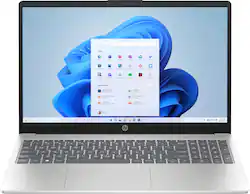
HP - 15.6" Full HD Laptop - AMD Ryzen 5 7520U - 16GB Memory - 256GB SSD - Natural Silver
- Key Specs
- Screen Size: 15.6 inches (Size of the screen, measured diagonally from corner to corner.)
- Screen Resolution: 1920 x 1080 (Full HD) (Screens come in a range of resolutions (measured in pixels, horizontal x vertical). The higher the resolution, the greater the picture quality.)
- Touch Screen: false (Touch-screen devices make navigating more intuitive. Using a touch-screen display, you can do things such as tap to select, hold and drag to move items, swipe to scroll, and pinch to zoom.)
- Processor Model: AMD Ryzen 5 7000 Series (Your computer's processor is like its brain. Working in combination with system memory, the power of the processor determines the complexity of software you can run, how many programs you can have open at the same time, and how fast those programs will run. Most computers feature an AMD, Intel or Snapdragon processor.)
- Storage Type: SSD
- Total Storage Capacity: 256 gigabytes
- System Memory (RAM): 16 gigabytes (Random-access memory (RAM) is a computing device's short-term data storage, which allows active information to be accessed quickly. The size and type of RAM determines how efficiently the device can handle large amounts of information at one time. For example, gaming or video editing requires more RAM for optimal performance.)
- Graphics: AMD Radeon (Often referred to as a "graphics processing unit" (GPU), this device is responsible for displaying image content and decoding/encoding video content in programs and games.)
- Display Connector(s): 1 x HDMI 1.4 (The number and type of connectors used to connect to an external display.)
- Battery Life (up to): 12.5 hours (Battery life will vary depending on the product configuration, product model, applications loaded on the product, power management setting of the product and the product features used by the customer. As with all batteries, the maximum capacity of this battery will decrease with time and usage.)
- Battery Chemistry: Lithium-ion polymer
- 2-in-1 Design: false (A laptop and a tablet combined in one lightweight, portable device. Sometimes referred to as "convertible" or "hybrid" laptops, these devices deliver the processing power and keyboard of a laptop. When you're ready to play, either detach the screen or fold your 2-in-1 into tablet mode to comfortably watch movies, play games, read an e-book and more.)
- Backlit Keyboard: false (Integrated lights allow for visibility of the keys in low-light conditions.)
- General
- Brand: HP
- Model Number: 15-fc0093dx
- Product Name: 15.6" Full HD Laptop - AMD Ryzen 5 7520U - 16GB Memory - 256GB SSD
- Color: Natural Silver
- Year of Release: 2023
- Display
- Display Type: LED
- Screen Size: 15.6 inches (Size of the screen, measured diagonally from corner to corner.)
- Screen Resolution: 1920 x 1080 (Full HD) (Screens come in a range of resolutions (measured in pixels, horizontal x vertical). The higher the resolution, the greater the picture quality.)
- Touch Screen: false (Touch-screen devices make navigating more intuitive. Using a touch-screen display, you can do things such as tap to select, hold and drag to move items, swipe to scroll, and pinch to zoom.)
- Processor
- Processor Brand: AMD
- Processor Model: AMD Ryzen 5 7000 Series (Your computer's processor is like its brain. Working in combination with system memory, the power of the processor determines the complexity of software you can run, how many programs you can have open at the same time, and how fast those programs will run. Most computers feature an AMD, Intel or Snapdragon processor.)
- Processor Model Number: 7520U
- CPU Boost Clock Frequency: 4.3 gigahertz (Actual central processing unit (CPU) speed may vary by device configuration and design. The maximum rate at which the processor is able to execute tasks, typically only used for a short period of time as needed. This rate may temporarily boost the processor's performance, but may result in overheating, shutdown, or damage to equipment if sustained.)
- Number of CPU Cores: 4-core (quad-core) (A core, or "brain" of a CPU, allows it to receive and execute instructions. Each core can work independently or together to perform parallel operations.)
- CPU Cache Memory Level: L3
- L3 Cache: 4 megabytes (Cache memory, also called CPU memory, is random-access memory (RAM) that a computer microprocessor can access more quickly than it can access regular RAM. This memory is typically integrated directly with the CPU chip or placed on a separate chip that has a separate bus interconnect with the CPU.)
- Neural Processing Unit (NPU): false (Whether the product comes with an integrated neural processing unit (NPU) that performs computations for AI (artificial intelligence) functions to increase proficiency of the CPU and reduce power consumption.)
- Storage
- Storage Type: SSD
- Total Storage Capacity: 256 gigabytes
- Solid State Drive Capacity: 256 gigabytes (The amount of data that can be stored on the device's solid state drive (SSD). SSD is a flash-based storage with faster speeds than a hard disk drive (HDD).)
- Solid State Drive Interface: PCIe (Connects the solid state drive to the host system. PCI and SATA interfaces are the most common; PCI interfaces are typically faster, but SATA interfaces are compatible with a wider range of systems.)
- Memory
- System Memory (RAM): 16 gigabytes (Random-access memory (RAM) is a computing device's short-term data storage, which allows active information to be accessed quickly. The size and type of RAM determines how efficiently the device can handle large amounts of information at one time. For example, gaming or video editing requires more RAM for optimal performance.)
- Type of Memory (RAM): LPDDR5 (Each type of RAM delivers a different level of speed, bandwidth, energy efficiency and performance.)
- System Memory RAM Speed: 5500 megahertz (How fast the information-storing hardware operates. The faster the RAM, the faster memory can be transferred to other system components. Ultimately, faster RAM improves operational efficiency.)
- Graphics
- Graphics Type: Integrated (Dedicated graphics uses a separate graphics card for processing video images. Because it does not use memory from the system's RAM, there is no extra burden on the CPU and graphics are processed more efficiently. Integrated graphics shares system RAM to process video images.)
- GPU Brand: AMD Radeon
- Graphics: AMD Radeon (Often referred to as a "graphics processing unit" (GPU), this device is responsible for displaying image content and decoding/encoding video content in programs and games.)
- Compatibility
- Operating System: Windows 11 Home in S Mode (The operating system manages all software and hardware, including files, memory and connected devices. Most importantly, it lets you interact with your device and your programs in a visual way; otherwise, you'd be typing computer code to get anything done.)
- Voice Assistant Built-in: No (A digital assistant built into the device that uses voice commands to answer questions and control smart devices.)
- Connectivity
- Display Connector(s): 1 x HDMI 1.4 (The number and type of connectors used to connect to an external display.)
- Number of HDMI Outputs (Total): 1
- USB Ports: 1 x USB-C 3.0, 2 x USB-A 3.0 (The number and type of USB ports the product has.)
- Number of USB Ports (Total): 3
- Headphone Jack: true (The device features an interface that allows for the connection of headphones.)
- Microphone Input: true (The device features an input for connecting an external microphone.)
- Wireless Connectivity: Bluetooth, Wi-Fi (The manner in which a device sends data to another device over a short distance without the use of wires or cables.)
- Number Of Ethernet Ports: 0
- Power
- Battery Life (up to): 12.5 hours (Battery life will vary depending on the product configuration, product model, applications loaded on the product, power management setting of the product and the product features used by the customer. As with all batteries, the maximum capacity of this battery will decrease with time and usage.)
- Battery Cells: 3-cell
- Battery Chemistry: Lithium-ion polymer
- Camera
- Front-Facing Camera: true
- Front Facing Camera Video Resolution: 720p (Refers to the number of pixels, both horizontally and vertically, used by the camera facing the user to capture video. The higher the resolution the finer the video detail that can be seen.)
- Built-In Microphone: true
- Features
- 2-in-1 Design: false (A laptop and a tablet combined in one lightweight, portable device. Sometimes referred to as "convertible" or "hybrid" laptops, these devices deliver the processing power and keyboard of a laptop. When you're ready to play, either detach the screen or fold your 2-in-1 into tablet mode to comfortably watch movies, play games, read an e-book and more.)
- Backlit Keyboard: false (Integrated lights allow for visibility of the keys in low-light conditions.)
- Security Features: Privacy camera
- Dimensions
- Product Height: 0.73 inches (The out of box height of the item. Height is measured as the vertical distance from the bottom of the item to the top as it would be primarily used or placed.)
- Product Width: 14.17 inches (The out of box width of the item. Width is measured as the horizontal distance from one side of the item to the other as it would be primarily used or placed.)
- Product Depth: 9.29 inches (The out of box depth of the item. Depth is measured as the distance from the front of the item to the back as it would be primarily used or placed.)
- Product Weight: 3.52 pounds (The out of box weight of the item.)
- Certifications Listings & Approvals
- ENERGY STAR Certified: true (Devices carrying the ENERGY STAR service mark, such as computer products and peripherals, kitchen appliances, and other products, generally use 20% to 30% less energy than required by federal standards.)
- EPEAT Qualified: true (The Electronic Product Environmental Assessment Tool (EPEAT) was designed to provide an environmental assessment tool for purchasers. In order to qualify for EPEAT, a product must meet all 23 required criteria.)
- EPEAT Level: Gold (The Electronic Product Environmental Assessment Tool (EPEAT) was designed to provide an environmental assessment tool for purchasers. In order to qualify for EPEAT, a product must meet all 23 required criteria. Products are rated Bronze, Silver or Gold based on how many of 28 optional criteria they meet (below 50%, 50%, 75%).)
- Included
- Optical Drive Type: None (An optical disk drive (ODD) uses a laser light to read data from or write data to an optical disc. These discs include CDs, DVDs, and Blu-ray Discs. This allows you to play music or watch movies using prerecorded discs.)
- Numeric Keypad: true
- Warranty
- Warranty - Parts: 1 year
- Warranty - Labor: 1 year
- Other
- UPC: 197029264077
Designed to have your back. The reliable AMD processor and AMD Radeon graphics give you the power and capacity to do more. Video chat in vibrant clarity with a high-quality camera you can close when not in use, keeping you safe online. The long-lasting battery life and HP Fast Charge help you stay in the zone longer. With ample storage space and speedy connections, this PC has all the must-haves to get your hustle on.
- Windows 11 Home in S mode: Experience the most secure Windows ever built with fast boot times, increased responsiveness, and added protection against phishing and malware.
- Full HD display: 2 million pixels for crystal-clear visuals and vibrant image quality.
- AMD Ryzen 5 7520U processor: Experience a whole new level of speed and power in a laptop powered by an AMD Ryzen 5 processor. Accelerate your work and your creativity with blazing fast speed. Explore true freedom and flexibility with incredible battery life.
- AMD Radeon graphics: Whether it’s games or movies, experience high performance for all your entertainment.
- LPDDR5 RAM: Get responsive performance with the power efficient LPDDR5. Designed to support higher data rates, address next-gen memory requirements, and have longer battery life.
- PCIe NVMe SSD storage: Get up to 15x faster performance than a traditional hard drive.¹
- Anti-glare panel: Non-reflective and low gloss means you'll get less glare while you're outside.
- Flicker-free: Using DC Dimming technology that controls brightness by adjusting direct current rather than cycling the backlight, we can eliminate screen flickering for more comfortable viewing.
- Tuned stereo speakers: HP custom-tunes the dual speaker setup in every notebook for exceptional stereo quality.
- Liberating battery life: Take on the day without worrying about recharging.
- HP Fast Charge: Go from 0 to 50% charge in approximately 45 minutes.²
- Effortlessly connected: Enjoy faster speeds, improved performance and greater capacity with Wi-Fi 6 and Bluetooth 5.3 wireless card.
- HP True Vision HD Camera: Video chat in vibrant clarity, even in low light, and make every conversation a face-to-face experience for a better way to stay in touch.
- Microphone mute: Enjoy greater peace of mind and the convenience of a dedicated microphone mute button that you can easily activate and know it’s on or off with an LED indicator light.
- Camera Shutter: No more unsightly tape and tacky gum to hide your private moments. Ensure your privacy and security with a visible, physical shutter that turns off your PC’s camera when not in use.
Whats Included
- 15.6" Full HD Laptop - AMD Ryzen 5 7520U - 16GB Memory - 256GB SSD
Product Manuals
Q: Is the storage SSD user accessible and changeable? How difficult would it be?
A: Couldn’t have been easier. I’m not a computer genius, and it was very simple. This particular model doesn’t require battery removal unless you’re worried about static shock or something. Simply purchase a gen 4 ssd I used a Samsung 980 PRO 1Tb PCIe 4.0 NVMe M.2. Download the HP recover tool from the Microsoft Windows App Store on to a 32gb flash drive. I used a usb-c flash drive to speed up the process. Unplug and turn off power. Remove the 4 exposed screws on the back, unsnap the bottom cover using a guitar pick, there are 2 additional snaps in the middle, but just push lightly towards the front and rear while pulling outward and they will release just like the perimeter snaps. Replace the hard drive, and reboot from the the HP recovery tool saved on your 32gb flash drive. Follow the onscreen prompts. You do have to disable the secure boot options in the bios, but this is all “on screen” prompts, there’s no technical know how needed. Viola, upgrade complete with 4x hard drive storage. FYI, there is a YouTube video by HP support explaining all of this. If you are uncomfortable with these steps, I’m sure the Geek Squad can help.
Q: Will taking it out of S mode effect performance/ speed. etc.
A: No, it won't. It's what you add to your software apps and what you run that affects your performance/speed. Bear in mind that Windows is loading your machine with it's updates, telemetry, etc. that has a huge affect on it. That's why after a few years, users will often clean it up with reinstalling Windows. Full system recovery. Personally, I install Linux Mint to avoid all of that aggravation. I dual boot, keeping Windows for one year until the warranty is up on the machine; then I delete Windows for the space.
A: Thank you for the question. The HP 15-fc0093dx does not have an Intel CPU - it has an AMD Ryzen 5-7520U, and it supports Vt. This model has Wi-Fi 6, which is backward compatible with 2.4 and 5G frequencies.
A: This laptop has an AMD Ryzen 5 7520u processor. This is comparable to an Intel Core i5 1135G7 processor. This computer is fine for school work, but is not a gaming computer per se. It does not have a "high end" video card like serious gamers want. However, it should be suitable for video games that are not particularly demanding, as it has a generous amount of RAM, 16 GB. The SSD is somewhat small at 256 GB, but this is more than adequate for most people and can be upgraded to a larger SSD if desired.
A: Thank you for asking. The HP 15-fc0093dx has Windows 11 Home in S Mode.
Q: How do you remove the S Mode from the computer?
A: HP and "glasscapt" have the correct answers. I only want to add that HP takes the lazy way out when it says, "removing S Mode is not reversible." This is not strictly true. If you search the PC for "reset my PC," you will find an option for a complete reset for your PC, which will restore S mode. This is useful if you are selling your PC. Be warned that this procedure deletes your drive of EVERYTHING added to it since your initial purchase.
Q: Can you play CD's on this computer?
A: None of the new laptops come with a CD/DVD bay/tray due to software being available online. However if you need to attach a CD/DVD player you can attach an external drive which I am sure BestBuy or online store will carry. Make sure to check if your laptops has a USB or USB-C port and purchase the player based on your laptop specs. Hope this helps!
Q: I don’t see an Ethernet port, how do I hook up my internet? No wifi.
A: Hello there! This HP 15.6" Laptop (15-fc0093dx) does not have an ethernet port, however, you are able to purchase a USB to Ethernet adapter in order to get a wired internet connection. Thank you for your question!
People also viewed
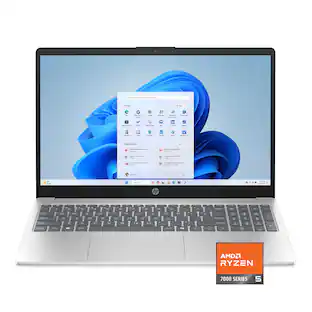 $436.00The price was $599.99
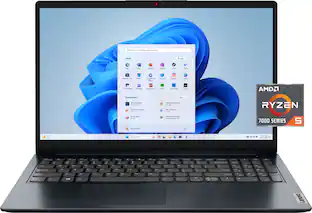 $379.99The price was $529.99
 $578.00The price was $749.99
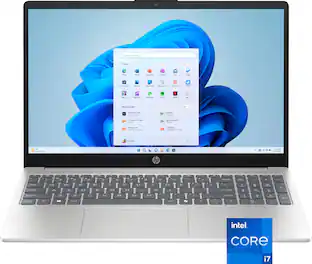 $640.00The price was $799.99
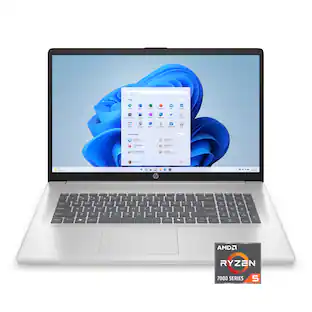 $499.99The price was $629.99
 $499.99The price was $749.99
 $844.99The price was $999.99
 $584.00The price was $649.99
 $408.00The price was $449.99
 $499.00The price was $629.99
 $658.00The price was $669.00
Today's top picks
 $479.99The price was $729.99
 $799.99The price was $1,199.99
 $299.99The price was $399.99
- $499.99The price was $629.99
- $499.99The price was $749.99
- $844.99The price was $999.99
 $1,299.00The price was $1,499.99
 $1,099.99The price was $1,449.99