Rating 4.6 out of 5 stars with 3090 reviews
4.6- Touch Screen (569)
- Speed (436)
- Ease of use (397)
- Performance (235)
- Weight (198)
- RAM (11)
- Storage (11)
Customer Images
The vast majority of our reviews come from verified purchases. Reviews from customers may include My Best Buy members, employees, and Tech Insider Network members (as tagged). Select reviewers may receive discounted products, promotional considerations or entries into drawings for honest, helpful reviews.
- Rated 5 out of 5 stars
A Fantastic Purchase for Productivity and Convenie
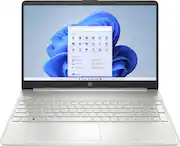
Best Buy recently sold me the HP 15.6" Touch-Screen Laptop with an Intel Core i3 processor, 8GB memory, and a 256GB SSD in the stylish Natural Silver color. Let me begin by saying that this laptop has exceeded my expectations! First and foremost, the touch-screen functionality is a game changer. It has always been challenging to navigate around applications and web pages. It enhances the convenience and functionality of my regular duties. The touch screen's responsiveness is remarkable, whether I am zooming in on documents, browsing through online pages, or simply relaxing with touch-enabled games. The Intel Core i3 processor and 8GB of RAM ensure smooth multitasking and quick performance. This laptop can handle many tabs and applications at the same time, as well as execute resource-intensive software with ease. Compared to my last laptop, I have seen a massive gain in speed and responsiveness, making my work and entertainment experiences wonderfully seamless. The 256GB SSD offers plenty of storage space for my papers, media files, and programs while providing lightning-fast boot times and file access. It significantly improves over traditional hard drives, allowing me to access files and activate applications in seconds. Furthermore, the Natural Silver finish lends a touch of elegance to the laptop, making it visually appealing and appropriate for professional and personal use. The 15.6" display has rich colors and clear images, making watching movies and creating content a joy. The screen size achieves the ideal combination of portability and an immersive viewing experience. The display's sharpness and crispness impress me whether I am binge-watching my favorite shows or editing images and videos. The laptop's overall build quality is excellent, with a firm structure that screams durability. The keyboard is easy to use, and the touchpad is snappy and accurate. Including necessary connections such as USB and HDMI provides easy connectivity with various devices and peripherals. Finally, the battery life is excellent. I can rely on the laptop to get me through my workday without continually looking for a power outlet. It helps me to be productive and engaged while traveling, making it a fantastic choice for remote work or travel. Finally, I am pleased with my Best Buy purchase of the HP 15.6" Touch-Screen Laptop. It is an all-around winner due to its excellent touch-screen capability, powerful performance, huge storage capacity, breathtaking display, and dependable battery life. Whether you are a student, a professional, or just a casual user, this laptop will surely boost your productivity while satisfying your entertainment needs. I suggest it to anyone looking for a dependable, feature-rich laptop.
Posted by Speedy
- Rated 5 out of 5 stars
Moving on to Windows 11
I wanted to ease into the transition of going from windows 10 to windows 11 since my current computers don't qualify for the upgrade due to the upgraded operating system. I also wanted a more portable laptop for travel than the bulky/heavy 2013 HP I currently use. This unit is light, compact yet still has the 15.6 monitor and has the added "touch screen" which I wanted to try. This laptop is everything I wanted to begin my transition from 10 to 11. This laptop was easy to setup and add my Office Pro software, security software, backup software and other additional programs.
Posted by Douglas
- Rated 5 out of 5 stars
Excellent laptop, affordable price
This laptop is awesome! Fast and light, it is perfect for gaming or streaming shows or just working on documents (it comes with Windows 365 so that is a BIG plus!!). The battery lasts a good 4 hours even with games running. I definitely recommend this little HP!
Posted by StephMow81
- Rated 5 out of 5 stars
Perfect for Linux
This laptop is a stylish, moderately powerful laptop. While it qualifies to be called a budget laptop, it does offer features and hardware that you’ll more likely expect to find on a pricier laptop. It counts a fairly durable build, good performance, decent speakers, and a great keyboard among its qualities. On the other hand, a glossy screen, average battery and no real graphics capacity, all feature prominently in the cons column. If you’re in search of a laptop that’ll perform regular office and light multimedia tasks with a minimum of fuss, especially if you install your favorite Linux Disto (in my case Pop_OS) you can do a lot worse than settling for this laptop. However, if you’re a content creator looking for something with enough power to run your intensive programs, you may need to look elsewhere. Xtra nerd info: Both PoP_OS & Unbuntu 22.04 runs flawlessly with everything working out the box. Battery life is around 4.5 hours Glossy screen makes things hard to see in direct sunlight.
Posted by Gadgetmang
- Rated 5 out of 5 stars
HP all in one touchscreen laptop
Best laptop I’ve ever owned! It does everything and it also has a touchscreen. It’s fast, affordable, and has a good amount of memory. I got a great deal at Best Buy and when it’s time to get my next laptop, I will be definitely getting the latest model. I highly recommend it.
Posted by RandyB