Rating 3.9 out of 5 stars with 5286 reviews
3.9Customer Images
The vast majority of our reviews come from verified purchases. Reviews from customers may include My Best Buy members, employees, and Tech Insider Network members (as tagged). Select reviewers may receive discounted products, promotional considerations or entries into drawings for honest, helpful reviews.
- Rated 4 out of 5 stars
Perfect for home office needs
Just what I was looking for an affordable printer without all extras. The ink refills are also affordable. Perfect for a home office with light printing needs. Only problem I had was the instructions for set up was missing some steps nothing I couldn’t google my way through though.
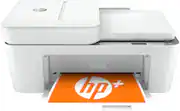
This review is from HP - DeskJet 4155e Wireless All-In-One Inkjet Printer with 3 months of Instant Ink Included with HP+ - White
Posted by ChristineP
- Rated 4 out of 5 stars
Good printer
Very nice printer. Set up was more complicated which was a surprise as past experience with other HP printers Were immediate and simple. But it is a good working printer and I do recommend it.
This review is from HP - DeskJet 4155e Wireless All-In-One Inkjet Printer with 3 months of Instant Ink Included with HP+ - White
Posted by ljhtd
- Rated 5 out of 5 stars
Printer
This was easy to set up, I am not electronically savvy and was able to figure it out. It has done everything that I wanted it to do when I purchased it. I would recommend it especially if it’s just a personal printer with not many copies. The customer service was helpful in helping me find what would fit my needs.
This review is from HP - DeskJet 4155e Wireless All-In-One Inkjet Printer with 3 months of Instant Ink Included with HP+ - White
Posted by LesaT
- Rated 5 out of 5 stars
Best Blue tooth printer I’ve come across
I got this printer for work. I’m a counselor and I print off a lot of worksheets for clients and this printer has been amazing. It works when I need it to and is not fussy like other printers I have purchased. The blue tooth capability works all the time. The last printer I had I kept putting the wifi password in and it would not work. This one is a breeze. If you need a home office printer or for kids to print out papers for school. Or even many copies of something, this one is yours!
This review is from HP - DeskJet 4155e Wireless All-In-One Inkjet Printer with 3 months of Instant Ink Included with HP+ - White
Posted by ShelleyM
- Rated 5 out of 5 stars
Great Printer
I love this printer. It is quiet, prints fast and does not take up much space! excellent for what i need.
This review is from HP - DeskJet 4155e Wireless All-In-One Inkjet Printer with 3 months of Instant Ink Included with HP+ - White
Posted by RoeH