Rating 4.3 out of 5 stars with 87 reviews
4.3- Print Quality (28)
- Ease of use (14)
- Wireless (8)
- Fax (5)
- Price (5)
- Setup (4)
Customer Images
The vast majority of our reviews come from verified purchases. Reviews from customers may include My Best Buy members, employees, and Tech Insider Network members (as tagged). Select reviewers may receive discounted products, promotional considerations or entries into drawings for honest, helpful reviews.
- Rated 5 out of 5 stars
Wow
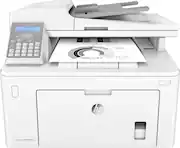
This printer does everything Prints, fax and scans with a feeder. It prints quick fast double sided documents. It’s wireless too!! I love it!
Posted by Arelwin
- Rated 5 out of 5 stars
the perfect all in one
I thought this was going to be a problem what with no color and with it being a laser printer, never had one before, but nothing like it. I actually like the fact I only need one type of ink. It has been the best printer I have ever had. Works perfectly, easy setup, easy to use, overall it's just perfect! I definably would recommend it to anyone
Posted by blueroom
- Rated 5 out of 5 stars
LOVE THIS PRINTER!
I LOVE this printer!!! It's pretty, neat, quiet and gets the job done! I purchased it primarily for the fax, which is awesome. Every function on this printer is super easy to include scanning. The installation was a breeze it fits nicely on the corner of my table. It's perfect for a small based business. This is my first time purchasing a laser printer. I highly recommend it over a regular printer. My backup HP printer eats ink like there's no tomorrow. It's truly ridiculous. Laser ink lasts longer and the prints are more clean. A VERY satisfied customer!
Posted by Bunny
- Rated 5 out of 5 stars
Soar Above Notaries
I needed this for my business and it was the best choice I made. Doesn’t get hot, prints perfect each time, can print from my phone, can fax out and receive incoming faxes, and doesn’t make a lot of noise. It’s great.
Posted by Shai
- Rated 3 out of 5 stars
Print/scan image is great
I'm happy with the quality of the images, but setup was a nightmare. Nothing worked on my brand new HP laptop or my 10 year old HP desktop. Tried to follow instructions with the printer, website, chat, and was finally referred to an HP "doctor". Ran this utility on the desktop and once it connected, the laptop connected automatically. Took me over 8 hours to resolve and was extremely frustrating. My job involves networking printers, so I am not a novice and probably would have returned it, but I was determined that it would not win. Part of the frustration was that the documentation/instructions do not even remotely match the printer. For example, settings is not in the same place in the menu as the instructions.
Posted by Walker