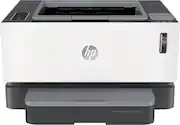
Rating 4.3 out of 5 stars with 265 reviews
4.3- Print Quality (111)
- Ease of use (58)
- Size (19)
- Setup (13)
- Noise Level (8)
- Paper Tray (12)
- Price (5)
- Duplexing (3)
Customer Images
The vast majority of our reviews come from verified purchases. Reviews from customers may include My Best Buy members, employees, and Tech Insider Network members (as tagged). Select reviewers may receive discounted products, promotional considerations or entries into drawings for honest, helpful reviews.
- Rated 4 out of 5 stars
Works well for basic document and article printing
We—the two students and remote workers of our household—ordered this printer to assist with screen burnout and note taking on long articles and reports. We had chosen this model for its simplicity (it needs to serve one purpose: print black and white pages efficiently) and wireless printing feature… and so far its' done it's job well. It's also compact enough to fit in a shelf. Would recommend for anyone who needs to print many pages for review or to save their eyes.
Posted by Chizuko
- Rated 4 out of 5 stars
Quiet laser printer with a small footprint
I picked up this Neverstop 1001nw as a replacement for a shared family color inkjet printer that was at the end of its life. My home office has both a high-end color laser printer and color inkjet printer so I just needed something for the family upstairs to be able to do some general-purpose printing. What drew me to this printer is their claim of up to 5000 pages of printing right out of the box. I've only had it for a couple of weeks so we'll need to validate that claim later. Setup was super simple and super quick. It took me all of 15 minutes to get it put together and plugged in. The printer has a really small footprint which is perfect for what I need and where I need to put it. It took me about 5 minutes to get it connected to my wifi network using the included USB cable plugged into my MacBook Air. Configuration was done via browser wizard. Printing is quick, the printer runs really quiet, and the print quality is what I would expect for a laser printer of this complexity and at this price point.
Posted by amarks94070
- Rated 5 out of 5 stars
HP is #1
Go with a known brand - HP. I tried a color ink replenish thing from Brother and it was a dud. Too complicated. When i saw "Neverstop" I knew this was the printer for me. i'd always used HPS and they are plug-and-go. SOOOO easy to connect with wifi on all devices. Most of the time i just need a hard copy. Just print, please.
Posted by GreyNinja
- Rated 3 out of 5 stars
Quality Document Printing with Few Cons
The HP Neverstop Laser 1001nw is a black and white printer, great size - fits nicely on my desk, great for printing documents, essays, and anything that doesn’t involve needing color. Document/text printing quality looks great. The blacks are deep and this printer offers good greys as well. I did print some photos from a word document and they had banding on them so I do not recommend this printer for printing photos even just on regular paper. Setting up this printer via the provided USB cable worked quickly. I wasn’t able to troubleshoot the printer to establish a wireless connection on my desktop even after connecting it to my network via the HP Smart app. It is possible my router isn’t close enough to the printer. The USB connection works great, though I was hoping I didn’t have to use up one of my USB slots on my desktop computer. This HP printer did not need any software to print. It’s connected to a Mac. The literature that comes with the printer suggests the HP Smart app for mobile devices, and you may also need to get HP Print Service Plugin app. Setup on mobile only took a few minutes and printing via mobile was quick. Upon connecting HP Smart through to my Google Drive, I found I cannot print Google Docs, but I can print PDFs. A couple of things I didn’t like about the printer itself, unrelated to the printing quality: the paper tray cover and the noise level. - The paper tray cover isn’t the easiest to put on and when it’s time to add paper, the cover piece has come off all the way. I’m used to printers having a pull out drawer tray or a lift top but the cover has to be removed all the way when adjusting the paper in the tray. - I did find this printer to be noisy, it makes a grinding sound when it starts printing. It’s possible that this is unique to the one I got. Overall, this printer does it’s job. I’m docking two stars for the few cons I found: trouble with wireless connection, noise level while printing, and extraneous paper tray cover. But at the end of the day the printing quality is what’s most important and this delivers good quality.
Posted by Sophia
- Rated 5 out of 5 stars
Compact, Great Prints, Easy Set Up, Economical
Pros: * Compact and attractive design. * Very cost-effective and easy toner refill. * Extremely easy wireless setup. * Clear toner level display on front. * Basic but useful control panel. * Wired and wireless networking. Cons: * Odd paper cover makes it difficult to see input paper level. My Review: This is a really nice mid-duty monochrome networked printer. There aren’t a ton of frills; no duplexing, no color, no multifunction, etc., but what it does do is print in monochrome really well. The basics are all there; WiFi and Ethernet for networking, a basic control panel for notification when something needs attention or to cancel a print, etc. It’s relatively fast and quiet for a printer in this class, too. What sets this printer apart is HP’s newest design for toner. Unlike other printers where you replace an entire cartridge to get more toner, this one stores the toner in a tank that isn’t intended to be removed and replaced. Instead, when it does come time to “refill” the toner, you buy what looks like a huge syringe and squirt the toner into the printer through a hole on the top. In theory, this is far less waste, less garbage and much lower cost. Out of the box, it’s preloaded with enough toner for about 5000 pages. I don’t yet know what a refill for this printer will cost, but I’d be really surprised if it’s not a lot less than a standard toner cartridge. There’s also a nice gauge on the front for the toner level and how many “refills” it can handle. Setup was incredibly easy on my Mac. I downloaded the recommended Mac app and followed the instructions to get it up on WiFi and connected. The app worked surprisingly well and took less than 5 minutes. It also set the printer up for AirPrint on my iOS devices, so that one easy setup did it all. The only thing that didn’t pleasantly surprise me was the removable paper cover for the input tray. I’m not exactly sure what it’s for; perhaps to make the front look nicer or to keep the input paper from getting dusty? Regardless, it hides the paper so you can’t see how much you have left until you get the “paper empty” warning. It also doesn’t slide on or off very easy. Perhaps a design improvement would have had a little window on it to see the paper level? Anyway, the basics on this printer are well-covered but the real benefit for these NeverStop printers is that toner replacement system. It’ll take a while to go through the built-in 5000 pages worth of toner, but when it comes time to add more, I expect it’ll be fast, easy and much more cost effective than other models.
Posted by gadgeTT