Rating 4.3 out of 5 stars with 1769 reviews
4.3- Print Quality (645)
- Ease of use (310)
- Paper Trays (76)
- Performance (57)
- Setup (40)
- Noise Level (85)
- Size (33)
Customer Images
The vast majority of our reviews come from verified purchases. Reviews from customers may include My Best Buy members, employees, and Tech Insider Network members (as tagged). Select reviewers may receive discounted products, promotional considerations or entries into drawings for honest, helpful reviews.
- Rated 5 out of 5 stars
Good basic printer.
Nice printer! Set up (networked) was a breeze, and print options are good. a little on the bulky side... love having two paper trays.
Posted by CeeS
- Rated 5 out of 5 stars
Finally a printer you can rely on. Thank you HP!!!
Love this HP printer. It was easy to set up. Easy to connect and is very fast reaction via the wi-fy on board. I really like the simplicity of being able to scan, one sided or two sided. Its copying ability is very easy and exceptional quality duplication. Ink cartridges are easy to install, offer beautiful print, color and crisp quality pages. I like that I can print from my phone from where ever I am. I could be at work, pull up my HP app, and then send any printing job I would like to have saved. Once at home, I find the prints I submitted sitting in printer try exactly as I wanted them. Definitely recommend this HP printer. Never lets me down.
Posted by WizardsWar1
- Rated 4 out of 5 stars
HP 9025E "False Advertising" poor delivery
The 9025E - Does print well and economically. It scans very well. and connects easily to wifi, iPhones, and Alexa so as a Printer it does its job... the bad is the delivery system/tray. This problem has been addressed scores of times on various sites... I wish I had seen them earlier. in a nutshell, the big problem (which HP has never admitted ) is this... With the delivery tray fully extended it is just 9" in length.. That's right 9"...and if you are using standard sheets which are 8.5" X 11" you have at least an "overhang" of 2" .. Now the feeble designers and reps at HP will advise that the delivery tray does have a "flip up hinge" to help corral your printed items. That is correct. Yet this lip/hinge only extends out by another 3/4"! So my friends you do not have to be a mathematics major to see the problem here. if your print job runs more than 5-8 copies your sheets will curl and begin to fall... So why in HP Creation did they miss this?... Please look at my photos of this issue with only 6 sheets of 8.5"X11" paper! Then please take a discerning look at HP's stock photos of this very printer (9025E) and notice the green highlighted area around the delivery tray showing copies are flat and neat and uniformly abut the end of the tray!.... this does tick me off as the images are clearly "fraudulent" representations of this HP 9025E delivery tray!... So if you don't mind printing a lengthy job and having your sheets curl up and fall off- so be it. I do hope that HP will finally address this major shortcoming and provide a proper delivery tray to accommodate standard printing jobs... HP, just look at our previous HP 8610 series printer and see what a proper delivery try looks like and performs. JIm B Rochester, NH
Posted by JimB
- Rated 4 out of 5 stars
Heavy Duty Printer for Small Office
I purchased this printer as an upgrade from the HP OfficeJet 8035; I print roughly 700 pages a month for work; wish I had known I would need the higher performing printer beforehand. So far this printer can print and scan 2 sided documents fairly quickly; prints reports of anywhere from couple pages to 10 or more in matter of seconds (printing 20 to 40 maybe a couple minutes); print jobs with collating are fairly easily and can print fairly large quantity up to 75 to 80 pages. It is fairly noisy when printing, but it doesn't bother me. Only negative thing I can say thus far after little over a month, is the second paper tray does not automatically come into use unless use program for it to use the other tray for a print job. Otherwise this has been a great printer.
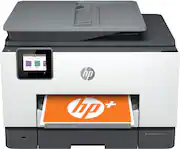
This review is from HP - OfficeJet Pro 9025 Wireless All-In-One Instant Ink Ready Inkjet Printer - Gray
Posted by eiProfessional
- Rated 4 out of 5 stars
Great printer for small business
It’s a noisy machine. It’s working fine. I love that I can set tray 2 to print envelope only.
Posted by Clarissa