- Key Specs
- Processor Model: Intel 10th Generation Core i3 (Your computer's processor is like its brain. Working in combination with system memory, the power of the processor determines the complexity of software you can run, how many programs you can have open at the same time, and how fast those programs will run. Most computers feature an AMD, Intel or Snapdragon processor.)
- Storage Type: SSD
- Total Storage Capacity: 256 gigabytes
- System Memory (RAM): 8 gigabytes (Random-access memory (RAM) is a computing device's short-term data storage, which allows active information to be accessed quickly. The size and type of RAM determines how efficiently the device can handle large amounts of information at one time. For example, gaming or video editing requires more RAM for optimal performance.)
- Graphics Type: Integrated (Dedicated graphics uses a separate graphics card for processing video images. Because it does not use memory from the system's RAM, there is no extra burden on the CPU and graphics are processed more efficiently. Integrated graphics shares system RAM to process video images.)
- Graphics: Intel UHD Graphics 630 (Often referred to as a "graphics processing unit" (GPU), this device is responsible for displaying image content and decoding/encoding video content in programs and games.)
- General
- Brand: HP
- Model Number: TP01-1114
- Product Name: Pavilion Desktop - Intel Core i3 - 8GB Memory - 256GB SSD
- Color: Natural Silver
- Year of Release: 2020
- Processor
- Processor Brand: Intel
- Processor Model: Intel 10th Generation Core i3 (Your computer's processor is like its brain. Working in combination with system memory, the power of the processor determines the complexity of software you can run, how many programs you can have open at the same time, and how fast those programs will run. Most computers feature an AMD, Intel or Snapdragon processor.)
- Processor Model Number: 10100
- Storage
- Storage Type: SSD
- Total Storage Capacity: 256 gigabytes
- Solid State Drive Capacity: 256 gigabytes (The amount of data that can be stored on the device's solid state drive (SSD). SSD is a flash-based storage with faster speeds than a hard disk drive (HDD).)
- Solid State Drive Interface: NVMe (Connects the solid state drive to the host system. PCI and SATA interfaces are the most common; PCI interfaces are typically faster, but SATA interfaces are compatible with a wider range of systems.)
- Hard Drive Accelerator: None (A module integrated (or added) into a PC to improve performance speed. By acting as a high-speed cache, an accelerator speeds up access times to the hard drive, which results in faster web browsing, improved gaming experience, and overall more responsiveness.)
- Memory
- System Memory (RAM): 8 gigabytes (Random-access memory (RAM) is a computing device's short-term data storage, which allows active information to be accessed quickly. The size and type of RAM determines how efficiently the device can handle large amounts of information at one time. For example, gaming or video editing requires more RAM for optimal performance.)
- Type of Memory (RAM): DDR4 SDRAM (Each type of RAM delivers a different level of speed, bandwidth, energy efficiency and performance.)
- System Memory RAM Speed: 2666 megahertz (How fast the information-storing hardware operates. The faster the RAM, the faster memory can be transferred to other system components. Ultimately, faster RAM improves operational efficiency.)
- Number Of Memory Slots: 2
- Number of Memory Sticks Included: 1
- Graphics
- Graphics Type: Integrated (Dedicated graphics uses a separate graphics card for processing video images. Because it does not use memory from the system's RAM, there is no extra burden on the CPU and graphics are processed more efficiently. Integrated graphics shares system RAM to process video images.)
- GPU Brand: Intel
- Graphics: Intel UHD Graphics 630 (Often referred to as a "graphics processing unit" (GPU), this device is responsible for displaying image content and decoding/encoding video content in programs and games.)
- Compatibility
- Operating System: Windows 10 Home (The operating system manages all software and hardware, including files, memory and connected devices. Most importantly, it lets you interact with your device and your programs in a visual way; otherwise, you'd be typing computer code to get anything done.)
- Connectivity
- Number of HDMI Outputs (Total): 1
- Number of DisplayPort Outputs (Total): 0
- Number of Thunderbolt Ports (Total): 0
- Number of VGA Ports: 1 (VGA (Video Graphics Adapter or Video Graphics Array) is a display standard that transmits via analog signals. This type of interface is typically used to connect a computer to a display device such as a monitor, projector, or TV.)
- Number Of DVI Ports: 0
- Number of USB Ports (Total): 9
- Number Of PS/2 Ports: 0
- Wireless Connectivity: Bluetooth, Wi-Fi (The manner in which a device sends data to another device over a short distance without the use of wires or cables.)
- Ethernet Card: 10/100/1000 (Also known as an Ethernet adapter, this card plugs into a computer's motherboard and enables it to access an Ethernet network. Ethernet data transmission speeds are measured in Mbps (megabits per second) and Gbps (gigabits per second). For example, a 10/100 Ethernet port transmits 10 and 100 Mbps, while a 10/100/1000 Ethernet port transmits 10 and 100 Mbps and has a maximum speed of 1000 Mbps (1 Gbps).)
- Number Of Ethernet Ports: 1
- Network Connectivity: None (The manner in which a device sends data to another device over a long distance using a cellular network.)
- Expansion
- Number Of Internal 2.5" Bays: 0
- Features
- Customizable Keyboard Lighting: No
- Media Card Reader: true (A hardware device that allows for access to data on a memory card and enables the transfer of its files to a computer. These devices may have one or multiple slots for various types of memory cards, and may be integrated into the computer or available as an external device.)
- Customizable Case Lighting: false
- Audio Technology: 5.1 surround sound
- Size: Standard
- Dimensions
- Product Height: 13.28 inches (The out of box height of the item. Height is measured as the vertical distance from the bottom of the item to the top as it would be primarily used or placed.)
- Product Width: 6.12 inches (The out of box width of the item. Width is measured as the horizontal distance from one side of the item to the other as it would be primarily used or placed.)
- Product Depth: 11.97 inches (The out of box depth of the item. Depth is measured as the distance from the front of the item to the back as it would be primarily used or placed.)
- Product Weight: 13.14 pounds (The out of box weight of the item.)
- Certifications Listings & Approvals
- ENERGY STAR Certified: false (Devices carrying the ENERGY STAR service mark, such as computer products and peripherals, kitchen appliances, and other products, generally use 20% to 30% less energy than required by federal standards.)
- EPEAT Qualified: false (The Electronic Product Environmental Assessment Tool (EPEAT) was designed to provide an environmental assessment tool for purchasers. In order to qualify for EPEAT, a product must meet all 23 required criteria.)
- Included
- Included Software: Windows 10 Home
- Optical Drive Type: None (An optical disk drive (ODD) uses a laser light to read data from or write data to an optical disc. These discs include CDs, DVDs, and Blu-ray Discs. This allows you to play music or watch movies using prerecorded discs.)
- Keyboard Included: true
- Mouse Included: true
- Wireless Keyboard: false
- Wireless Mouse: false
- Other
- UPC: 195122137236
Real-life action demands serious performance and tested durability. The HP Pavilion Desktop PC brings the latest technology and reliability from a trusted brand that protects what matters to you most.
- Windows 10 Home: Do great things confidently with the familiar feel of Windows - only better.
- 10th Gen Intel® Core™ i3-10100 Desktop Processor: Outstanding performance and immersive multimedia entertainment with 4K visuals.
- 8GB system memory for advanced multitasking: Substantial high-bandwidth RAM to smoothly run your games and photo- and video-editing applications, as well as multiple programs and browser tabs all at once.
- 256GB solid state drive (SSD): While offering less storage space than a hard drive, a flash-based SSD has no moving parts, resulting in faster start-up times and data access, no noise, and reduced heat production and power draw on the battery.
- Built to last: Backed by over 230 tests, our desktop deliver durability you can trust.
- Dual display support: Add a second display for a more immersive and productive computing experience.
- Wi-Fi 5 (1x1) & Bluetooth® 4.2: Stay connected to Wi-Fi and to Bluetooth® accessories with wireless technology.
- Intel® UHD Graphics: Smoothly stream 4K content and play your favorite games.
- 5.1 Surround Sound output: All the necessary ports for truly immersive sound quality with 5.1 surround sound.
- SuperSpeed USB Type-A 5Gbps signaling data rate: Plug in your external storage with this Superspeed USB Type-A port, featuring 5Gbps signaling data rate.
- SuperSpeed USB Type-C® 5Gbps signaling data rate: Plug in your external storage with this Superspeed USB Type-C® port, featuring 5Gbps signaling data rate. And it’s reversible, so you never have to worry about plugging in upside down.
Whats Included
- TP01-1114 Desktop Computer
- Wired Mouse & Keyboard
Product Manuals
Q: How do I open the DVD door? I can't find a button to push.
A: This desktop does not have a DVD drive.
Q: Does this HP Computer have a disc drive? It shows one in the picture but does it work?
A: It does not. I looked at the same picture that you did and also looked at the display model in the store and thought it had a disc drive. After purchasing the PC discovered that a disc drive can be added, as an upgrade, which would require additional money be added to the price. I now have to go purchase a USB disc drive in order to install programs that need to be installed on the new "no disc drive" PC.
Q: Can you Burn a music CD on this computer?
A: No! It fooled us too. When you open it up, there is a place for a CD drive BUT NO CD DRIVE!!!!!
A: Yes, the RAM can be upgraded up to 32 GB.
Q: Can you put a Graphics card in this computer? and what kind? thank you.
A: Yes, you can install a graphics card. Because the computer has only a 180 watt power supply, you'll need to install a card that doesn't use much power.
Q: What is the difference between the i3 and the i7?
A: In general, i3 processors are considered a mid-level leisurely series, perfect for browsing, streaming music and movies. i5 processors are ideal for more active clients who are multitasking, gaming, or managing a business/schooling. i7s are for those who are doing more dedicated business work, heavier gaming, programming, and more!
Q: what internal dvd rw is recommended/fits this tower?
A: I had to buy an external DVD Writer, it is an LG, which works great. This tower does not have one of its own, after many attempts to open the door on front of tower. I don't know if you can use an internal drive on this model. What I got looks like a regular disk player, it is flat about 4x4 and runs in the range of $40.00, unless you can get on sale price, which I was able to do. It plugs into the front of the tower. Just put the disk in and it is ready to go. I hope this helps.
Q: Can you add another hard drive? If so, what type?
A: There is one available M.2 slot for a M.2 solid state drive. You can install a PCIe NVMe M.2 SSD into that slot.
People also viewed
 $2,899.99The price was $2,950.99
 $849.99The price was $1,409.99
 $779.99The price was $1,119.99
 $769.99The price was $1,289.99
 $1,029.00The price was $1,249.99
 $549.99The price was $769.99
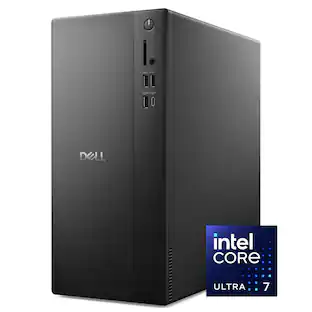 $1,629.00The price was $1,989.99
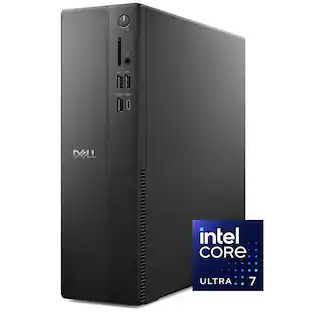 $1,009.99The price was $1,439.99
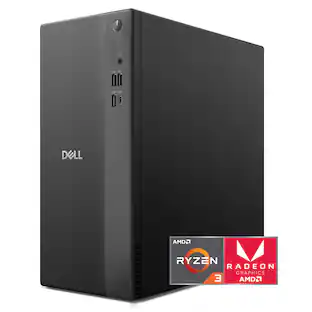 $789.99The price was $989.99
 $649.99The price was $849.99

Today's top picks
 $1,299.99The price was $2,499.99
 $1,574.99The price was $2,149.99
 Top Deal$1,899.99The price was $3,499.99
 $299.99The price was $499.99