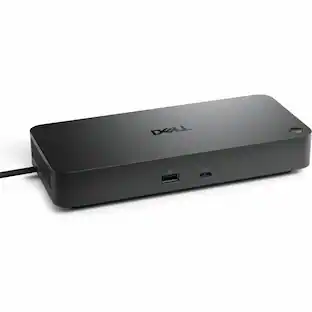
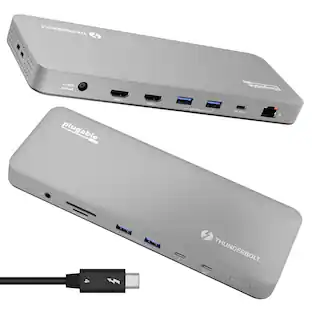
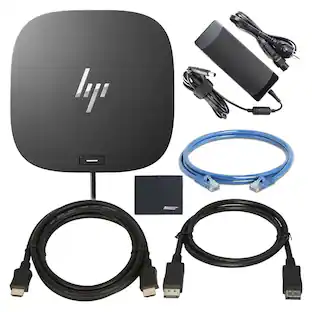
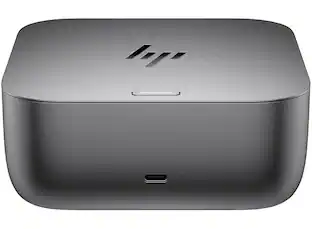
HP - Thunderbolt 4 Dock 120W G4, 13-in-1 USB-C Dock, 100W Charging, HDMI, 2 DisplayPort, Ethernet port for Laptop, Mac, PC - Black
Reviews coming soon
About this product
This dock is recommended for Envy, Probook, Elitebook, Zbook Firefly / Fury / Power Series, ThinkPad L / E / T / P / X Series, Inspiron, Latitude, Precision, XPS, Vivobook, Expertbook, Zenbook Pro duo Laptop; It also supports most PC, Macbook, Chromebook. Focus on your work and not your compatibility with a dock that works seamlessly with most notebooks and operating systems. Whether you use Windows, Mac, or Chrome OS—rigorous testing and certifications ensure that one USB-C cable connects your device and peripherals without issue. Thunderbolt 4 port supports up to four 4K@60Hz displays and has double the ethernet speed for faster downloads. Up to 100W of power and 40Gb/s data transfer speed (Please check whether your type C port supports charging and display; if it does not, Thunderbolt 4 May not work). USB-C data/power out, (USB 3.2 Gen 2 10 Gbps Data only), Kensington Standard Lock Slot, 2 x USB 3.2 Gen 1 ports - 1 on each side (charging) (5 Gbps), 2 x USB 3.2 Gen 1 (charging ports when docked) (5Gbps), HDMI 2.0 port, 2 x DisplayPort 1.4 ports, 1 AC adapter port, Ethernet port (2 internal NIC cards to support 1Gb and 2.5Gb Ethernet), USB-C DP alt mode port, Thunderbolt 4 port
Features
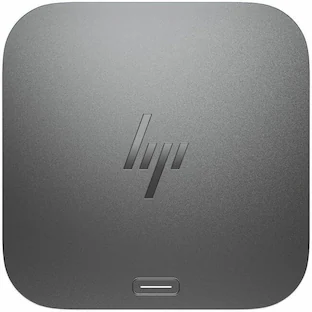
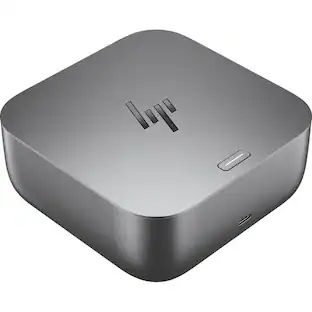
HP Thunderbolt Dock
HP Thunderbolt 4 Dock 120W G4, 13-in-1 USB C Docking Station with Max 100W Charging, 4 Displays 4K Display, Ethernet Port, 6 USB Ports, HDMI, 2 Displayport for Laptop, MacOS, ChromeOS, PC
The Power to be productive
Multitask like a pro on up to four 4K displays through superfast Thunderbolt 4 technology. Create and collaborate faster with double the ethernet speed.
Works seamlessly
Rigorous testing and certifications ensure this dock works seamlessly with most notebooks and operating systems. One USB-C cable connects your device and peripherals without issue.
Specifications
- Maximum Number of Displays Supported4Number of DisplayPort Outputs (Total)2Number of Thunderbolt Ports (Total)1
Reviews
This product doesn't have any reviews yet.

- Poly - Voyager 4310 Wireless Noise Cancelling Single Ear Headset with mic - Black$113.99The price was $157.99
- HP - G6 USC-C 100W Docking Station - Black$199.99The price was $264.99




Compare similar products
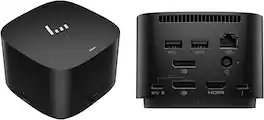
This dock is recommended for Envy, Probook, Elitebook, Zbook Firefly / Fury / Power Series, ThinkPad L / E / T / P / X Series, Inspiron, Latitude, Precision, XPS, Vivobook, Expertbook, Zenbook Pro duo Laptop; It also supports most PC, Macbook, Chromebook. Focus on your work and not your compatibility with a dock that works seamlessly with most notebooks and operating systems. Whether you use Windows, Mac, or Chrome OS—rigorous testing and certifications ensure that one USB-C cable connects your device and peripherals without issue. Thunderbolt 4 port supports up to four 4K@60Hz displays and has double the ethernet speed for faster downloads. Up to 100W of power and 40Gb/s data transfer speed (Please check whether your type C port supports charging and display; if it does not, Thunderbolt 4 May not work). USB-C data/power out, (USB 3.2 Gen 2 10 Gbps Data only), Kensington Standard Lock Slot, 2 x USB 3.2 Gen 1 ports - 1 on each side (charging) (5 Gbps), 2 x USB 3.2 Gen 1 (charging ports when docked) (5Gbps), HDMI 2.0 port, 2 x DisplayPort 1.4 ports, 1 AC adapter port, Ethernet port (2 internal NIC cards to support 1Gb and 2.5Gb Ethernet), USB-C DP alt mode port, Thunderbolt 4 port
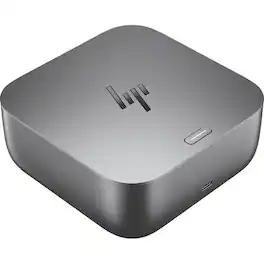
The device offers extensive connectivity and high-performance features, including front ports with one USB Type-C® 10Gbps signaling rate supporting up to 15 W USB Power Delivery, and right-side ports featuring one USB Type-A 10Gbps signaling rate (charging), a nano security lock slot, and one USB Type-C® 10Gbps signaling rate (up to 15 W Power Delivery). At the rear, it provides one Thunderbolt™ 4 with USB Type-C® 40Gbps signaling rate, two USB Type-A 5Gbps (charging) ports, one HDMI 2.1, two DisplayPort™ 1.4 outputs, and one RJ-45 (2.5 GbE) Ethernet port. It supports Thunderbolt™ 4 connectivity, powered by a 120 W external power adapter, with up to 100 W power delivery to the system for both HP and non-HP host devices. Manageability features include HPCMSL, disconnected firmware updates, eTag, PXE Boot, Wake on LAN (from Off, Sleep, or Hibernation), MAC address pass-through (On, Off, Sleep, or Hibernation), LAN/WLAN switching, LAN disable, and event messaging. The device supports a maximum resolution of up to 8K with refresh rates reaching 360 Hz, and offers versatile display configurations: non-Thunderbolt™ multi-function PCs can support up to 4 × QHD or 3 × FHD displays at 60 Hz, while high-resolution and Thunderbolt™ configurations enable up to 4 × 4K or 1 × 5K displays at 60 Hz, as well as FHD options at 360 Hz. It supports up to three external monitors and one PC display, or up to four external displays, and includes a 3.2-ft cable for flexible setup.

Boost your security, productivity, and connectivity with this Thunderbolt 4 dock. It protects your network and devices from the moment you log in, supports multi-OS compatibility, and can support up to four 4K displays. Ideal for ITDMs and hybrid workers, this dock also makes home or office device management easy.

Boost your security; productivity; and connectivity with this Thunderbolt 4 dock. It protects your network and devices from the moment you log in; supports multi-OS compatibility; and can support up to four 4K displays. Ideal for ITDMs and hybrid workers; this dock also makes home or office device management easy. The Dock that Protects your Connected Devices. Feel safe and secure from the moment you log in. The HP Thunderbolt G4 Dock with HP Sure Start prevents hackers from using the dock to attack the network and the attached notebook. Everything connected to this dock is protected and meets full NIST 800-193 requirements. The Power To Be Productive. Multitask; create; and collaborate faster with a dock that supports up to four 4K displays through superfast Thunderbolt 4 technology and has double the ethernet speed for faster downloads. This dock also delivers up to 100W of power - enough to charge most notebooks. Expanded Compatibility. Easy Connectivity. Focus on your work and not your compatibility with a dock that works seamlessly with most notebooks and operating systems. Whether you use Windows; Mac; or Chrome OS - rigorous testing and certifications ensure that one USB-C cable connects your device and peripherals without issue. Device Management Made Easy. Manage your mixed fleet more efficiently with wired Intel vPro support that allows authorized administrators to remotely access and manage vPro enabled notebooks using wired connections to make updates. IT Managers can also plan dock firmware updates anytime; even after the user disconnects through a one click installer.
Specs
Be the first to ask a question.
We’ll try to get your question answered within 24 hours by a Best Buy customer or brand representative.
Find more like this
 Our 365-day lowest price$119.99The price was $139.99



Customers ultimately bought

Explore tech essentials Sponsored
 $111.00The price was $119.99

Keep exploring
- $111.00The price was $119.99
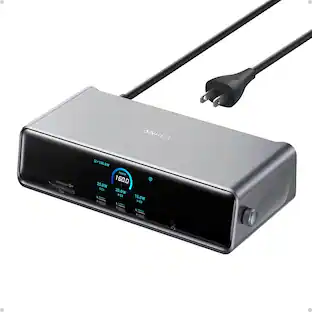
Anker - Prime Docking Station (DL7400), 14-Port Triple Display with DisplayLink, 140W Max USB-C Port
$259.99The price was $299.99