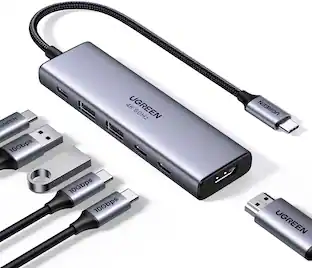
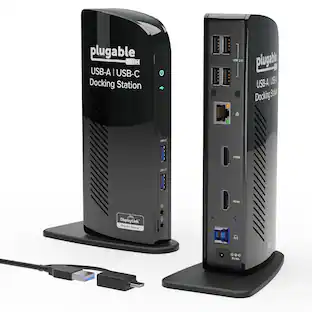
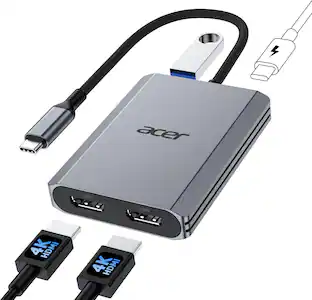
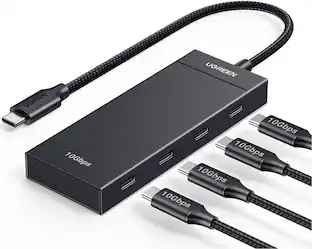
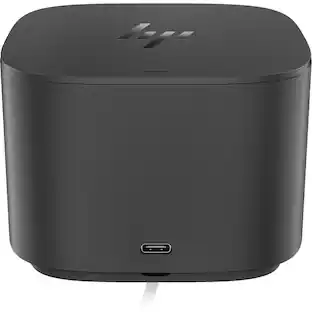
HP - USB-C 100W G6 Docking Station BS7S5AA#ABA Bundle with Dockztorm Hub, HDMI, DisplayPort, Ethernet, USB-A Ports 10 Pack - Black
Reviews coming soon
About this product
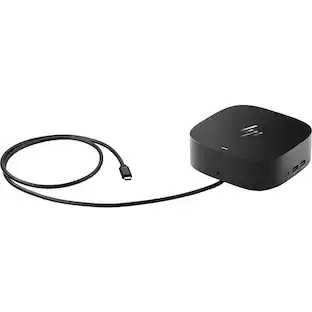
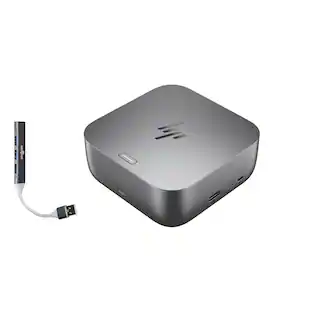
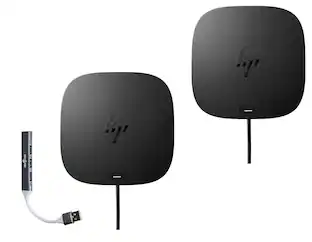
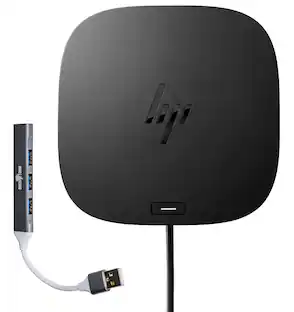
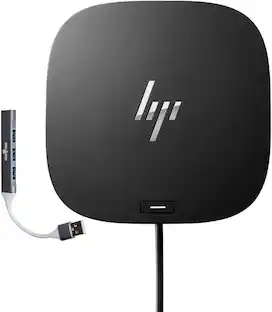
The HP USB-C 100W G6 Dock delivers up to 100W power via USB-C with a maximum current of 6.15A and operating voltage of 19.5V, featuring a sleek black design and support for resolutions up to 4K at 120Hz. It connects through a USB Type-C interface with a 3.2 ft cable and supports up to three external displays. Designed for efficiency, it includes a rear USB-C cable for host connection and operates within temperatures of 32 to 95°F, with non-operating temperatures ranging from -4 to 140°F. The dock supports operating altitudes from -49.2 to 10,000 ft and non-operating altitudes up to 40,000 ft, along with humidity ranges of 10–90% (operating) and 5–95% (non-operating), non-condensing. Compact and lightweight, it measures 4.76 x 4.76 x 2 inches and weighs 1.49 lb. This bundle also includes a Dockztorm USB Hub (Special Edition Portable Data Hub) with super data sync speeds up to 5Gbps.
Features
Universal compatibility
Designed for mixed environments, the HP USB-C 100W G6 Dock works seamlessly with both HP and non-HP laptops that support USB-C, Thunderbolt, or USB for data, video, and power.
Single-cable productivity
Connect all your peripherals and up to three external displays, then link your notebook with a single USB-C cable for instant access and up to 100W charging.
Advanced IT manageability
Built for enterprise use, this dock supports PXE Boot, Wake-on-LAN (WoL), LAN/WLAN switching, and MAC Address Pass-Through, helping IT teams securely manage devices across networks.
Efficient firmware management
Simplify updates with remote firmware deployment. IT admins can push updates to laptops for later installation on the dock—even when the dock is not connected.
Includes
Dockztorm Dock (Special Edition Portable Dockztorm Data Hub; Super Speedy Data Sync Rate upto 5Gbps)
Specifications
- Maximum Number of Displays Supported3Number of DisplayPort Outputs (Total)2
Reviews
This product doesn't have any reviews yet.
Compare similar products
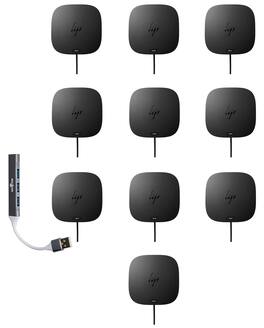
The HP USB-C 100W G6 Dock delivers up to 100W power via USB-C with a maximum current of 6.15A and operating voltage of 19.5V, featuring a sleek black design and support for resolutions up to 4K at 120Hz. It connects through a USB Type-C interface with a 3.2 ft cable and supports up to three external displays. Designed for efficiency, it includes a rear USB-C cable for host connection and operates within temperatures of 32 to 95°F, with non-operating temperatures ranging from -4 to 140°F. The dock supports operating altitudes from -49.2 to 10,000 ft and non-operating altitudes up to 40,000 ft, along with humidity ranges of 10–90% (operating) and 5–95% (non-operating), non-condensing. Compact and lightweight, it measures 4.76 x 4.76 x 2 inches and weighs 1.49 lb. This bundle also includes a Dockztorm USB Hub (Special Edition Portable Data Hub) with super data sync speeds up to 5Gbps.
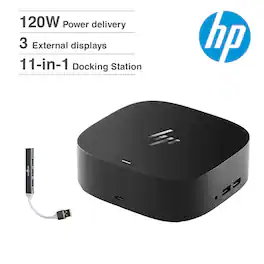
Seamless Productivity – Effortlessly go the extra mile with just a single USB-C cable. This essential dock seamlessly powers and supports 4 USB-A ports for all your accessories, up to 3 high-res displays。

Power your Everyday – This dock starts working before you even take a seat. HP Quick Connect wakes your devices when approaching so you never have to slow your rhythm. Keeps the power flowing all day with a high-speed Thunderbolt 4 connection and plenty of ports to connect your devices.

Get to work with a single cable from your USBC-enabled notebook to your displays, devices, and wired network with the versatile, elegant, and space-saving HP USB-C Dock G5. The dock is compatible with notebooks from brands like HP, Apple, Dell, Lenovo, and more.
| Pros for HP - USB-C 100W G6 Docking Station BS7S5AA#ABA Bundle with Dockztorm Hub, HDMI, DisplayPort, Ethernet, USB-A Ports 10 Pack - Black | |||
|---|---|---|---|
| There were no pros for this product— | There were no pros for this product— | There were no pros for this product— | Overall Performance |
Specs
Be the first to ask a question.
We’ll try to get your question answered within 24 hours by a Best Buy customer or brand representative.
Customers often buy these together

More to consider
 $1,159.99The price was $1,449.99

Explore tech essentials Sponsored
 Techtober Deal$89.99The price was $109.99
 Techtober Deal$22.49The price was $24.99



Keep exploring
 Techtober Deal$49.99The price was $59.99
 Techtober Deal$49.99The price was $59.99
 Techtober Deal$69.99The price was $79.99