HP - USB Type C Docking Station - Black
Customers are saying
Customers have good things to say about the overall performance of this product, noting that it works well for everyday tasks. Additionally, users appreciate the ease of use, highlighting that the setup process is both quick and straightforward.
Features
Docking station for a best user experience
Docking station with a variety of ports and fast data transfer speeds that allow you to revolutionise your laptop and notebook experience
Connectivity
Enables connection with devices having HDMI, DisplayPort, Network (RJ-45), USB 3.0 port
USB Type C host interface
The USB Type C interface provides smooth data transfer and outstanding performance
Wired connectivity technology
With the wired connectivity, no more worries about low signals and low latency
Notebook device supported
Features full compatibility with Notebook
100 W maximum power supply wattage
100 W power supply unit (PSU) fulfills your system's power requirements
Specifications
- Maximum Number of Displays Supported3Number of DisplayPort Outputs (Total)2Passthrough PowerNo
Reviews
Rating 4.3 out of 5 stars with 28 reviews
- Overall Performance (11)
- Ease of Use (3)
The vast majority of our reviews come from verified purchases. Reviews from customers may include My Best Buy members, employees, and Tech Insider Network members (as tagged). Select reviewers may receive discounted products, promotional considerations or entries into drawings for honest, helpful reviews.





Compare similar products

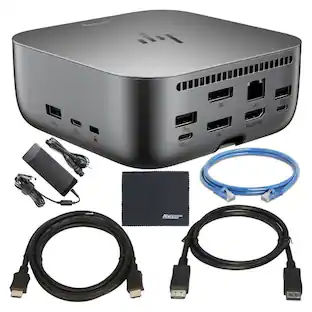
Get to work with a single cable from your USBC-enabled notebook to your displays, devices, and wired network with the versatile, elegant, and space-saving HP USB-C Dock G5. The dock is compatible with notebooks from brands like HP, Apple, Dell, Lenovo, and more.

Universal docking for today's laptops. Connect your USB-C-enabled laptop to your displays, accessories, and wired network with the versatile, elegant, and space-saving HP USB-C Dock G5.
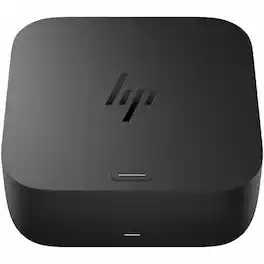
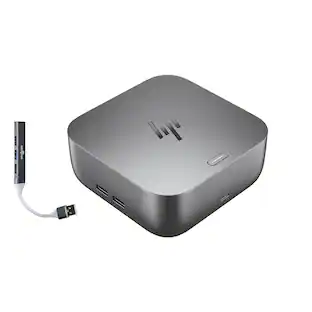
Kickstart your day with less hassle and more hustle. The HP USB-C 100W G6 Dock boots your ecosystem as you arrive, connects instantly via a single USB-C cable, and streamlines your setup with ample ports and seamless, secure connectivity-all while staying up to date with remote manageability.

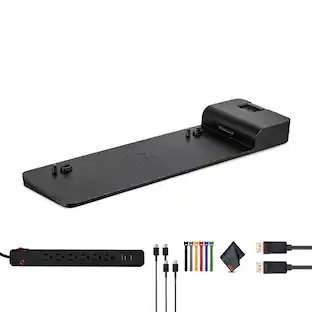
Get to work fast with one cable from your USBA- and USBC-enabled notebooks to your displays, devices, and wired network with the flexible, compact HP USB-C/A Universal Dock G2. The dock is driven by DisplayLink and compatible with notebooks from HP, Apple, Dell, Lenovo, and more.
| Pros for HP - USB Type C Docking Station - Black | |||
|---|---|---|---|
| Overall Performance, Ease of Use | Overall Performance, Connectivity, Setup, Design | There were no pros for this product— | There were no pros for this product— |
| Cons for HP - USB Type C Docking Station - Black | |||
| There were no cons for this product— | Port Quantity, Compatibility | There were no cons for this product— | There were no cons for this product— |
Specs
Questions & Answers
I have 2 HP monitors with VGA and HDMI connections.I would like to extend display to HP 17-cn0112ds laptop. Will this work? If not what accessories do you recommend? thanks
Answered by HP TeamThank you for your question about this docking station! This will not work with your laptop as the 17-cn0112ds ports do not have the signaling rate or the pass-through DisplayPort required to support multiple external monitors. Those features are in the Pavilion, Envy, Spectre, and OmniBook laptops, which are available for purchase in Best Buy stores or online.

Will this work with a HP laptop 17t-cn300?
Answered by HP TeamHello and thank you for asking.. The HP USB-C Dock G5 (5TW10AA) will work with the HP 17t-cn300 laptop. However, the USB-C port on that laptop does not support a transfer rate fast enough for video. This is why any additional monitors connected to the dock's DisplayPort ports will not work.
Does this also power the laptop when I plug in its USB-C cable to the laptop USB-C charging port? The specs say no passthrough power, but I'm seeing conflicting answers here.
Answered by HP TeamThank you for your question about this USB-C dock! This dock can charge mobile devices like smartphones through the USB-A ports that are on it, but it does not have the power delivery for laptops.
Will this work with a Samsung NP730QFG-KA1US Laptop and monitor MSI 27 FHD IPS Nvidia G-Sync Gaming Monitor Optix G273. Additionally, does this docking station have its own power supply which the laptop would be charged from.
Answered by HP TeamThis is made with compatibility with all kinds of laptops, including your Samsung. It comes with an external power supply that handles 100 watts and supports power delivery through the USB-C port on the laptop: Make sure the dock is connected to port that has the lightning logo on it.
Are both of the following HP laptops fully compatible with this dock: Product #s: 1Y5L4AV and 6N191UA#ABA Thanks!
Answered by HP TeamYes, they're both compatible with this docking station.
Customers often buy these together
Logitech B100 Corded Mouse – Wired USB Mouse for Computers and laptops, for Right or Left Hand Use
$13.29The price was $20.06Logitech MeetUp 4K Ultra HD Video Conferencing Camera for Small Conference Rooms
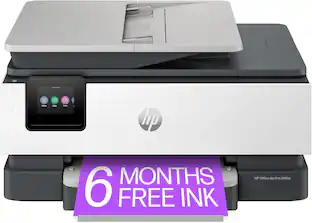
$529.99The price was $640.74HP OfficeJet Pro 8138e Wireless All-in-One Color Inkjet Printer Scan Copy Fax
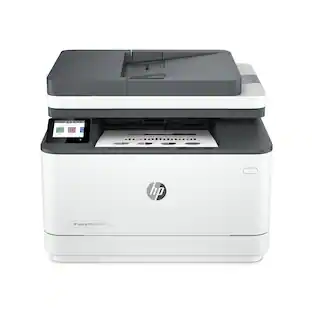
$149.00The price was $199.99HP LaserJet Pro MFP 3101fdw Wireless AI-Enabled Black-and-White All-in-One Laser Printer
$349.99The price was $379.99




Customers ultimately bought
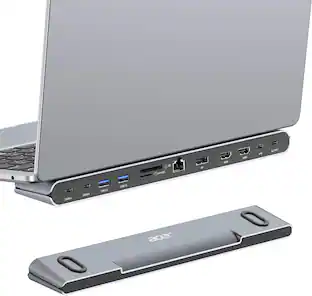
Acer USB C Docking Station With 2 HDMI, 9-IN-1 Docking Hub with USB A&C 3.0, SD/Micro SD, 100W Charging
$42.99The price was $47.99Targus USB-C Universal Dual HD Docking Station with 80W PD Pass-Thru
Clearance$34.99The price was $69.99


Explore tech essentials Sponsored

Discover related products
CHERRY KC 200 MX Wired Full-Size Mechanical Keyboard with MX2A Silent Red Switches, USB-A
$106.32The price was $128.95GEEKOM Air12 Lite Mini PC, Intel Processor N95 Desktop Computer, 8GB DDR4 RAM & 256GB SSD, Windows 11 Pro Pre-installed
Holiday Deal$269.00The price was $599.00Acer USB C to HDMI Cable for Home Office 6.6FT (4K@60Hz), High-Speed Type C to HDMI 2.0 Braided Cord
Holiday Deal$10.99The price was $13.99Logitech X56 HOTAS Microsoft Flight Simulator RGB Dual-Throttle and Joystick
$247.00The price was $275.00









Keep exploring
Acer USB C Docking Station With 2 HDMI, 9-IN-1 Docking Hub with USB A&C 3.0, SD/Micro SD, 100W Charging
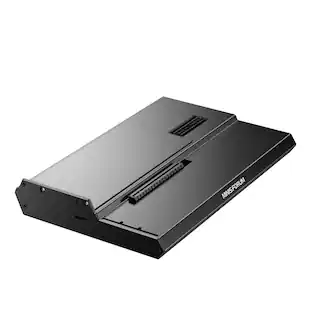
$42.99The price was $47.99Minisforum DEG1 eGPU Dock, OCuLink 4i PCIe 4.0x4, ATX/SFX PSU, PCIe x16 GPU, Signal Amplifier, Follow Startup
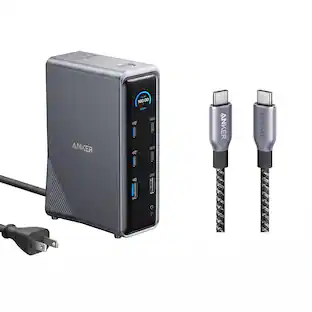
$111.00The price was $119.99Anker Prime Docking Station (14-Port, 160W Max Output) + Prime Thunderbolt 4 USB-C Cable (3.3 ft, 240W)
$192.48The price was $299.98