HyperX - OMEN 27" OLED QHD 240Hz 0.03ms GtG G-SYNC Compatible Gaming Monitor with Adjustable Height (DisplayPort, HDMI) - Black
Customers are saying
Customers highly value the exceptional color quality and design of this product, which frequently receive praise from users. Many also highlight the impressive refresh rate and seamless connectivity across multiple devices as standout features. Furthermore, users appreciate the versatile adjustability and the significant performance boost the monitor provides for gaming setups.
Highlights
Quad HD resolution with 16:9 aspect ratio
Get lost in the captivating definition and sharp details of 3.7 million pixels. 2560 x 1440 Quad HD resolution transforms all your content for a remarkable entertainment experience on this 27" diagonal monitor.
QD-OLED Panel Technology
Experience visuals like never before with an outstanding contrast ratio and a rapid 0.03ms response time, ensuring vivid colors and minimal blur.
Visibly brilliant detail
With 400 nits of brightness, view beautiful details, enhanced image quality, and distinct shades of color—even in bright lighting conditions.
1,500,000:1 contrast ratio
Delivers deeper blacks, brighter highlights, and stunning detail in every scene.
240Hz refresh rate
Don't compromise performance for stunning visuals. Get smooth gaming, sharper objects, and cleaner details with a gaming monitor that refreshes your frames at 240 times a second.
4K Downscaling for Console HDR Support
HDMI Downscaling for HDR, enabling consoles to send HDR signals at screen resolution instead of being locked at UHD.
0.03ms GtG response time
With a 0.03ms GtG response time, fast-paced gameplay stays smooth, sharp, and responsive
Viewing angle
Get immersed in your games with 178-degree wide-viewing angles.
NVIDIA G-SYNC compatible
NVIDIA G-SYNC technology delivers gameplay that’s sharp, fluid, and stutter-free with minimal input lag.
VESA wall mountable
Find comfort while you game with 100 x 100 mm VESA mount (bracket included).
HP Eye Ease with Eyesafe Certification
Built right into the display, HP Eye Ease with Eyesafe Certification provides beautiful color while reducing blue light to keep your screentime comfortable.
Connectivity
2 HDMI 2.1 ports, 1 DisplayPort 1.4 port, 1 x 3.5 mm Audio Jack (Audio Out)
HyperX OLED Core Protect
The best part of a warranty is never having to use it. With HyperX OLED Core Protect, our OLED monitors constantly keep your pixels active and refreshed, so you don't have to worry about burn-in.
OMEN Gaming Hub
From software enhancements to hardware control, and live services, OGH elevates play in an easy and simple way.
- Refresh Rate240HzMaximum Resolution2560 x 1440Response Time0.03 millisecondsSynchronization TechnologyG-SYNC (NVIDIA Adaptive Sync)Screen Size27.63 inches
Reviews
Rating 4.8 out of 5 stars with 130 reviews
- Color Quality (43)
- Refresh Rate (27)
- Connectivity (8)
- Design (6)
- Gaming Performance (6)
Customer Images
The vast majority of our reviews come from verified purchases. Reviews from customers may include My Best Buy members, employees, and Tech Insider Network members (as tagged). Select reviewers may receive discounted products, promotional considerations or entries into drawings for honest, helpful reviews.
Compare similar products
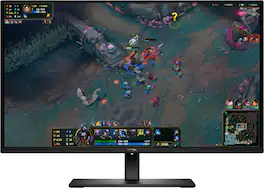
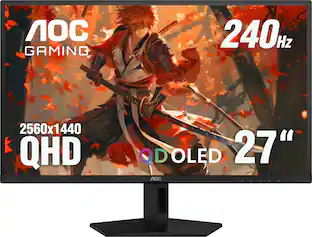
Transform your everyday gaming experience with OLED quality on the HyperX OMEN OLED 27q. Bringing premium OLED screen to the mainstream, this QHD 240 Hz monitor is backed by HyperX burn-in protections, factory color calibration, and software features only found with a HyperX monitor.
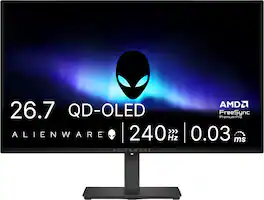
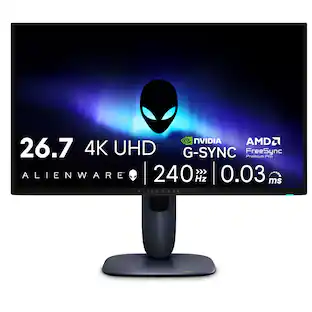
Alienware 27 240Hz QD-OLED Gaming Monitor. Take in superb QD-OLED visuals and fluid gameplay on the 27" flat panel monitor featuring a fast 240Hz refresh rate.
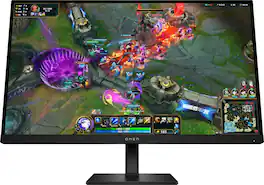
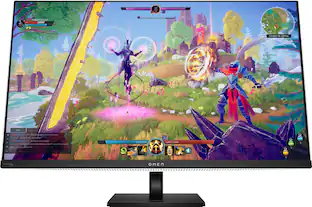
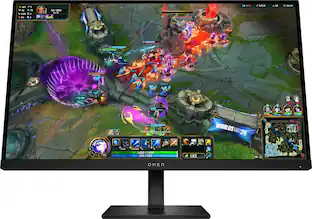
Outclass the competition with the OMEN 27-inch QHD 280 Hz Gaming Monitor. Delivering ultra-smooth frames and crisp details, this NVIDIA G-SYNC compatible display has what it takes to keep up with you. Speed meets looks with a fun, yet refined design unlike any other so you can enjoy it in and out of the game.

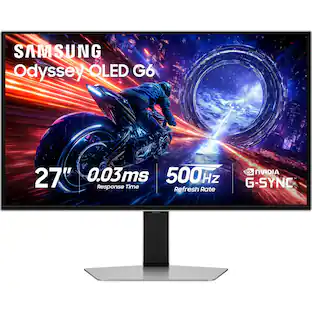
The portal between playing and creating. Experience amazing visuals and ultrafast gameplay with the OMEN Transcend 32 OLED Gaming Monitor. Play and create like never before with a QD-OLED, 4K UHD, color accurate display that offers a 240 Hz refresh rate and .03ms response time. USB-C with 140W power delivery and OMEN Gear Switch enables you to seamlessly flow between gaming and working, making this a gamer's best friend and a boss's worst nightmare.
| Pros for HyperX - OMEN 27" OLED QHD 240Hz 0.03ms GtG G-SYNC Compatible Gaming Monitor with Adjustable Height (DisplayPort, HDMI) - Black | |||
|---|---|---|---|
| Refresh Rate, Connectivity, Color Quality, Design, Gaming Performance | OLED Quality, Refresh Rate, Overall Performance, Stand Adjustability | There were no pros for this product— | OLED Quality, Refresh Rate, Connectivity, Picture Quality |
| Cons for HyperX - OMEN 27" OLED QHD 240Hz 0.03ms GtG G-SYNC Compatible Gaming Monitor with Adjustable Height (DisplayPort, HDMI) - Black | |||
| There were no cons for this product— | Brightness, Audio Output, USB Ports, Connectivity | There were no cons for this product— | Power Brick Size, Firmware Update, Price, HDR, KVM |
Specs
Customers often buy these together
Computer Keyboards
![Sure, here is the corrected and grouped text from the image:
**Top Row:**
- ESC
- F1
- F2
- F3
- F4
- F5
- F6
- F7
- F8
- F9
- F10
- F11
- F12
- PRTSC
- DEL
**Number Row:**
- 1
- 2
- 3
- 4
- 5
- 6
- 7
- 8
- 9
- 0
- -
- =
- \
**Letter Row:**
- TAB
- Q
- W
- E
- R
- T
- Y
- U
- I
- O
- P
- [
- ]
- \
**Letter Row:**
- CAPS
- A
- S
- D
- F
- G
- H
- J
- K
- L
- ;
- '
**Letter Row:**
- SHIFT
- Z
- X
- C
- V
- B
- N
- M
- ,
- .
- /
**Function Row:**
-](https://pisces.bbystatic.com/image2/BestBuy_US/images/products/9be10b95-8e90-4a5d-b85f-cbc6a7d8e8df.png;maxHeight=232;maxWidth=233?format=webp)
![ESC F1 F2 F3 F4 F5 F6 F7 F8 F9 F10 F11 F12 DEL PATSC PO UP PD ON ... ~ 1! 2@ 3# 4$ 5% 6^ 7& 8* 9( 0) - = + NUM / - TAB Q W E R T Y U I O P [ { ] | \ I 7 HOME 8 9 P6 UP + CAPS A S D F G H J K L ; ' ENTER 4 5 6 - . SHIFT Z X C V B N M , . SHIFT 1 END 2 3 PGDN ON m d - ENT CTRL ALT ALT FN O INS DEL](https://pisces.bbystatic.com/image2/BestBuy_US/images/products/5eacb7ce-8d8c-414e-8563-c8fd270399aa.jpg;maxHeight=232;maxWidth=233?format=webp)
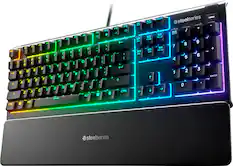
![esc 1 ! 2 @ 3 # 4 $ 5 % 6 ^ 7 & 8 * 9 ( 0 ) - = | F1 F2 F3 F4 F5 F6 F7 F8 F9 F10 F11 F12 tab Q W E R T Y U I O P [ ] { } | caps A S D F G H J K L : : enter shift Z X C V B N M , < > ? shift ctrl alt fn ctrl](https://pisces.bbystatic.com/image2/BestBuy_US/images/products/bc5bce35-ca08-45da-bcc3-8d6fb215154b.jpg;maxHeight=232;maxWidth=233?format=webp)
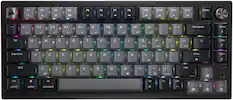
![ESC 1 ! 2@ 3# 4$ 5% 6^ 7& 8 * 9( 0) = + DEL .- ... .. .. ... KOE TAB Q W E R T Y U I O P [{ [ I ] } 1/ HOME m E... CAPS A S D F G H J K L : ENTER PG UP . 1- SHIFT Z X C V B N M < > / ? SHIFT PG DN CTRL ALT ALT FN](https://pisces.bbystatic.com/image2/BestBuy_US/images/products/9b221add-4794-46b8-a559-7d835833e518.jpg;maxHeight=232;maxWidth=233?format=webp)
![ESC F1 F2 F3 F4 F5 F6 F7 FB F9 F10 F11 F12 DEL PRTSC P6 UP PD ON ... 1 A - 1! 2 3# 4$ 5% 6^ 7& 8* 9( 0 ) = + NUM / - TAB Q W E R T Y U I O P [ ] \ | HOME B + 9 PB UP + CAPS A S D F G H J K L : : 1 ENTER 4 5 6 SHIFT Z X C V B N M ? SHIFT 1 END S + 3 PG ON ENT CTRL ALT ALT FN O INS DEL](https://pisces.bbystatic.com/image2/BestBuy_US/images/products/a921344c-ee7b-4281-ba27-e7c65f14d628.jpg;maxHeight=232;maxWidth=233?format=webp)
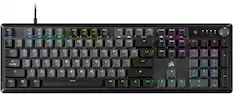
![USC F1 F2 F3 F4 F5 F6 F7 F8 F9 F10 F11 F12 prt SC scr lk pause HH PE PM M5 1 ! 2 @ 3 # 4 $ 5 % 6 ^ 7 & 8 * 9 ( 0 ) - + ins home pg up num / MG tab Q W E R T Y U I O P [ { ] } \ del end pg dn 7 8 9 + EM caps A S D F G H J K L : - enter C 1 2 3 4 5 6 > M2 shift Z X C V B N M - / ? shift 1 2 3 M1 ctri alt alt fn ctrl 0 ins del enter](https://pisces.bbystatic.com/image2/BestBuy_US/images/products/db34a04d-e8cb-4a6c-b0e8-8cb5450ca606.jpg;maxHeight=232;maxWidth=233?format=webp)
Monitor Stands
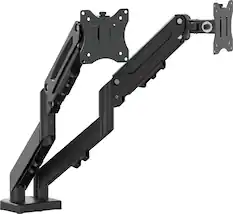

More recommended items
 Monitor and Video Cables
 Computer Speakers
 Mice
Mice Cables and Adapters
 Mouse Pads
 PC Gaming Headsets
More to consider
 Top Deal$328.99The price was $499.99
 Our 365-day lowest price$329.99The price was $499.99
 $699.99The price was $1,299.99
 Top Deal$699.99The price was $899.99
 Top Deal$729.99The price was $999.99
 Top Deal$199.99The price was $329.99

Explore tech essentials Sponsored
 Top Deal$1,624.99The price was $2,299.99
Discover related products
 $1,377.99The price was $1,409.33
 $1,599.99The price was $1,799.99
 $529.99The price was $1,199.99





Keep exploring
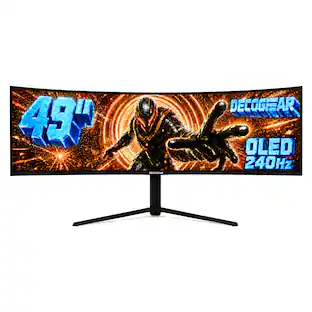
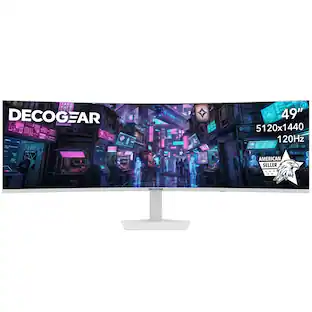
Deco Gear - 49" QD-OLED 240Hz Curved Super Ultrawide Gaming Monitor 5K DQHD 0.03 ms HDR400 90W USB-C
$769.99The price was $1,539.99 $120.99The price was $129.99
 $899.00The price was $934.64
 $479.99The price was $549.99
 $755.99The price was $971.99
 $824.99The price was $979.32
 $189.99The price was $221.49
 $426.46The price was $453.31