Individual Software - AnyTime Organizer Deluxe 16 - Windows [Digital]
Customers are saying
Customers consistently note issues with downloading the AnyTime Organizer Deluxe 16. Some customers have reported being unable to download the program after purchase.
Organize multiple calendars
You can switch between multiple calendars: work/personal, and create categories; schedule events, calls, tasks, appointments and avoid conflicts; add recurring/repeating events and print or e-mail a PDF of schedule.
Layout designer
Choose from 100+ Layouts & 15 base themes for customization; take advantage of exclusive layouts like Weekend Planner, 3-Day Travel Planner, and create a PDF of any layout and e-mail your schedule to others.
Downloadable calendars
Add-in your favorite NFL, NBA, NHL, MLBTM, PGATM, and NASCAR season schedule to your daily planner. Have fun with the Lunar Calendar, Famous Birthdays, International Holidays, and Word-of-the-Day.
Design layout share and print
More than 3,000 layout design combinations; choose from 15 base themes or create your own design; exclusive layouts.
Address book and contacts
Keep a detailed record of contact; remember birthdays and anniversaries - even prepare a holiday card mailing; keep a history of meetings/tasks/notes; add photos for persons as a quick visual.
To-do lists
Keep record of accomplished tasks; set deadlines, track, prioritize, sub-prioritize, and add alarms and important notes for to-do’s; assign tasks to categories; view completed versus non-completed to-do’s; add alarms.
Electronic sticky notes
Add colorful reminders to desktop with one-click; visible while working in other applications; display in front of or behind open applications; choose note sizes, colors and fonts.
Special event reminders
Keep track of special events tied to each contact (e.g. birthdays, anniversaries) and set event alarms.
Alarms and reminders
Use MP3 music as alarm ringtones; snooze alarms by hours, days or weeks; send text message and e-mail reminders.
Driving directions
Get maps and driving directions for any entry in address book.
Import and export
Import data seamlessly from Microsoft Outlook, Sidekick, Lotus Organizer, Day-Timer Organizer, previous versions of AnyTime, and other organizers; import addresses, phone numbers, and contacts.
AnyTime clocks
Unlimited number of simultaneous clocks and timers; add to desktop; world Clock to track date and time in any time zone; countdown Timer; elapsed Timer to monitor events and tasks, or capture billable time.
- Number of Licenses1Operating System CompatibilityWindowsSoftware FormatDigital
Reviews
Rating 3.7 out of 5 stars with 25 reviews
- Functionality (5)
- Overall Performance (4)
The vast majority of our reviews come from verified purchases. Reviews from customers may include My Best Buy members, employees, and Tech Insider Network members (as tagged). Select reviewers may receive discounted products, promotional considerations or entries into drawings for honest, helpful reviews.
Compare similar products
![Individual Software - AnyTime Organizer Deluxe 16 - Windows [Digital]](https://pisces.bbystatic.com/image2/BestBuy_US/images/products/6293/6293303_sd.jpg;maxHeight=422;maxWidth=264?format=webp)
Simplify your life and schedule with Anytime Organizer 16 Deluxe for Windows. Appointment management, event reminders and task lists help manage your busiest days, while the design tool offers 15,000 template options to manage day-to-day commitments in your own style. Anytime Organizer 16 Deluxe lets you easily export and email calendars.
![Microsoft - Office Home 2024 (1 Device) - Windows, Mac OS [Digital]](https://pisces.bbystatic.com/image2/BestBuy_US/images/products/db93a30a-fb3a-4dcc-9d6b-8e0735752dbb.jpg;maxHeight=422;maxWidth=264?format=webp)
For students and families who want classic Office apps installed on one PC or Mac for use at home or school.
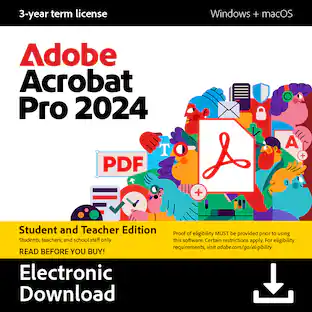
![Adobe - Acrobat Pro 2024 PDF Software Student & Teacher Edition (3-Year License) - Mac OS, Windows [Digital]](https://pisces.bbystatic.com/image2/BestBuy_US/images/products/b3717816-d38e-41ff-91d9-70b85bd330d4.jpg;maxHeight=422;maxWidth=264?format=webp)
Boost your productivity with the essential offline solution for all your PDF needs. With Adobe Acrobat Pro 2024, you can easily create, edit, convert, and protect your documents on Windows and Mac without connecting to the cloud. Manage your documents efficiently with new features including enhanced accessibility tools, star a document, and create a new form from scratch. The updated Acrobat interface also means that you’ll be able to easily find the tools you need to complete PDF tasks faster than ever. You can own this software for a full three years, no subscription required. The 3‐year term license begins once you redeem the code. Note that only one redemption code can be redeemed per Adobe account. If you are looking to redeem another redemption code, click on "Use a different Adobe ID email" on the redemption page and log into a different account. If you have accidentally redeemed multiple codes using the same Adobe account, please contact Adobe Support to receive a replacement code.
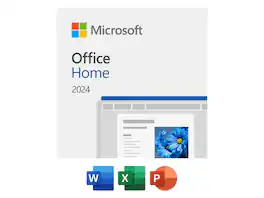
Microsoft Office Home 2024 | One time purchase, 1 Device | Windows 10/11, Mac - Key Card
| Pros for Individual Software - AnyTime Organizer Deluxe 16 - Windows [Digital] | |||
|---|---|---|---|
| Functionality, Overall Performance | Overall Performance, Ease of Use, Installation, Features, Value | Functionality | There were no pros for this product— |
| Cons for Individual Software - AnyTime Organizer Deluxe 16 - Windows [Digital] | |||
| There were no cons for this product— | Subscription Model | There were no cons for this product— | There were no cons for this product— |
Specs
Customers often buy these together
 $31.99The price was $39.99
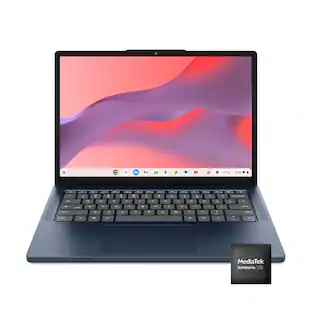 Top Deal$299.00The price was $529.00
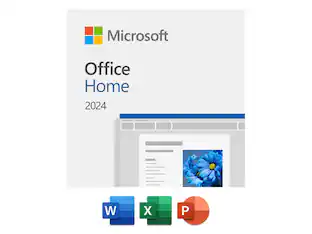 $179.99The price was $184.99



More to consider
- $179.99The price was $184.99
 $143.35The price was $156.00
 $239.99The price was $252.60


Explore tech essentials Sponsored
 $20.99The price was $114.99
 $19.99The price was $29.99


Discover related products
 $12.99The price was $13.99