Rating 4.1 out of 5 stars with 1237 reviews
4.1- Screen Size (308)
- Ease of use (215)
- Sound Quality (96)
- Entertainment (21)
- Price (18)
- Remote Control (49)
- Volume (41)
- DVD Player (33)
- Battery Life (18)
- Headrest Mount (12)
Customer Images
The vast majority of our reviews come from verified purchases. Reviews from customers may include My Best Buy members, employees, and Tech Insider Network members (as tagged). Select reviewers may receive discounted products, promotional considerations or entries into drawings for honest, helpful reviews.
- Rated 4 out of 5 stars
Nice but could be better
Make sure you don’t lose the remote cause it would be hard for a Kid to use without the remote.
Posted by sha23
- Rated 3 out of 5 stars
Car port adapter needs some love
Keep a warranty. They work great for a while then the car port charger seems to always break and I mean actually fall into pieces. Or it will stop charging one of the tvs like a short in the wire. The sound is great and I love the remote controls and being able to share movies. And insignia doesn't have the car adapter so you cant call them so your only choice is find a substitute somewhere or return back to best buy for a new one
Posted by Leo1
- Rated 5 out of 5 stars
Insignia Portable Dvd Player Set
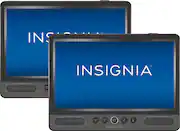
Excellent devices! Great design for your automobile entertainment. My kids love this newly upgraded dvd system. Each dvd player can play their own dvd or sync with their pair to watch the same one together. Each player has its own remote and can plug in headphones to eliminate noisy backseat sound. Comes with a secure headrest mounting for each and has a front facing interface for easy use. We absolutely love this!!! Worth every cent!
Posted by KLaRose
- Rated 5 out of 5 stars
Dvd
A great, portable DVD player for those long road trips
Posted by Stubby
- Rated 1 out of 5 stars
Worthless in under a year
I purchased these duo portable dvds thinking maybe in June 2020 and today 12/6/2020 one DVD player stop working outta no where. It’s on blue just a blue screen. Does show the movie and I can hear the DVD player reading the dvd but nothing happening. What a waste.
Posted by Escat2020