Rating 4.6 out of 5 stars with 2498 reviews
4.6- Ease of use (754)
- HDMI Ports (461)
- Overall Performance (327)
- HDR (108)
- Price (70)
- Remote Control (98)
- Compatibility (15)
- Lag (9)
Customer Images
The vast majority of our reviews come from verified purchases. Reviews from customers may include My Best Buy members, employees, and Tech Insider Network members (as tagged). Select reviewers may receive discounted products, promotional considerations or entries into drawings for honest, helpful reviews.
- Rated 5 out of 5 stars
A Much Appreciated Peripheral for my New TV
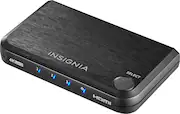
This is a much appreciated peripheral for my new TV. I do a lot of gaming and wanted to hook up multiple consoles that run at 1080p to the TV. This splitter allowed me to accomplish this. It's nice as I can configure the picture settings for all three devices to one HDMI port and then toggle between the three devices using the button on the splitter all while not having to plug and unplug my devices from the TV multiple times. I like how there is no remote with this device as I have plenty of devices that run on batteries now and appreciate not having to add another such device to my setup. My complaints with this device are pretty small but it would have been nice had it came with an HDMI cable for hook-up to the TV. Since it didn't, I had to get an extra HDMI cable when i purchased it which was an unforeseen expense. It also needs to be plugged in which is a relatively minor complaint but it does take up another spot on my surge strip. Finally, the blue lights on the front of the device are on all the time which can be a little obnoxious at times. Overall, I am very satisfied with this device, though. Thanks.
Posted by Thanks
- Rated 5 out of 5 stars
Works great/ Good add on
This definitely allows you to have more electronics hooked up to your TV. It’s small enough to hide or even Velcro to the back of your Tv/ monitor. I’ve order two other brands from another retailer and they were glitching in and out, barely ever worked. This particular device work like a charm. Doesn’t glitch out at all. Imagine if you had one of these for each HDMI output on your TV… jeez.
Posted by ReeseMan
- Rated 5 out of 5 stars
Very Useful Product!
This is exactly what I needed. My TV only has two HDMI inputs, but I needed to plug in more things. This plugs into one of the inputs and gives you three. Very simple to push the button to switch between inputs, even for an someone who is not tech savvy like myself. This product completely eliminated the annoying need to unplug and re-plug between whatever I needed to use. I used two Command Strips to adhere it to the back of the TV, but it could probably be adhered to the bottom as well if your TV is mounted to the wall. 10/10, great product.
Posted by kacie8388
- Rated 5 out of 5 stars
Works great for my needs!
I didn't even know a product called a "Switch" existed until I started doing Google and YouTube searches to solve a problem I have. Most users probably have one laptop/computer and want to output their screen onto 2 different external monitors. In my case, it's the opposite. I have 2 different laptops but only 1 external monitor to use. One laptop is used for my work related apps. The other laptop is used for personal stuff. I don't want to mix my work and personal stuff together on the same laptop. In order to switch back and forth having 2 separate laptops connected to the single monitor, I would have to unplug one HDMI cable from the first laptop and plug in the other HDMI cable for the second laptop. This would be a physical hassle and too much trouble so I don't do it. But lo and behold, this Insignia 3 Port HDMI Switch device perfectly solves the answer to my dilemma. With all the HDMI cables properly connected into the Insignia Switch, I can now simply press the "SELECT" button which cycles through the HDMI selections of up to 3 different HDMI devices. Since I only have 2 laptops connected to the Switch, the 3rd selection is left blank in case I need to expand in the future to add something else. So my 1st laptop is connected to HDMI selection #1, and my 2nd laptop is connected to HDMI selection #2. If I want to view the screen content from either laptop 1 or 2, I can simply press the physical select button on the switch. There is a usually a few seconds of wait time for the new signal to appear on the monitor after pressing the select button, but it's much better than the physical time consuming work of having to unplug different HDMI cables back and forth. Plus my monitor is 4K including one of my laptops, so the Insignia Switch is able to support the 4K resolution. Before coming across this Insignia Switch device on Best Buy website, I almost got one of those $10 knock-off no-name switch devices from Amazon, but I read reviews that they are cheaply made. This Insignia device is very sturdy and well made and I have confidence it will last quite awhile. 5 stars for this device for solving a problem I had for many weeks!
Posted by CaseySC
- Rated 5 out of 5 stars
Works perfectly
[Employee of bestbuy] Wanted to set up my old game consoles and have them conveniently accessible and switchable. This HDMI switch is responsive, built with high quality and nice finish, and sleek looking to blend into a setup. (The picture contains a PS2 and Wii hooked up to an RCA switch and adapter, with a PS3 and PS4 taking up the other two HDMI ports respectively, which then go into the TV. Additionally, it comes with a 600mA MicroUSB power cord, but I measured the power consumption myself during use and found it was fine to use with any MicroUSB cable, plugged into the USB port on the TV (often measured <100-200mA during use, when the TV port’s limit is 500mA). In my case I ran out of ports on my power strip so I powered this HDMI switch using the unused USB port on the back of the TV.
Posted by ShockerSpaniels