Outlet EventEnds Oct. 26. Limited quantities. No rainchecks.Shop now

Main Content
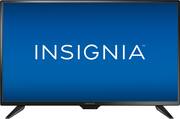
product image

Insignia™ - 32" Class - LED - 720p - HDTV

Model: NS-32D220NA18
SKU: 5747454
This item is no longer available in new condition. See similar items below
  • Key Specs
    • Display Type: LED
    • Resolution: HD (720p) (Refers to the number of pixels, both horizontally and vertically, used to capture video/images. The higher the resolution the finer the detail that can be seen.)
    • Screen Size Class: 32 inches (The group size measurement of a screen. This differs from a screen size measured diagonally from corner to corner.)
    • High Dynamic Range (HDR): false (An HDR-compatible 4K TV or other HDR-compatible product displays HDR video content when it's available from sources like 4K Ultra HD Blu-ray Discs and 4K streaming services.)
    • LED Panel Type: Standard LED
    • Backlight Type: Direct Lit (Edge-lit: lights are on the edges of the display with ~10 zones of vertical LEDs. Direct-lit: lights are on the edges and behind the screen for more light uniformity than Edge-lit. Full array: direct-lit with local dimming for greater contrast with up to 100 zones of LEDs.)
    • Refresh Rate: 60Hz (The number of frames per second the device can produce natively without enhancement. Higher rates help produce smooth, seamless pictures.)
    • Number of HDMI Inputs (Total): 2
  • General
    • Brand: Insignia™
    • Model Number: NS-32D220NA18
    • Product Name: 32" Class - LED - 720p - HDTV
    • Color: Black
    • Series: HDTV (Part of a group of the same product type with similar features.)
    • Model Year: 2017
  • Dimensions
    • Product Height With Stand: 18.7 inches
    • Product Width: 28.7 inches (The out of box width of the item. Width is measured as the horizontal distance from one side of the item to the other as it would be primarily used or placed.)
    • Product Depth With Stand: 7.1 inches
    • Product Height Without Stand: 17.4 inches
    • Product Depth Without Stand: 3.2 inches
    • Product Weight With Stand: 8.6 pounds
    • Product Weight Without Stand: 8.4 pounds
    • Adjustable Stand Width: false (Whether the stand can adjust to have more than one measurement either between the legs or the base itself.)
  • Display
    • Display Type: LED
    • Resolution: HD (720p) (Refers to the number of pixels, both horizontally and vertically, used to capture video/images. The higher the resolution the finer the detail that can be seen.)
    • Screen Size: 31.5 inches (Size of the screen, measured diagonally from corner to corner.)
    • Screen Size Class: 32 inches (The group size measurement of a screen. This differs from a screen size measured diagonally from corner to corner.)
    • High Dynamic Range (HDR): false (An HDR-compatible 4K TV or other HDR-compatible product displays HDR video content when it's available from sources like 4K Ultra HD Blu-ray Discs and 4K streaming services.)
    • LED Panel Type: Standard LED
    • Backlight Type: Direct Lit (Edge-lit: lights are on the edges of the display with ~10 zones of vertical LEDs. Direct-lit: lights are on the edges and behind the screen for more light uniformity than Edge-lit. Full array: direct-lit with local dimming for greater contrast with up to 100 zones of LEDs.)
    • Curved Screen: false
    • Refresh Rate: 60Hz (The number of frames per second the device can produce natively without enhancement. Higher rates help produce smooth, seamless pictures.)
    • Language(s) Displayed: English, French, Spanish (The available language options for displayed text or captions.)
  • Features
    • Remote Control Type: IR
    • Smart Capable: false (Smart, or smart-capable devices are able to connect directly to your home network in order to stream content from the Internet, run Internet-based apps, or connect to other smart devices.)
    • Text-To-Speech: true (A system that converts language text into speech.)
    • V-Chip: true (Feature that blocks television programming if it has a content rating outside of the acceptable rating(s) configured by the user.)
    • TV Tuner: Digital (The ATSC TV Tuner is a component built into conventional TV sets or other devices for receiving over-the-air broadcast TV without a cable/satellite box. Digital tuners may be purchased separately and connected to a device if it does not have one built in.)
  • Connectivity
    • Number of HDMI Inputs (Total): 2
    • HDMI Audio Return Channel (ARC): true
    • RF Antenna Input: true (This input is used to connect devices such as antennas or cable boxes to a TV via a coaxial cable.)
    • Number Of USB Port(s) (Total): 1 (The total number of USB ports including all generations and versions.)
    • Headphone Jack: true (The device features an interface that allows for the connection of headphones.)
  • Compatibility
    • VESA Wall Mount Standard: 100mm x 100mm (VESA wall mount standards refer to the spacing of screw holes built into a TV in order to fit with standard TV wall mounts. These standards are implemented into most TVs and monitors.)
  • Audio
    • Built-In Speakers: true
    • Surround Sound Supported: DTS Sound (Surround sound systems use multiple audio channels and speakers to create an immersive sound experience for the listener. There are also various proprietary technologies that imitate this kind of sound via a device's built-in speakers or soundbar.)
    • Speaker Output: 5 watts
  • Power
    • ENERGY STAR Certified: false (Devices carrying the ENERGY STAR service mark, such as computer products and peripherals, kitchen appliances, and other products, generally use 20% to 30% less energy than required by federal standards.)
    • EPEAT Qualified: false (The Electronic Product Environmental Assessment Tool (EPEAT) was designed to provide an environmental assessment tool for purchasers. In order to qualify for EPEAT, a product must meet all 23 required criteria.)
    • Estimated Annual Operating Cost: 8 United States dollars (Predicted cost of operating the product under average conditions for one year.)
    • Estimated Annual Electricity Use: 66 kilowatt hours (Predicted amount of electricity needed to operate the product under average conditions for one year.)
    • Rechargeable Battery (Remote Control): false
    • Battery Size (Remote Control): AAA (The battery size required for operation.)
    • Number of Batteries Included (Remote Control): 2
  • Included
    • Stand Included: true
  • Box Dimension
    • Height: 19.8 inches
    • Width: 31.2 inches
    • Depth: 5.4 inches
    • CubicDimension: 3335.904 inches
  • Other
    • UPC: 600603214585

Only at Best Buy
Sit back and relax with this Insignia 32-inch LED TV. It offers HD resolutions so that you can enjoy good quality video and broadcasts with deep blacks and rich colors, and it includes two HDMI inputs for DVD players and consoles. The 178-degree viewing angle ensures everyone can gather round this Insignia 32-inch LED TV.TV Buying Guide

TV, See top TV deals

  • 720p resolution for quality HD images: Watch broadcast TV and DVDs in high definition.
  • LED TVs perform well in all lighting conditions: They also deliver plasma-like deep blacks and rich colors.
  • Two 5W speakers: Feature DTS Sound.
  • Two HDMI inputs for home theater connection: High-speed HDMI delivers a full 720p picture and digital surround sound in one convenient cable (HDMI cable is not included).
  • Enjoy the picture from multiple angles: Wide 178° viewing angle provides a clear picture for viewers seated near the side of the screen.
  • One USB input: Easily connect your digital camera or other USB device to view compatible JPEG files.
  • Manage the viewing experience for your kids: The built-in V-chip lets you block content based on program ratings and check ratings of unfamiliar programs.
Whats Included
  • 2x AAA batteries
  • 4x M4 screws
  • Insignia™ 32" Class - LED - 720p - HDTV
  • Owner's manual
  • Remote control
  • TV stands
Documents
  • Energy_Guide_PDF

Q: Can this TV be used as a monitor for my PC?

A: That was what I purchase mine for. works well using the hdmi on the tv and hooking to my laptop

Q: Is there a way to fix the audio delay?

A: If by "audio delay" you mean that you'd like to delay the sound for video that runs late, there's a setting in the set to delay audio to improve lip-sync. However, if you mean that the audio comes late, then I'm afraid the answer is no. I bought an Insignia 32" LED (model number ends with 18) and I spent several hours online searching for an answer with no success. It's especially annoying since the Audio Delay setting seems to indicate that it can go either way, but it can only accommodate for late video. I tested my set with my cable box and BD player, and the audio was late with both. I returned the set for a different brand.

Q: Does this TV need an antenna? I'm using this with a ROKU stick, however also want to access regular channels as there will be no cable on this TV. If it does need an antenna, can you recommend a cheap antenna ?

A: Hello LizzyLee! I hope this "long/detailed" answer helps you. Addressing Indoor HDTV antenna performance and/or TV tuner(s) ability to perform as desired or according to expectations is probably right up there as being the most difficult topic to address as there are so many variables involved in TV signal reception and product performance and users' error or lack of knowledge or insight on how to maximize TV and antenna performance. What follows are some bits of information which I learned along the way to improve my indoor HDTV antenna and TV reception performance. First, go on websites such as TVfool.com and find out where your TV broadcast towers are located so that you can point your antenna in that direction. Another good website related to this topic is disablemycable.com/antenna-tips. There are other websites as well! You will also get an idea of the strength and distance of those broadcast towers. They recommend placing the indoor HDTV antenna as high up inside of your home as possible and the consensus seems to be that placement in a window is best. Placement in or near a skylight has also yielded good results for some. Some even try laying the antenna "flat" to obtain better results. Using RG-6 Coaxial cable and "avoiding" the use of RG-59 Coaxial cable is recommended as well. Be aware of the fact that trees, buildings, using splitters in your antenna connection, using too long of a Coaxial cable extension, nearby electronic equipment like computers and stereos and WiFi routers, fluorescent lights, etc. may also negatively impact your antenna's and TV's performance. TV stations that are over 20 miles away "may" require that an amplifier be incorporated with the indoor HDTV antenna; however, use of an amplifier can also "negatively" impact broadcast reception. One example would be if you had a whole lot of relatively nearby TV stations with strong signals and you incorporated an antenna amplifier just to pull in the weaker stations that might have a negative impact on your ability to receive the stronger TV stations' broadcast signals. Further, if you have strong TV broadcast signals coming from very "different" directions, you might try using two (2) separate indoor HDTV antennas attached by a splitter. Another thing to do is look for television brands that are known to have good tuners as this is the part of your TV that receives the signal. I, personally, use the Winegard Flatwave model FL5000 (non-amplified) antenna; however, there is also the Winegard Flatwave model FL5500A (amplified version) and both are top rated; however, there are other brands of indoor HDTV antennas out there as well. These Winegard indoor HDTV antennas are modeled after military "mud flap" technology and they "both" have a white and a black side to blend in with your décor. The Winegard Flatwave FL5000 (non-amplified version) trends at around $35.00 while the Winegard FL5500A (amplified version) trends at just over $50.00. One of the things that I did that made the biggest improvement in TV signal reception was replacing my "aluminum" mini blinds with "vinyl" blinds and now I am receiving some 47 Channels with my 32" Insignia TV. Also, even though most of my broadcast towers are located South--Southwest of my home, I place my indoor HDTV antenna in an "East" bound window as South of me buildings block reception. I hope that my feedback helps you, LizzyLee, and others who want to or have cut the cable and use indoor HDTV antennas to view television, but just as I began this entry, there are so many variables that are involved in determining television broadcast reception that there are no guarantees. Best of luck--LizzyLee!

Q: Does this TV have buttons on the set to access the menu, inputs and power and volume or do you have to use the remote only?

A: I have been using the 32" Insignia TV which is a model year "older" than this 32" Insignia which is a "2018" model year. I just checked a minute ago on "my" TV and I could not find any buttons on the TV set to access TV functionality such as menu, inputs, power, and volume which you have asked about. However, even if there were buttons to push to access these functions, I would definitely recommend purchasing the Insignia remote model # NS-RMT415 [a.k.a. Best Buy SKU: 4502603]. I have found that the remote controls for some of the Insignia television sets are relatively small in dimensions. They may be easy to lose or easy to sit on them and damage them--perhaps! This Insignia brand remote model # NS-RMT415 can control up to four (4) devices and it comes with a user's guide which lists the myriad of different brands that will recognize the commands of this remote. Navigating the menu and all of the functions that you have mentioned in your question and so very many other functions is a "breeze!" This Insignia remote NS-RMT415 often goes on sale as well. Please see the photo image of this Insignia remote model # NS-RMT415 which I have provided.

Q: How is the sound on this unit? and how many speakers? Do I have to buy alternate sound units for this?

A: I think the sound is great and can be dialed up or down easily and is very clear. You can add external speakers according to the boxed instructions that come with the tv or a sound bar and the hook up will be digital.

Q: How long does this TV last?

A: I am not sure because the one that I have is still doing great and I have had it for several years.

Q: Would I be able to game with this TV? Etc: wii, Xbox one?

A: My grandchildren use it for the Xbox One and have had no problems. The TV color controls may require some adjustment. The Xbox may require screen resizing adjustment found on the Xbox setup app . The sound is ok

Q: Will this tv play movies off of a flash drive if inserted into the USB port, I was told it would but wanting to be for certain..???

A: USB cannot support video streaming. This is not a smart TV and does not have it's own memory. In short, no. I would suggest using a laptop to bridge the gap. Plug the USB into the computer which can read the file, and connect the laptop to the TV using an HDMI cable. Hope this is helpful.