Rating 4.6 out of 5 stars with 5686 reviews
4.6- Picture Quality (2914)
- Ease of use (754)
- Price (666)
- Smart TV (283)
- Color (96)
- Remote Control (66)
- Reliability (23)
- Stand (12)
Customer Images
The vast majority of our reviews come from verified purchases. Reviews from customers may include My Best Buy members, employees, and Tech Insider Network members (as tagged). Select reviewers may receive discounted products, promotional considerations or entries into drawings for honest, helpful reviews.
- Rated 5 out of 5 stars
Great Smart TV
I have two of these TVs and am considering a third. I really like how lightweight it is and how thin the bezel is around the edges. The price was reasonable for a 4K TV, and having the FireTV built in saves me from having an external device attached for streaming services and streaming TV. This allows me to hang the TV on the wall and only have to content with a power cord. Overall it's a nice TV and I'm happy with it. I've had the first for about a year and the second for about a month.
Posted by WesB
- Rated 5 out of 5 stars
An Exceptional Entertainment Experience
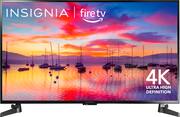
I recently purchased the Insignia™ 43" Class F30 Series LED 4K UHD Smart Fire TV, and I must say that it has exceeded all my expectations. This television truly delivers an exceptional entertainment experience that is both immersive and enjoyable. First and foremost, the picture quality is outstanding. The 4K UHD resolution ensures sharp and detailed visuals, making every scene come to life with stunning clarity. Whether I'm watching my favorite movies, TV shows, or playing video games, the vibrant colors and impressive contrast ratios make the viewing experience truly immersive. The integration of Amazon's Fire TV platform is another standout feature of this television. With Fire TV built-in, I have easy access to a vast library of streaming content, including popular apps like Netflix, Prime Video, Hulu, and more. The interface is user-friendly, allowing me to navigate through the menus and discover new content with ease. Additionally, the voice control feature works flawlessly, enabling me to search for shows, adjust settings, and even control smart home devices with just my voice. The sound quality of the Insignia F30 Series is surprisingly good. The built-in speakers provide clear and balanced audio, delivering a rich and immersive soundstage. However, for those seeking a more cinematic audio experience, connecting external speakers or a soundbar would be a worthy addition. The design of the TV is sleek and minimalistic, fitting seamlessly into any living room or entertainment setup. The 43" screen size strikes a perfect balance between immersion and practicality, ensuring that the TV is suitable for a wide range of room sizes. In terms of connectivity, the Insignia F30 Series offers an ample selection of ports, including multiple HDMI inputs, USB ports, and an Ethernet port for a stable internet connection. Setting up additional devices such as gaming consoles or sound systems is effortless, providing flexibility for customization. Overall, the Insignia™ 43" Class F30 Series LED 4K UHD Smart Fire TV is an incredible television that delivers a superb viewing experience. Its exceptional picture quality, seamless integration of the Fire TV platform, and convenient features make it a top choice for entertainment enthusiasts. Whether you're a movie buff, an avid gamer, or simply enjoy streaming your favorite shows, this TV will undoubtedly enhance your home entertainment setup. Highly recommended!
Posted by JessicaA
- Rated 5 out of 5 stars
Perfect Gaming TV for my boys
Perfect TV for my living room. I needed a gaming tv for my 4 and 5 year old in the living so they stop using our family movie tv. This TV is perfect. I used to have a 32” insignia TV about 10 years ago when I used to play COD and for its unbeaten price it work perfectly. So I decided to get this for my boys. You really can’t beat the price and the brightness is perfect. The sound is nice and loud at like 20/100. All in all it does its job and my boys love it.
Posted by Keneke
- Rated 5 out of 5 stars
Great TV
This TV is perfect for my small apartment. It fits nicely in my space. It was easy to set up, all the instructions were very easy to follow. The picture is clear and it doesn't strain my eyes. I dont have an external speaker, the TV speaker works great. I like that I have the option of using my phone as a remote.
Posted by MaheshP
- Rated 5 out of 5 stars
Insignia for the win
This was exactly what I was hoping for. A lower priced tv that has great features, excellent picture, and is simple to operate. Shipping was super-fast, and it was very well packaged. I had it unboxed, mounted, and watching in around 45 minutes. I see this as an excellent choice, especially for the price.
Posted by Bert