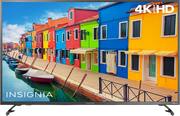
Rating 4.6 out of 5 stars with 2327 reviews
4.6- Picture Quality (1249)
- Ease of use (344)
- Roku (284)
- Price (197)
- 4K (76)
- Remote Control (45)
- Volume (8)
- Backlight (5)
Customer Images
The vast majority of our reviews come from verified purchases. Reviews from customers may include My Best Buy members, employees, and Tech Insider Network members (as tagged). Select reviewers may receive discounted products, promotional considerations or entries into drawings for honest, helpful reviews.
- Rated 5 out of 5 stars
Wonderful interface and lots of apps
I bought this to replace a bedroom tv and the menus and navigation are so good that I wish our larger more expensive living room set navigates like this. The built in roku works faster than the Fire Stick I had plugged into the HDMI port, and seems to have more apps that I ended up giving my Fire Stick to my father. I am a cord cutter and have an HD antenna. This set seems to pick up more over the air channels with the antenna than when plugged into my previous set. I get all the major networks and that's impressive since I live in the shadow of large hills that make reception poor. The only downside I can find is that while it is a 4K set, it doesn't do HDR. HDR can really make more of a difference in image quality when playing videogames. But I knew this when I purchased it. Besides, I do my gaming on the more expensive living room set that has HDR. I'm very happy with my purchase and my girlfriend likes using the menus and various apps more than our other set.
Posted by Mateo
- Rated 5 out of 5 stars
Excellent 4K TV for gaming
Been hunting for a 4K TV for a while to use with my Xbox One X. Found this one on sale and grabbed it. My chief concern was input delay or sceeen lag, I really can’t stand any significant delay when gaming. After turning it on (and begrudgingly sign up for a Roku account) I found the settings extremely easy to navigate. Within settings there are different preferences for the video, in advanced options there is a “game mode” option which reduces input delay massively. There is no delay, it’s extremely fast and responsive. The picture quality is great, but there are tons of settings to fiddle with. I love the HDR quality, it’s my first HDR TV and it really makes the whites and blacks pop. Another small note, the built in speakers are quite good. Not as good as a sound bar, but above average for built in speakers. The remote is great too. Simple and to the point. Volume is on the right side of the remote on a rocker switch, so it’s super easy to adjust volume without seeing the controller. No numbers and no unnecessary buttons make it easy. My only gripe is you have to turn the TV on and always select an input, rather than it starting at whatever input you left it at before. Maybe I can adjust this? It’s minor though. Highly recommend for gamers on a budget.
Posted by Taclys
- Rated 5 out of 5 stars
Best tv
So I wanted to buy a new tv for my bedroom. I have a 32” Insignia for 6 years and it still works great. However my eyes are not as great any more. I went to Best Buy and I saw a Samsung for $249. It was a 50” but not a smart tv. As I keep walking I came across this one. I like my 32” and I said if I can’t get Samsung I would get insignia. When I got it home I did not measure the tv so I had to buy a new dresser as well but it was all worth it. The tv is a great and clean picture. The sound is better then any other tv I have heard and the best part is all the apps I can download on the tv and not have to switch devices. This was a big plus for me because a had an older PS3 and when I would turn it on it hummed. For me this was a great buy even though I love Samsung.
Posted by Kitirne
- Rated 5 out of 5 stars
Great price and picture!
I bought this tv on a whim so I didn’t take much time to research. The associate helping me at the store was wonderful and she pointed me to this tv. The difference in the 2160 compared to the 1080 is amazing! I’ve had this tv for way over 6 months and haven’t had a single issue. After buying a Roku smart tv, I could never buy a standard one again. I got this tv for a steal too! I would say the extra money for the 2160 and smart tv features is absolutely worth it and would definitely recommend. You won’t get home and think “I sure wish I would have bought that tv with less features and a worse picture. “
Posted by lazzari09
- Rated 5 out of 5 stars
Great Smart tv
The product is easy to work. Great picture quality. Love the Roku option on it. I can add as many app channels I want. they even have some free ones.
Posted by star