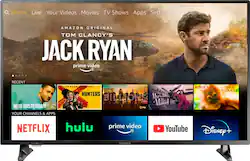
Get quality 4K presentation from this 50-inch Insignia Fire TV Edition television. Compatible with Alexa for voice control, this set has an Ethernet connection for access to the internet and AV and HDMI connections for high-quality video. Use the optical and analog sound outputs with external sound systems for immersive audio. This Insignia Fire TV Edition television includes a stand and is wall-mount compatible for effortless placement options.
Q: What is the distance between the legs so I know the length I need for a tv stand? Thanks
A: The stand footprint is 39 inches wide by 11 inches deep. David M. - Insignia Support
A: An HDMI cable is required to connect Cable/Satellite boxes, Gaming Consoles, Blu-ray / DVD players, Streaming boxes or Laptop computers. An HDMI cable is not required to connect the TV to your wireless network.
Q: Can I connect blueooth headphones to this tv?
A: Hi! The Bluetooth feature of this TV was designed to pair yuor remote control to the TV. You can connect other things like headphones via Bluetooth, however, please know that there could be some audio delay with this connection. Viridiana E. Insignia Support. https://www.insigniaproducts.com/contact-us
Q: Can I brows and access the internet.
A: Yes, you can brows and access the internet.
Q: Which model is better the NS-50DF711SE21 or NS-50DF710NA21
A: The model NS-50DF710NA21 is newer.
Q: Do you need a special hdmi cable to access the 4k picture quality? Thanks.
A: You can use the HDMI cable model NS-HG08505
A: Yes, the 2 year extended warranty starts with the date of purchase.
A: The VoiceView feature speaks on-screen text out loud as you navigate menu options and settings on your Fire TV Edition TV. To turn VoiceView ON or OFF, hold down at the same time the Back and Menu buttons on the remote for two seconds. You'll hear "VoiceView Ready" when the feature is ready to use. For more accessibility settings go Home > Settings > Accessibility.