Rating 4.7 out of 5 stars with 3218 reviews
4.7- Picture Quality (1806)
- Price (337)
- Ease of use (294)
- TV Quality (148)
- Color (69)
- Remote Control (23)
- Performance (11)
- Volume (8)
- App Performance (4)
Customer Images
The vast majority of our reviews come from verified purchases. Reviews from customers may include My Best Buy members, employees, and Tech Insider Network members (as tagged). Select reviewers may receive discounted products, promotional considerations or entries into drawings for honest, helpful reviews.
- Rated 5 out of 5 stars
Impressive for value for the size
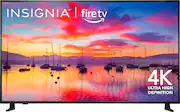
I recently purchased the 65-inch Insignia TV and I have to say, I'm thoroughly impressed with what I got for the price. The picture quality is surprisingly crisp and clear, especially considering the size of the screen. The colors are vibrant, and the contrast ratio is quite impressive for a TV in this price range. Setup was a breeze, with easy-to-follow instructions and intuitive menus. The built-in smart features are also a nice bonus, allowing me to access my favorite streaming apps without needing any additional devices. Overall, I'm extremely happy with my purchase of the 65-inch Insignia TV. It offers excellent value for the size, delivering a big-screen experience without breaking the bank. If you're in the market for a budget-friendly TV with solid performance, I highly recommend giving this one a try.
Posted by DAApa
- Rated 5 out of 5 stars
Amazing price for fully capable SmartTv
I wanted to upgrade from my 43in Insignia and was debating between a few different models for 65in tv’s. The other top contender was the Roku FireTv but given the picture quality I already experienced with my current Insignia, I decided to get another Insignia. I have no regrets as this model has all the smartTV/bluetooth capabilities I would need to stream and game. The picture quality is great and the price is amazing! I have had no issues using it to stream movies/shows or play games on my Nintendo switch and Xbox. I highly recommend this model if you’re looking for the most bang for your buck.
Posted by KristenK
- Rated 5 out of 5 stars
Excellent television at a ridiculously low price
We bought this for our bedroom and I actually like it better than our much more expensive Samsung. The sound is great, the color is fantastic and the overall layout is very user friendly. The only thing I would change would be the remote. It feels weird in your hand and almost feels like the bottom and top of the remote should have been flipped because of the weight difference. It’s odd and hard to explain. It’s not enough to change my 5 star rating because the television itself is that good.
Posted by WendyB
- Rated 5 out of 5 stars
Fantastic Patio TV
Installed this TV on my back porch, and for the price, it is excellent. I also purchased the Best Buy Essentials mounting bracket, and it may be better than the TV. Really solid, very impressed. 1. The ease of setup. I've seen some folks argue that Roku is better etc. Possibly, but I'm in the Amazon Fire ecosystem, so I went with a Fire TV. I have nothing bad to say. I actually figured out how to make some changes to the home screen, specifically the apps in the quick look, how to change them to the ones I use. Big help. I also was able to get every single app I needed. I hooked up a DirecTV box so I have that, but I also downloaded the DirecTV streaming app, so I will have full DirecTV if rain shuts down the satellite, although if it's raining that hard, I might not be on the patio. I did have to reverify logging into all the apps, ESPN+ etc. but the QR code makes it far easier. 2. Installation was super easy. I've done a lot of work around the house, so I'm not a novice, but this has been more difficult with other installs. The Insignia TV is flat on back so the brackets go on easy, I used the Essentials and for a 65" to go up that easy, was nice. 3. Sound is actually pretty good. I didn't get a sound bar, just TV speakers, and it works well. I also use audio out to a Brookstone Wireless speakers and that was super easy. I've had the speakers for 9 or 10 years, ha, no need to replace if I don't have to. Plus, I can still use TV speakers and the wireless to place sound out by the pool, I float and watch the Astros a lot. 4. Picture is very good. I try to remember, whatever TV I purchase, it won't be on the wall next to the $5,000 tv for comparison at my house. The picture is vibrant, motion excellent, and set up 4k to DirecTV easily. 5. Remote is pretty solid as well. It looks almost exactly like a Fire Stick remote, so I know how to use it. Overall, I have to say that this is an excellent purchase. Snappy user interface, works quicker than the fire stick's I've used. Setting it up was very easy, and the sound and audio on a back patio is excellent. There is some glare, but I don't believe any TV made would not have some out there during the day. It's on vibrant mode and it pops. The 4K game jumped off the screen. Overall, very happy for a $349 tv. At this point, I'm really curious what more expensive TV's have? I really don't know what they would provide that would need me to spend thousands when this tv works this well.
Posted by JasonM
- Rated 5 out of 5 stars
I Was Uncertain But This Insignia TV is Terrific!
I was in need of a technology boost after a decade with the same 'smart TV' which was having a difficult time keeping up in this era of streaming, so I bought this in-house Insignia (Best Buy brand) somewhat tenuously. I will say that the main reason why I chose this TV was the amazing price point ($300) - and the fact that I could buy a 5-Year repair/replacement Warranty for a VERY reasonable price. I am SO glad I did, as this 65" Smart TV has delivered marvelously. With its FireStick technology built-in, this TV seamlessly aligns all of my favorites in one place and, after pairing it with a pre-existing soundbar, I couldn't be happier! There are three HDMI ports, and I have already used an antenna for local stations with no difficulties whatsoever. It streams easily and usually without any issues whatsoever. Are there better TVs out there? I am certain there are, but they seem to be at least double, triple the price - if not more. Sometimes, less expensive is better - and that certainly is the case for this wonderful TV. Highest recommendation! A+
Posted by km013