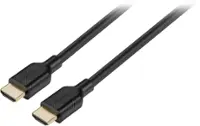
Insignia™ - 8’ Micro HDMI Cable to HDMI - Black - Open Box - fair
Insignia™ - 8’ Micro HDMI Cable to HDMI - Black - Open Box - fair
- Works like new.
- May have larger dents or scratches.
- May be missing parts, accessories, or packaging.
More Buying Options
Related Item

About This Item
About Open Box
Reviews
Customer Images
Compare similar products

This 8' Insignia cable lets you connect a compatible tablet, cell phone, digital camera, camcorder or other device with a micro HDMI interface to your HDMI-enabled HDTV, LCD monitor or projector, so you can enjoy sharp visuals and audio.
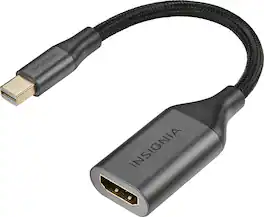
This mini DisplayPort to HDMI adapter converts a mini DisplayPort output to an HDMI input, letting you connect your iMac, MacBook or other Mini DisplayPort device to an HDMI-enabled TV, monitor or projector. Resolutions up to 4K deliver outstanding presentations or movie showings with crystal clear video quality. Plus, the compact design makes it easy to carry.

The Insignia 4' High-Speed HDMI-to-Mini HDMI Cable supports resolutions of 4096 x 2160 at 30Hz, allowing you to watch movies, videos and more with quality images that will leave you breathless. The 4 ft. cable transmits reliable video and audio signals. Use it with your computer, laptop, TV or other HDMI-enabled device.

2ft Micro-HDMI to HDMI Cable: Connect Your Micro-HDMI Devices to Your TV or Display. The 2ft Micro-HDMI to HDMI Cable is the perfect solution for connecting your Micro-HDMI devices to your TV, projector, or other HDMI display. It features a Micro-HDMI male connector on one end and a standard HDMI male connector on the other end, making it easy to connect your devices. This cable supports all High Speed HDMI features, including HDMI Ethernet Channel, Audio Return Channel, 3D over HDMI, and 4K video.
| Pros for Insignia™ - 8’ Micro HDMI Cable to HDMI - Black | |||
|---|---|---|---|
| Compatibility, HDMI, Ease of use, Quality, Length | Overall Performance, Ease of use, Compatibility, Price, Connectivity | Overall Performance, Compatibility, HDMI, Ease of use, Price | There were no pros for this product— |
| Cons for Insignia™ - 8’ Micro HDMI Cable to HDMI - Black | |||
| There were no cons for this product— | Length | There were no cons for this product— | There were no cons for this product— |